
💰 How to Set Pricing
🎯 Purpose
This guide explains how to:
🆕 Create pricing for a new outlet.
🏪 Edit pricing for an existing outlet.
➕ Add additional Washer/Dryer configurations.
🎁 Configure promotions.
🧭 Quick Navigation
🔐 How to Access
🔐 Step 1 — Login to Laundro Portal
Log in using your Username and Password. https://v2.thelaundro.com/operator_login
📍 Step 2 — Go to Price Setting
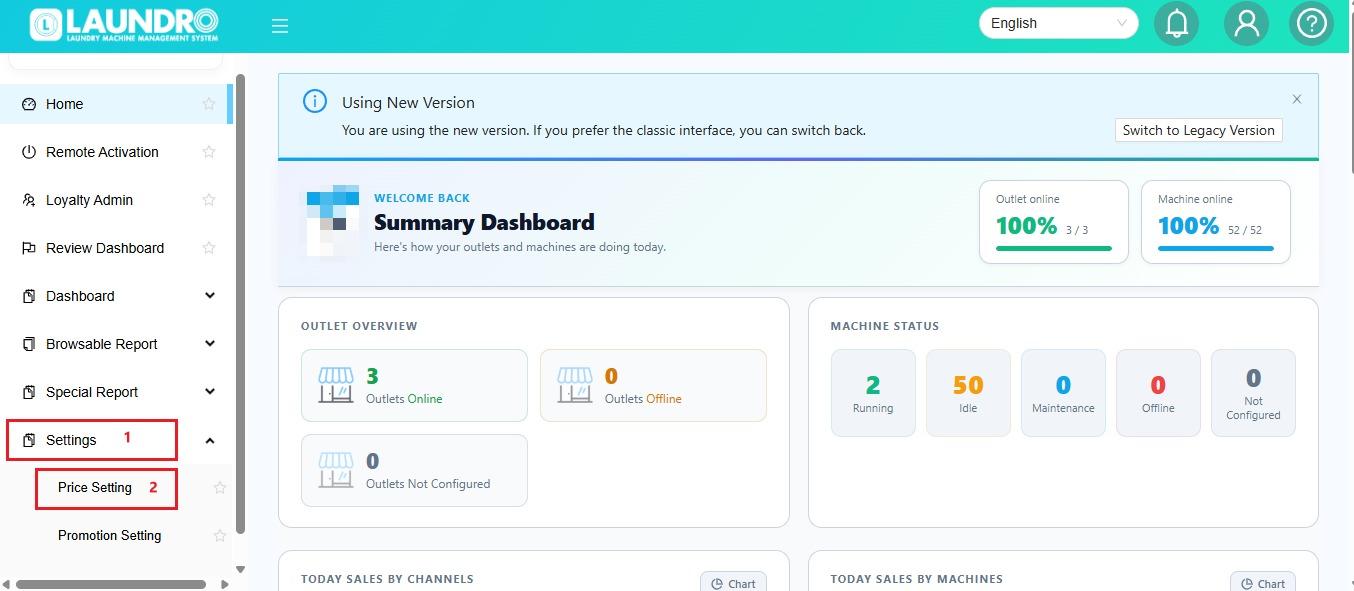
💰 Step 3 — Set Your Machine Pricing
- Select the Washer or Dryer and enter the required price.
- 🧺 Washer — Set the price according to the machine size / KG.
- 🔥 Dryer — Set the price according to the machine size / KG.
Click Add Pricing for New Outlet.
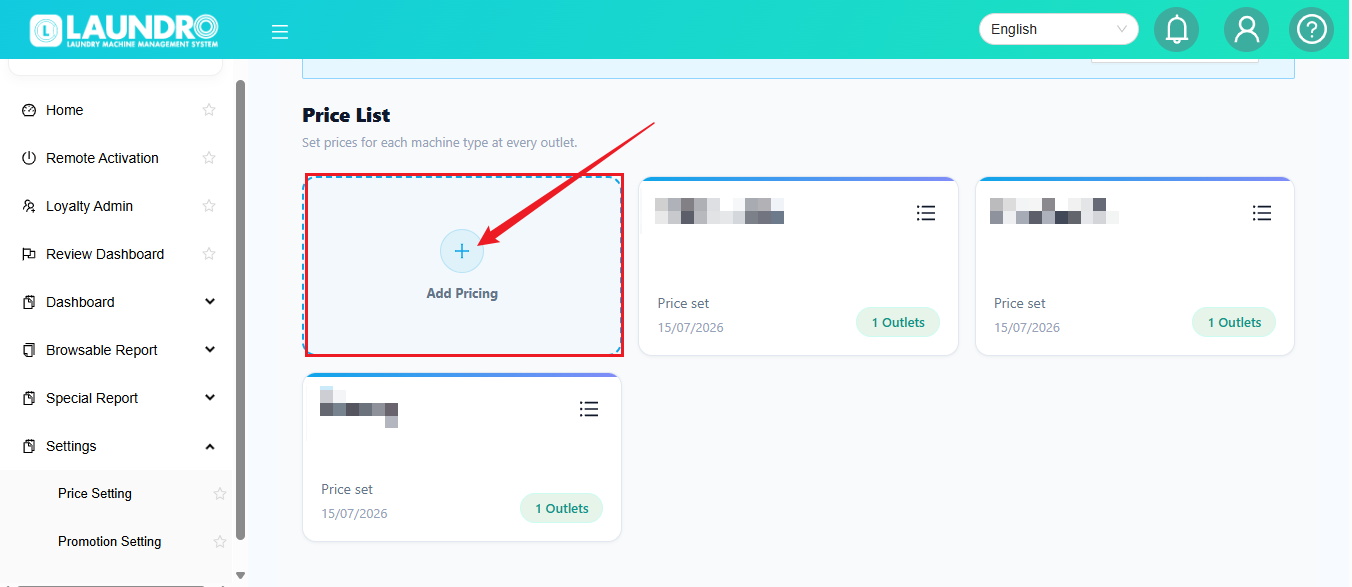
✏️ Step 4 — Fill in the Details
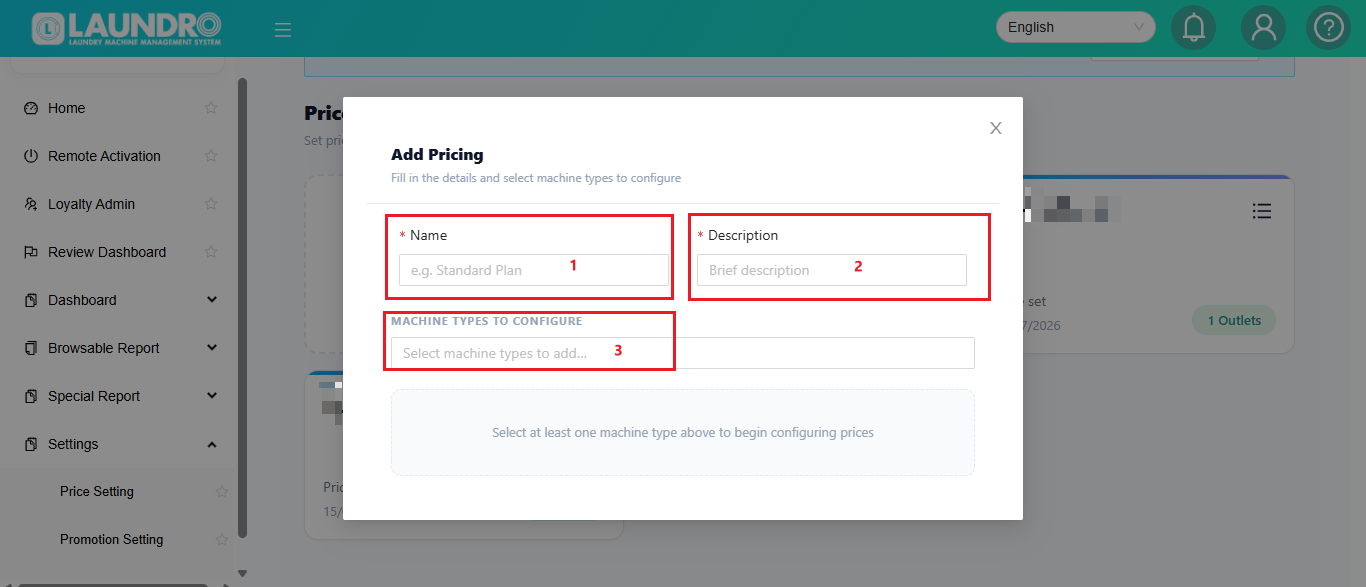
Complete the required information:
1️⃣ Outlet Name
Enter the outlet name.
2️⃣ Description
Add a description if needed.
3️⃣ Machine Type
Choose Washer or Dryer.
4️⃣ Washer Mode
If the Washer only has 1 Mode, enter 1 and fill in the required pricing.
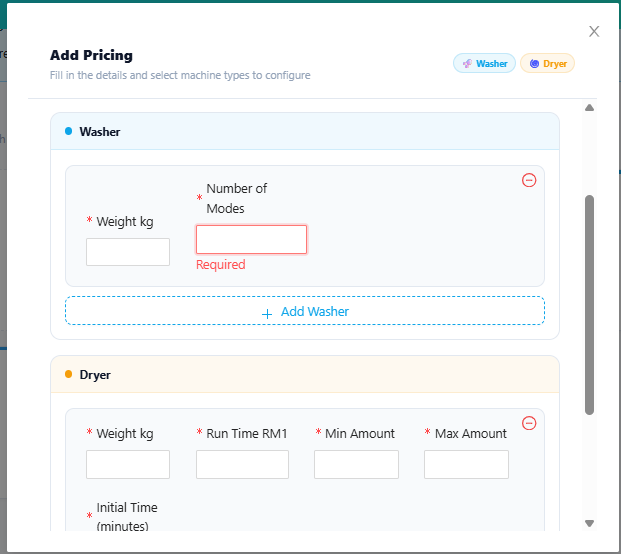
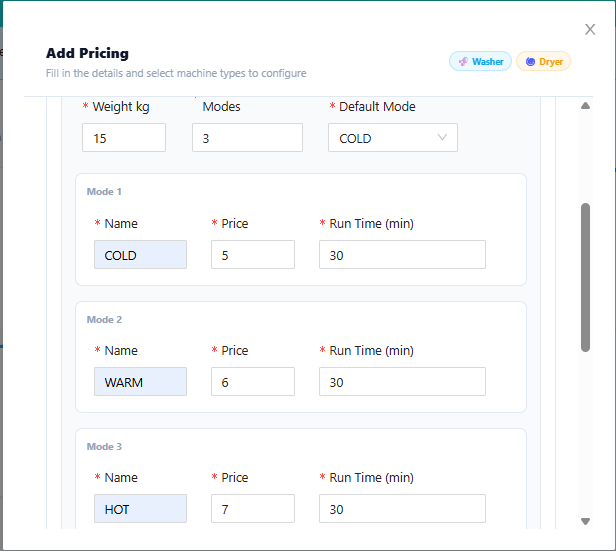
🆕 Add-on Machine with Different KG
Have you added a new machine with a different weight / KG?
No problem! 👇
- Scroll down to find the Add-on Machine section.
- Select the required Dryer / Washer.
- Enter the desired price.
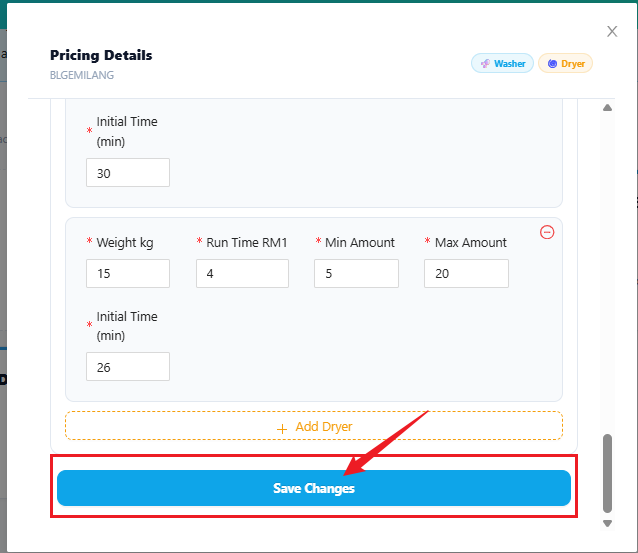
- 💾 Click Save Changes when finished.
💾 Save
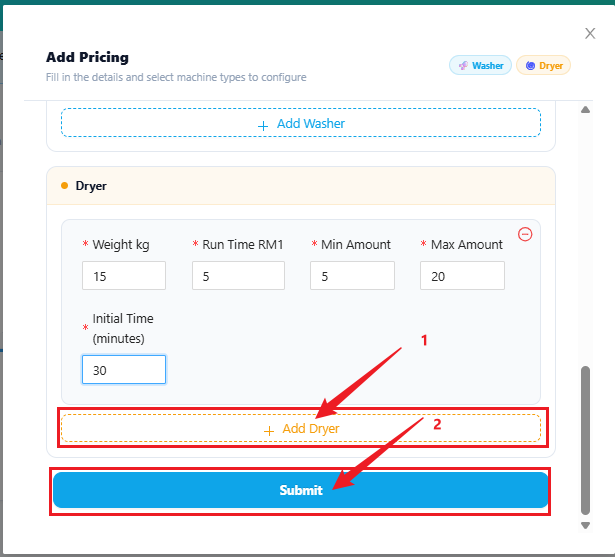
🆕 Existing Outlet
Already have an outlet and want to add a new machine with a different KG / weight?
Follow these steps 👇
🏪 Step 1 — Select the Outlet
Click the Outlet Selector at the top and choose the outlet you want to edit.
Then click ✏️ Edit.
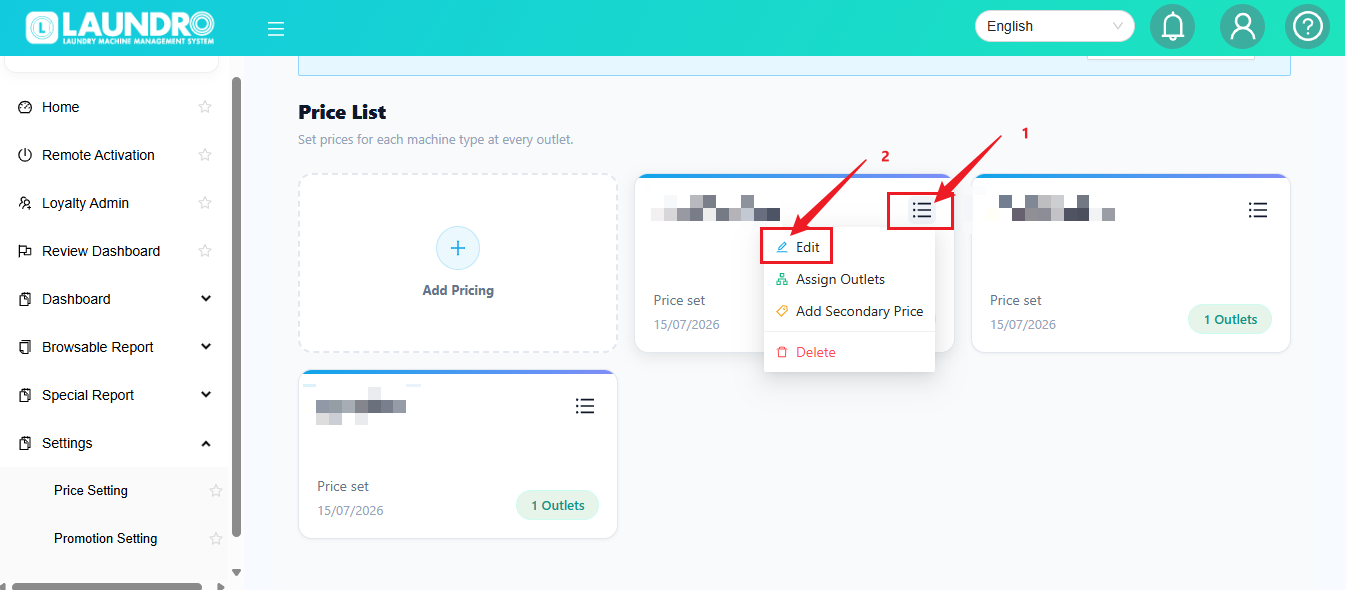
➕ Step 2 — Add the Machine
Scroll down to the Add-on Machine section.
Select the required Washer / Dryer and configure the pricing.
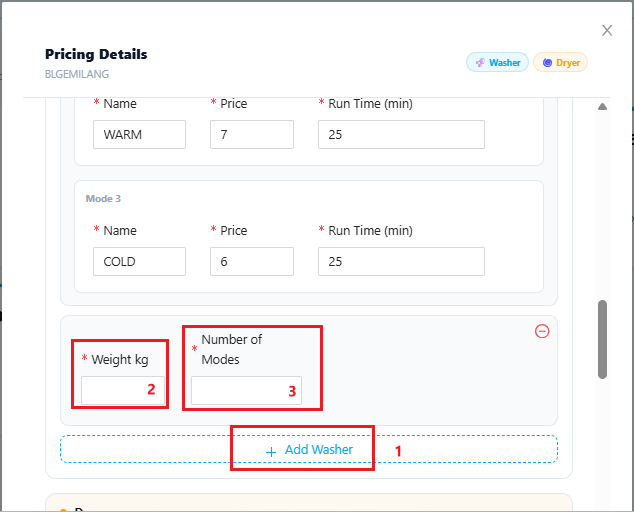
💾 Step 3 — Save Changes
Finished adding the machine?
Click Save Changes.
💡 Quick Tip: Before saving, double-check the machine type, KG, and price.
🎁 Promotion Setting
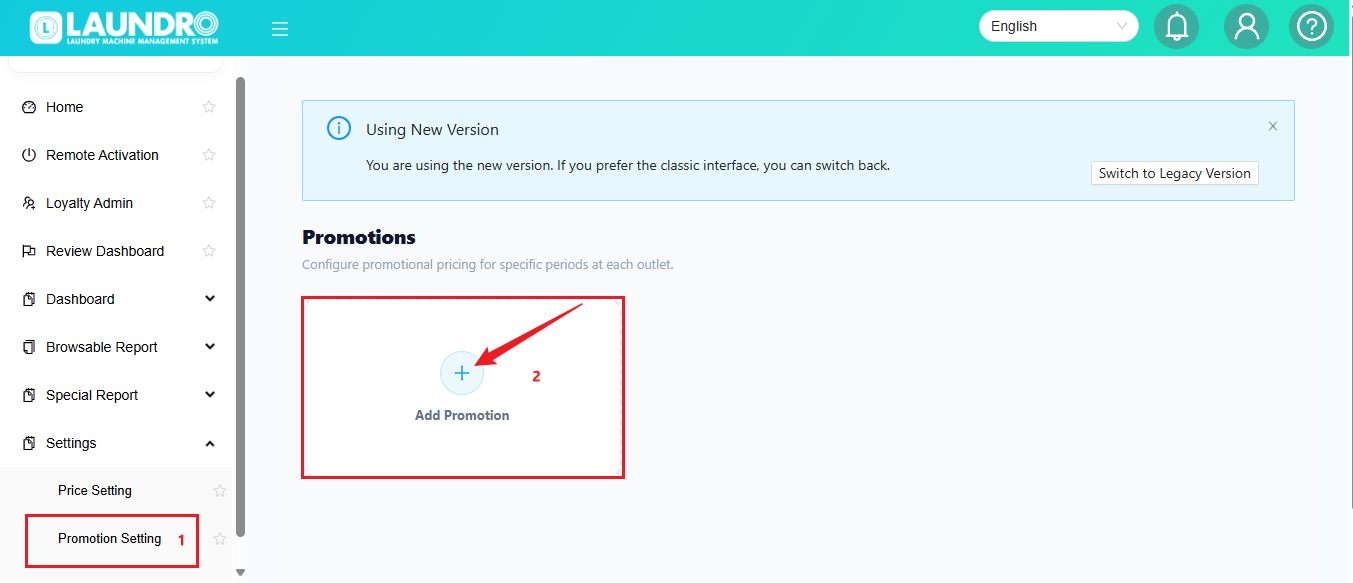
Want to create a special price or promotion?
Click:
➕ Add Promotion
Then:
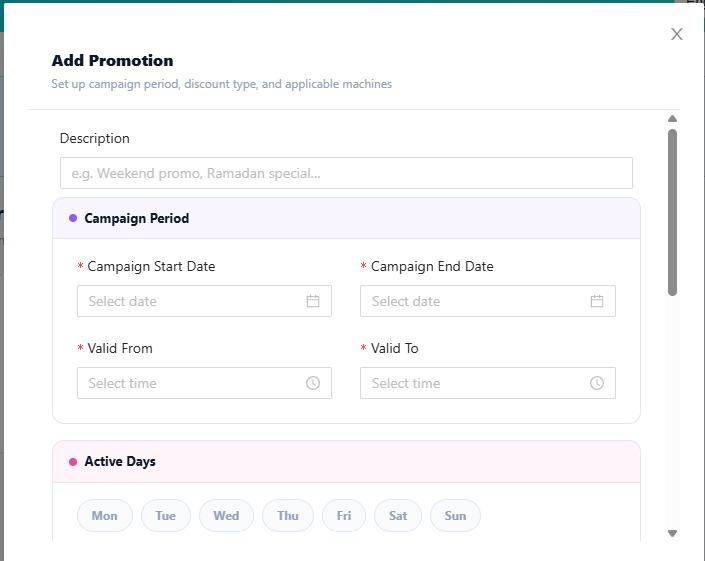
1️⃣ Fill in the promotion details.
2️⃣ Check the information.
3️⃣ Click Submit.
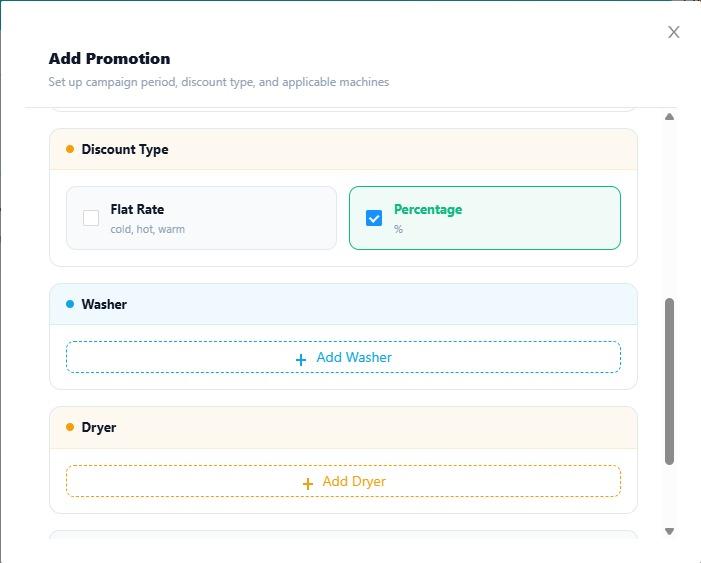
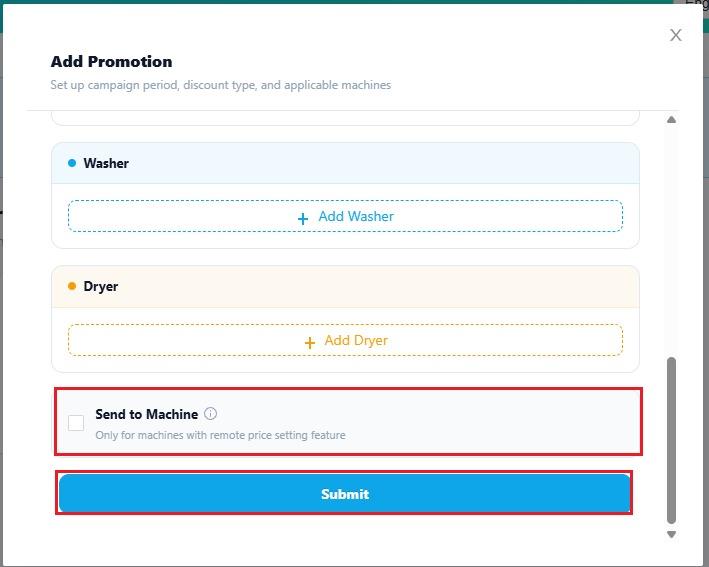
💡 Note: Make sure the promotion settings match the pricing you want to offer to customers.
🎉 You're Done!
Your pricing setup is complete! ✅
💡 Before you leave:
✔️ Check Outlet
✔️ Check Machine Type
✔️ Check KG
✔️ Check Price
✔️ Click Save
No comments to display
No comments to display