
👥 How to Create a Staff User
Welcome to the Laundro Portal Guide! 👋
Want to give your staff access to the Laundro Portal? Follow this guide to create a staff role, set permissions, and create a staff account.
🛡️ Stage 1 — Create a Staff Role
A Staff Role determines which features and functions a staff member can access.
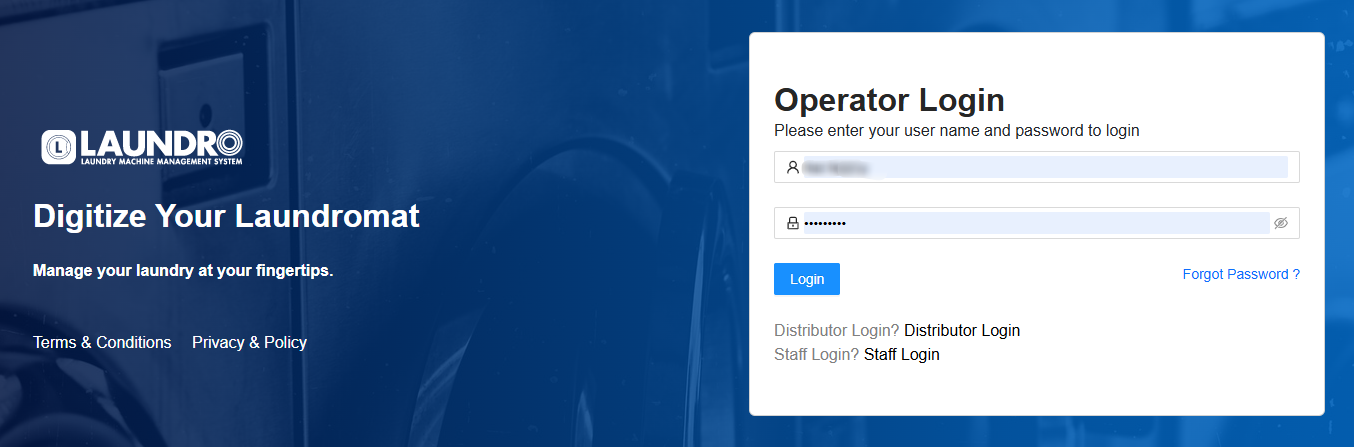
🔐 Step 1: Log In to Laundro Portal
Open the Laundro Portal and enter your operator username and password.
🔗 Portal Login: https://v2.thelaundro.com/operator_login
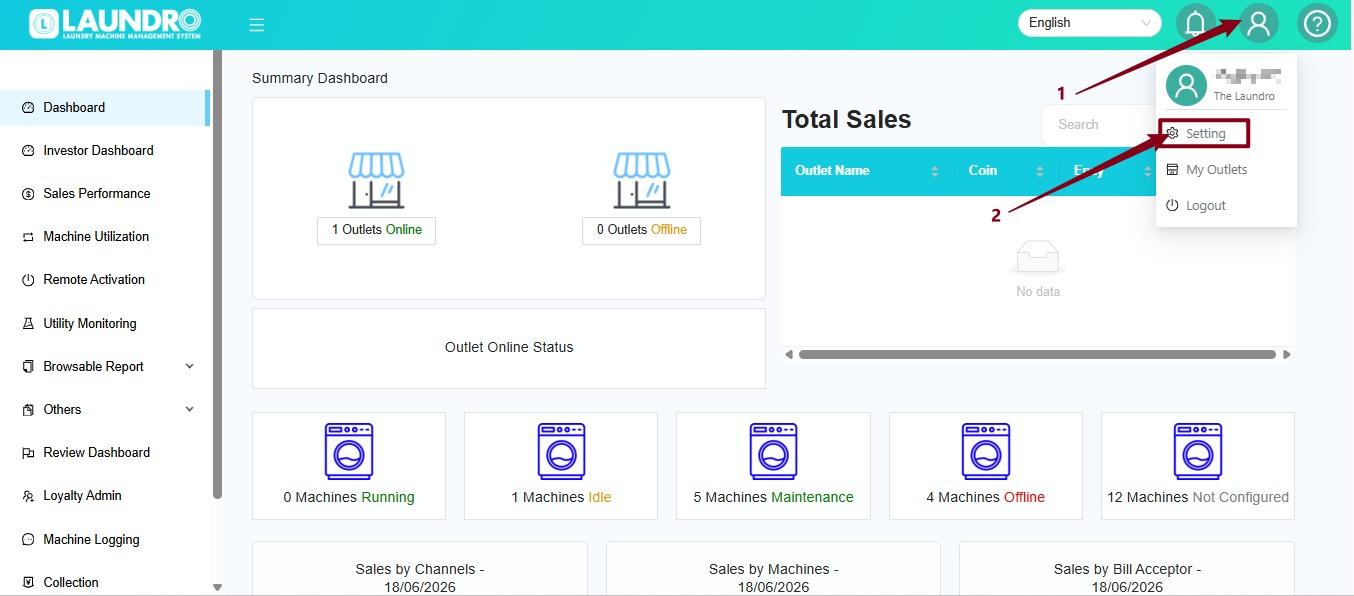
⚙️ Step 2: Open Settings
- Click the Profile icon at the top-right corner.
- Select Setting from the dropdown menu.
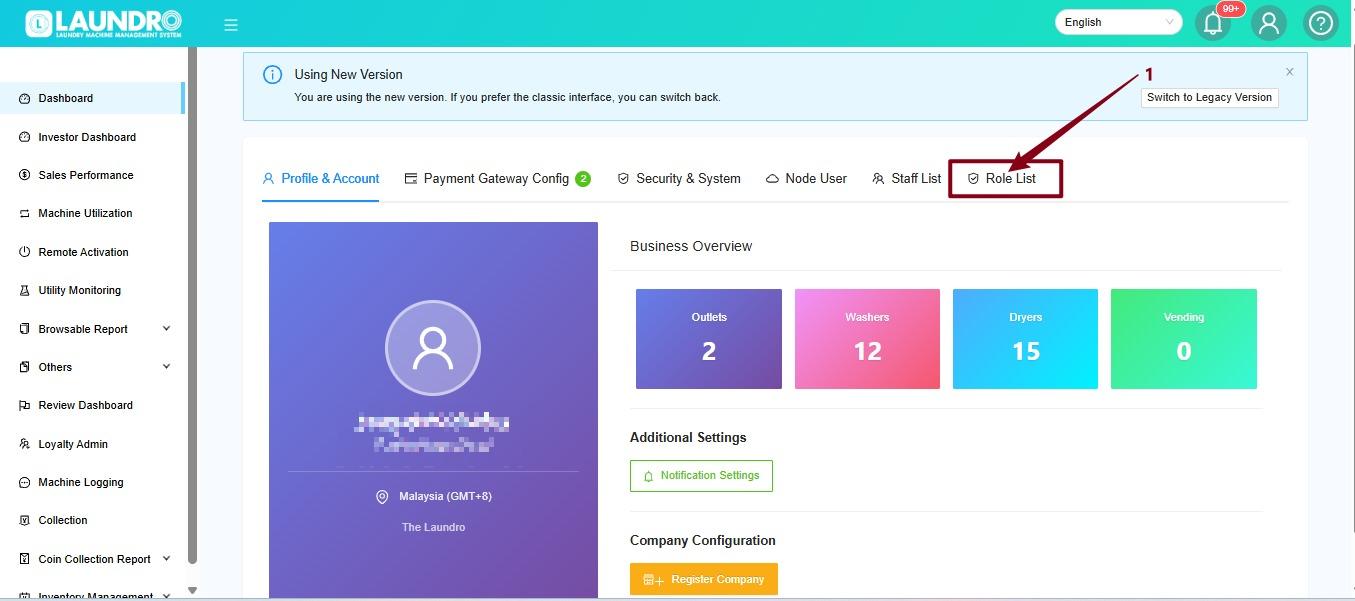
📋 Step 3: Open Role List
On the Setting page, click Role List.
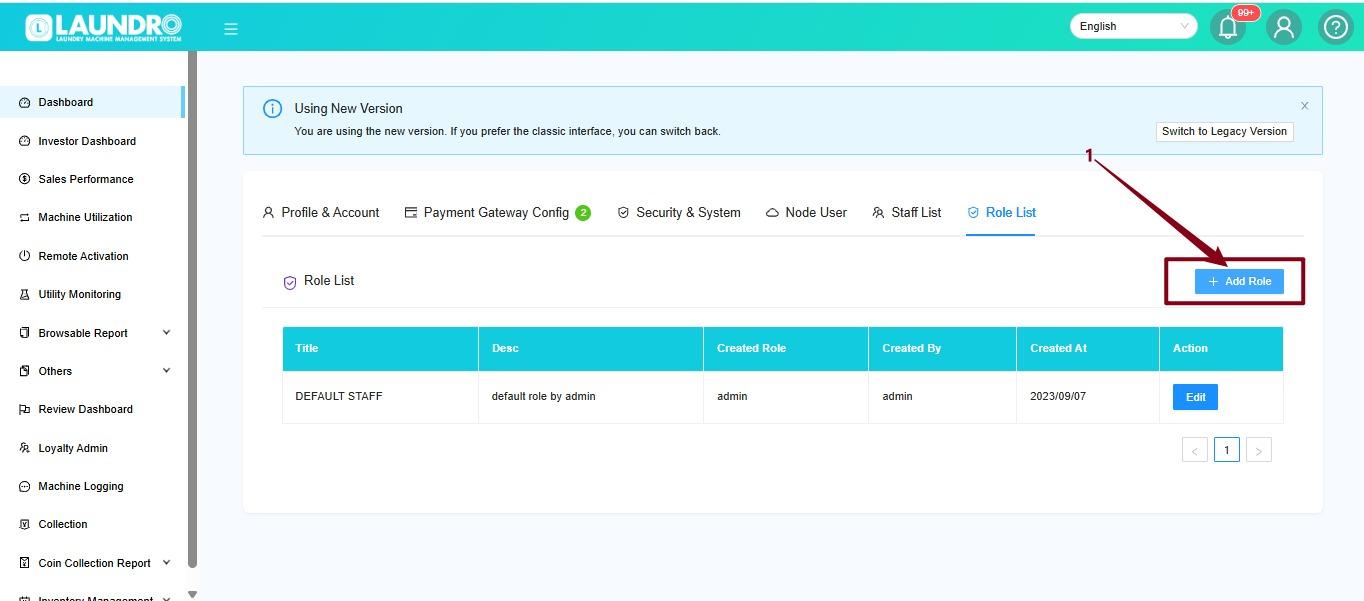
➕ Step 4: Add a New Role
Click Add Role to create a new staff role.
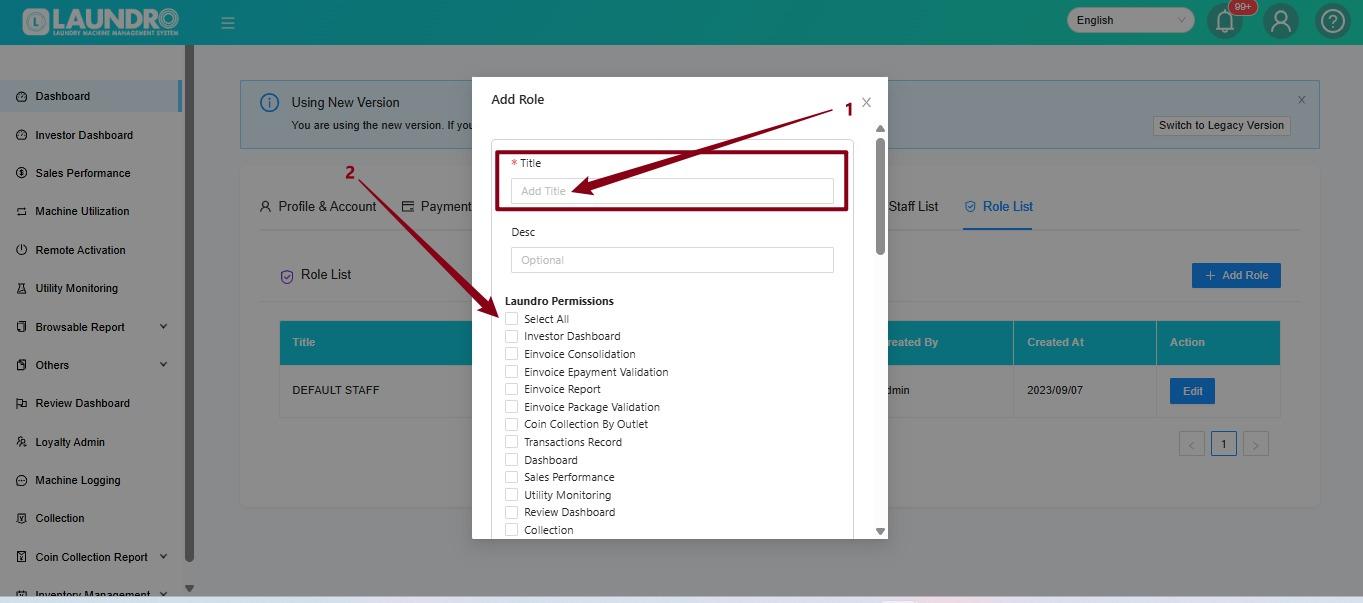
✏️ Step 5: Enter the Role Details
- Enter the role name in the Title field.
- Select the required permissions by checking the appropriate boxes.
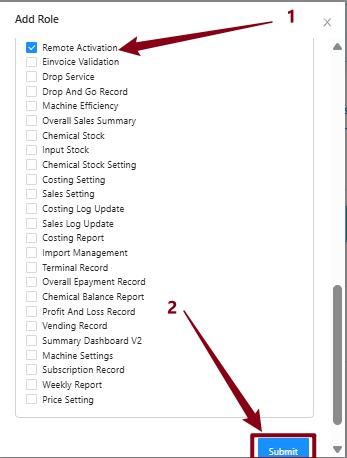
Example: Staff - Remote Activation Only
If the staff member only handles remote activation, select the Remote Activation permission.
💾 Step 6: Submit the Role
Review the selected permissions, then click Submit to create the role.
💡 Quick Tip: Only enable the permissions required for the staff member's duties.
👤 Stage 2 — Create a Staff Account
Now that the role is ready, let's create the staff account!
📋 Step 7: Open Staff List
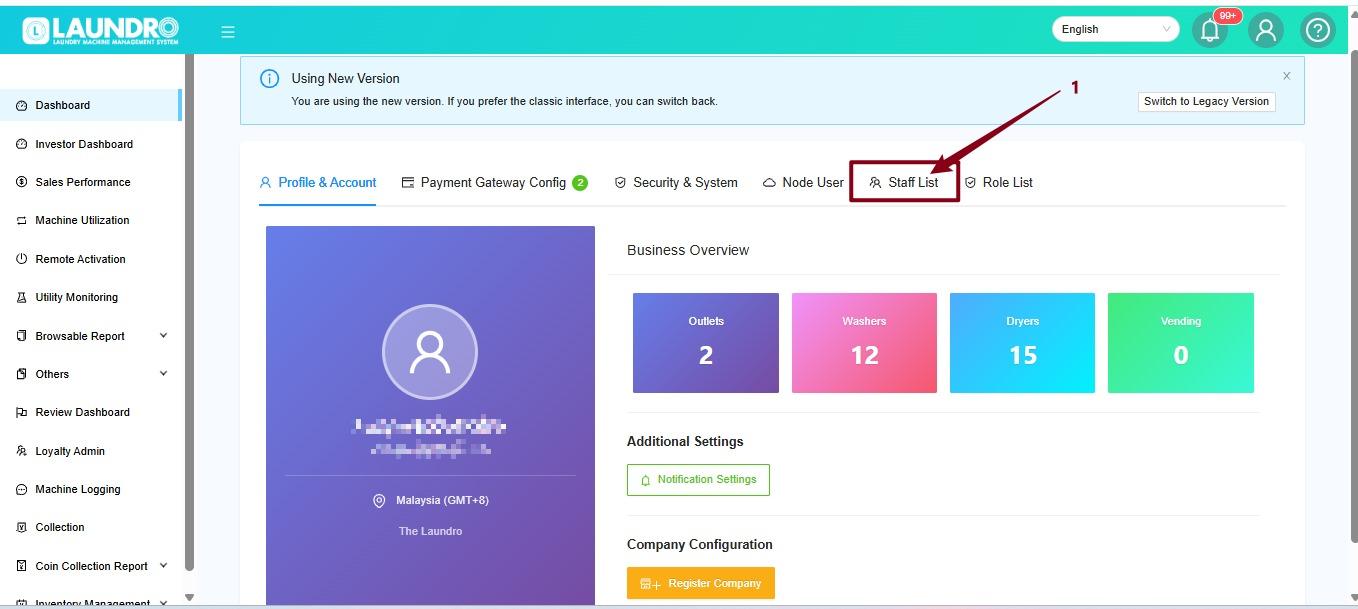
Return to the Setting page and click Staff List.
➕ Step 8: Add a User
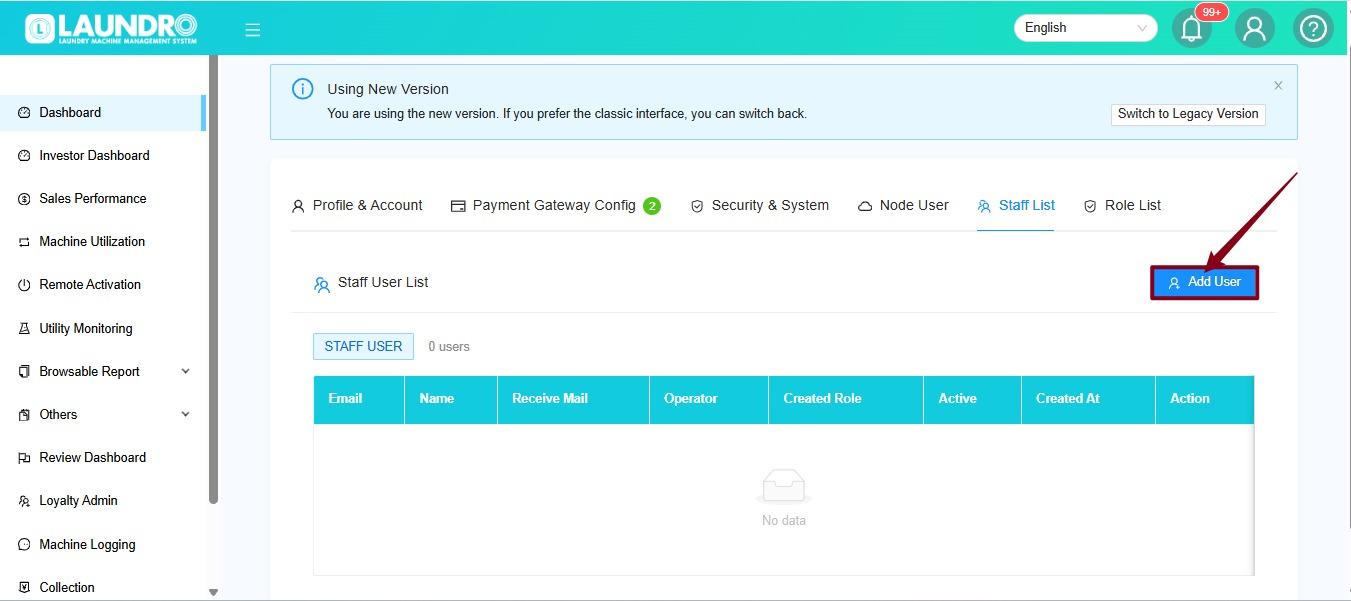
Click Add User to open the new staff account form.
📝 Step 9: Fill In the Staff Details
Complete the required fields:
- Username — Enter the staff member's username.
- Email Address — Enter the staff member's email address.
- Password — Create a password for the account.
- Role — Select the role created earlier.
- Outlet Access — Select the outlet or outlets the staff member is allowed to access.
Once all details are complete, click Create Account.
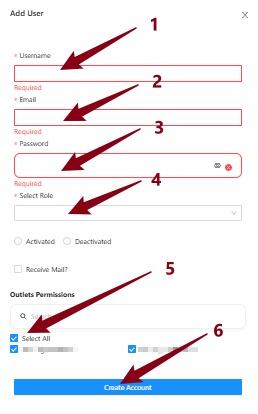
⚠️ Important: Double-check the selected role and outlet access before creating the account.
🔐 Stage 3 — Log In as Staff
The staff account has been created. Now, let's log in!
🚪 Step 10: Open the Login Page
Go to the Laundro Portal login page and select Staff Login.
🔗 https://v2.thelaundro.com/operator_login
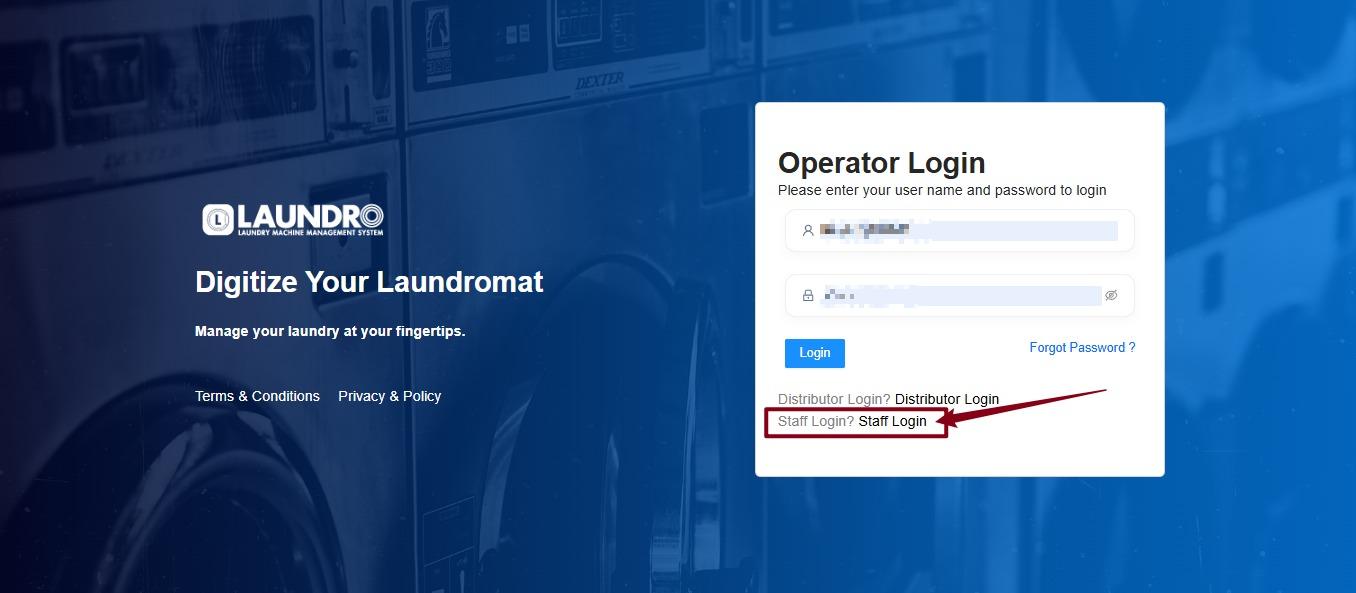
🔑 Step 11: Enter Login Details
- Enter the staff Username.
- Enter the staff Password.
- Follow the on-screen instructions to log in.
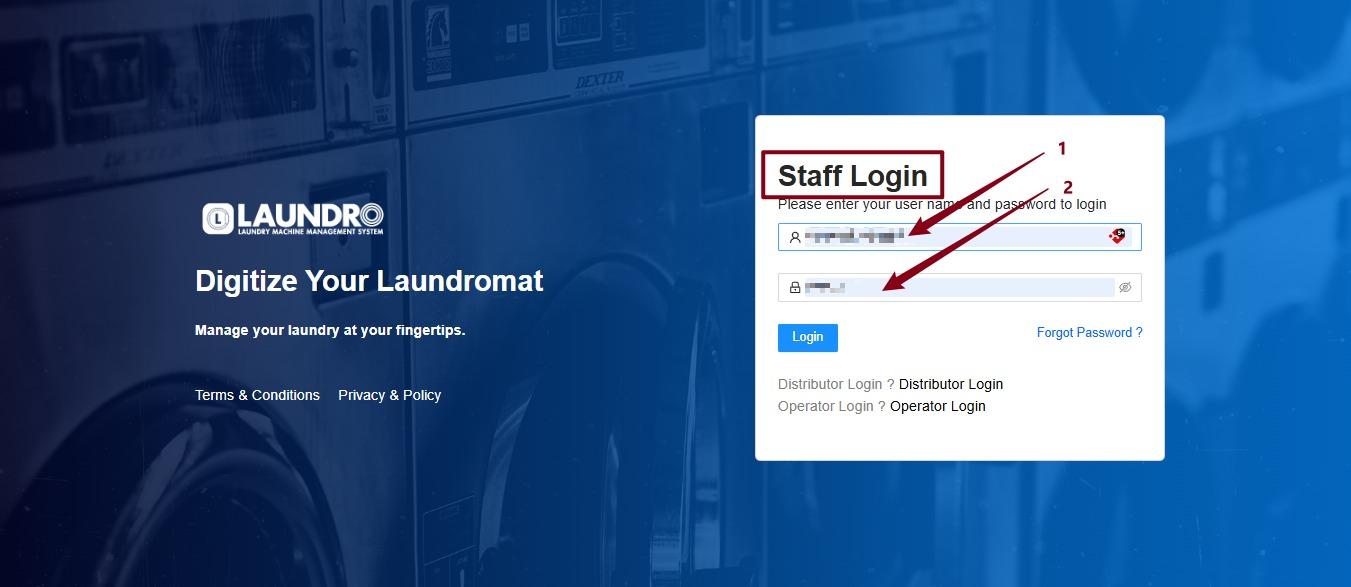
🎉 Success! The staff member can now log in using the account created for them, with access based on the assigned role and outlet permissions.
💡 Need help? Contact the Laundro support team if you encounter any issues while creating the staff account.
No comments to display
No comments to display