
How to change outlet visibility for a staff user
Use this guide to change which outlets (laundry locations in Laundro) a staff user can see.
Prerequisites
-
You sign in to your Laundro workspace as the distributor or operator who created the staff user.
-
A distributor is a brand owner who manages multiple operators.
-
An operator is an owner who manages one or more outlets.
-
You know which outlets the staff user needs to see.
Steps
-
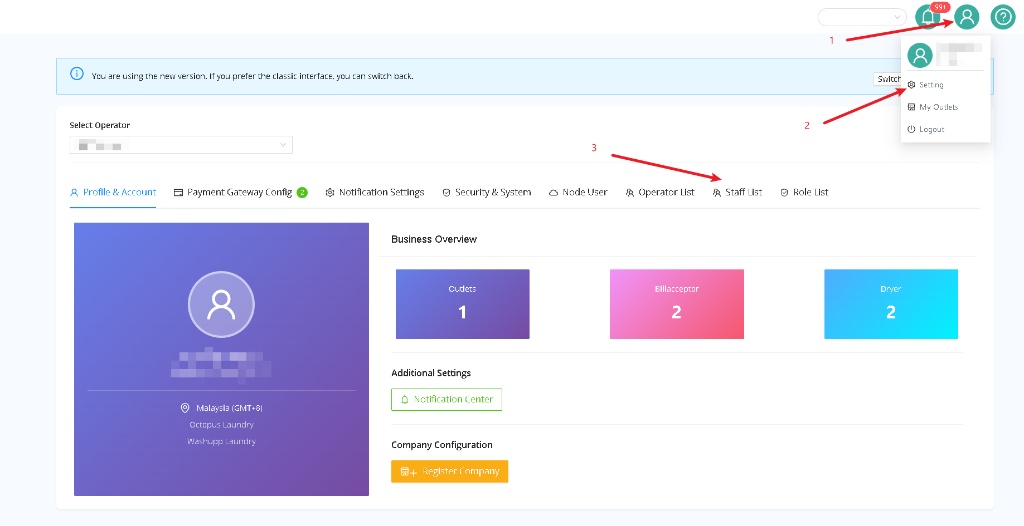
Point the mouse cursor at the person icon (1) in the top-right corner of the screen.
-
Click Setting (2) in the menu.
If you sign in as a distributor, choose an operator in Select Operator first.
- Click Staff List (3) in the navigation bar.
-
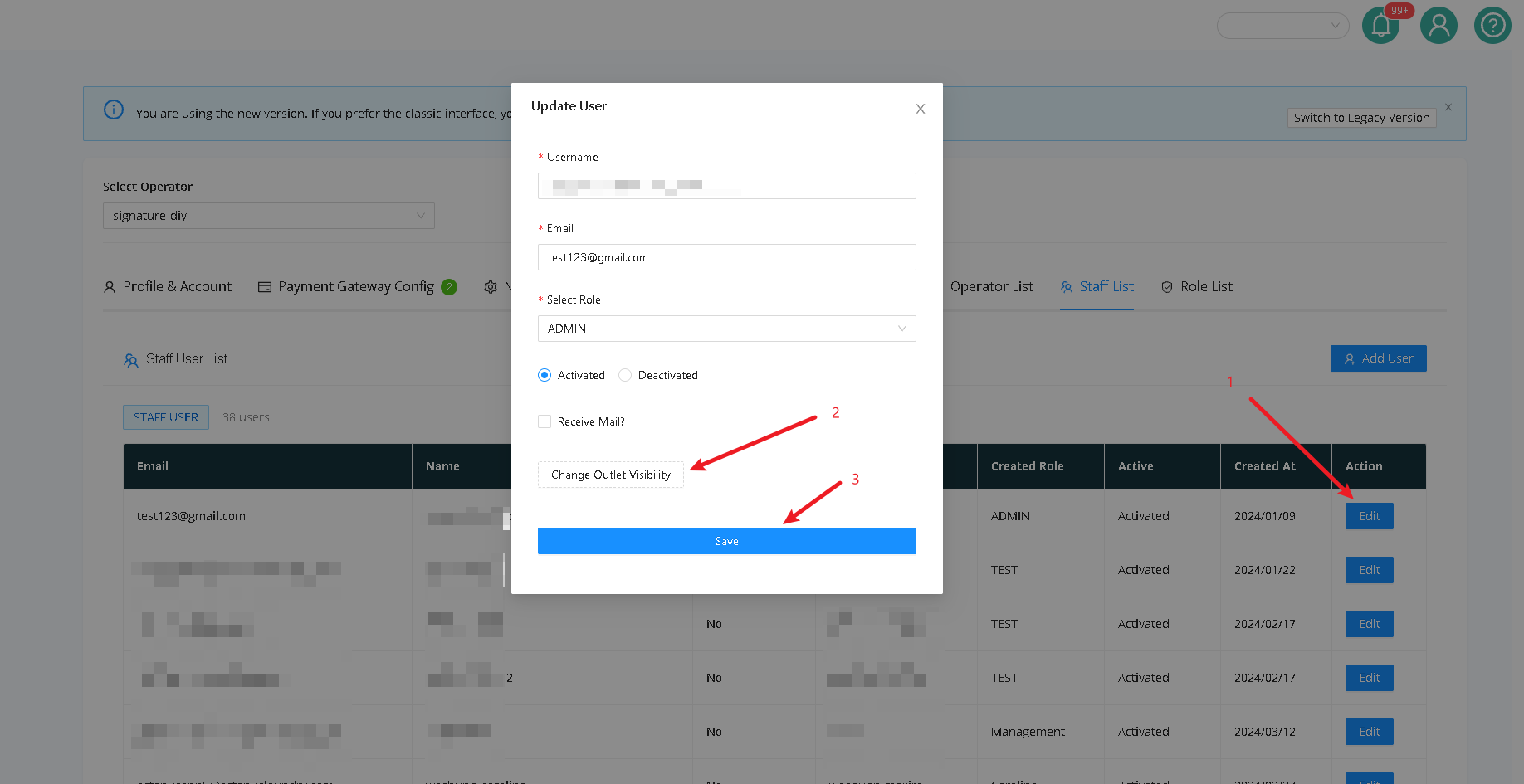
Click Edit (1) in the Action column next to the staff user.
-
Click Change Outlet Visibility (2) in the Update User window.
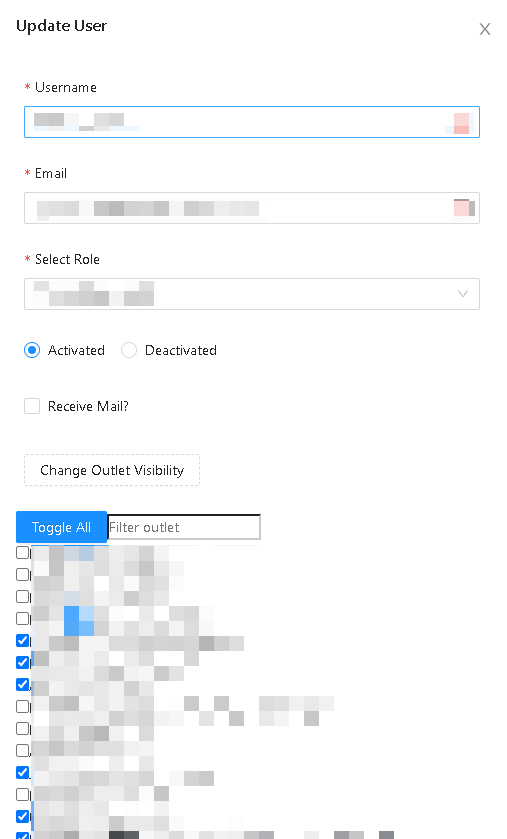
- Select or clear the checkbox next to each outlet.
- Click Save (3) in the Update User window.
Expected result
The Update User window closes, and the Staff User List appears. No confirmation message appears.
No comments to display
No comments to display