
How To View Individual / All Machine Sales Transactions
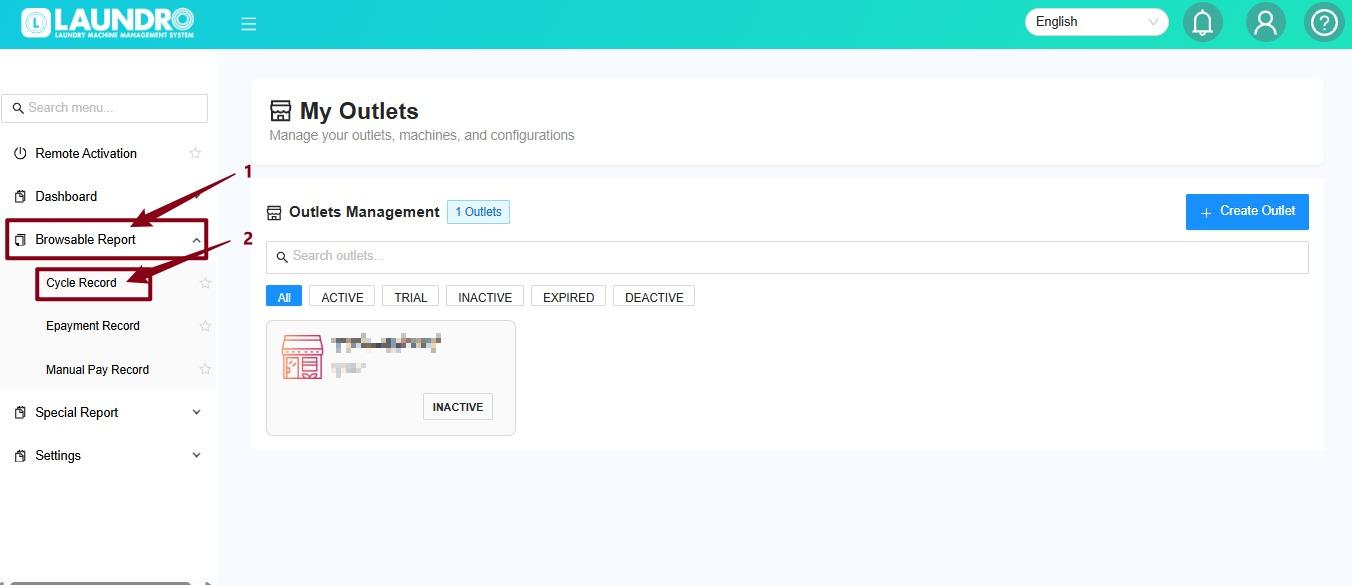
- Find and click Browsable Report in the sidebar menu, then click Cycle Record.
2.
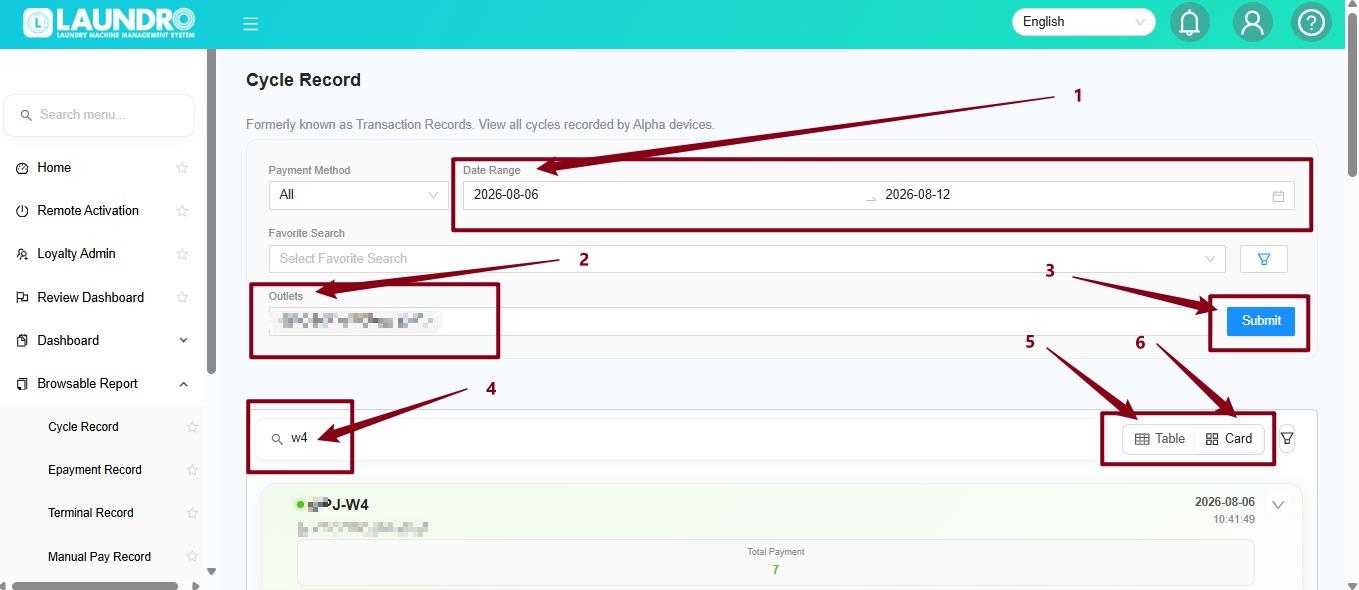
1. Date Range – Select the date range you want to check.
2. Outlets – Select the outlet you want to view.
3. Submit – Click Submit to generate the records.
4. Search – Enter the washer or dryer number (e.g. W4) to find a specific machine.
5. Table / Card – Choose Table or Card view based on your preference.
6 View Record – The cycle record will show the machine's transaction details, including the payment amount and date/time.
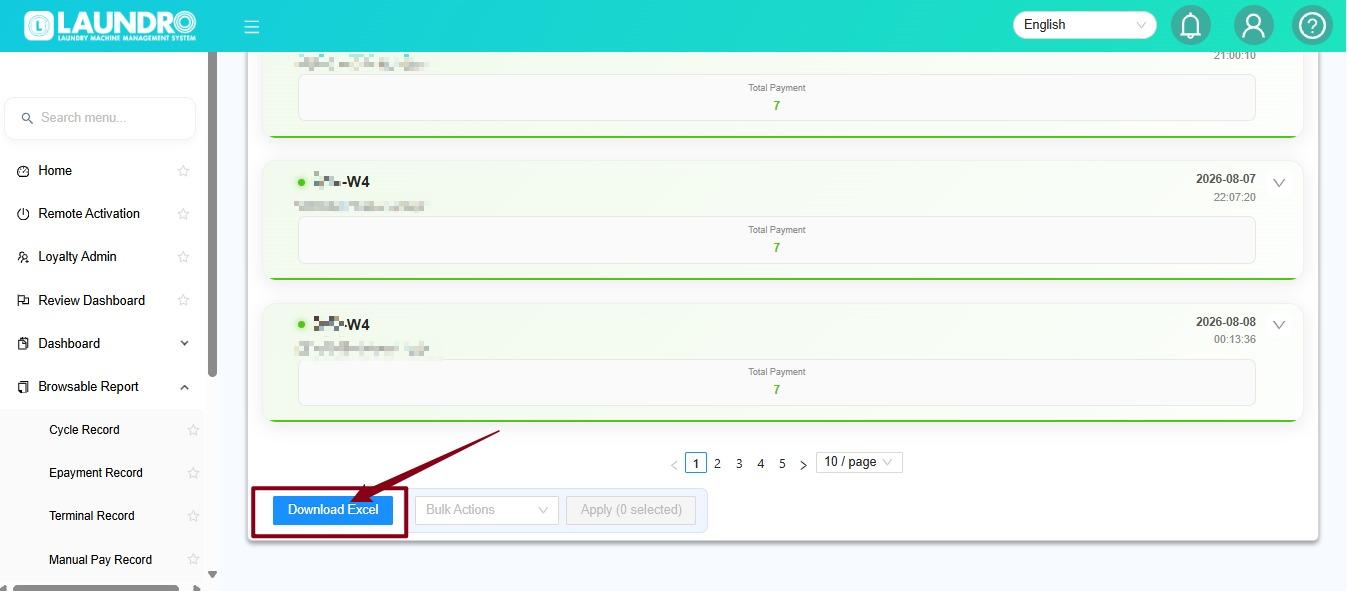
3. You can also download the report in Excel format by clicking the Download Excel button at the bottom.
No comments to display
No comments to display