
➕ Add Machines to an Existing Operator
🎯 Purpose
Use this guide to add new machines to an existing outlet without creating a new operator account.
🧭 Quick Navigation
- 🔐 Log in to Laundro Portal
- 📍 Go to My Outlet
- 🏪 Select The Outlet
- ⚙️ Open Machines
- ➕ Add Washer or Dryer
- 📝 Enter Details & Save
📍 How to Access
🔐 Step 1 — Login to Laundro Portal
Log in using your Username and Password. https://v2.thelaundro.com/operator_login
📍 Step 2 — Go to My Outlets
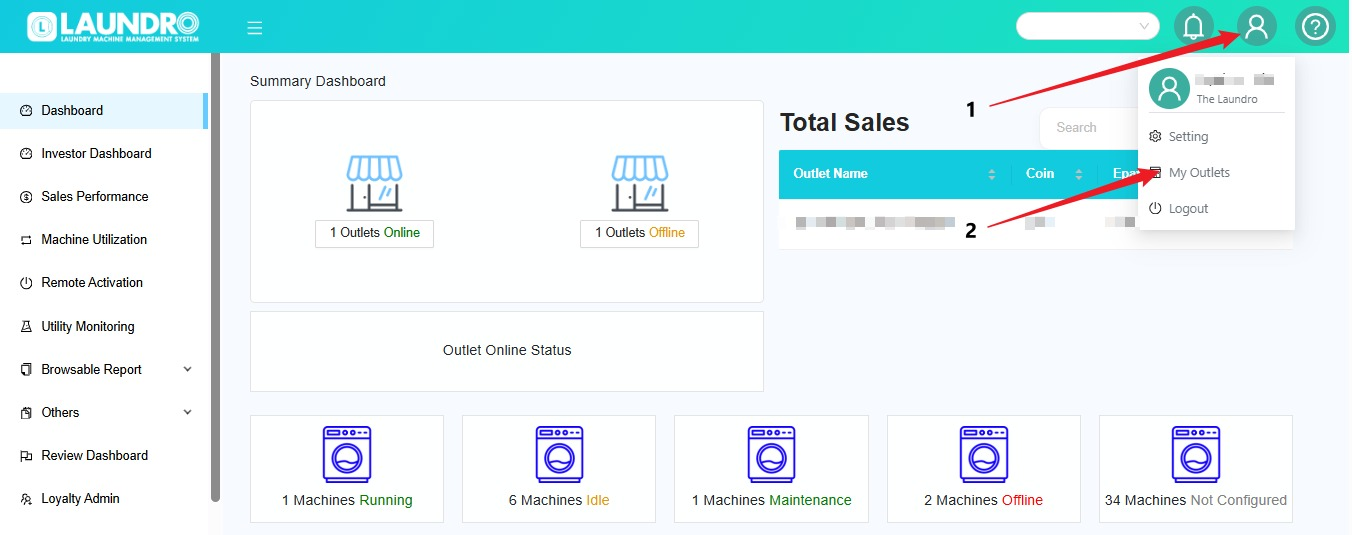
- Click the 👤 Profile icon.
- Select My Outlets.
- The list of your outlets will be displayed.
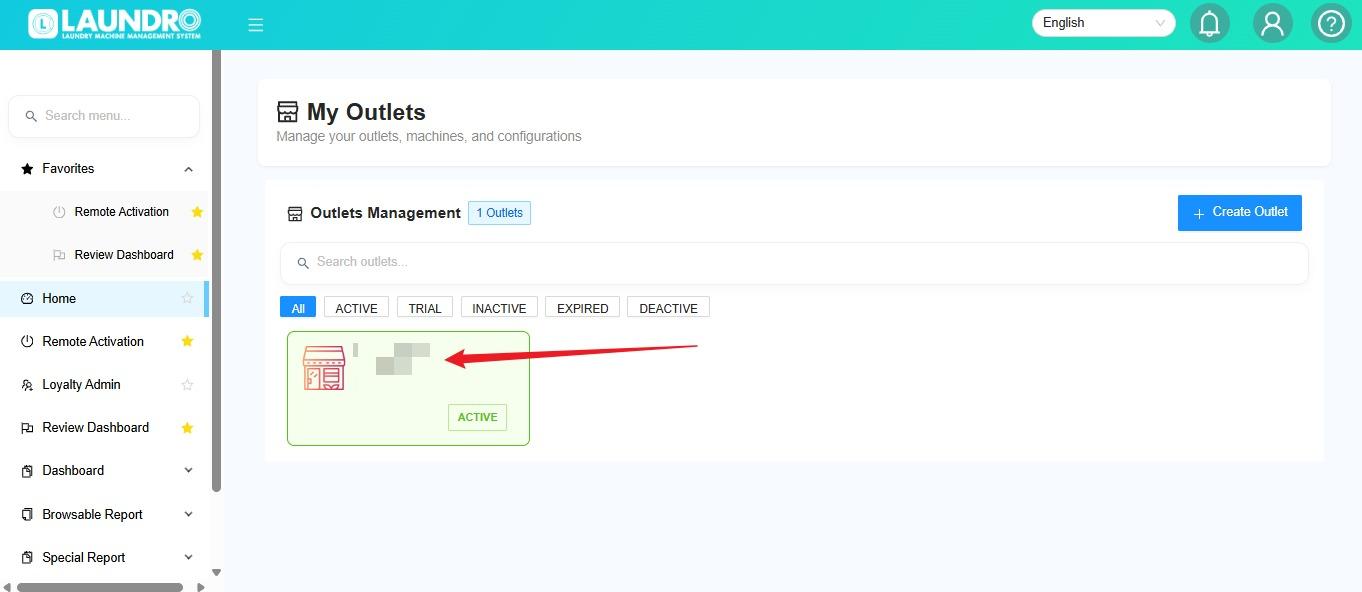
🏪 Step 3 — Select the Outlet
Click the outlet where you want to add the machine.
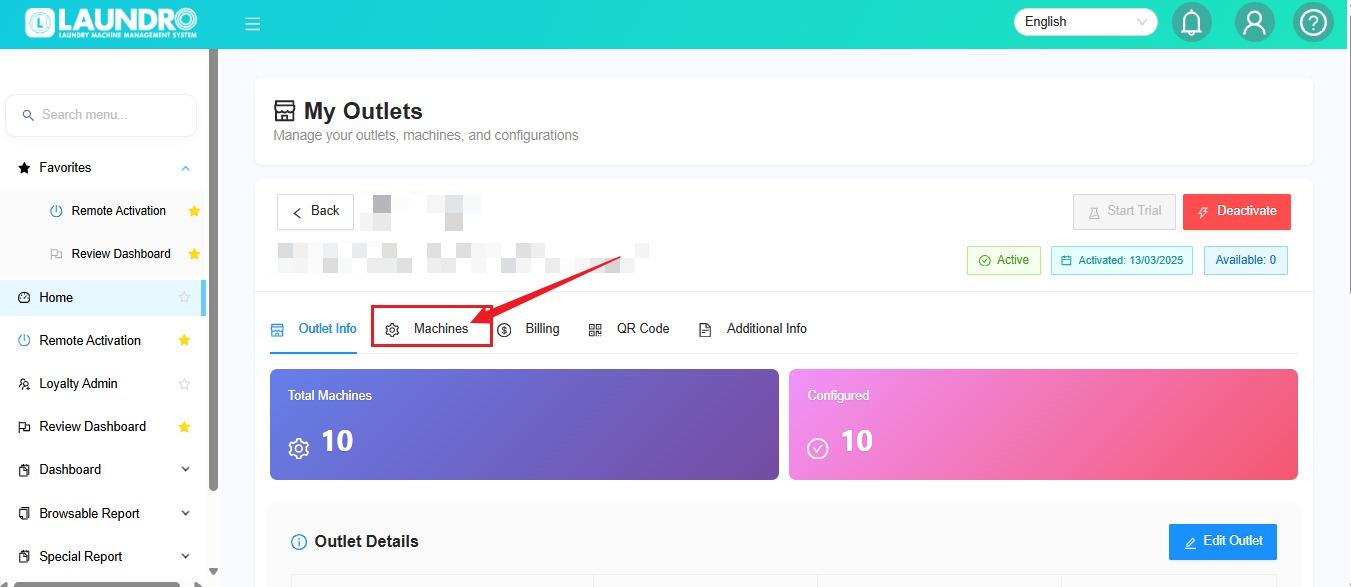
⚙️ Step 4 — Open Machines
Click Machines to manage the machines under the selected outlet.
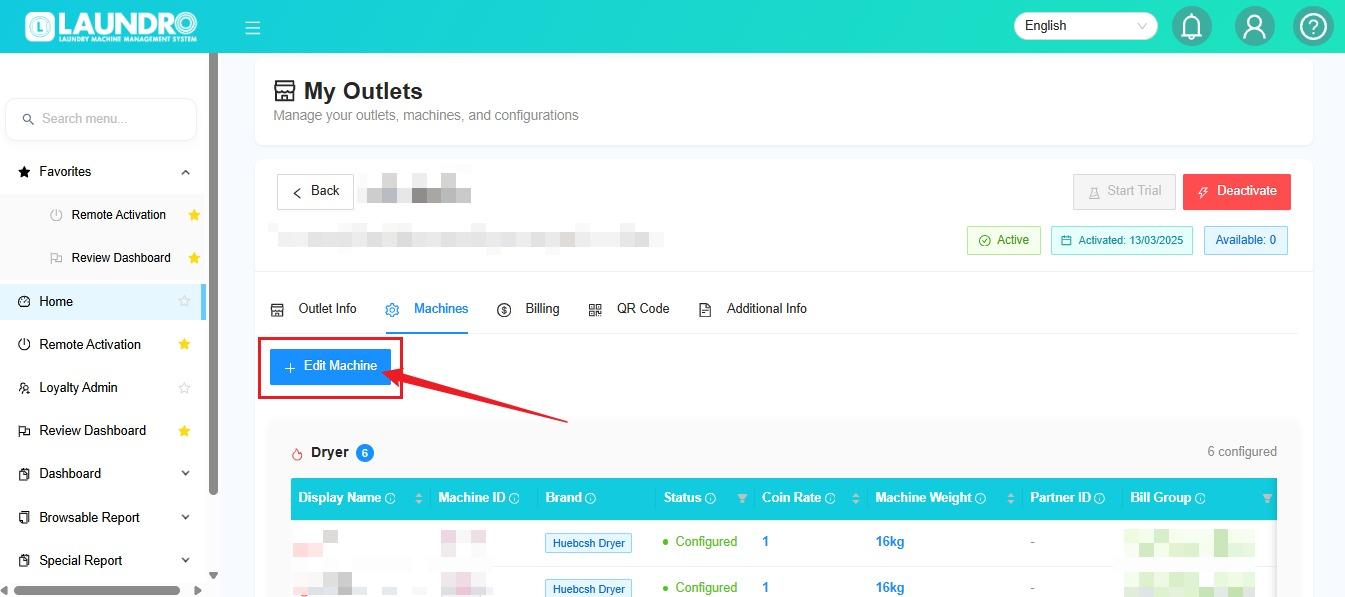
➕ Step 5 — Add a Washer or Dryer
- Click Edit Machine.
- Select the machine type:
- 🧺 Washer
- 🔥 Dryer
- Repeat the process if you need to add more machines.
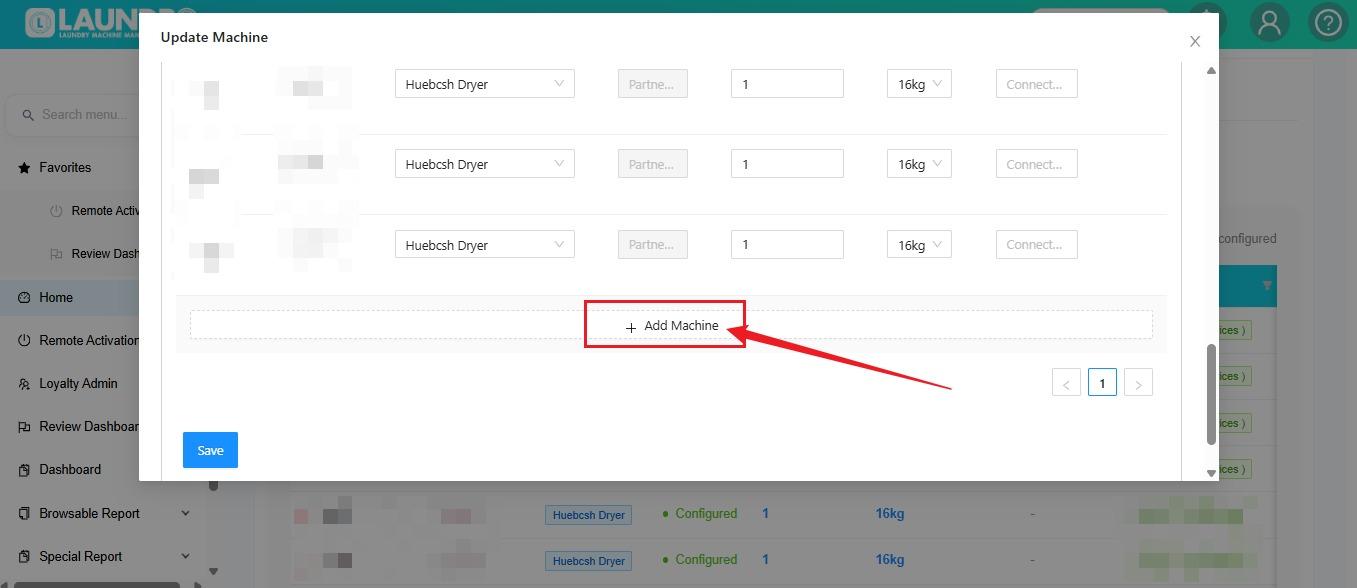
Quick Tip : You can click Add Machine repeatedly to add multiple units. Scroll up or down to view the additional machine entries.
📝 Step 6 — Fill in Machine Information
Enter all required information for each machine.
- Check that the machine details are correct.
- Repeat for every additional machine.
- Click Save when finished.
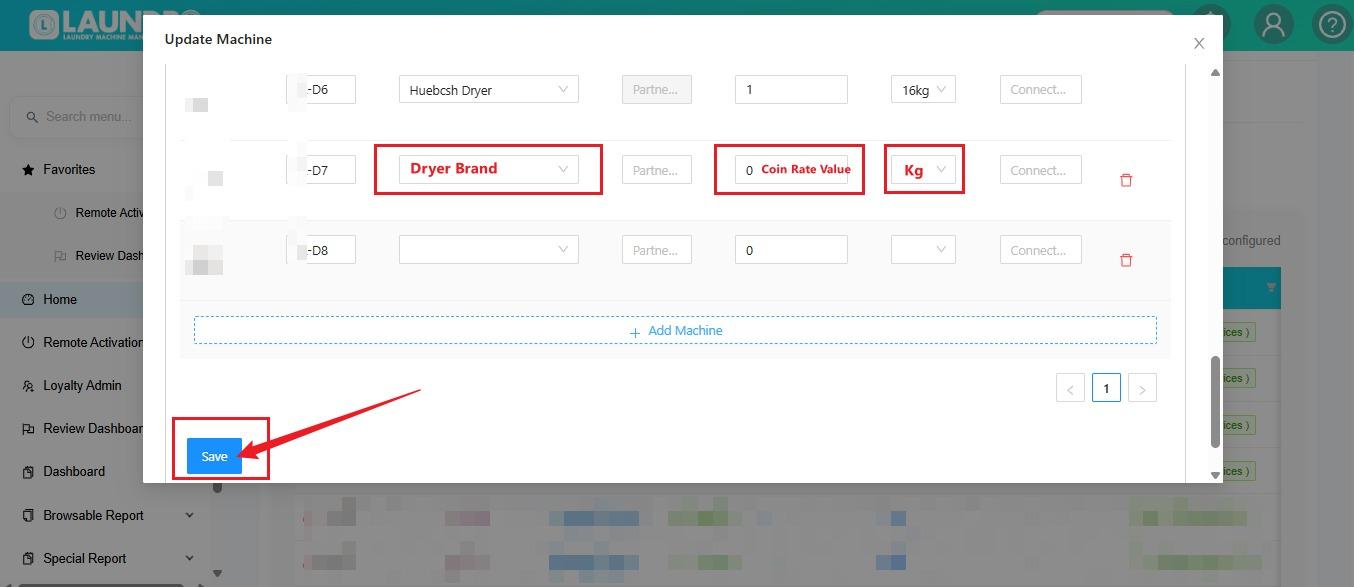
💡 Important Note : Before clicking Save, make sure all machine information is correct.
🔢 Step 6 — Add More Machines
Need to add more than one machine?
↕️ Scroll up or down to add additional machines.
➕ You can also click Add Machine repeatedly to add multiple units.
Click Add Machine, then select whether you want to add a Washer or Dryer.
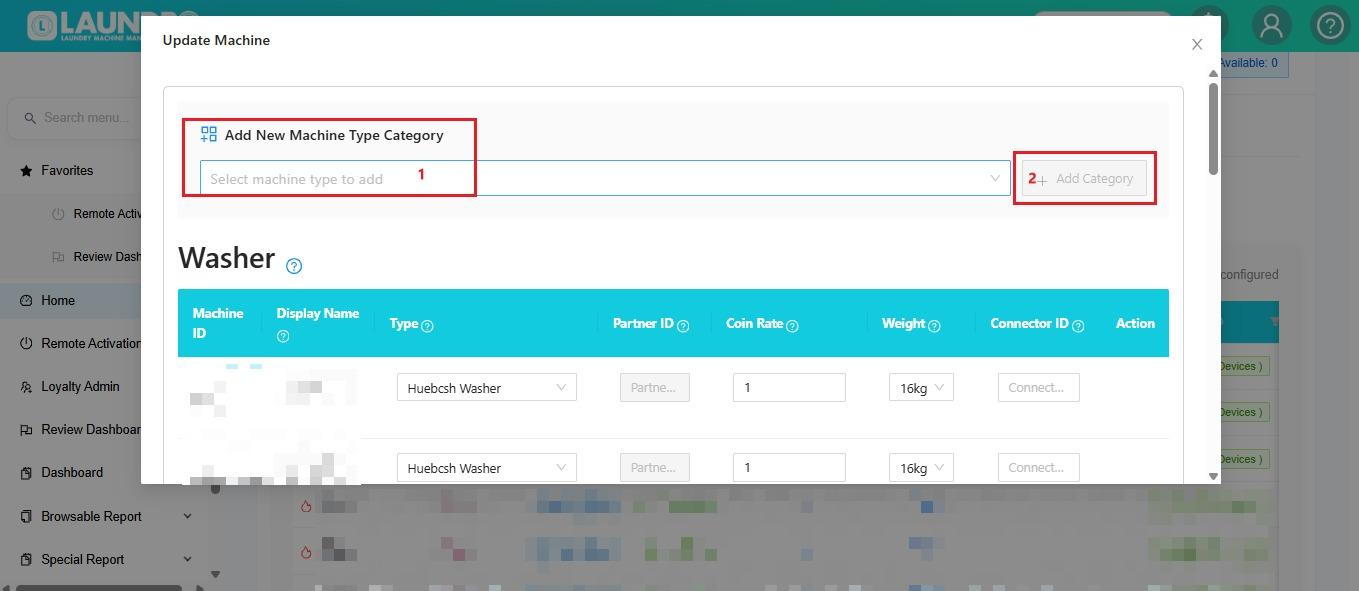
🗂️ Need to Add Another Machine Category?
If the machine is not a Washer or Dryer:
- Open the Machine Type dropdown.
- Select the required category.
- Click Add Category.
✅ Final Check
Before leaving the page, confirm that all machines have been entered correctly and saved.
No comments to display
No comments to display