How to change outlet visibility for a staff user
Use this guide to change which outlets (laundry locations in Laundro) a staff user can see.
Prerequisites
-
You sign in to your Laundro workspace as the distributor or operator who created the staff user.
-
A distributor is a brand owner who manages multiple operators.
-
An operator is an owner who manages one or more outlets.
-
You know which outlets the staff user needs to see.
Steps
-
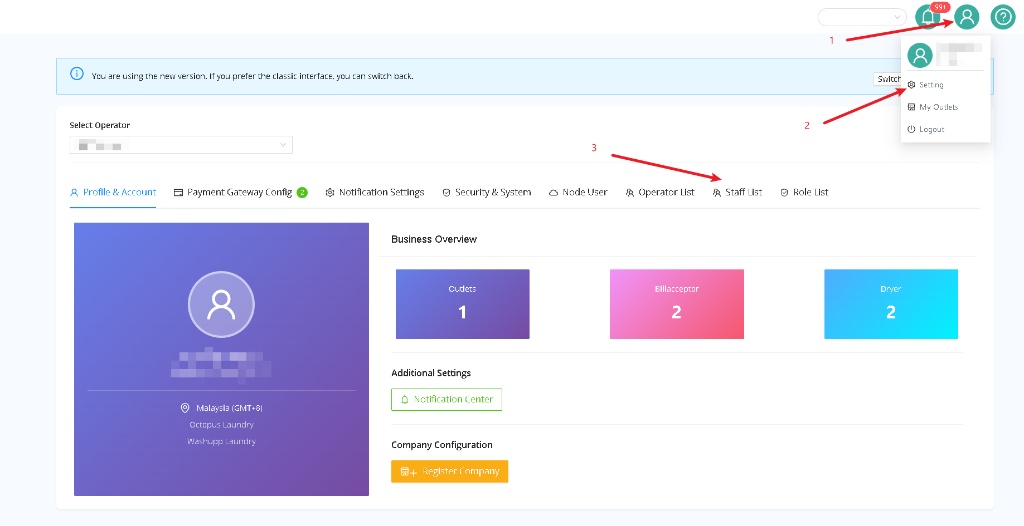
Point the mouse cursor at the person icon (1) in the top-right corner of the screen.
-
Click Setting (2) in the menu.
If you sign in as a distributor, choose an operator in Select Operator first.
- Click Staff List (3) in the navigation bar.
-
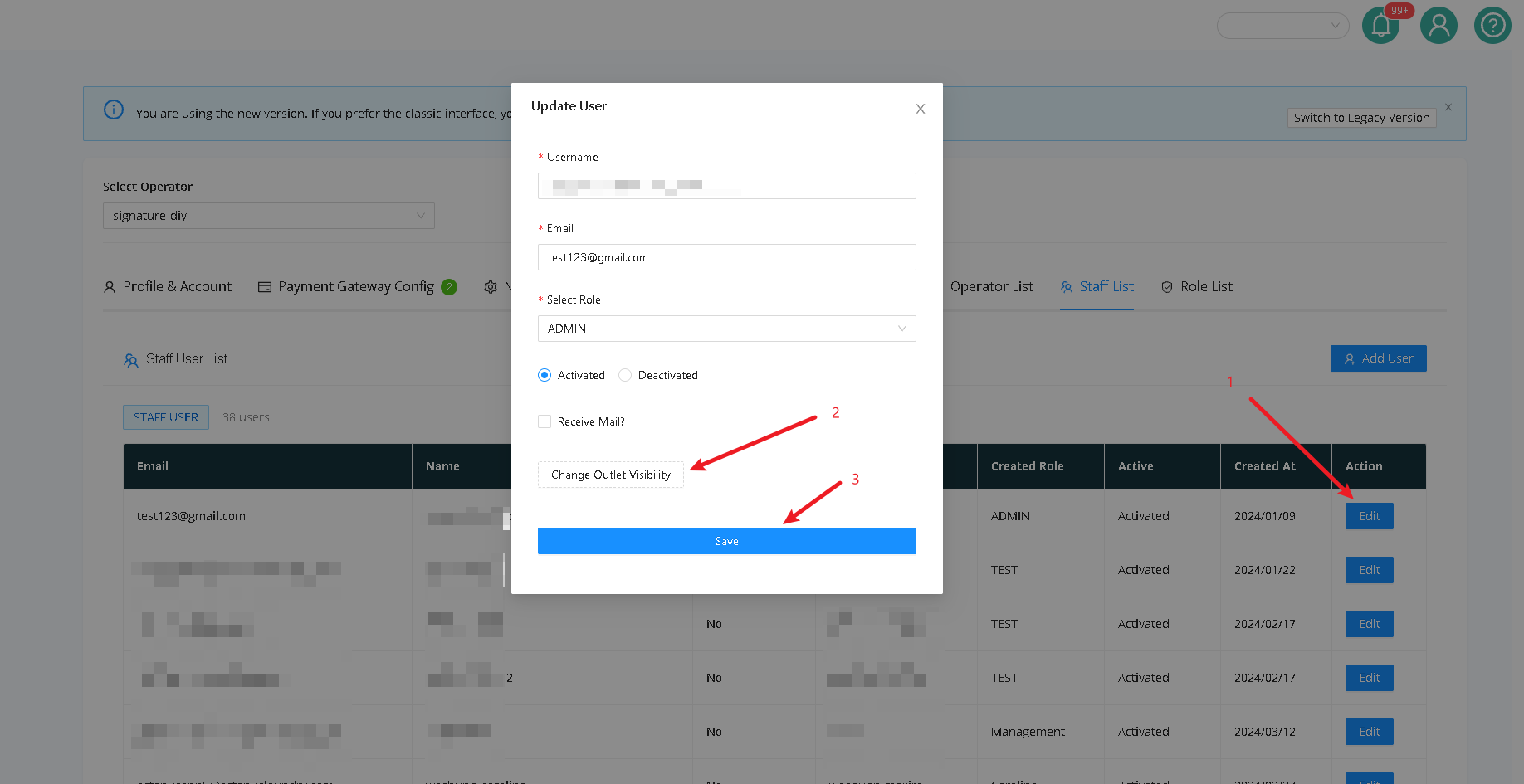
Click Edit (1) in the Action column next to the staff user.
-
Click Change Outlet Visibility (2) in the Update User window.
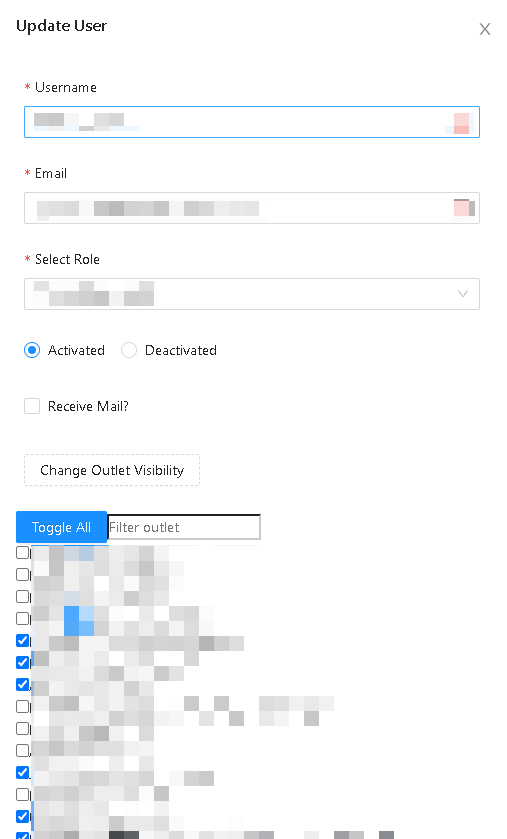
- Select or clear the checkbox next to each outlet.
- Click Save (3) in the Update User window.
Expected result
The Update User window closes, and the Staff User List appears. No confirmation message appears.