
Fiuu OPA Setup Guide
Step 1: Request OPA Credentials from Fiuu Support
Send an email to [email protected] to request an Offline Payment API (OPA) application for our existing merchant account.
Email Subject: Request for OPA Application and DuitNow QR Enablement
Email Body:
Hi Fiuu Team,
We're an existing Fiuu merchant with the following details:
- Merchant ID:
Please assist with the following requests:
- Create an Offline Payment API (OPA) application for our merchant account.
- Provide the Application Code and Secret Key required for integration.
- Enable DuitNow QR (Channel 24) for the Pre-Create QR functionality.
Please let us know once the application has been created and the requested payment channel has been enabled.
Thank you.
Expected Response from Fiuu
Fiuu Support should provide the following information:
- Application Code
- Secret Key
- Confirmation that DuitNow QR (Channel 24) is enabled for Pre-Create QR
Record the credentials in the designated Excel configuration file and handle the Secret Key securely.
Step 2: Add the Fiuu Payment Gateway in Laundro
Once Fiuu Support has provided the required credentials, configure the payment gateway in the Laundro system.
- Log in to the Laundro system.
- Navigate to Settings from the right-hand profile menu.
- Open the payment gateway configuration section.
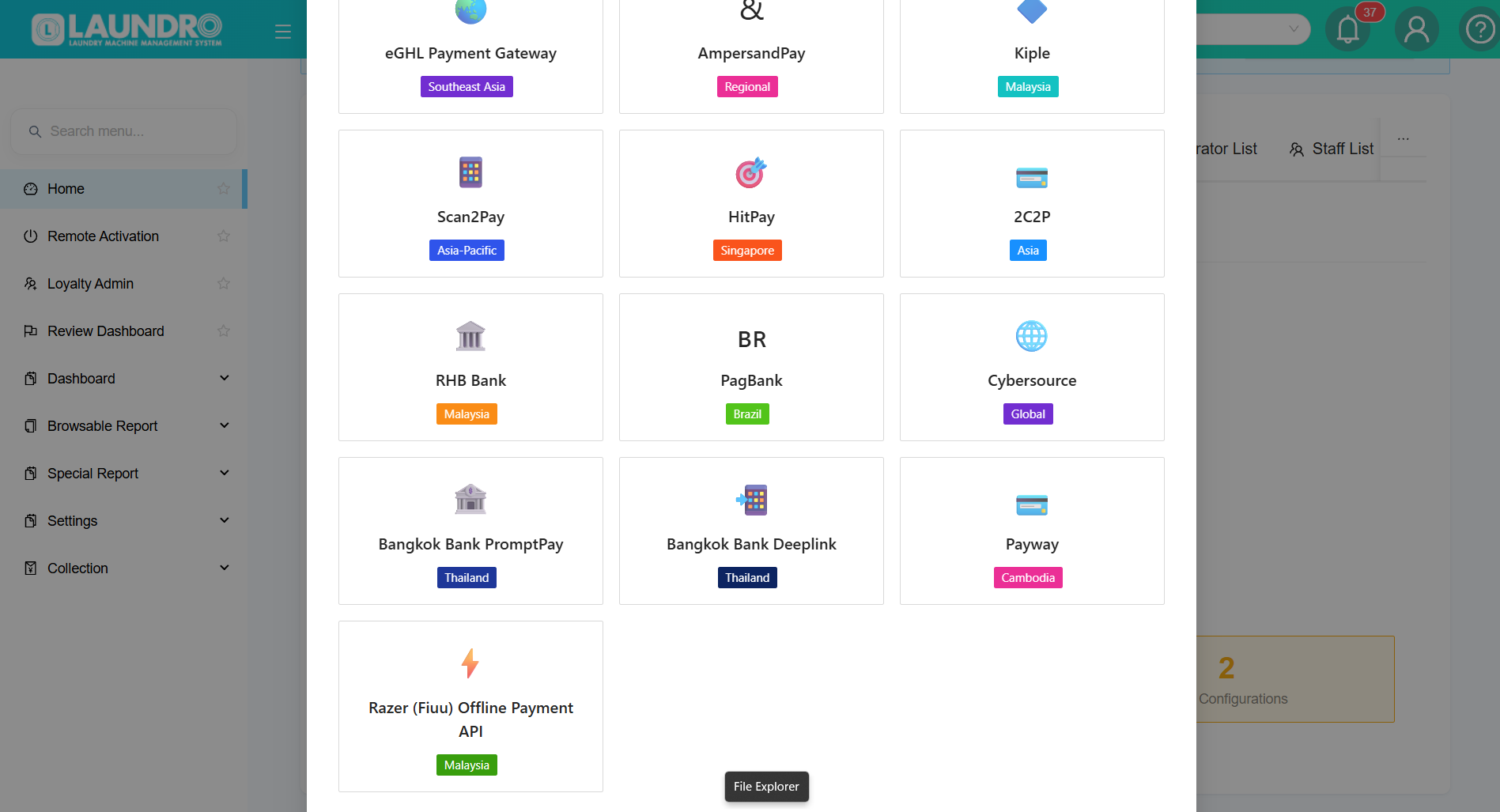
- Click Add Payment Gateway to view the available payment gateway options.
- Select Razer (Fiuu) Offline Payment API from the list of available gateways.
- Click Next to open the gateway configuration form.
Step 2.1: Configure the Payment Gateway
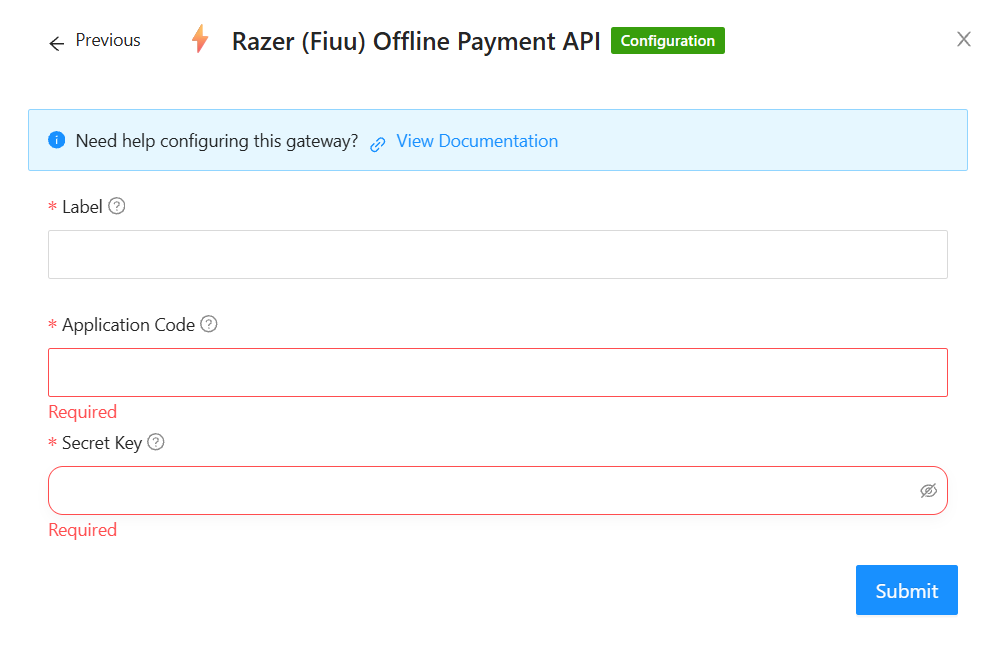
On the Razer (Fiuu) Offline Payment API configuration page, enter the following details:
| Field | Description |
|---|---|
| Label | Enter a descriptive name for the payment gateway, such as Fiuu OPA. |
| Application Code | Enter the Application Code provided by Fiuu Support and recorded in the Excel configuration file. |
| Secret Key | Enter the Secret Key provided by Fiuu Support and recorded in the Excel configuration file. |
- Verify that the Application Code and Secret Key match the details provided by Fiuu Support.
- Click Submit to save the payment gateway configuration.
- Confirm that the gateway has been added successfully.
Important: Keep the Secret Key confidential. Do not include its actual value in this documentation or share it through unsecured channels.
No comments to display
No comments to display