
Inventory Management v2
Purpose
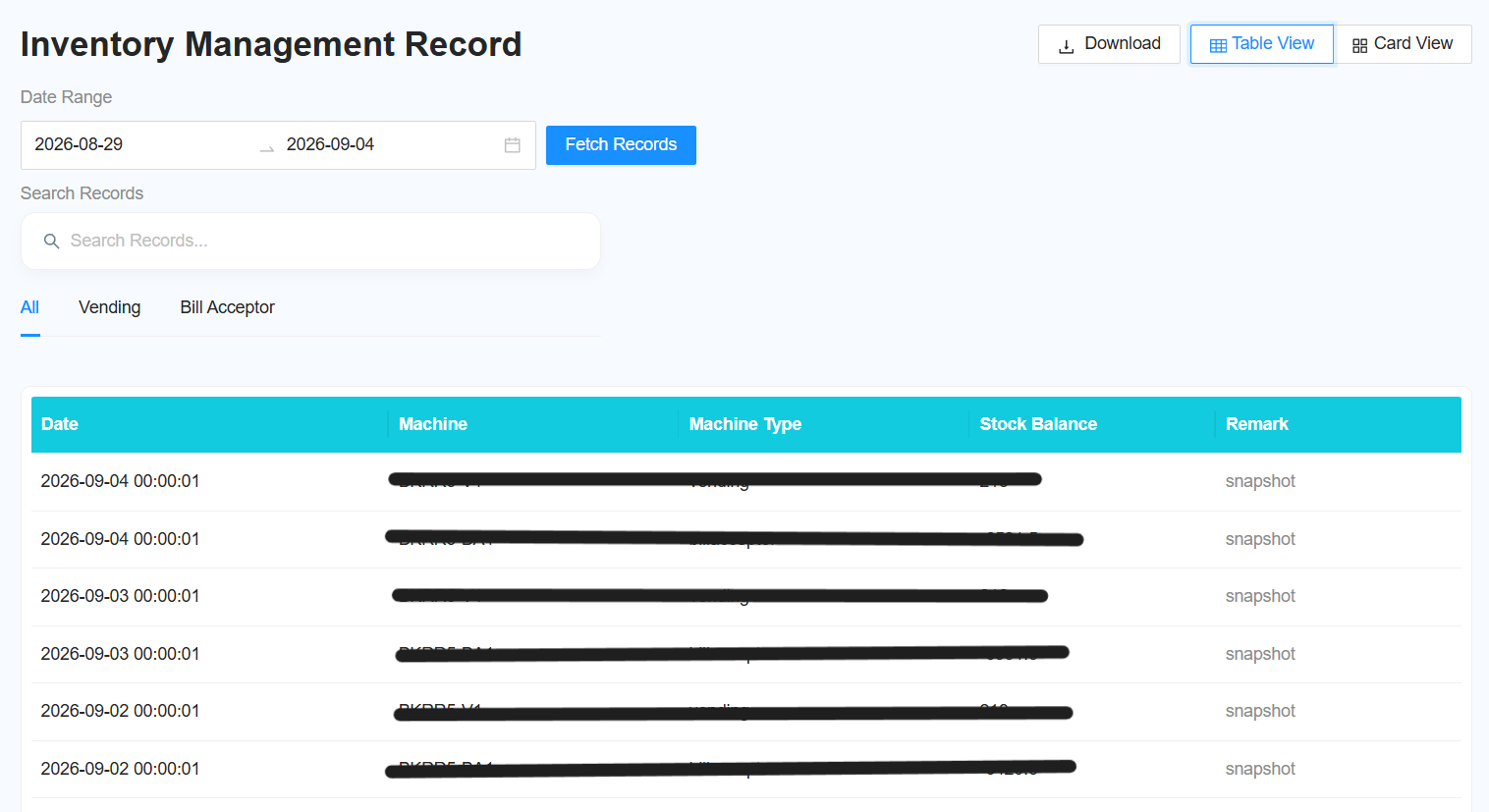
Use Inventory Management v2 to view the inventory status of Bill Acceptor and Vending Machines and check inventory records within a selected date range.
Laundro Portal → Report → Inventory Management v2
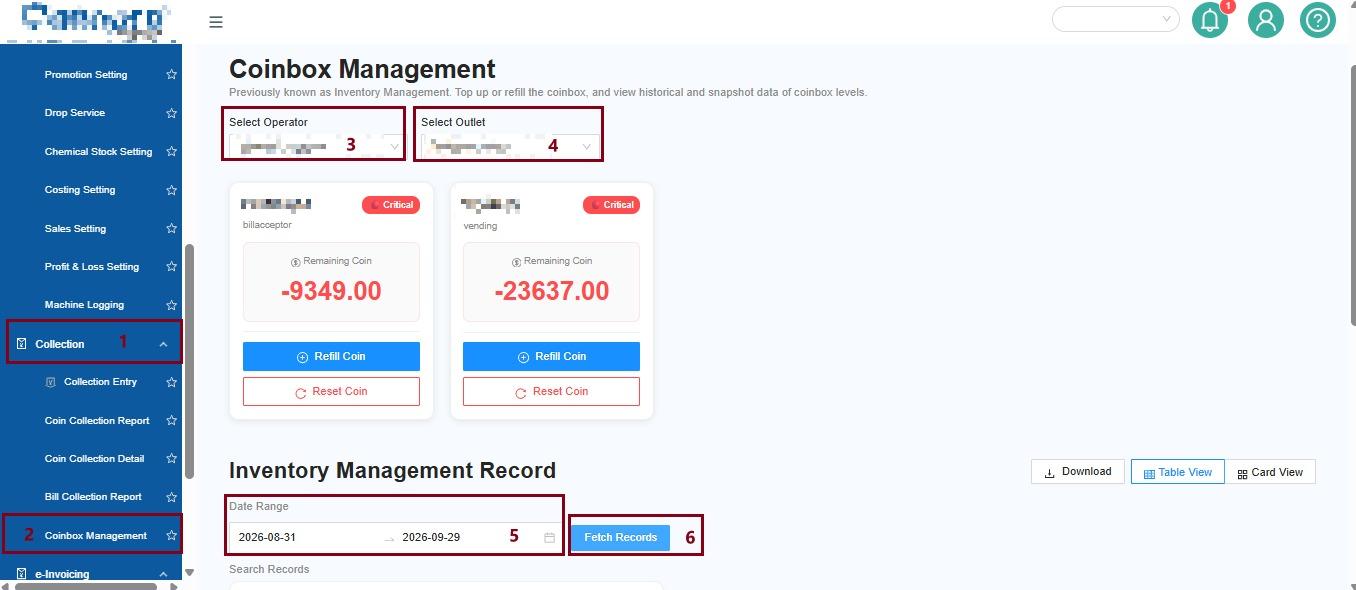
Select Operator → Select Outlet → View Report → Select Date Range → Fetch Record
Step 1: Select Operator and Outlet
Select the required:
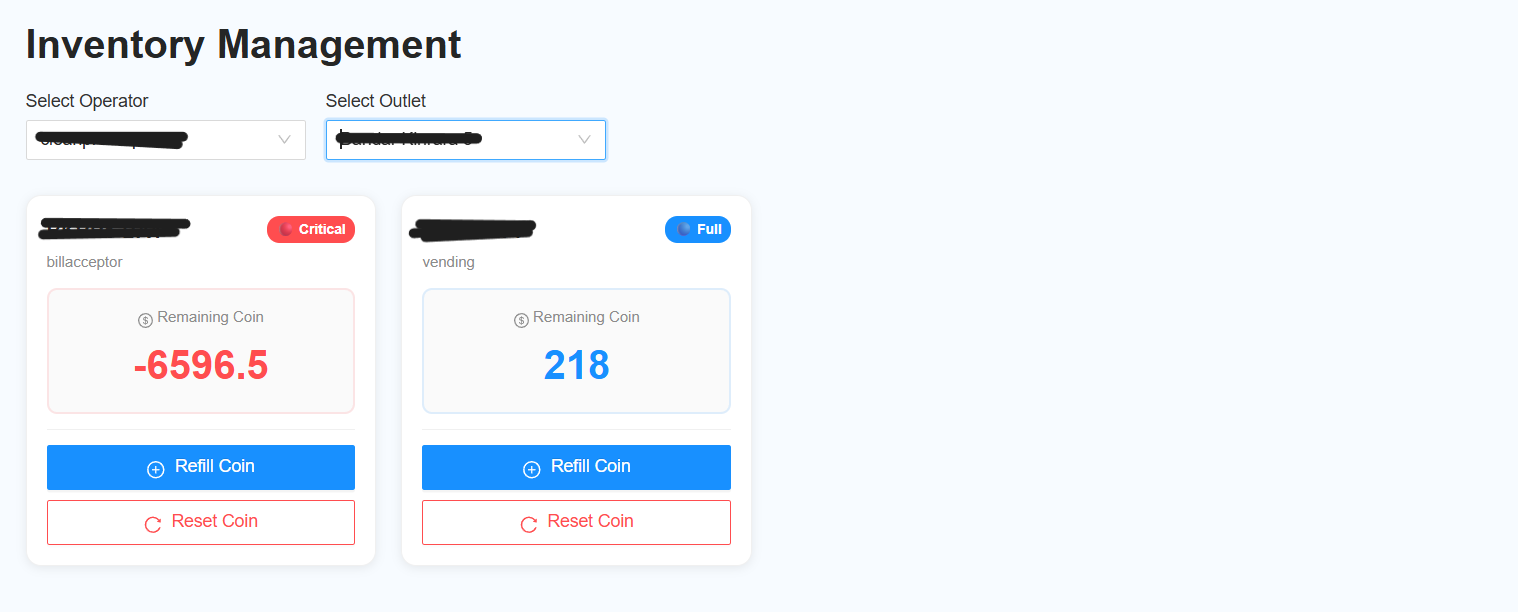
- Operator – Select the operator you want to view.
- Outlet – Select the outlet you want to check.
Click View Report to display the inventory information.
Inventory Display
The inventory is displayed in card format.
Each Bill Acceptor and Vending Machine is shown as an individual card.
Step 2: Select the Date Range
Select the required Date Range to view inventory records for a specific period.
For example:
1 September 2026 – 30 September 2026
Step 3: Fetch the Records
Click Fetch Record to retrieve the inventory records based on the selected date range.
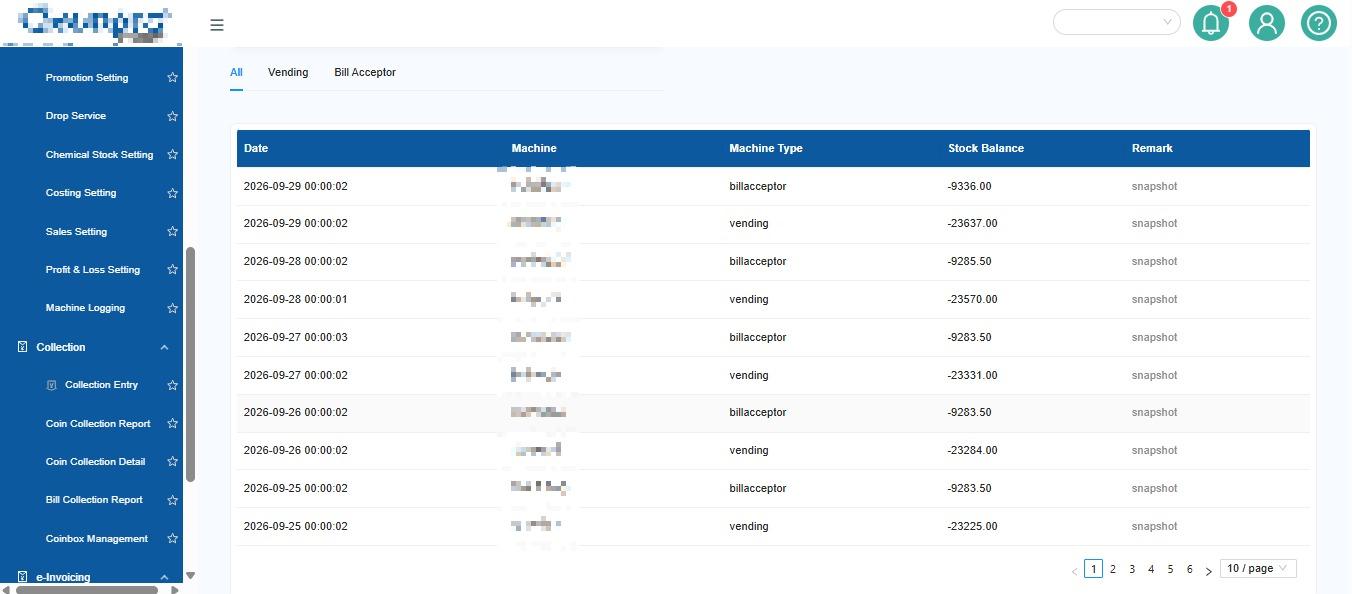
Step 4: View Inventory Records
The records will be displayed in table format for:
- Vending Machine
- Bill Acceptor
The report includes:
- Snapshot – View the inventory snapshot for the record.
- Remarks – View any remarks related to the record.
Example
Operator: ABC Operator
Outlet: ABC Outlet
Date Range: 1 September – 30 September 2026
Process:
Select Operator → Select Outlet → View Report → Select Date Range → Fetch Record → Check Inventory Records
Quick Tips
- Select the correct Operator and Outlet before viewing the inventory.
- Use Date Range when you need to check historical inventory records.
- Use Snapshot and Remarks to understand the details of each record.