
Inventory Management v2
Filter
First FilterPurpose
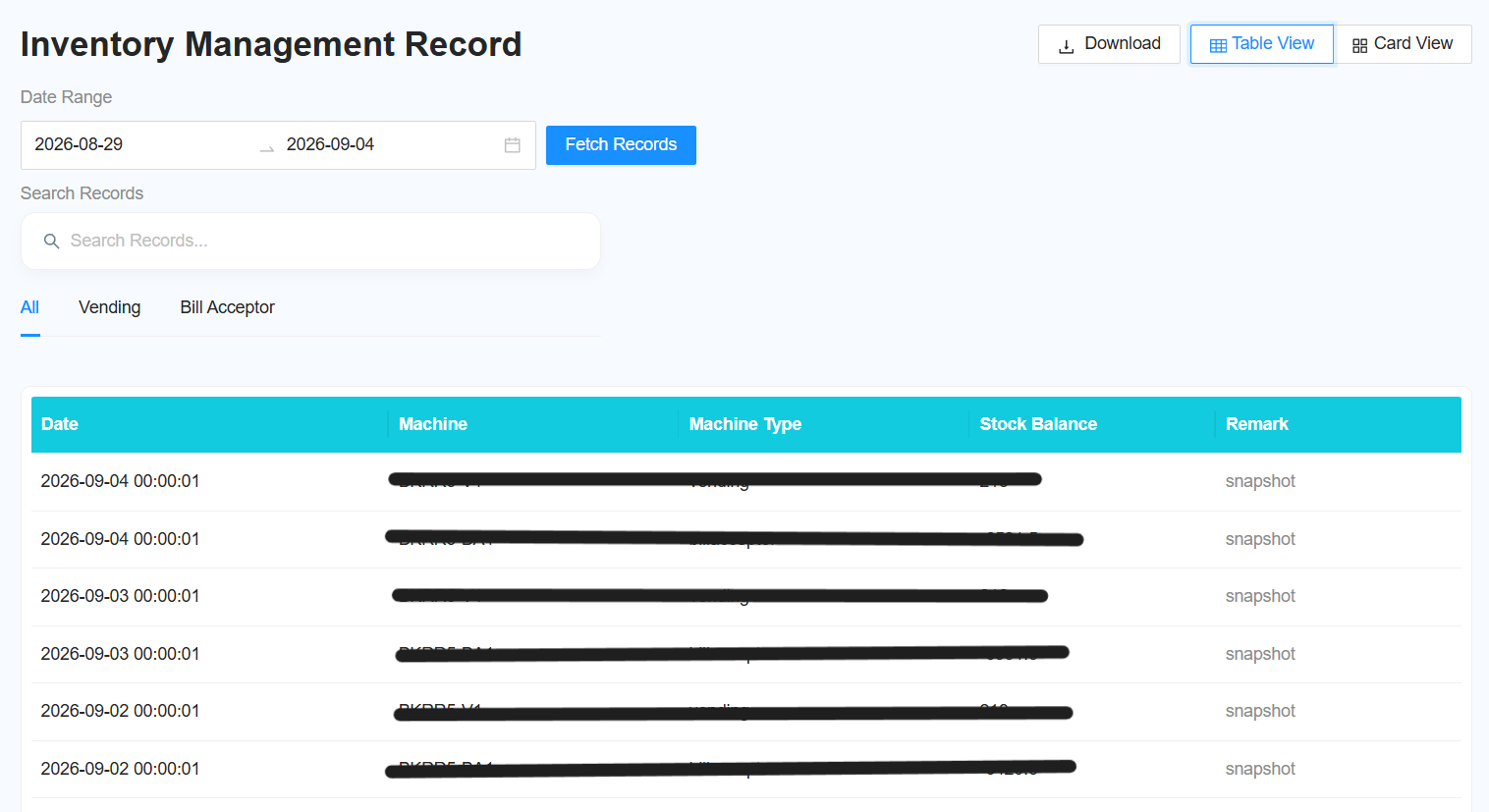
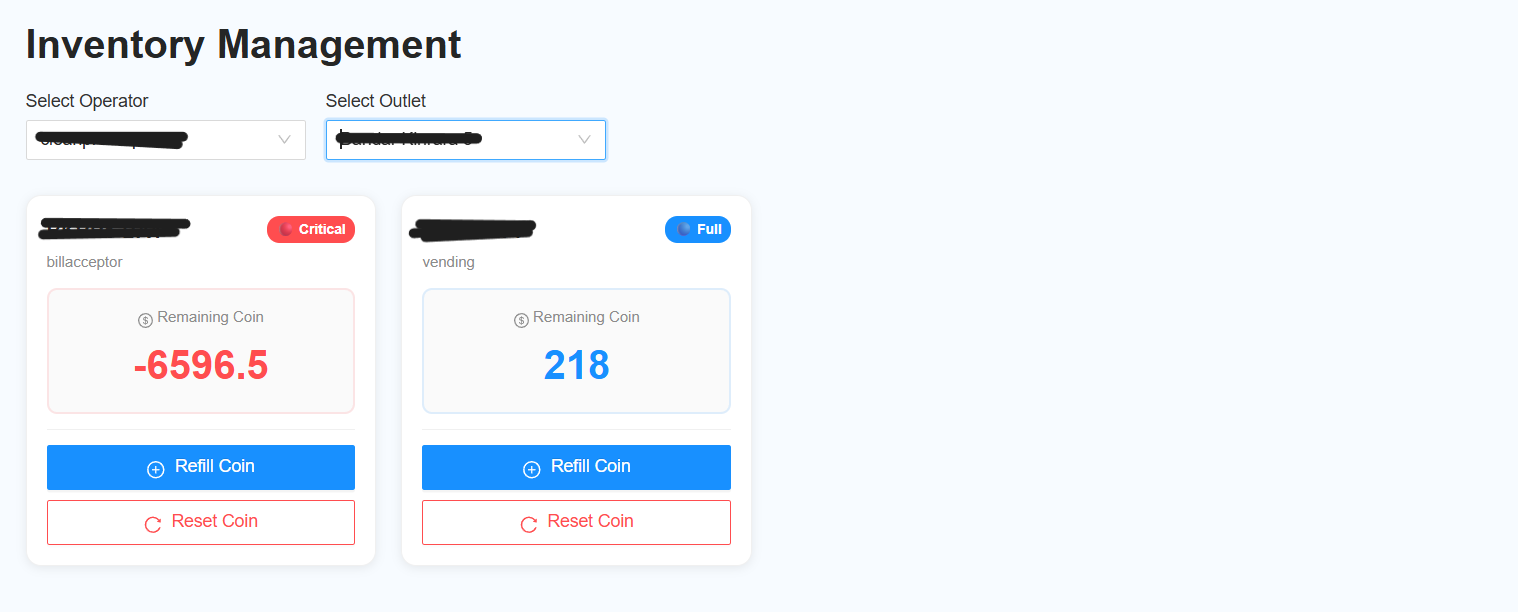
TheUse firstInventory filterManagement is usedv2 to selectview the operatorinventory status of Bill Acceptor and outletVending beforeMachines viewingand thecheck report.inventory records within a selected date range.
-
Laundro Portal → Report → Inventory Management v2
Select Operator → Select Outlet → View Report → Select Date Range → Fetch Record
Step 1: Select Operator and Outlet
Select the
required operator.
The operator selection applies once per query.
Select Outletrequired:
- Operator
- – Select the
requiredoperatoroutlet.you want to view.
Click
Inventory Display
The inventory is displayed in card format.
Each Bill Acceptor and Vending Machine machineis will be displayedshown as an individual card.
SecondStep Filter
2: TheSelect second filter is used to retrieve records within a specific date range.
Filterthe Date Range
Select the required dateDate range.
For example:
1 September 2026 – 30 September 2026
Step 3: Fetch the Records
Click Fetch Record
Step
4: View Inventory RecordsViewThe Report
- Vending
VendingandMachine - Bill Acceptor
.
The report willincludes:
- Snapshot – View the inventory snapshot for the record.
- Remarks – View any remarks related to the record.
Example
Operator: ABC Operator
Outlet: ABC Outlet
Date Range: 1 September – 30 September 2026
Process:
Select Operator → Select Outlet → View Report → Select Date Range → Fetch Record → Check Inventory Records
Quick Tips
- Select the correct Operator and Outlet before viewing the inventory.
- Use Date Range when you need to check historical inventory records.
- Use Snapshot and Remarks
forto understand the details of each record.