
New Page
Filter Function
First Filter
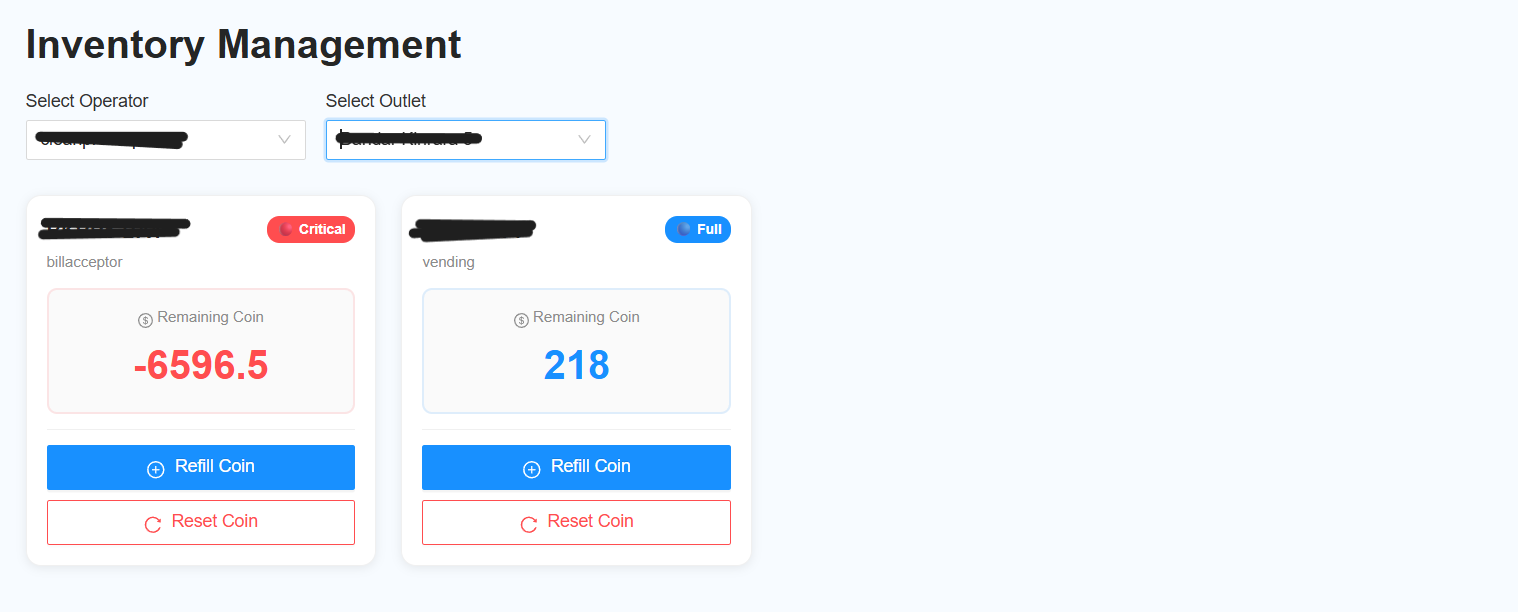
The first filter is used to select the operator and outlet before viewing the report.
-
Select Operator
- Select the required operator.
- The operator selection applies once per query.
-
Select Outlet
- Select the required outlet.
- The outlet selection applies once per query.
-
View Report
- Display the report in card format.
- Each Bill Acceptor and Vending machine will be displayed as an individual card.
Second Filter
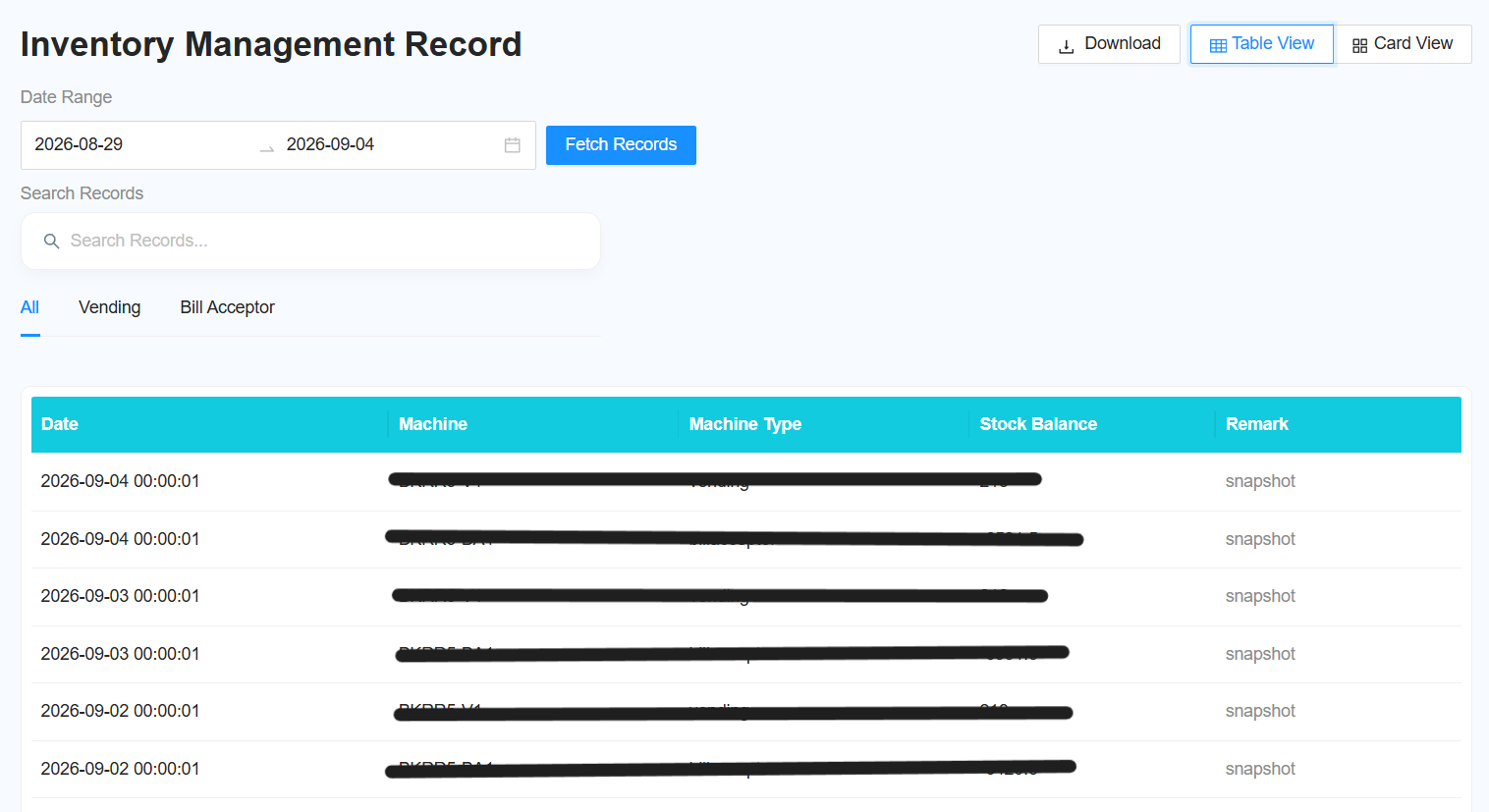
The second filter is used to retrieve records within a specific date range.
-
Filter Date Range
- Select the required date range.
-
Fetch Record
- Click Fetch Record to retrieve the records based on the selected date range.
-
View Report
- Display the report in table format for both Vending and Bill Acceptor.
- The report will include Snapshot and Remarks for each record.