How To Set pricing
📍 How to Access
🔐 Step 1 — Login to Laundro Portal
Log in using your Username and Password. https://v2.thelaundro.com/operator_login
📍 Step 2 — Go to Price Setting
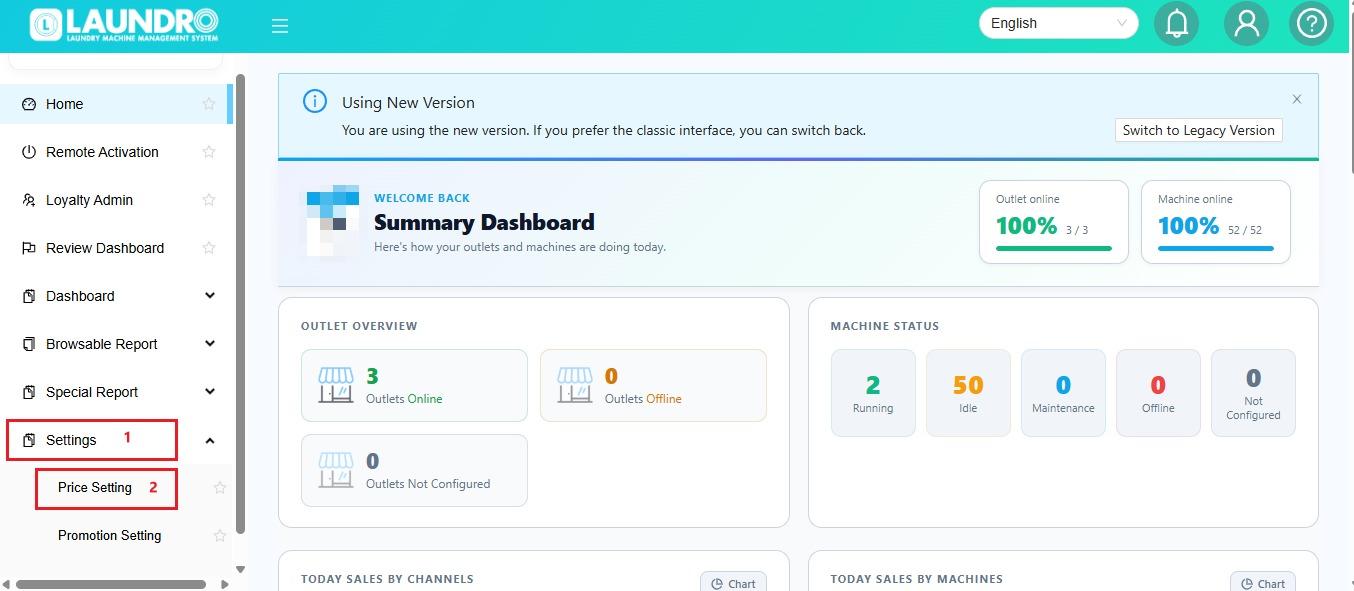
🏪 Step 3 — Select Add Pricing
Click Add Pricing for New Outlet.
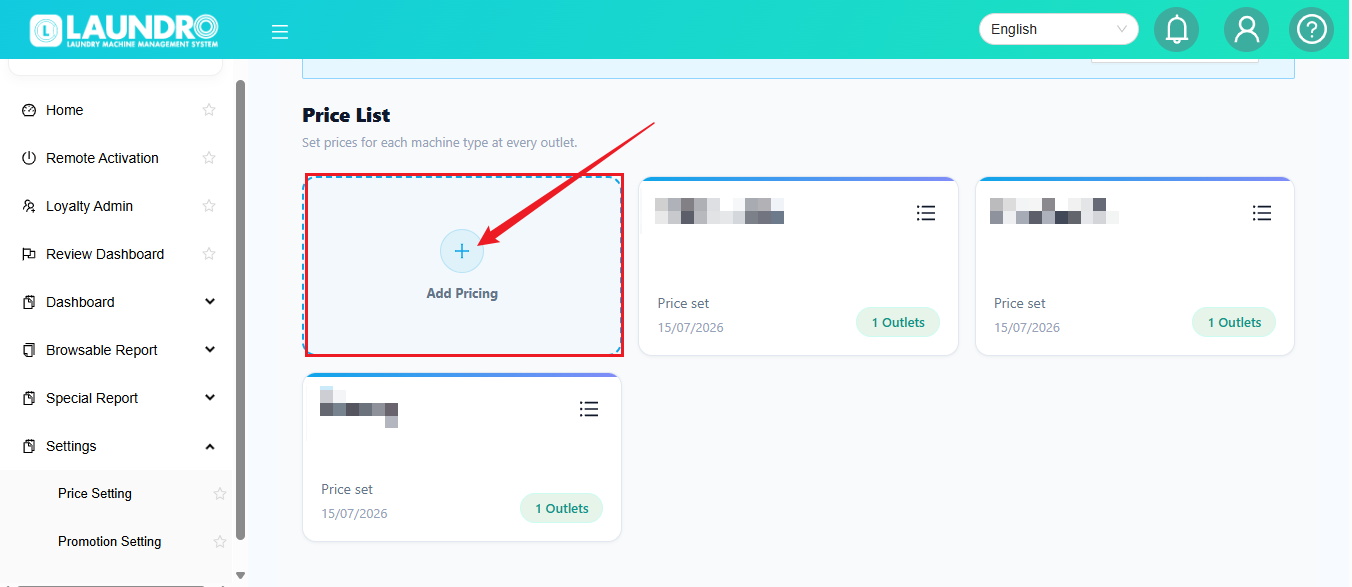
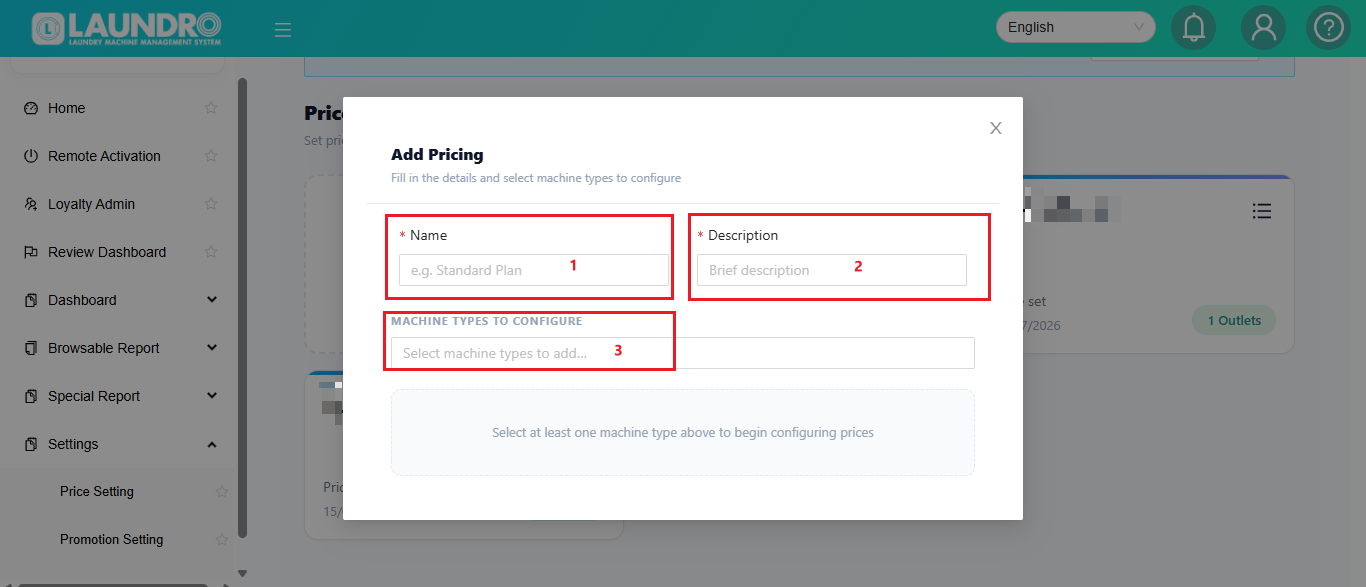
✏️ Step 4 — Fill in The Details
- 1. Fill-in Outlet Name
- Add Description
- Machine type to configure. Washer / Dryer.
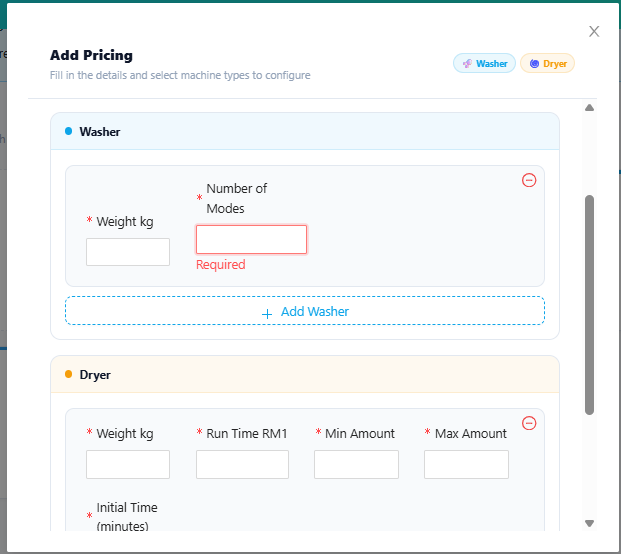
You may select how many Mode for Washer. If 1 Mode , Just put 1 & Fill-in.
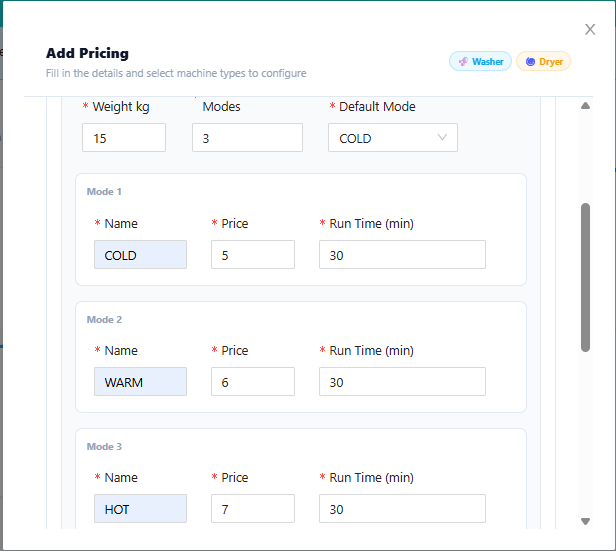
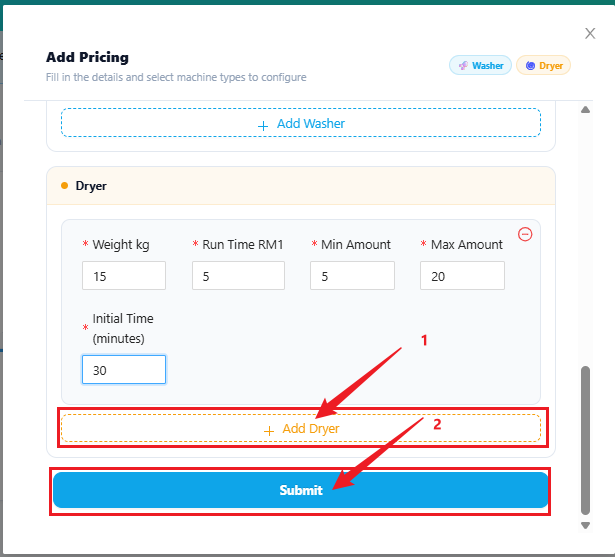
🔢 Step 5 — Add More Machines
Need to add more than one type ?
➕ You can also click Add Dryer / Washer repeatedly to add multiple units.
↕️ Scroll up or down to add Dryer.
Continue Scroll Down for Fill-in Dryer.
💾 Save
🆕
For Existing Outlet
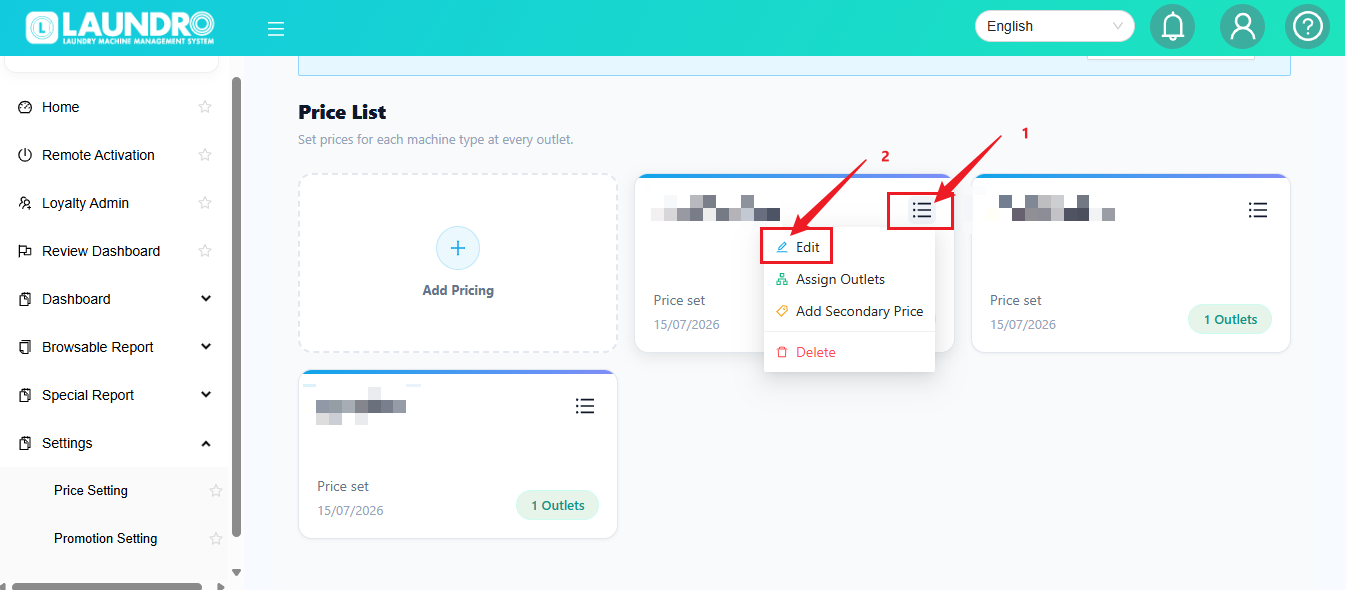
- For Existing Outlet ( If Add-on Machine With Different Weight / KG )
- Click icon on the top selecting outlet & Click Edit.
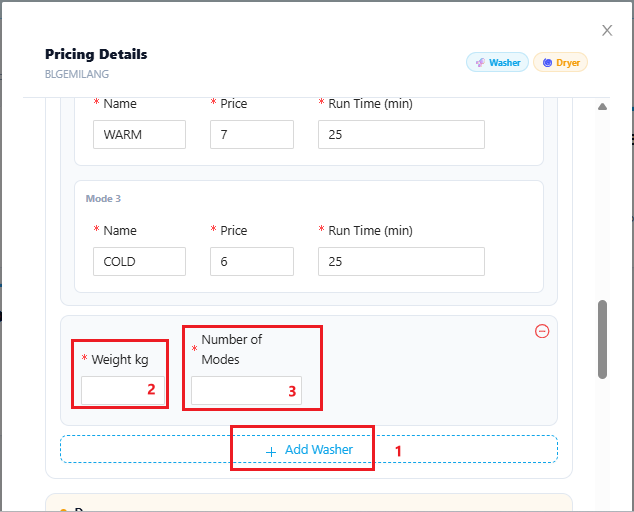
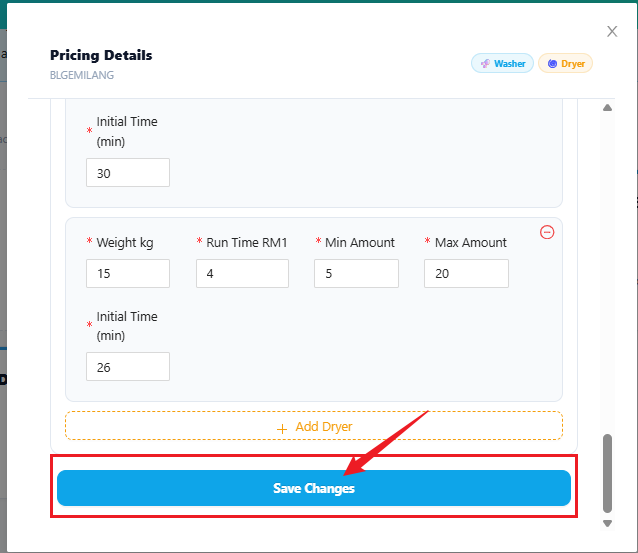
Scroll down To Add-on Foir Dryer & Click Save Changes when Finish adding :
➕
Promotion Setting
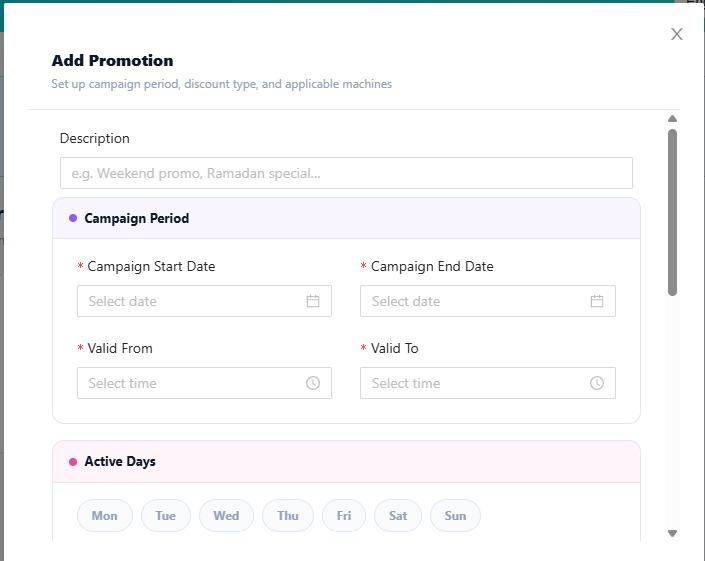
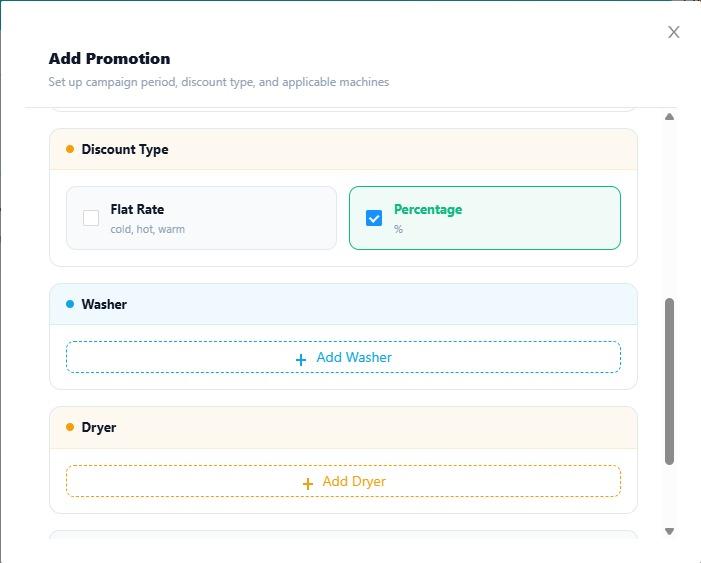
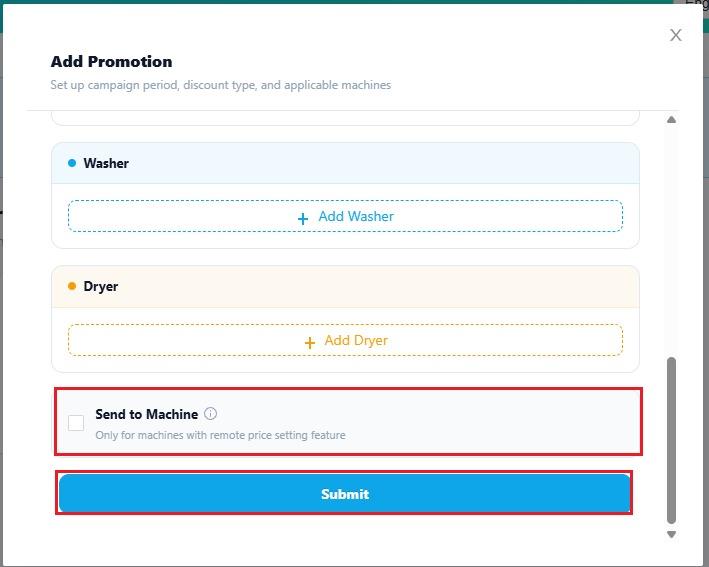
Click + Add Promotion
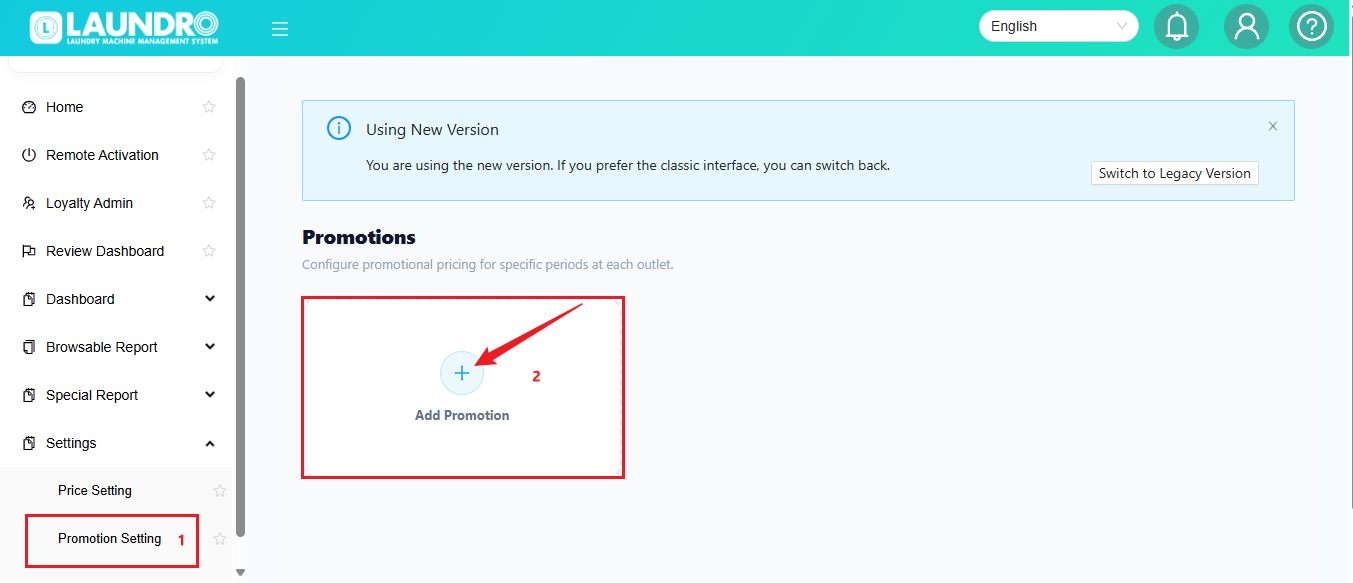
Fill-in Detail & Click Submit.