How To Set pricing
📍 How to Access
🔐 Step 1 — Login to Laundro Portal
Log in using your Username and Password. https://v2.thelaundro.com/operator_login
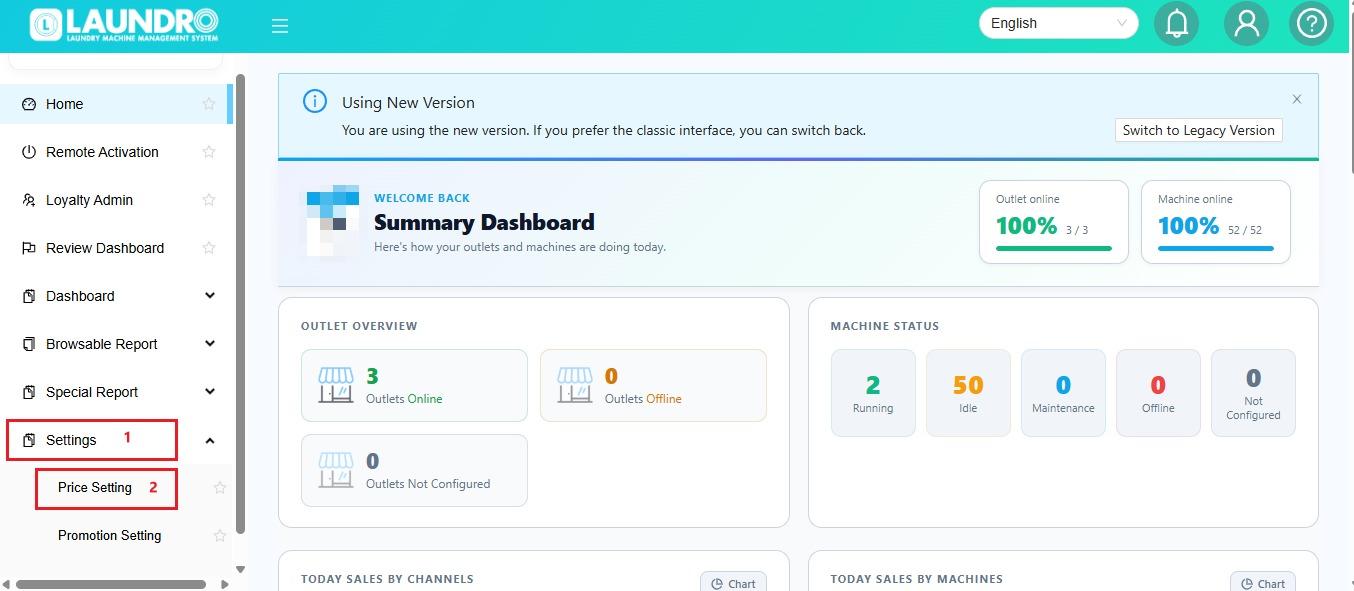
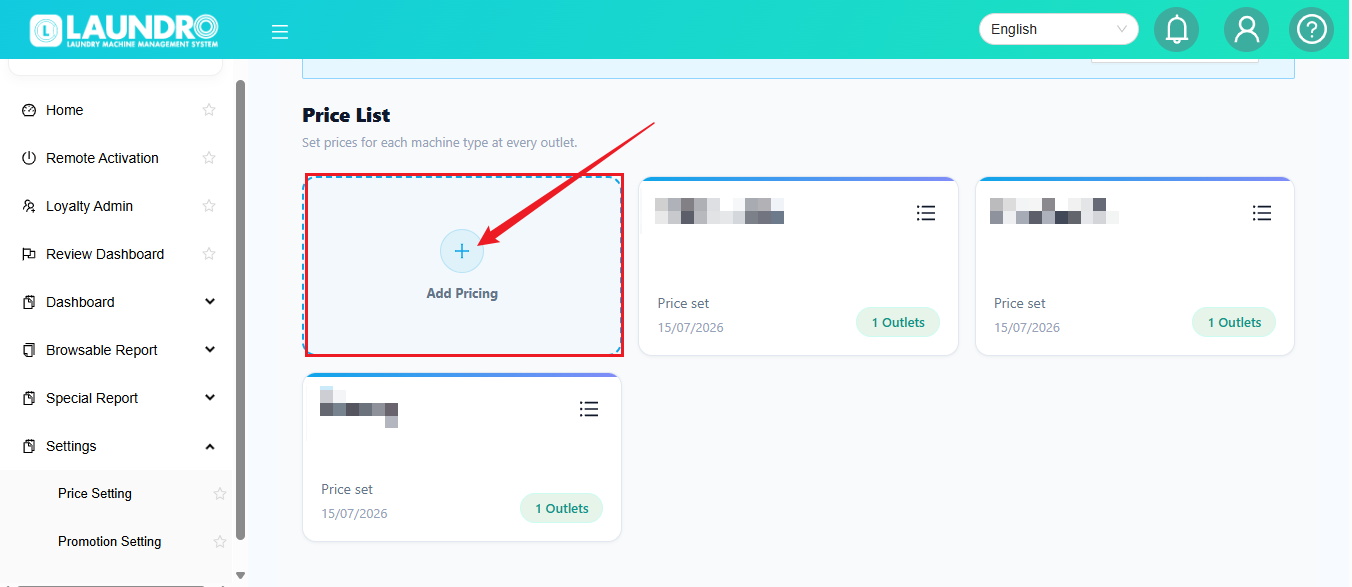
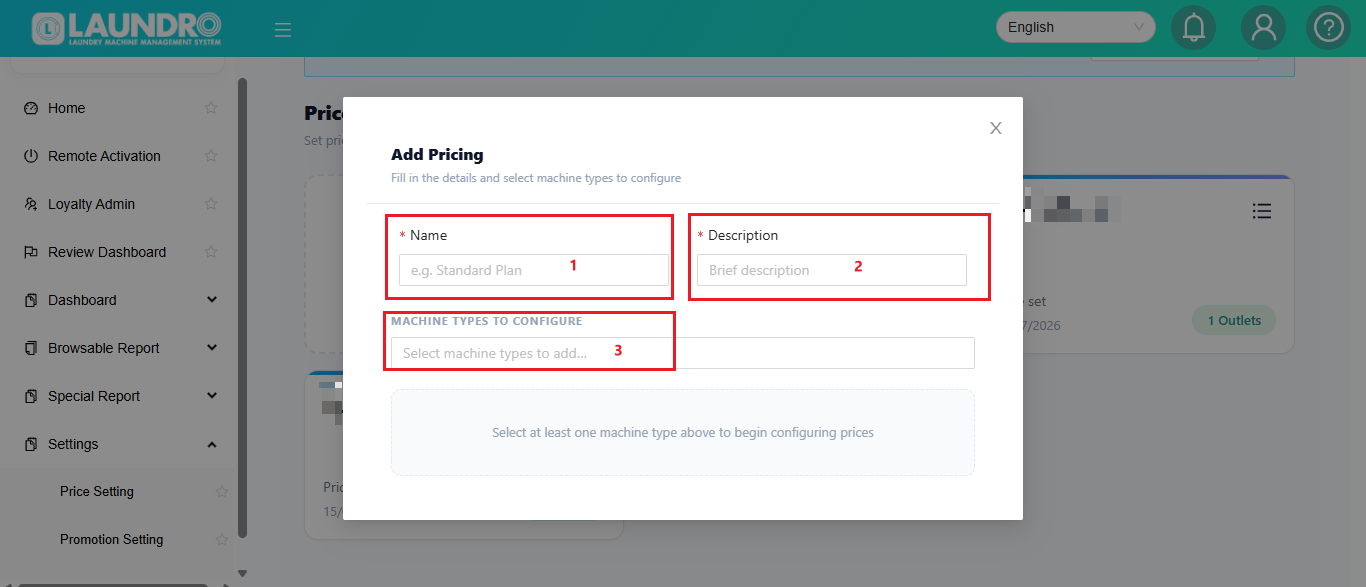
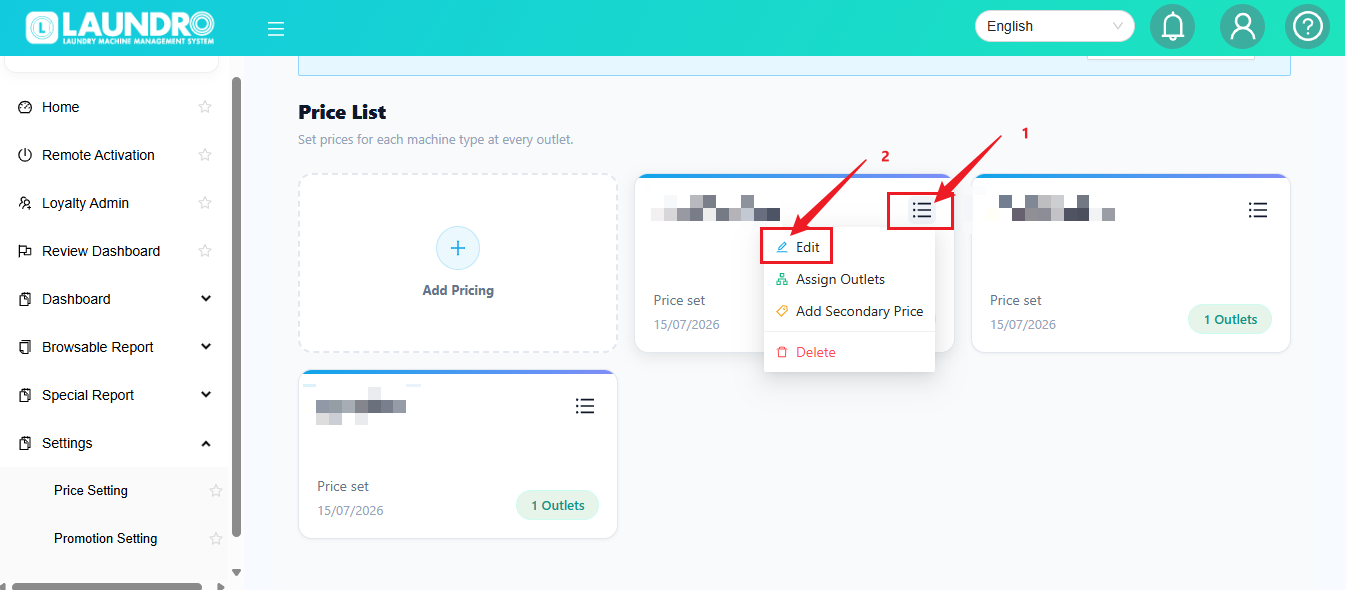
📍 Step 2 — Go to Price Setting
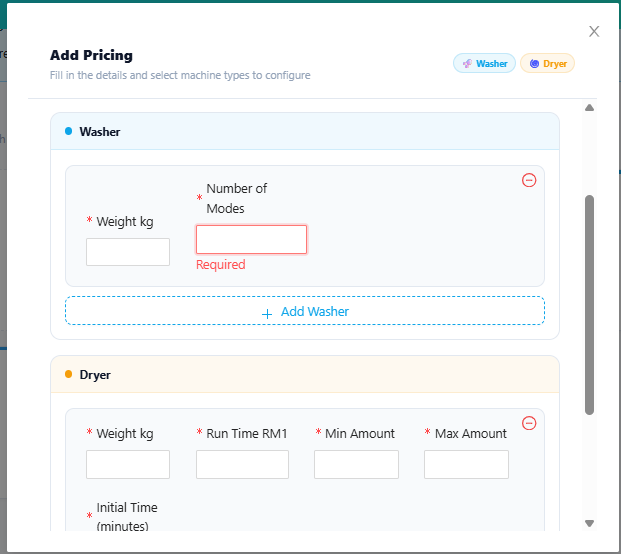
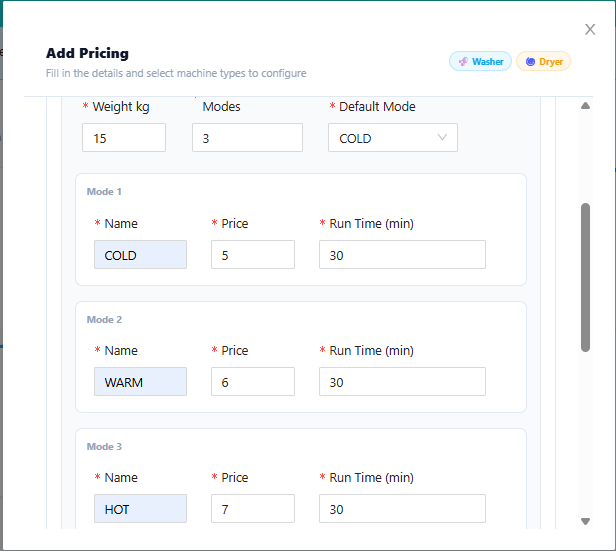
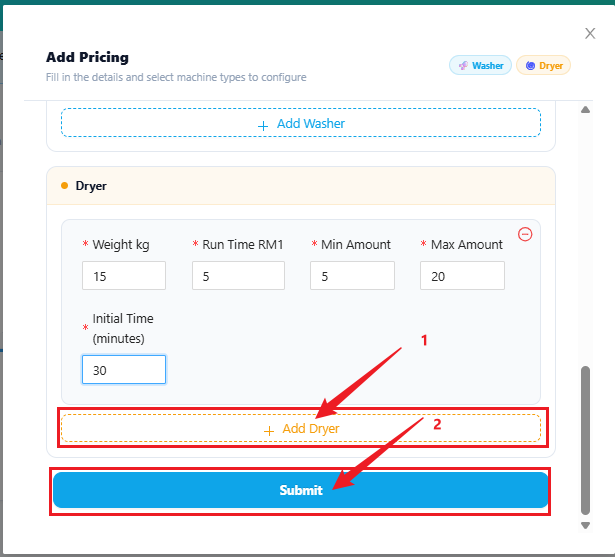
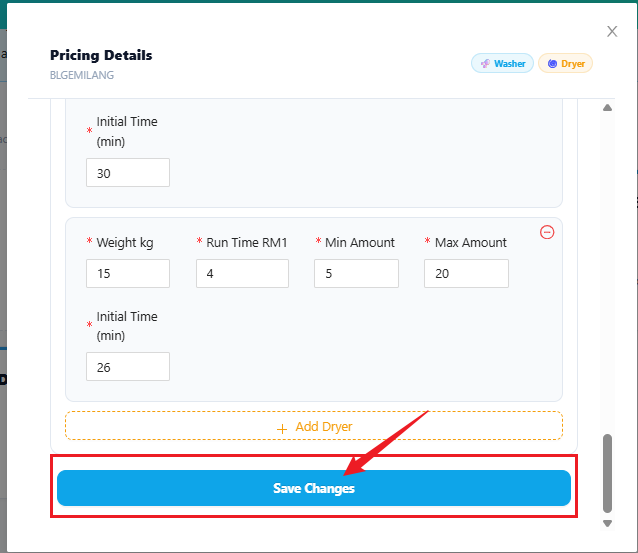
For Existing Outlet ( If Add-on Machine With Different Weight / KG )
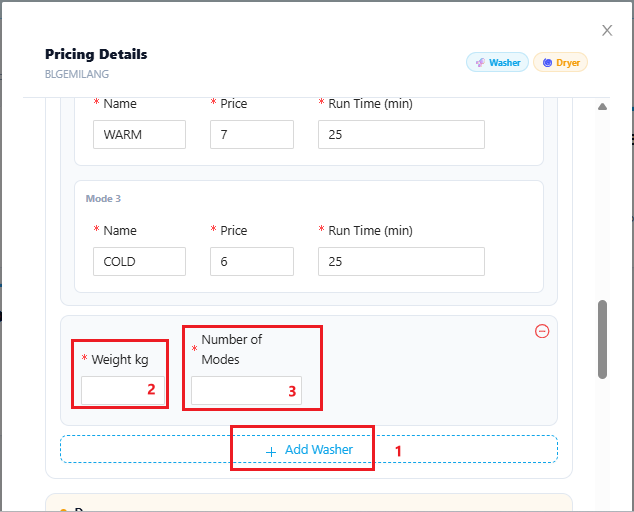
Scroll down To Add-on Foir Dryer & Click Save Changes when Finish adding :
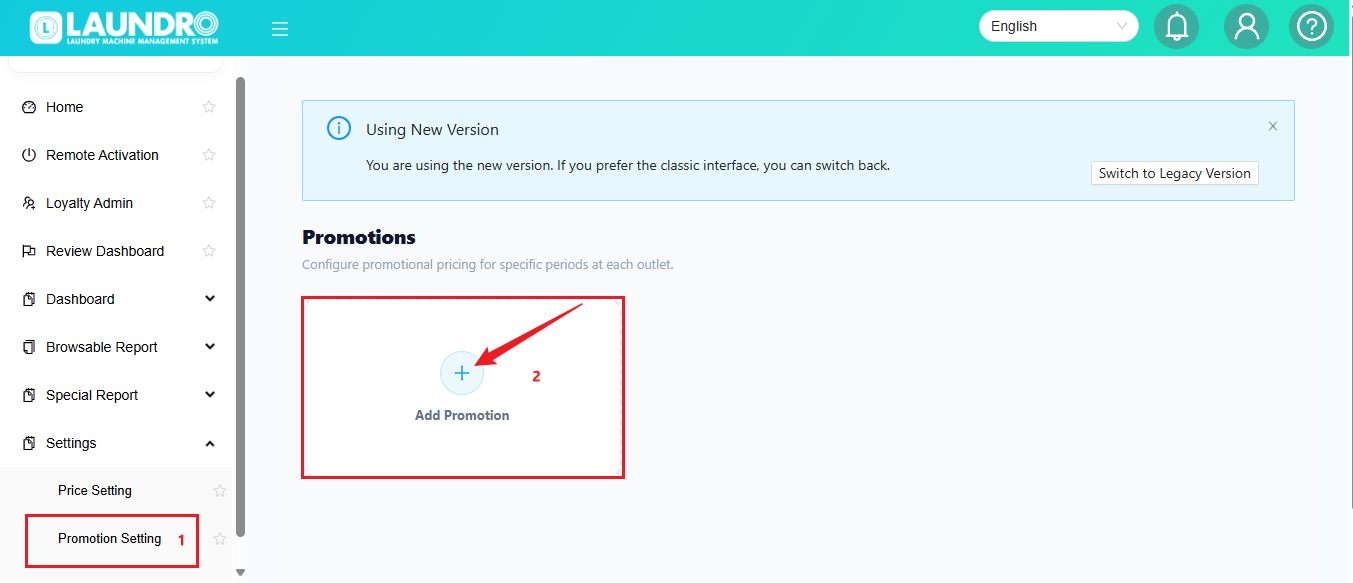
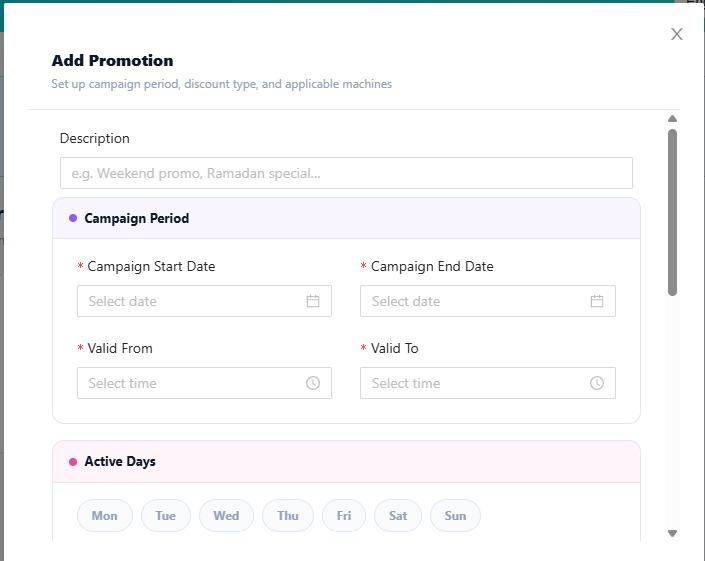
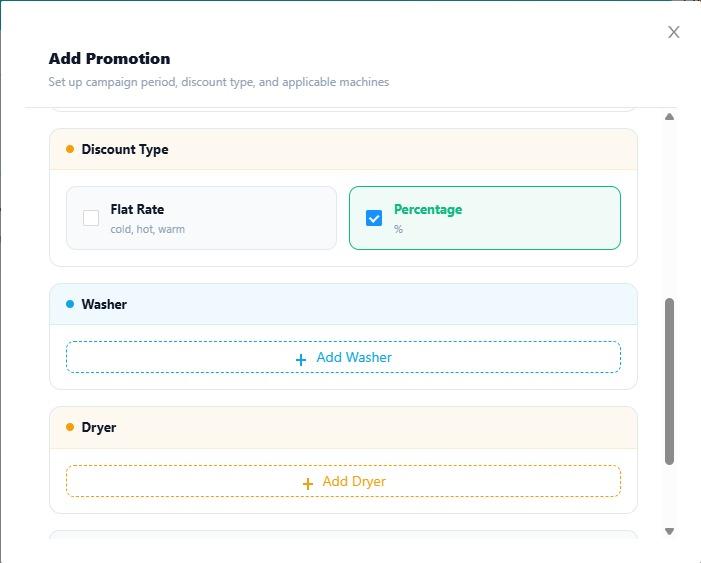
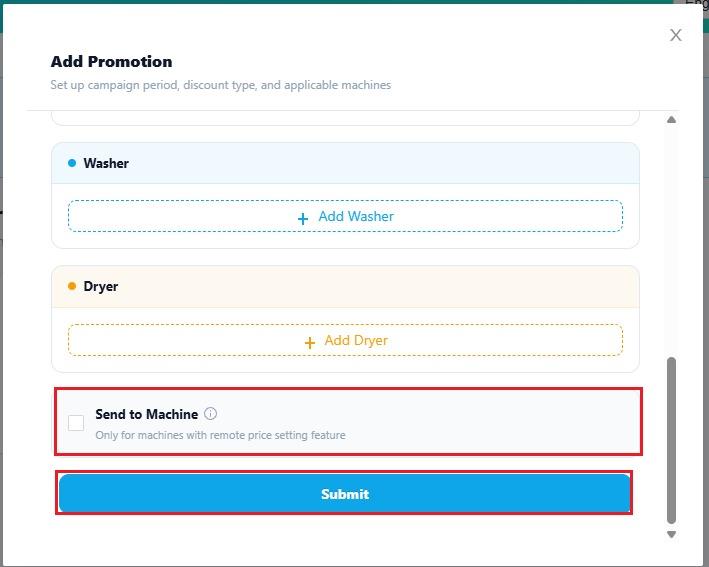
Promotion Setting