
➕ Add Machines to an Existing Operator
🎯 Purpose
Use this guide to add new machines to an existing outlet without creating a new operator account.
🧭 Quick Navigation
1. Log in to Laundro Portal
2. Open My Outlets
3. Select your outlet
4. Open Machines
5. Add Washer or Dryer
6. Enter details and Save
📍 How to Access
🔐 Step 1 — Login to Laundro Portal
Log in using your Username and Password. https://v2.thelaundro.com/operator_login
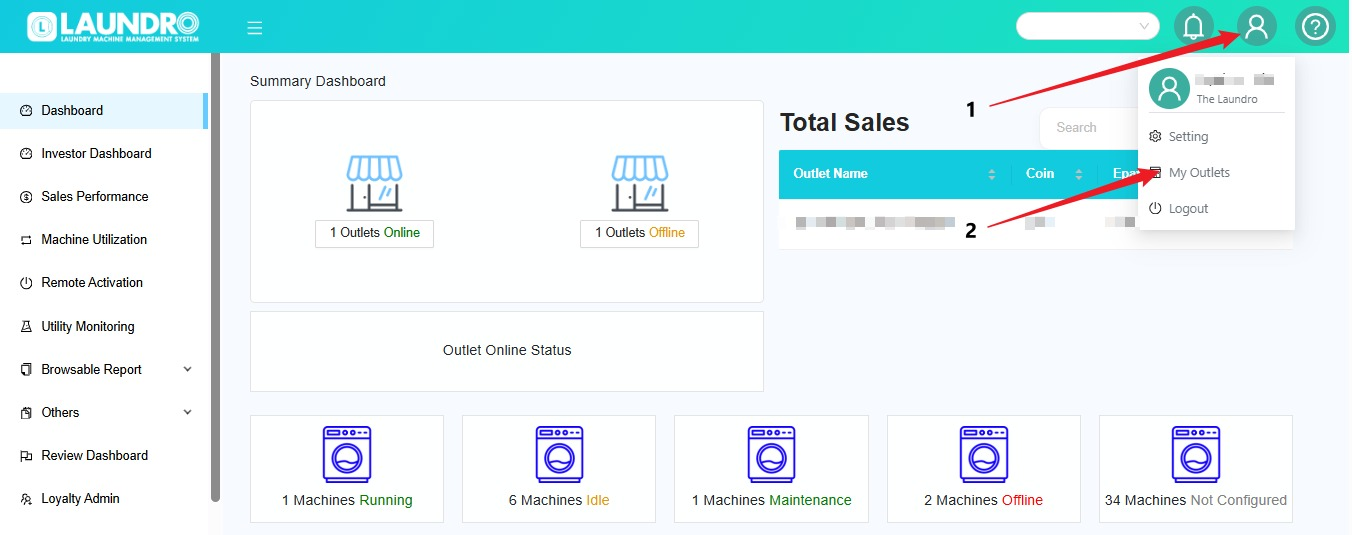
📍 Step 2 — Go to My Outlets
- Click the 👤 Profile icon.
- Select My Outlets.
- The list of your outlets will be displayed.
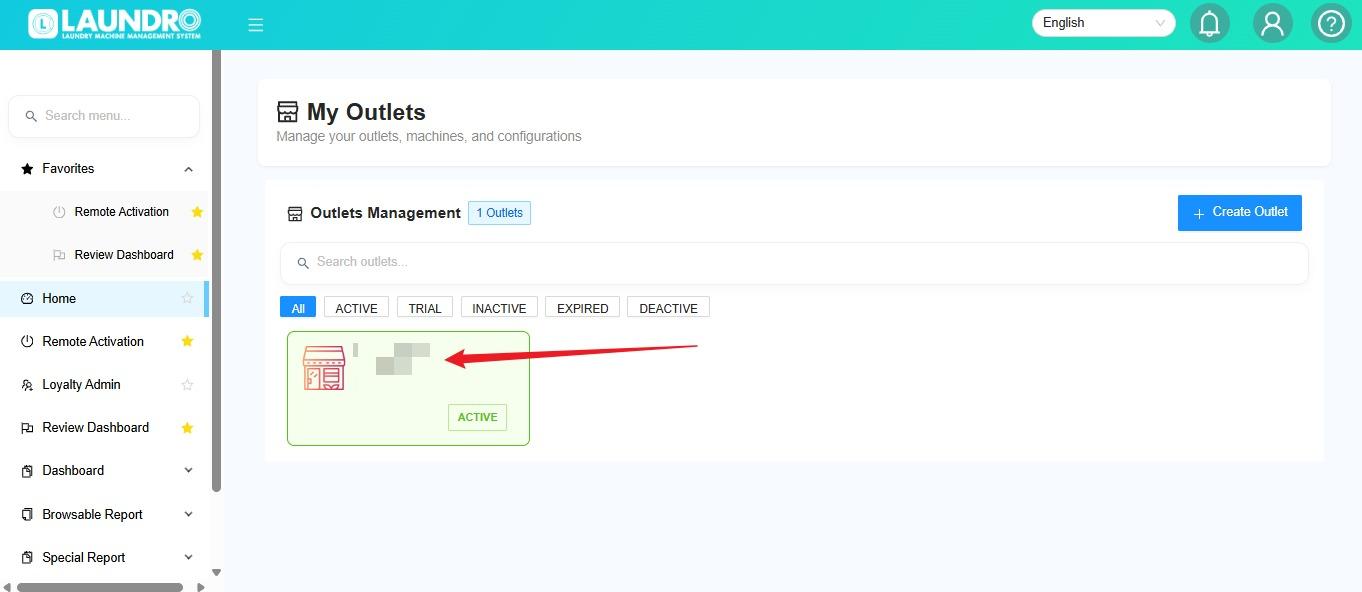
🏪 Step 3 — Select the Outlet
Click the outlet where you want to add the machine.
✏
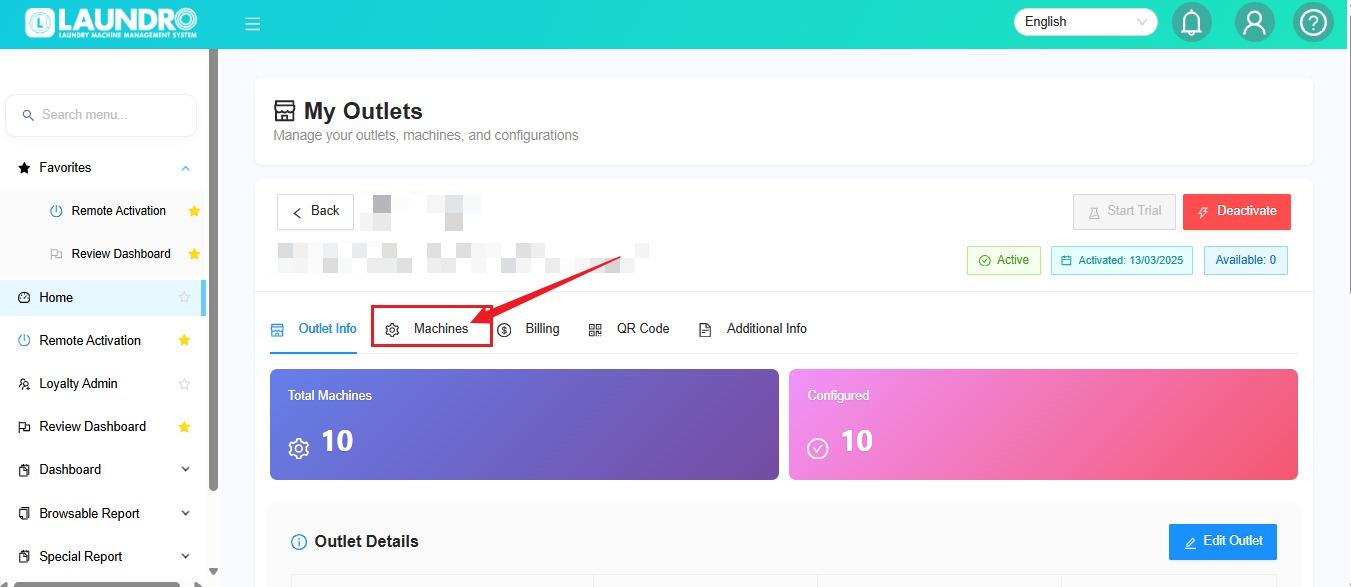
⚙️ Step 4 — AddOpen Machine
Machines
Click Machines to manage the machines inunder the selected outlet.
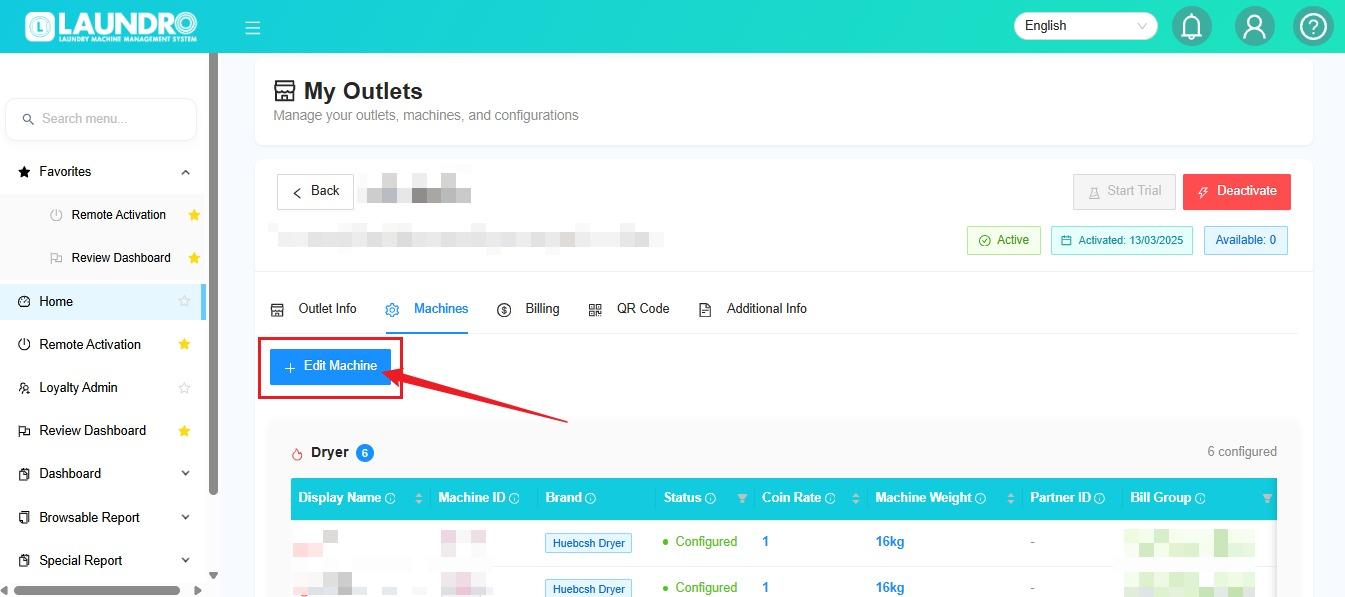
➕ Step 5 — EditAdd Machine
a Washer or Dryer
- Click
+EditMachineMachine..Then choose - Select the machine type:
- 🧺 Washer
- 🔥 Dryer
- Repeat the process if you need to add more machines.
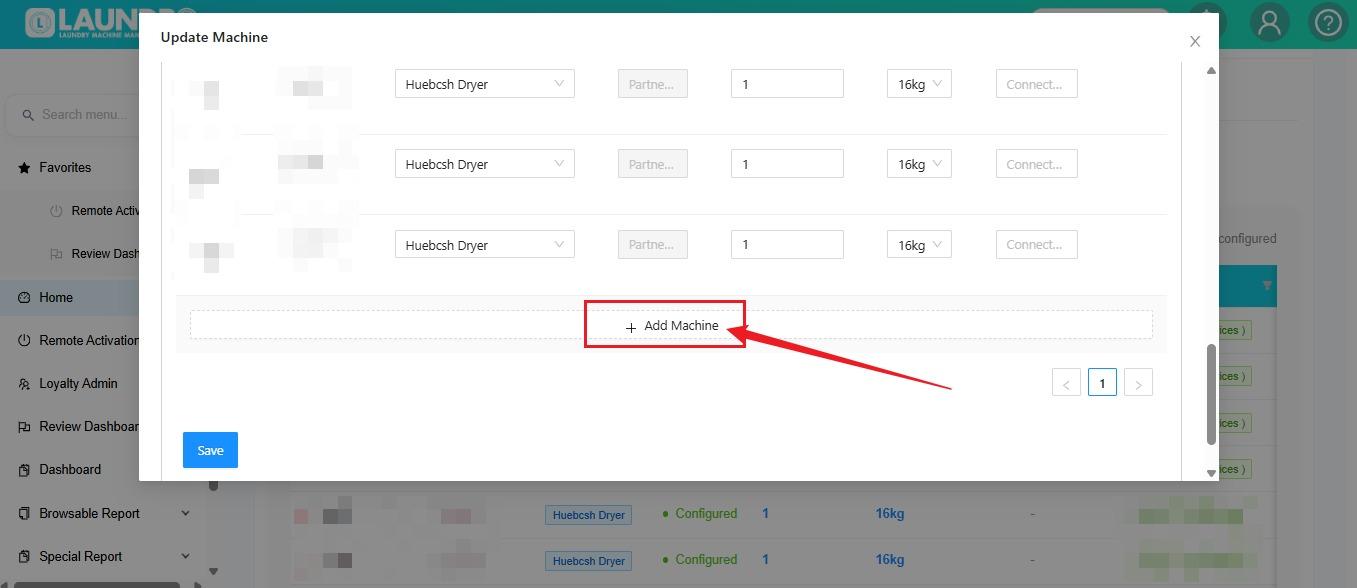
Quick Tip : You can click Add Machine repeatedly to add multiple units. Scroll up or down to view the additional machine entries.
📝 Step 6 — Fill in Machine Information
Enter all required information for each machine.
- Check that the machine details are correct.
- Repeat for every additional machine.
- Click Save when finished.
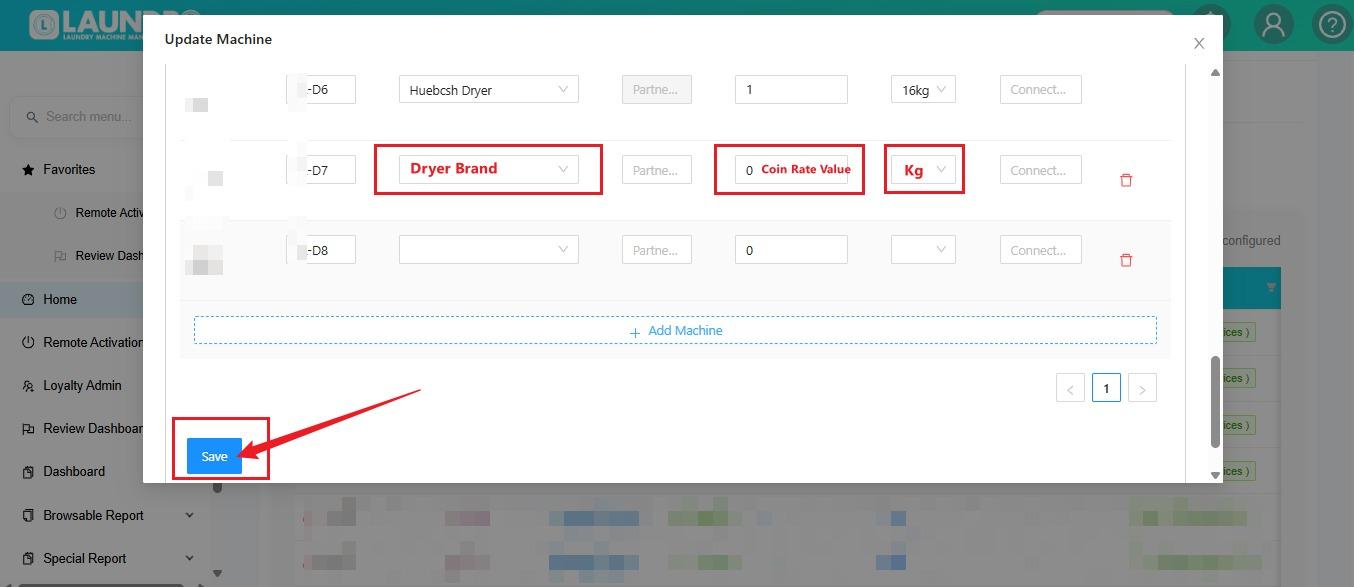
💡 Important Note : Before clicking Save, make sure all machine information is correct.
🔢 Step 6 — Add More Machines
Need to add more than one machine?
↕️ Scroll up or down to add additional machines.
➕ You can also click Add Machine repeatedly to add multiple units.
Click Add Machine, then select whether you want to add a Washer or Dryer.
📝
🗂️ StepNeed 7to —Add Fill inAnother Machine Information
Enter the required information for the Washer/Dryer.
When everything is completed, click:
💾 Save
💡 Important Note : Before clicking Save, make sure all machine information is correct.
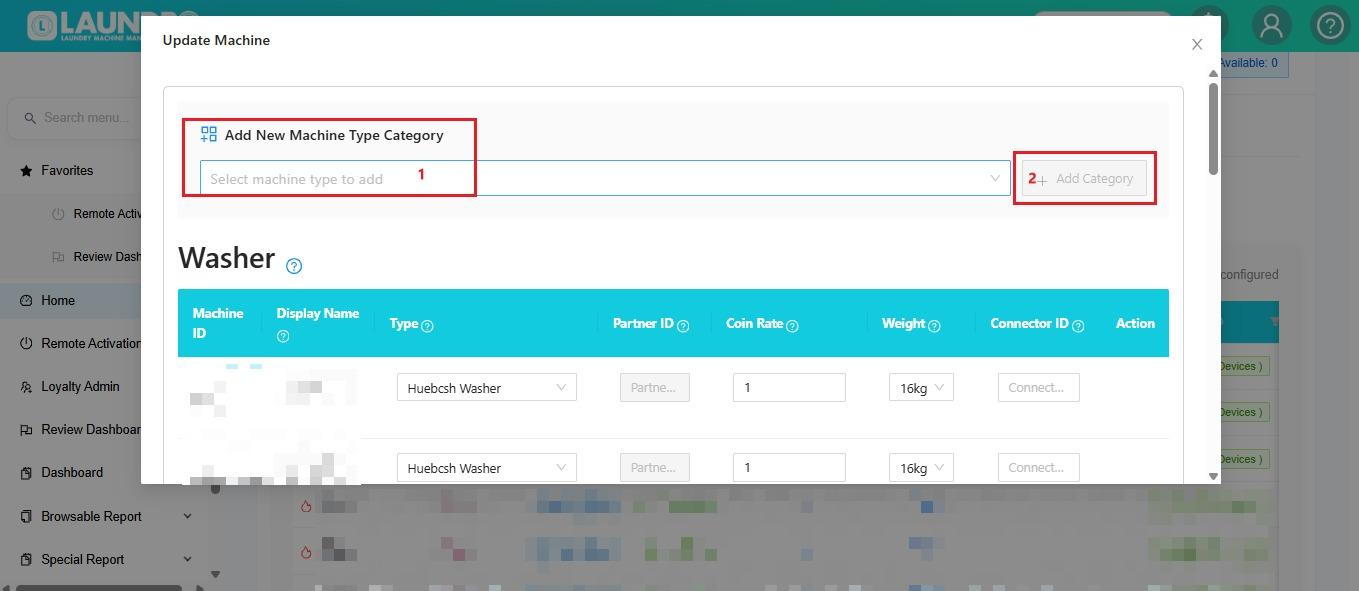
🆕 Add Other Machine Categories
Category?
If you need to add athe machine otheris thannot a Washer or Dryer:Dryer:
🔽OpenClickthe Machine Type dropdown.- Select the required
machinecategory. - Click Add
CategoryCategory..
✅ Final Check
Before leaving the page, confirm that all machines have been entered correctly and saved.