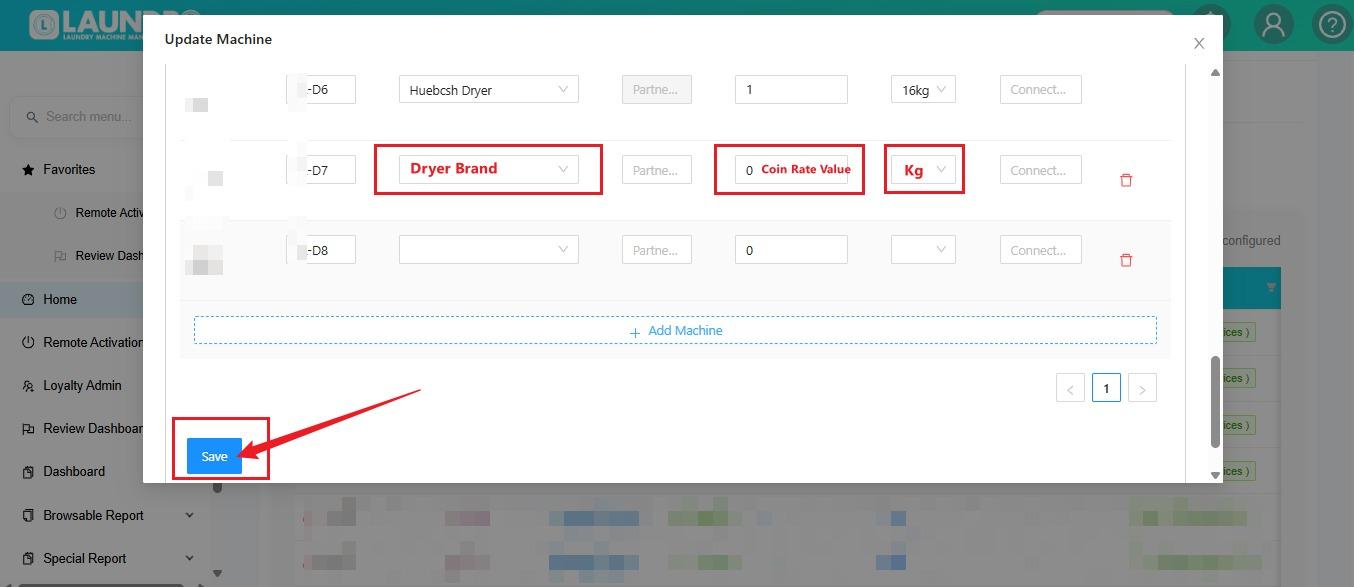
To Add-on Machine To The Existing Operator
📍 How to Access
Step 1 — Open Laundro Portal
Log in to the Laundro Portal using your Username and Password. https://v2.thelaundro.com/operator_login
Step 2 — Go to My Outlet
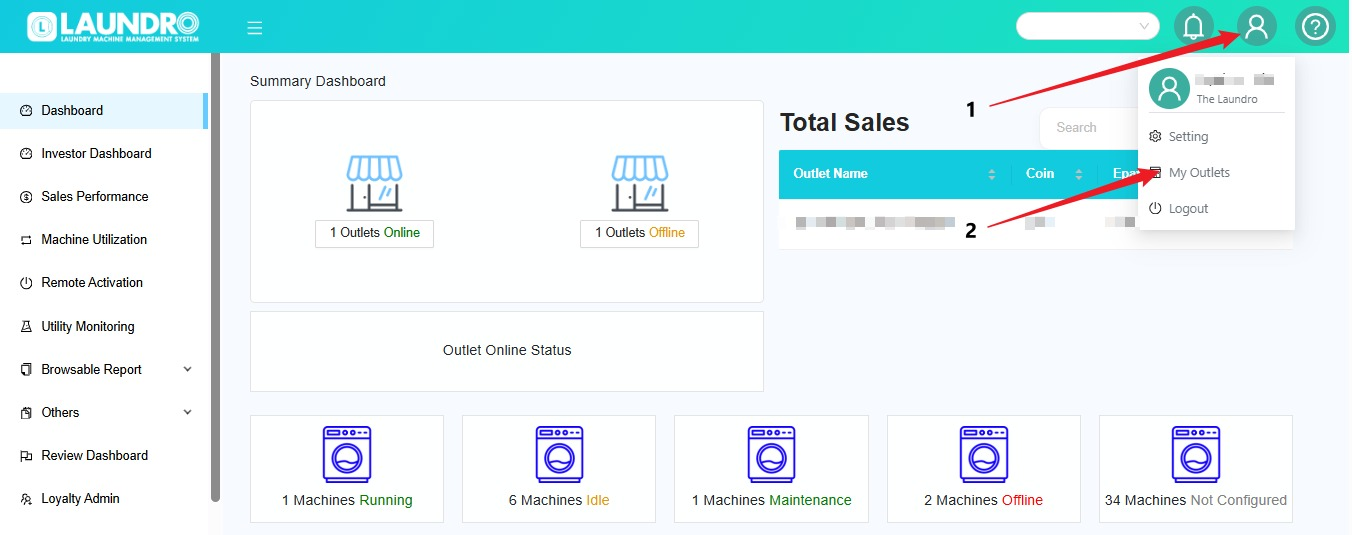
- Click the Profile icon at the top-right corner of the screen.
- Select My Outlets from the dropdown menu.
- The system will open the My Outlets page where you can view your outlets.
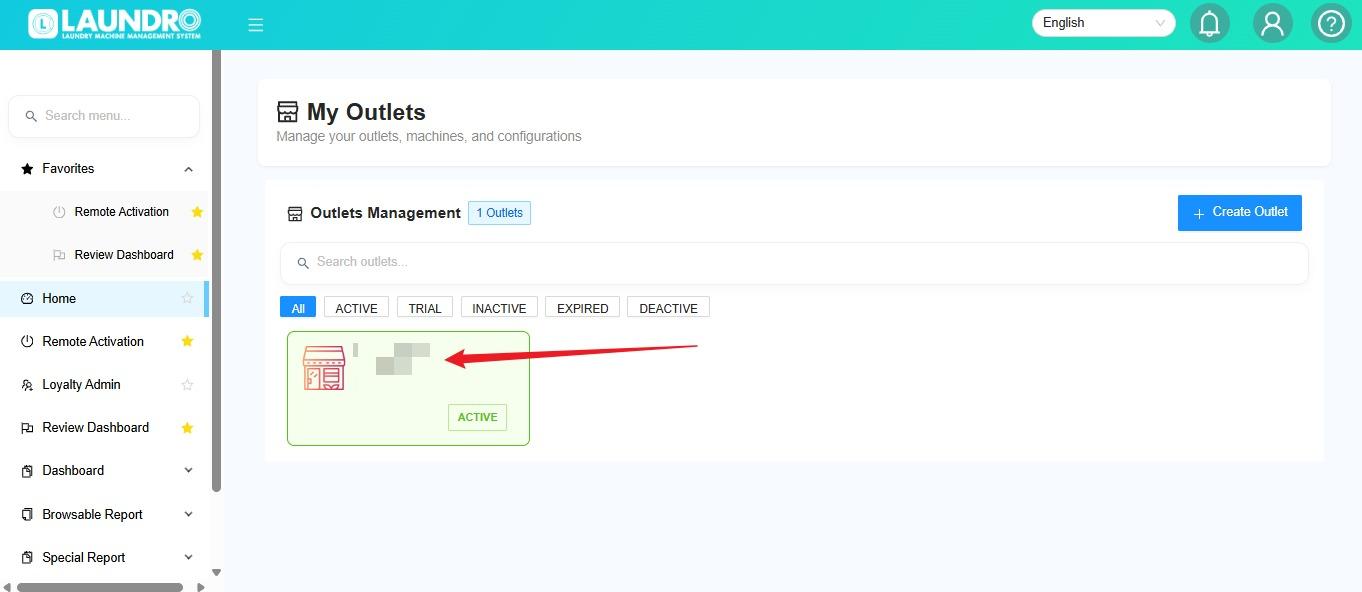
Step 3 — Select Outlet
Click on the outlet where you want to add the machine.
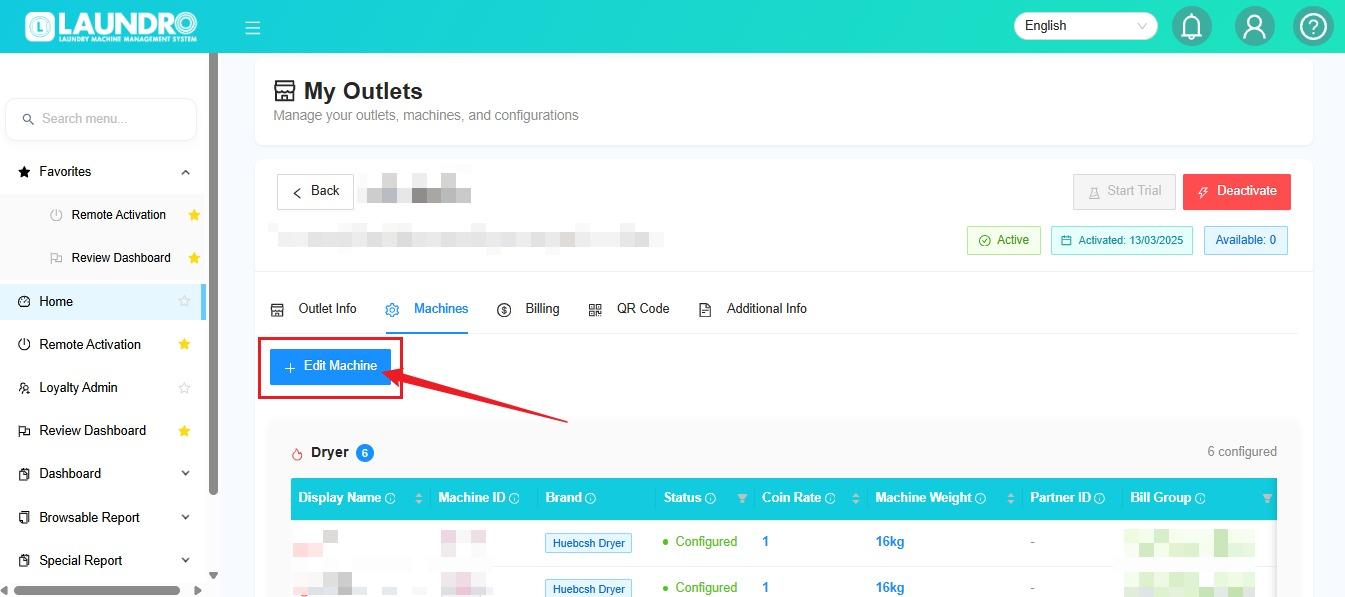
Step 4 — Select Machine
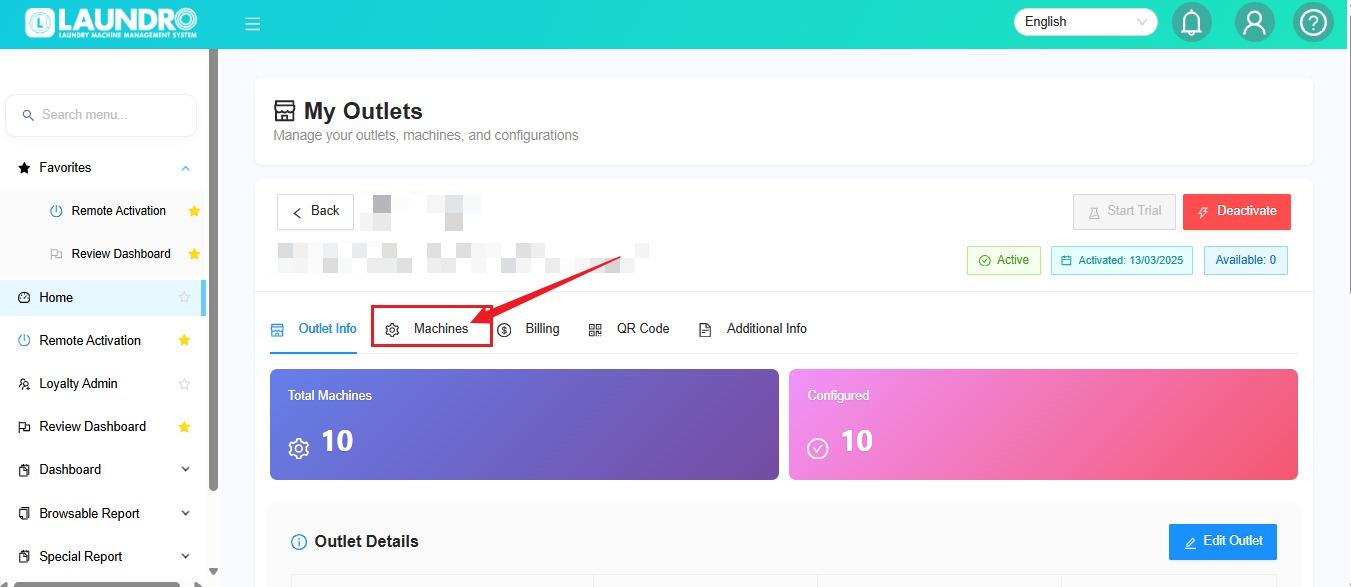
Step 5 — Select Edit Machine
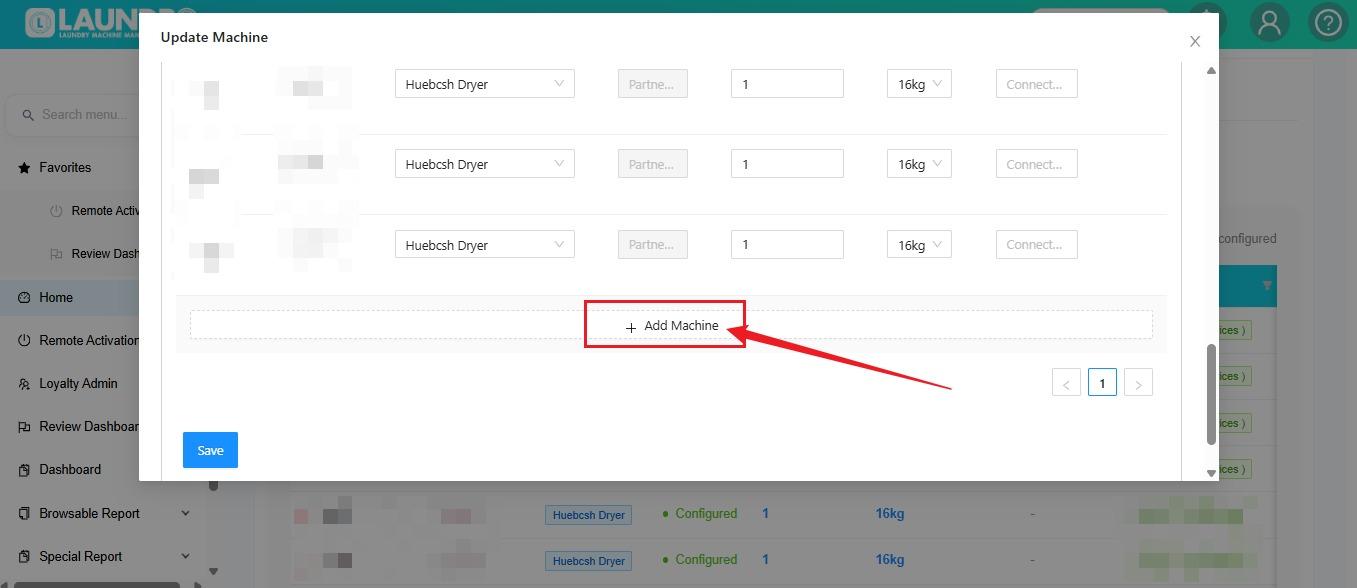
Step 6 — Select +Add Machine
Click Add Machine, then select whether you want to add a Washer or Dryer.
Step 7 — Fill in Dryer/Washer info
Click Save After Fill in Washer / Dryer Info.