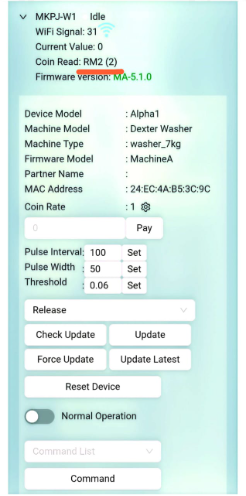
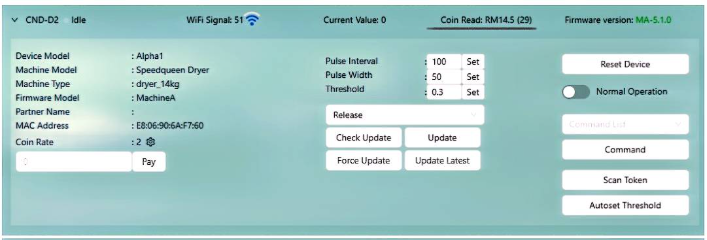
Coin read not detect
- When a customer makes a payment using token, coin, or Cloud Pay, the payment amount is expected to be displayed on the cloud node as a coin read. However, there are cases where the payment cannot be read or detected by the coin reader, resulting in the transaction not being properly recorded on the device / transaction record.
Root Cause Identified:
The issue was caused by a loose connection between the cable harness and the coin reader, which disrupted communication between the device and the cloud node.
Corrective Actions:
- Checked and reconnected the cable harness properly.
- Ensured all connectors are securely fastened to prevent loose connection recurrence.
- Conducted a transaction test to confirm proper payment detection.
Turn on node cloud & do testing is started by pressing the Scan Token [ can see step in SCAN TOKEN ] button first.
Please ensure that the number of tokens/coins displayed on the coin reader matches the amount inserted into the coin acceptor.