FIUU Static QR Download
Login
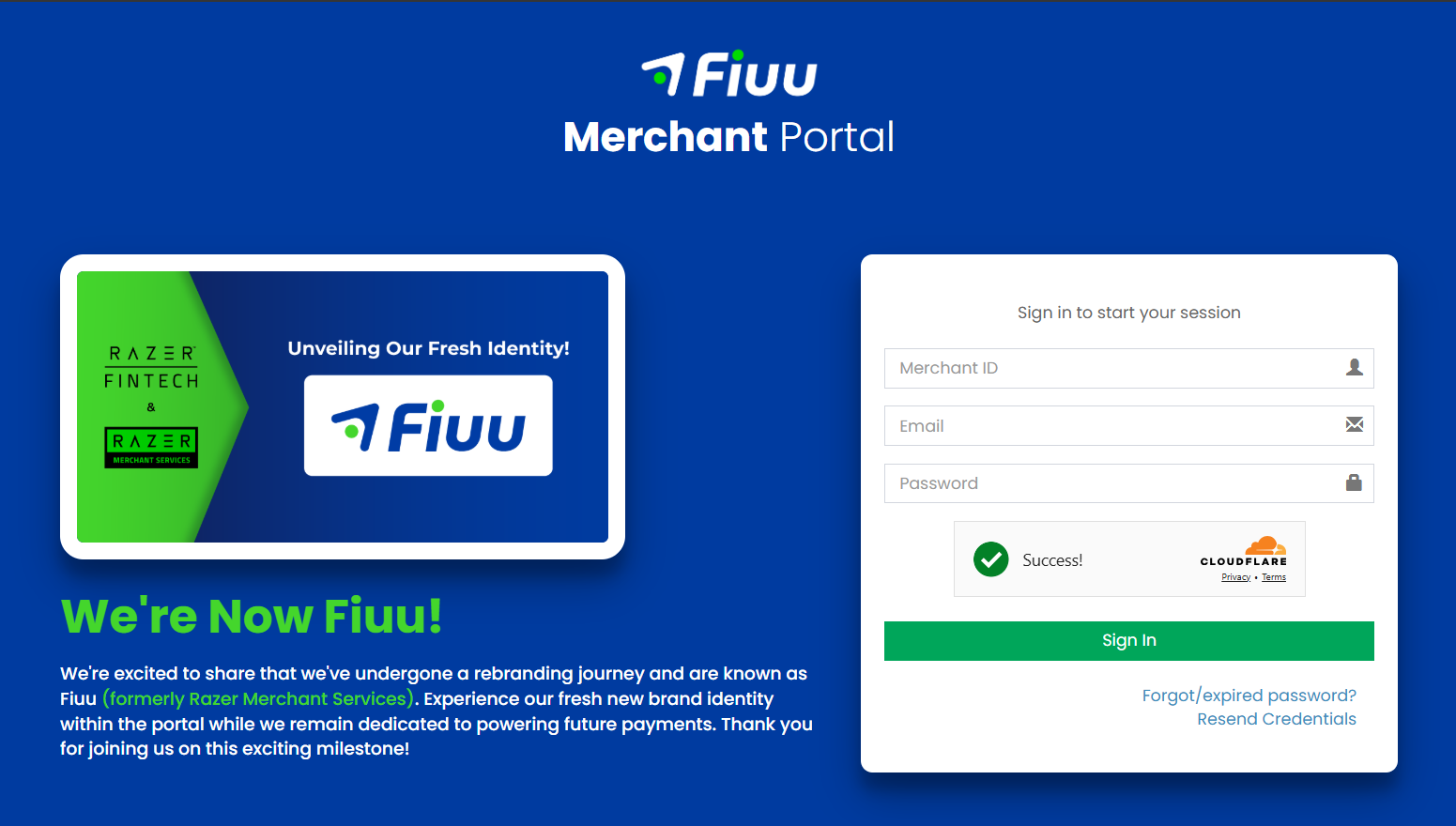
1) Open Fiuu Portal URL: https://portal.fiuu.com/index.php?mod=authentication&opt=login . Enter Merchant ID, email and password to Login
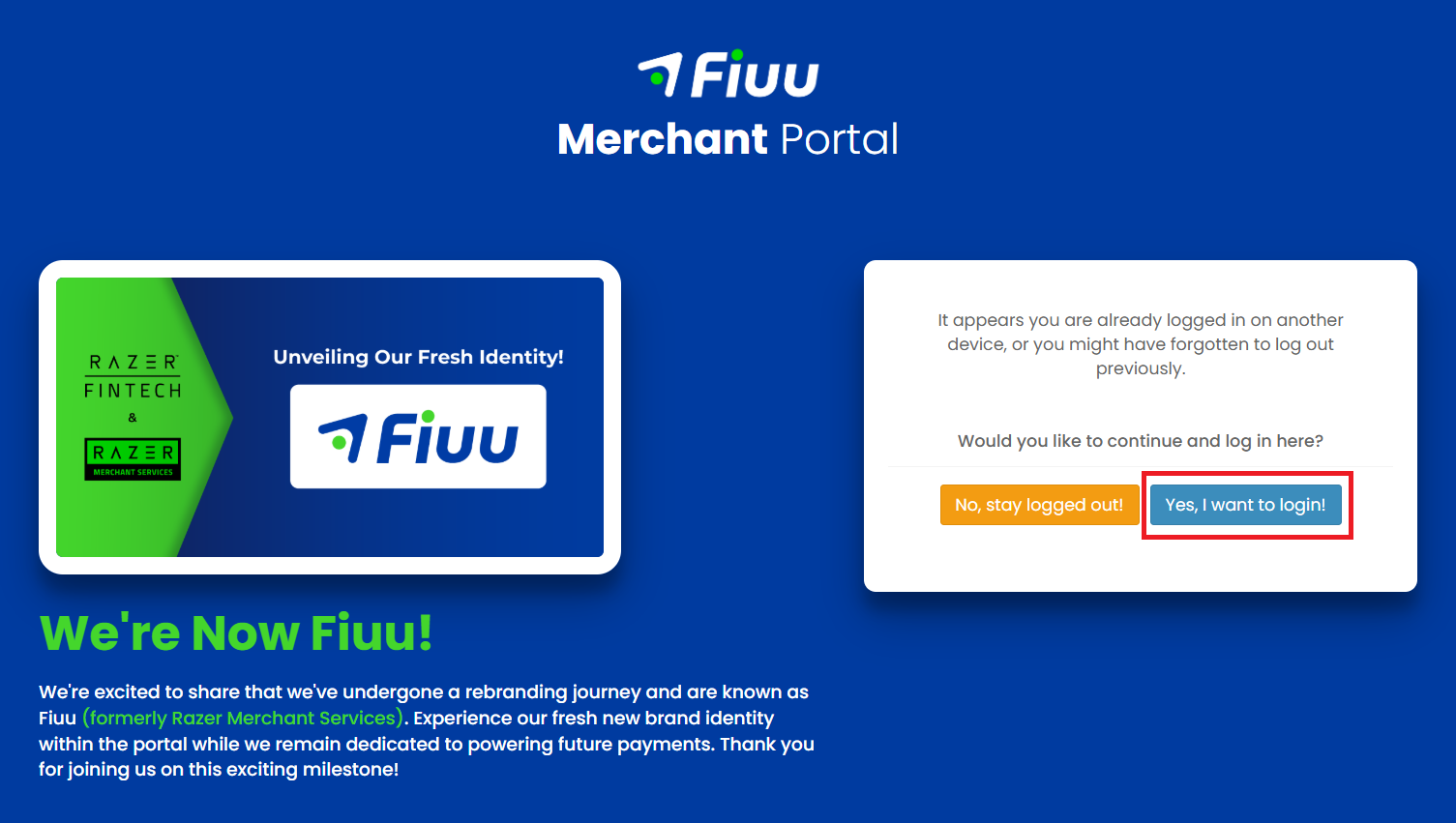
2) Select Yes, I want to login!
─────────────────────────────
Static DuitNow QR Code
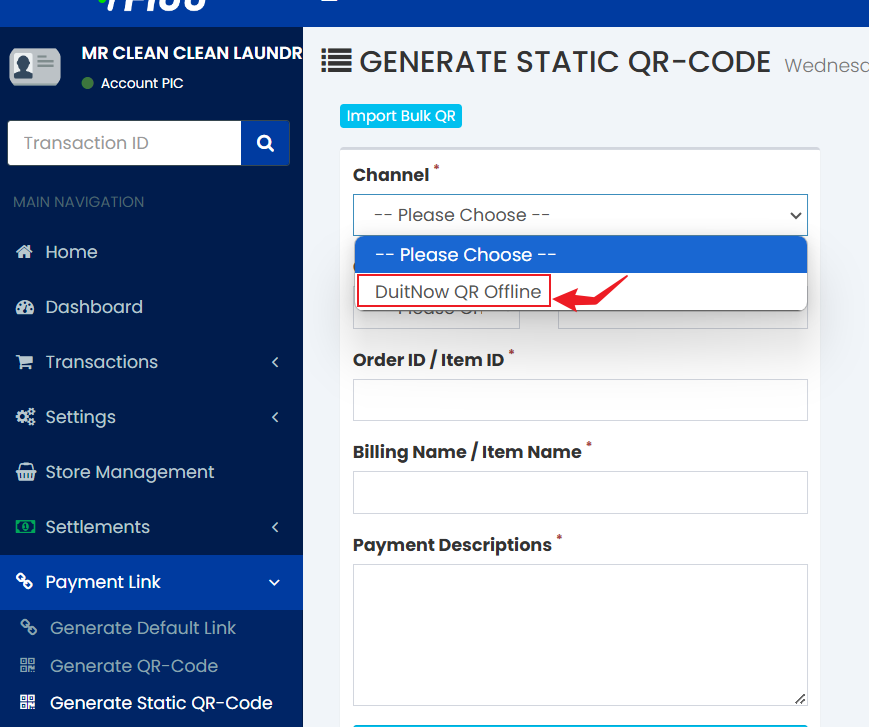
1) In Fiuu Portal, from sidebar, under Payment Link, select Generate Static QR-Code.
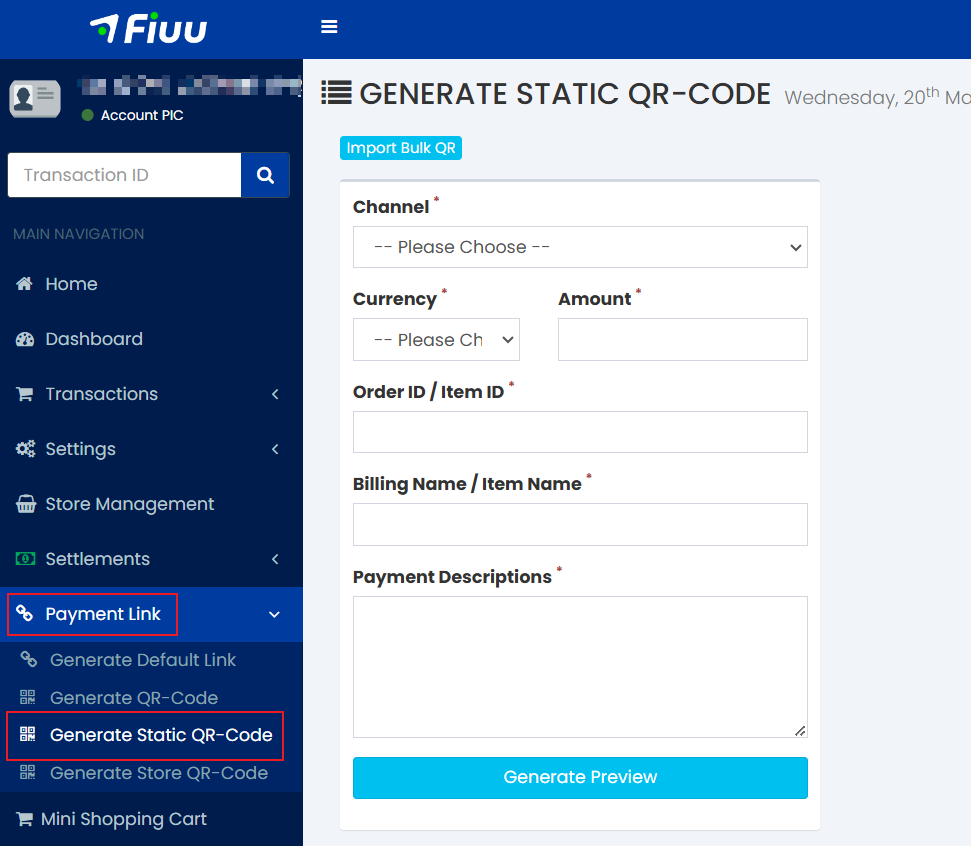
2) Click on “Channel” and select “DuitNow QR Offline”. After selecting it, the configuration will change to “Type2”.
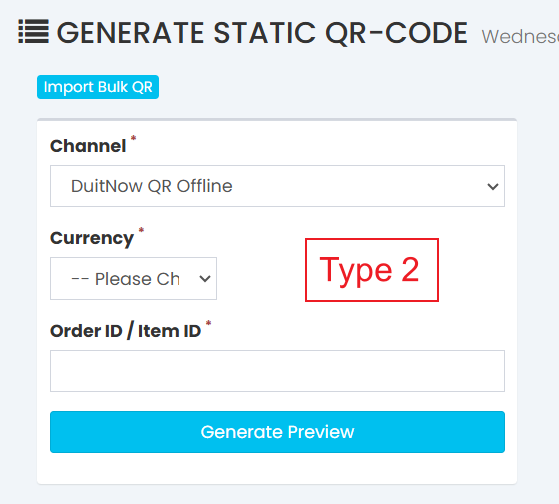
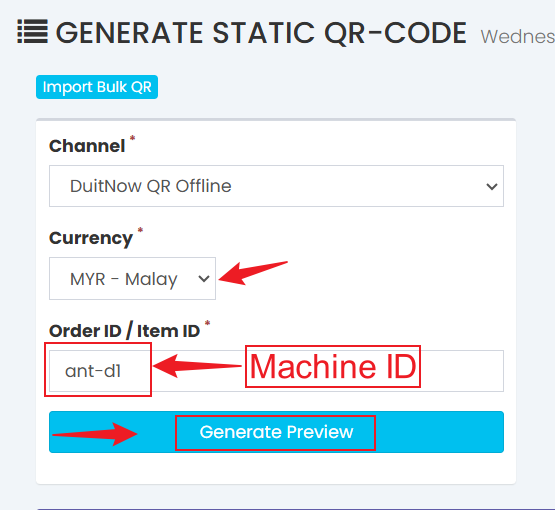
3) Select the currency and enter the Machine ID in the “Order ID / Item ID” column, then click on “Generate Preview”.
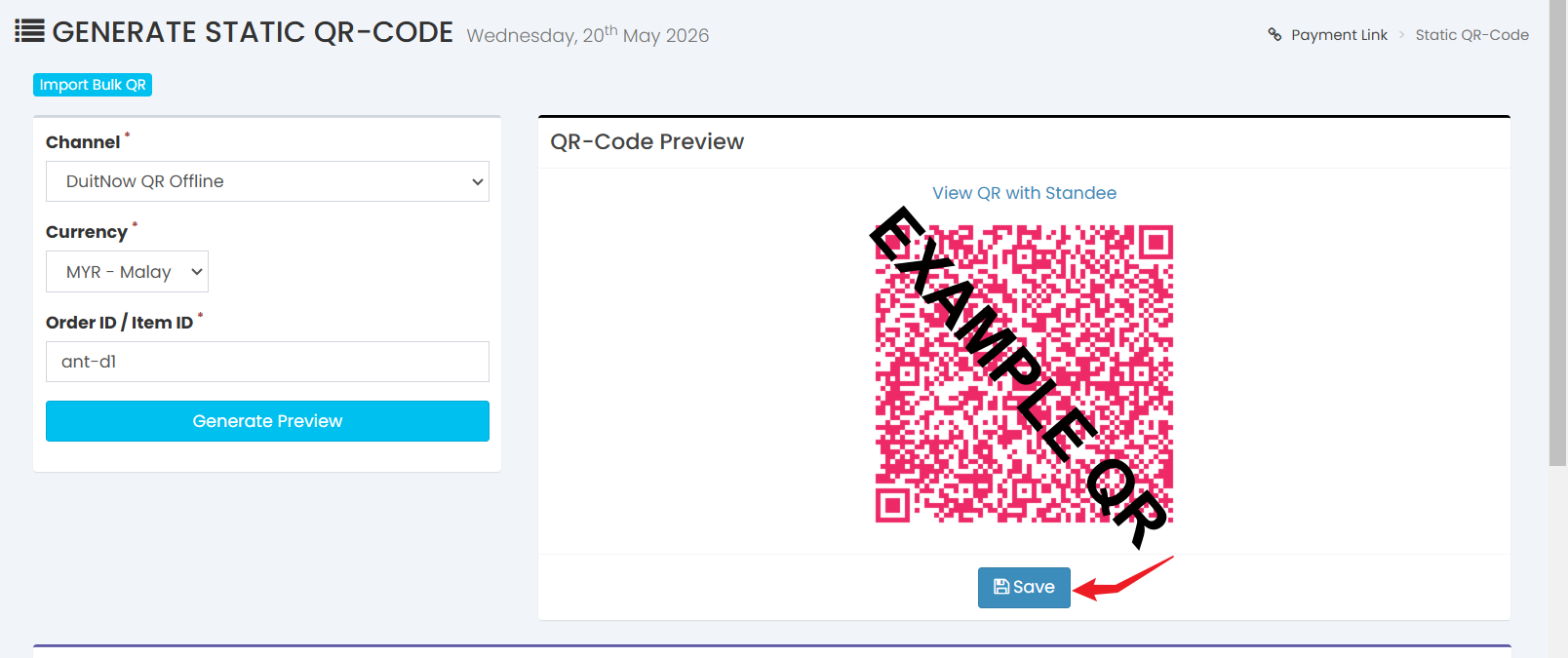
4) After clicking “Generate Preview”, a QR code will be generated. Below the QR code, click “Save”.
5) After clicking “Save”, scroll down and you will see three icons on the right. Click on the middle icon to preview and download the QR code.
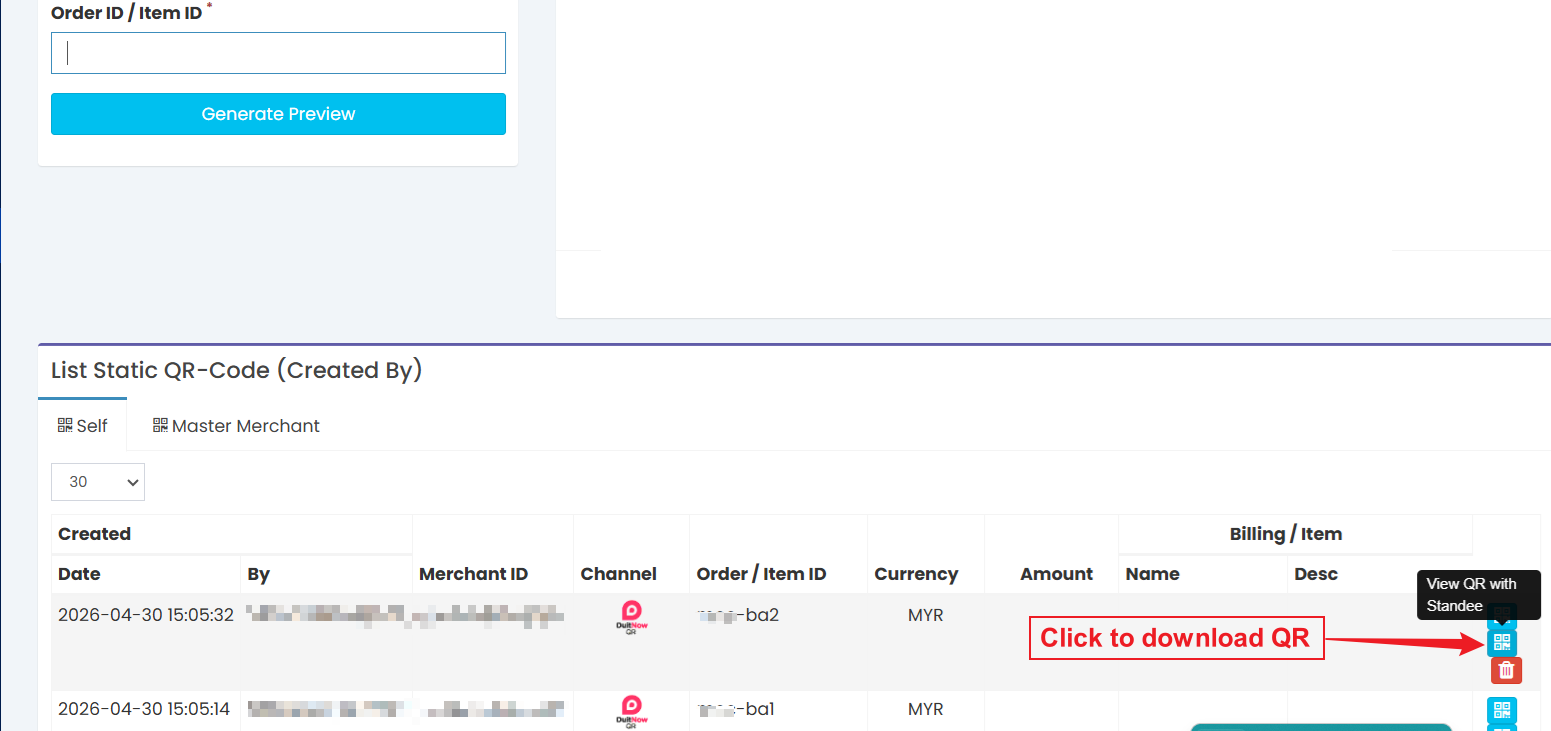
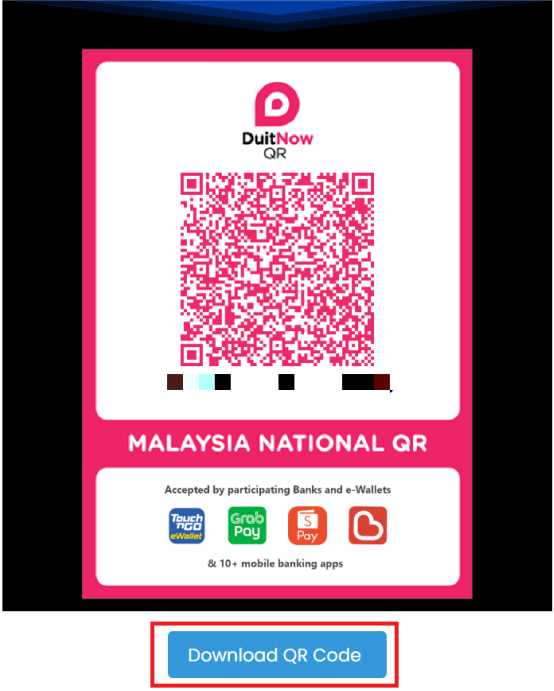
6) Click the Download QR Code button to donwload the QR code
─────────────────────────────
Machine ID
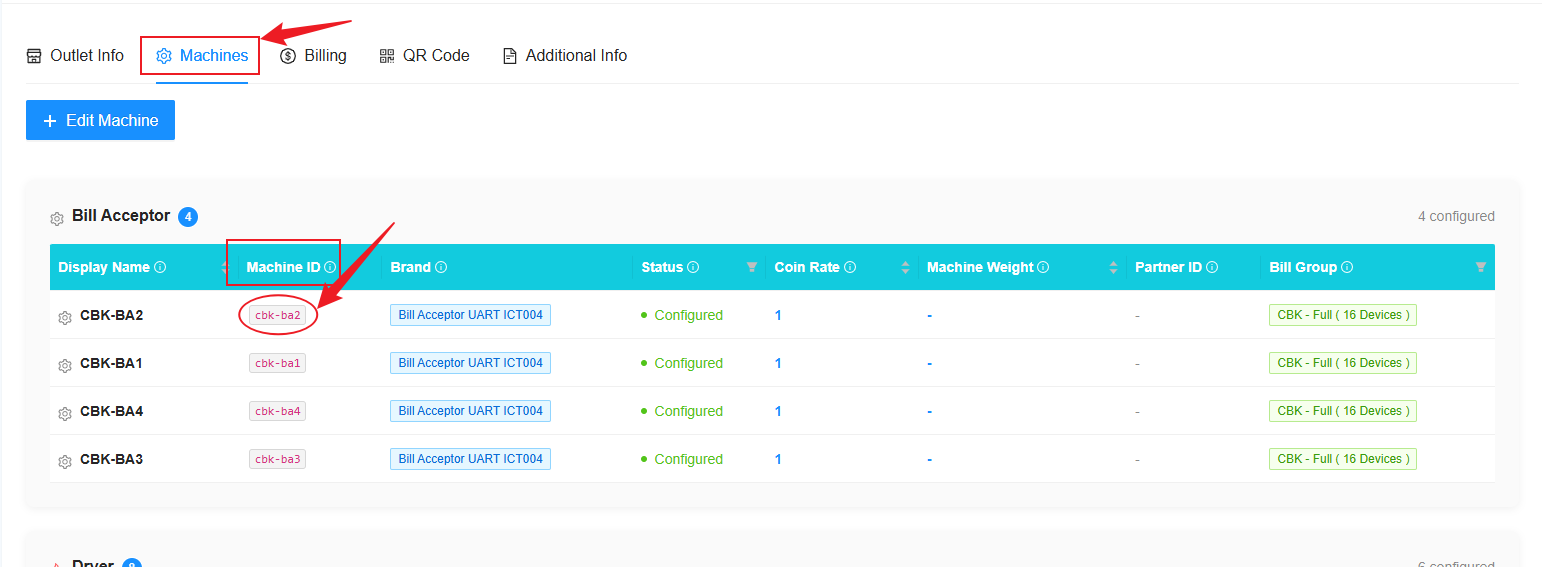
1) You can get the ''Machine ID'' from Laundro Portal in the machine settings page.
Step 1: Go to “My Outlets”.
Step 2: Select the specific outlet.
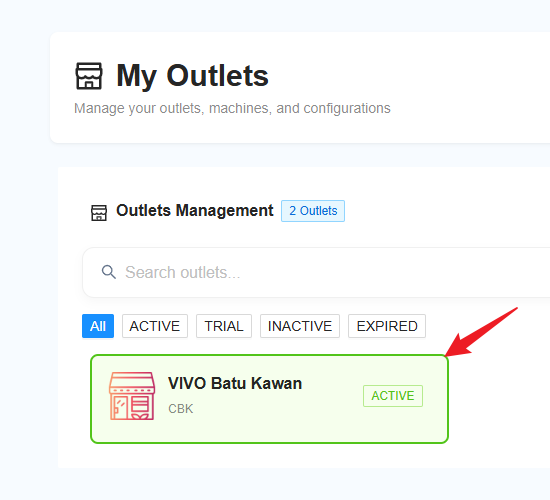
Step 3: Click on “Machine” and copy the ID highlighted in the circle.