Outlet Profile Management
Outlet Profile feature has been introduced to help centralize and manage key information for each location. This update is designed to maintain consistent records across the entire operation.
Baseline Data Required: For the expiry tracking and alert system to function, you must first perform an initial input of all current license numbers and expiry dates for each outlet under the Additional Info tab. Automated alerts will only trigger once this baseline data is recorded in the system.
Part 1: Adding Outlet Documentation
Ensure all regulatory and compliance details are recorded for each location:
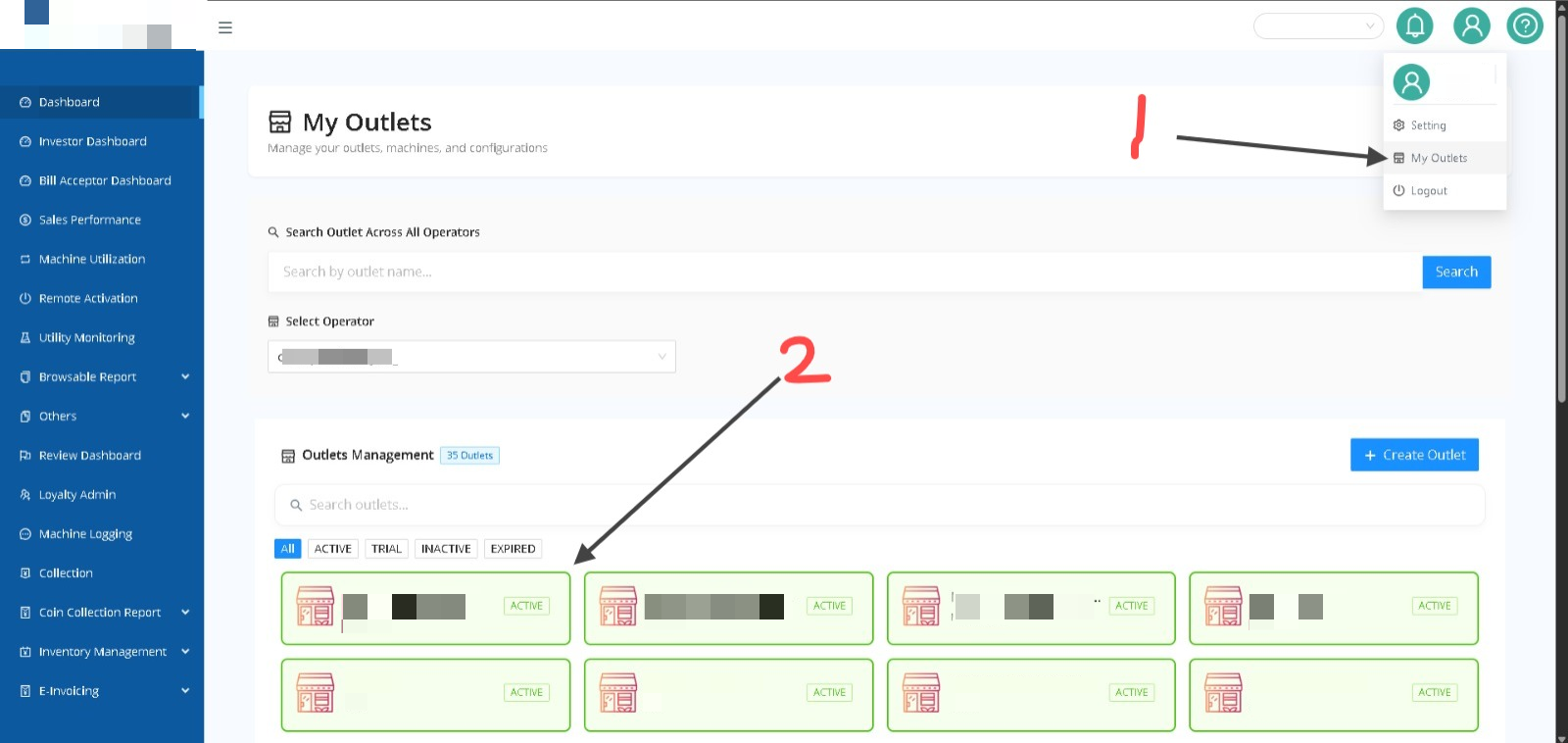
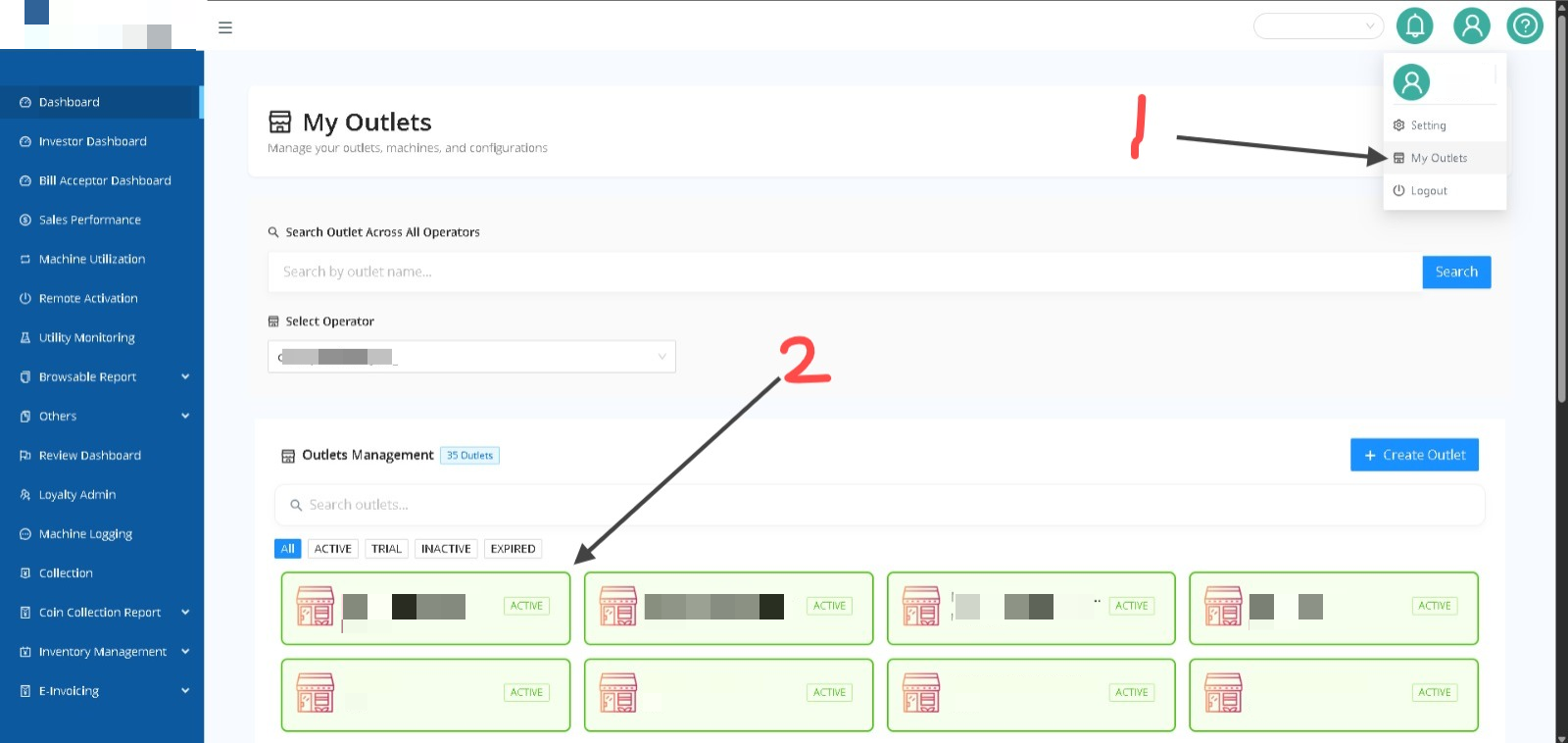
- Navigate to My Outlets: Click on your profile icon in the top right corner and select My Outlets.
- Select an Outlet: From the Outlets Management dashboard, click on the specific outlet you wish to update (e.g., "USJ 1 Regina Condo").
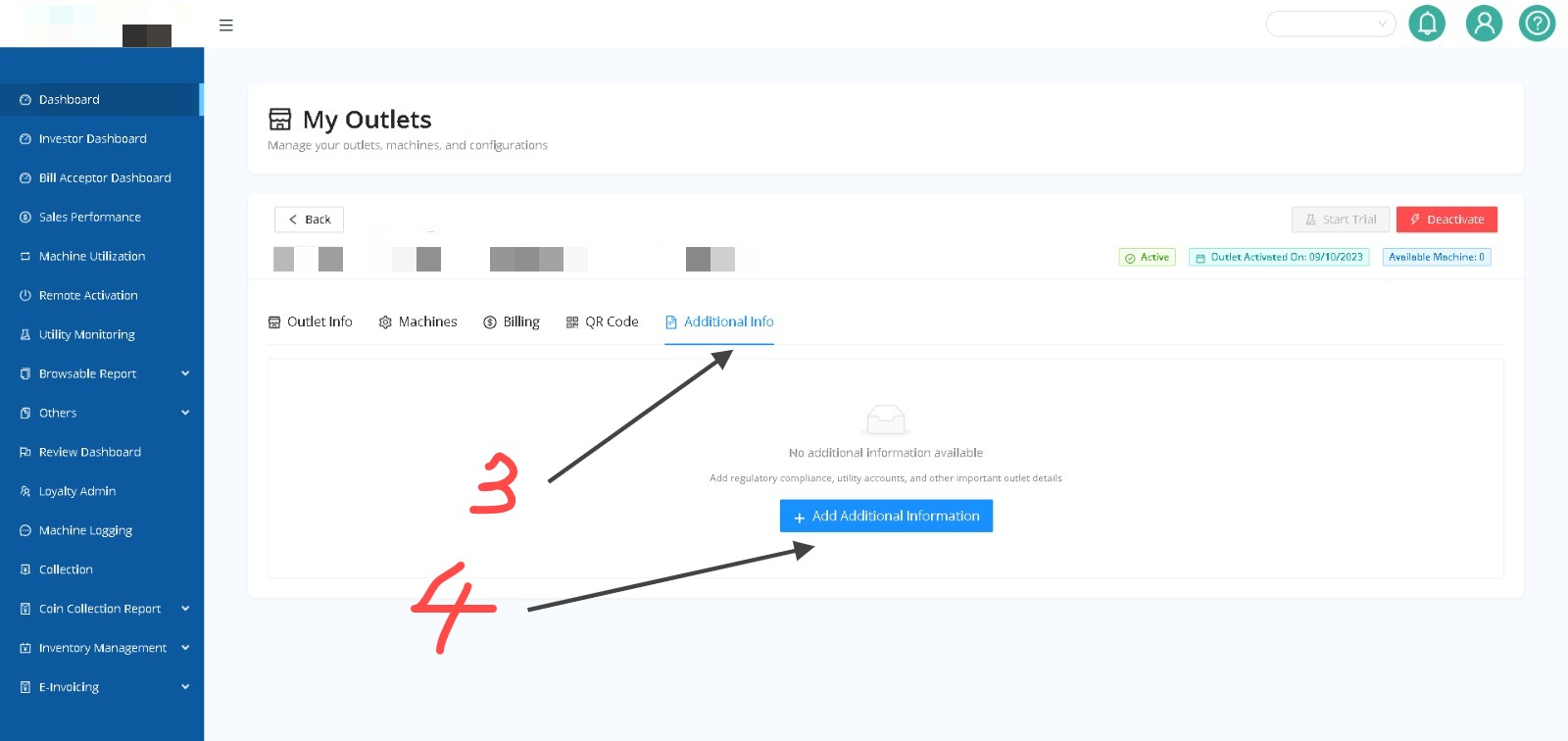
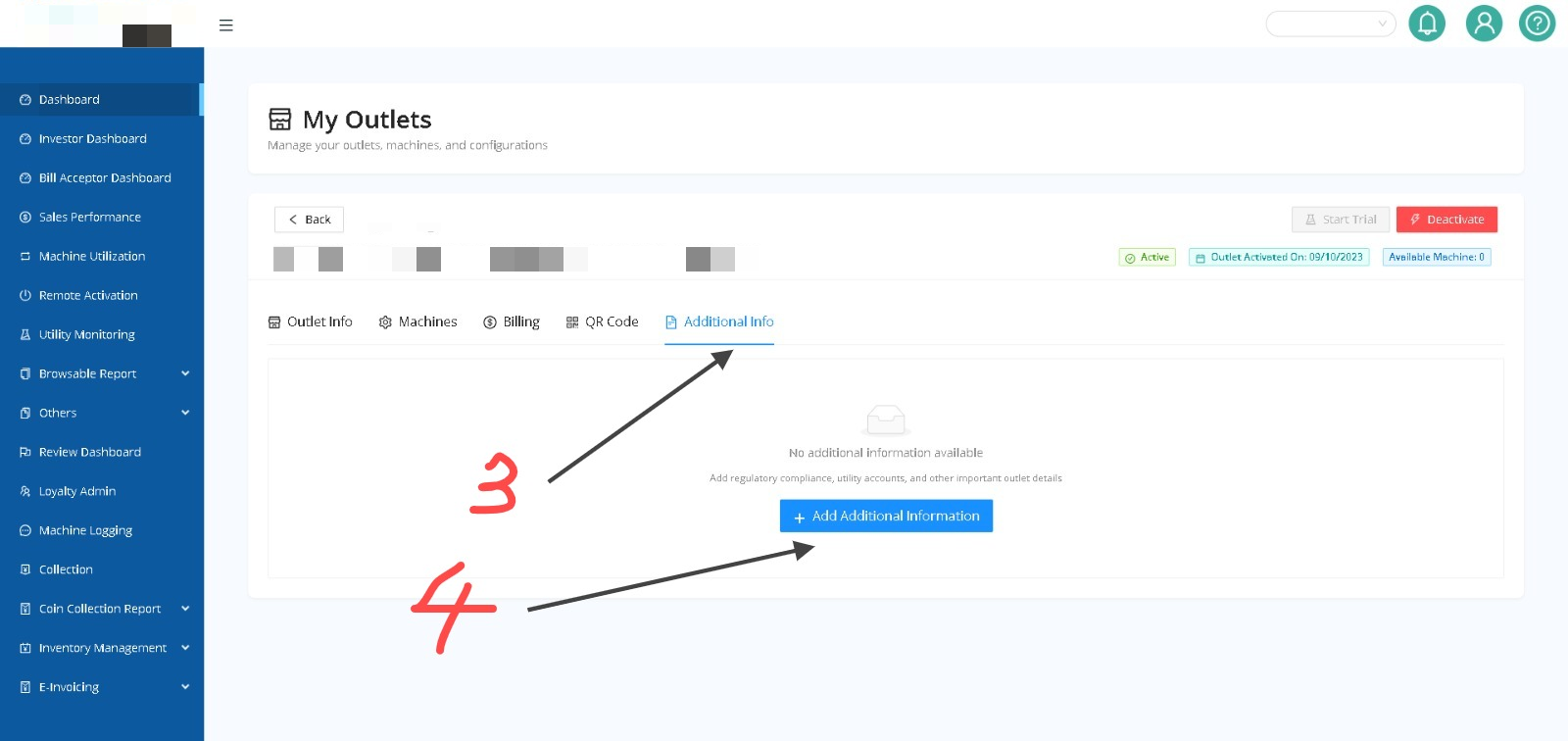
- Access Additional Info: Within the outlet dashboard, click on the Additional Info tab.
- Add Details: Click the + Add Additional Information button to input details for PBT Licenses, ST Gas Licenses, Bomba Certificates, Insurance, or Tenancy Agreements.
Part 2: Enabling Expiry Alerts
Configure the system to notify you before documents expire:
- Navigate to Setting: Click on your profile icon in the top right corner and select Setting.
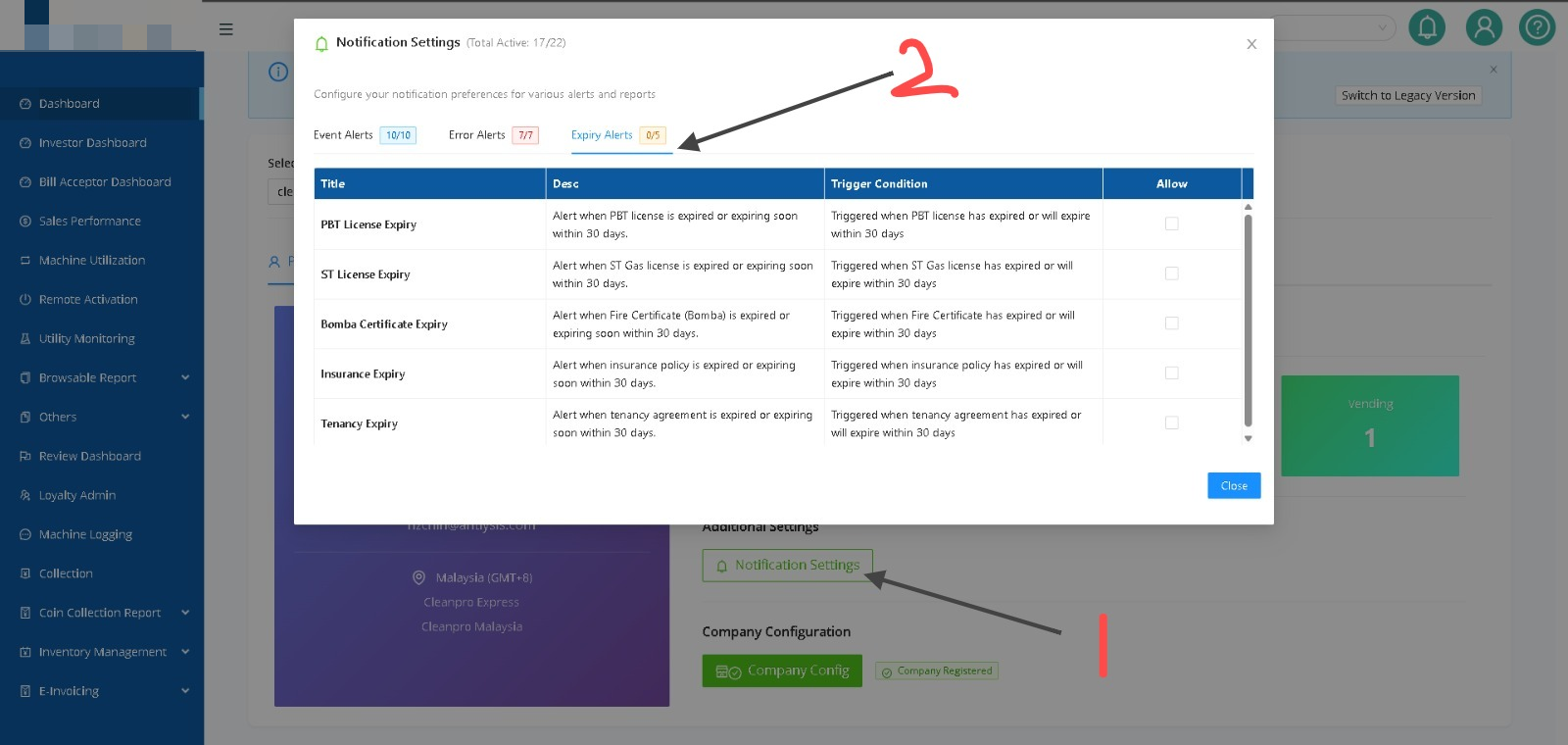
- Open Notification Settings: On your main account or company configuration page, click the Notification Settings button.
- Select Expiry Alerts: In the pop-up window, click the Expiry Alerts tab.
- Toggle Alerts: Check the boxes under the Allow column for the specific alerts you want to receive, such as:
- PBT License Expiry: Triggered when the license is expired or expiring within 30 days.
- ST License Expiry: Triggered for gas licenses expiring within 30 days.
- Bomba Certificate Expiry: Triggered for fire certificate renewals.
- Save: Click Close to finalize your settings.
What Happens Next?
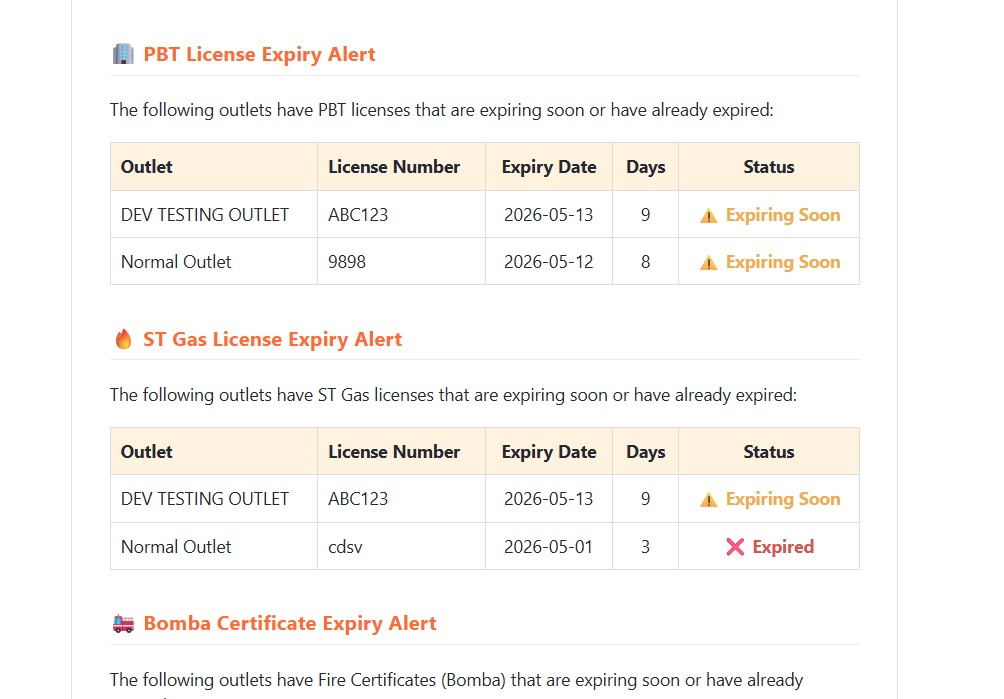
Once configured, you will receive automated alerts highlighting which outlets have licenses that are Expiring Soon or have already Expired, including a countdown of the remaining days.