How to set / edit Laundry Pass
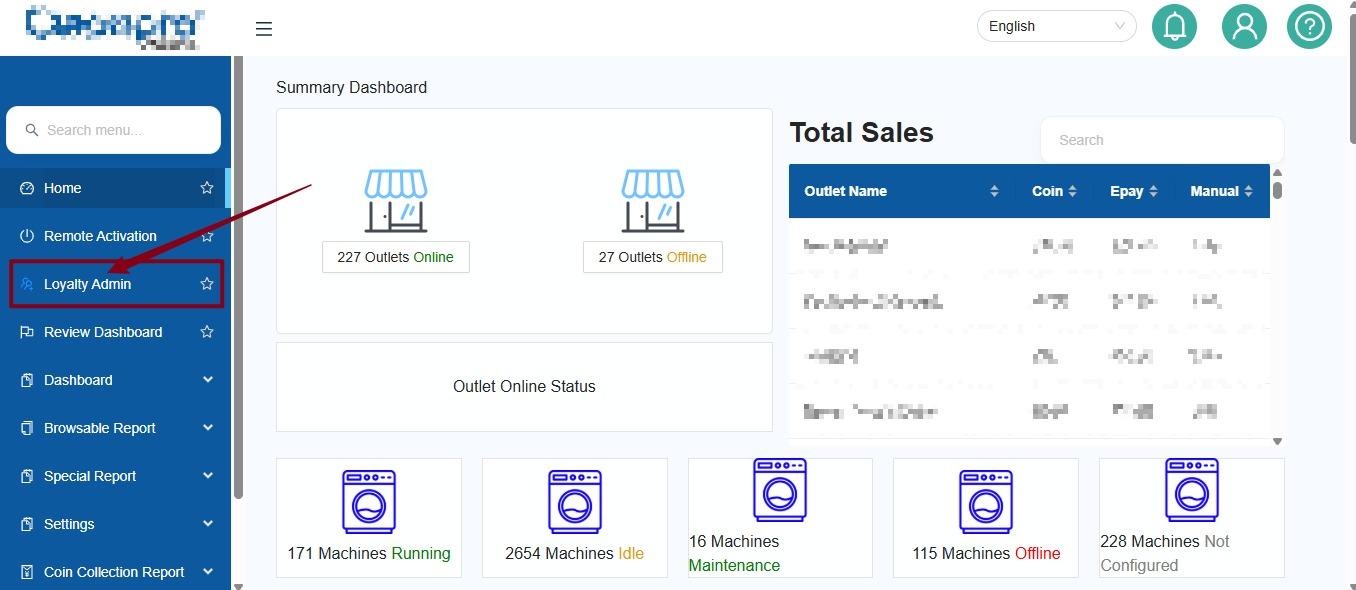
1. Click Loyalty Admin
2.
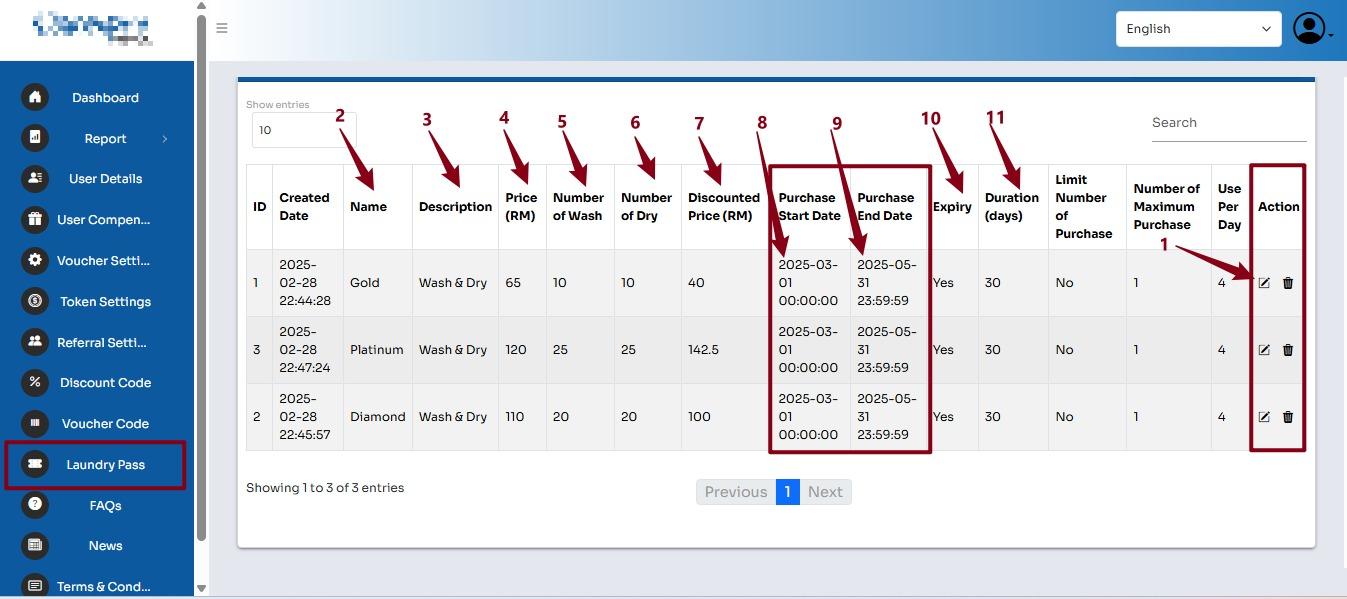
This page shows the list of Laundry Pass packages available.
- Action – You can edit or delete the Laundry Pass.
- Name – Name of the pass, e.g. Gold, Platinum, Diamond.
- Description – Type of service included in the pass.
- Price (RM) – Price of the Laundry Pass.
- Number of Wash – Number of washing cycles included.
- Number of Dry – Number of drying cycles included.
- Discounted Price (RM) – Discounted price offered for the pass.
- Purchase Start Date – Date when customers can start purchasing the pass.
- Purchase End Date – Last date customers can purchase the pass.
- Expiry – Shows whether the pass has an expiry period.
- Duration (days) – Number of days the pass is valid.
- Action – You can edit or delete the Laundry Pass.
Example:
The Gold Pass costs RM65 and includes 10 washes + 10 dries, with a discounted price of RM40. The pass is valid for 30 days.