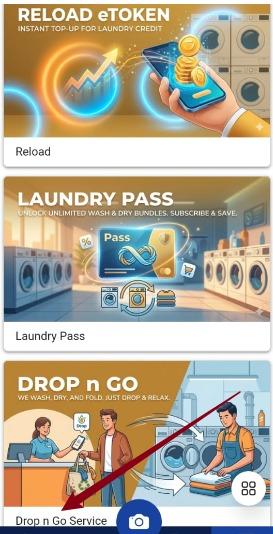
To Set Pricing Drop N Go Service
- Login into Laundro Portal & put-in Username / Password : https://v2.thelaundro.com/operator_login
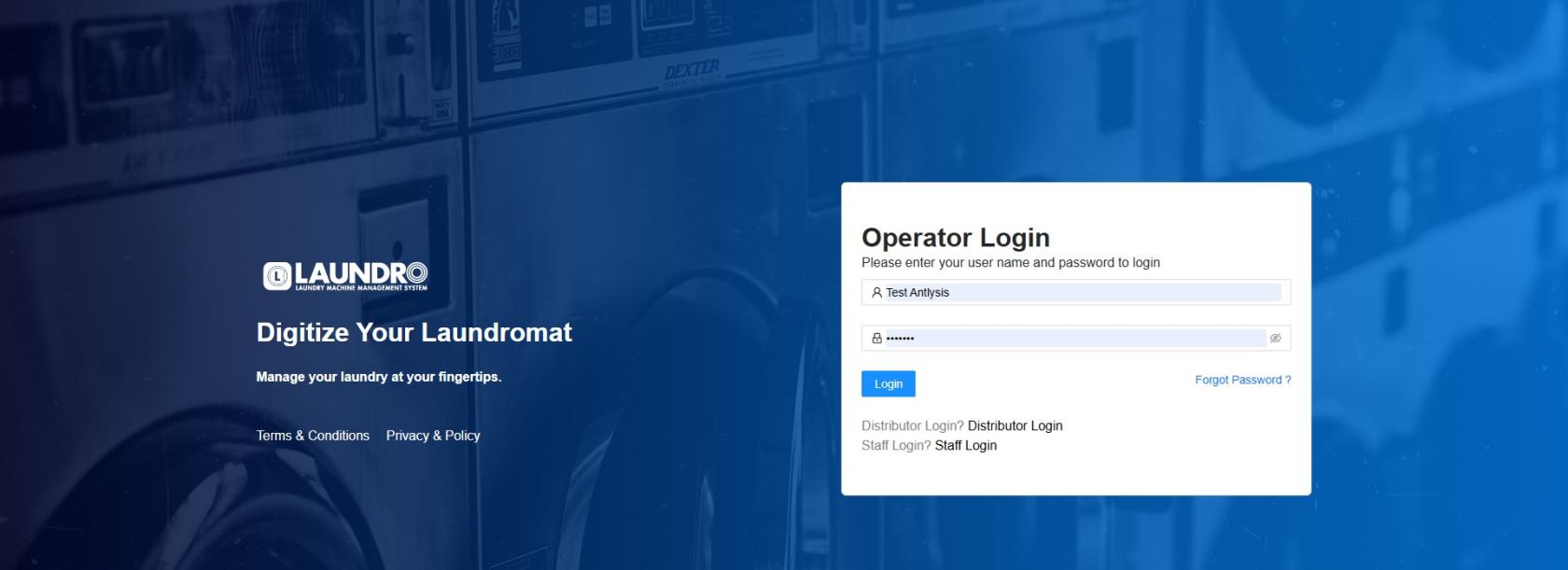
2.
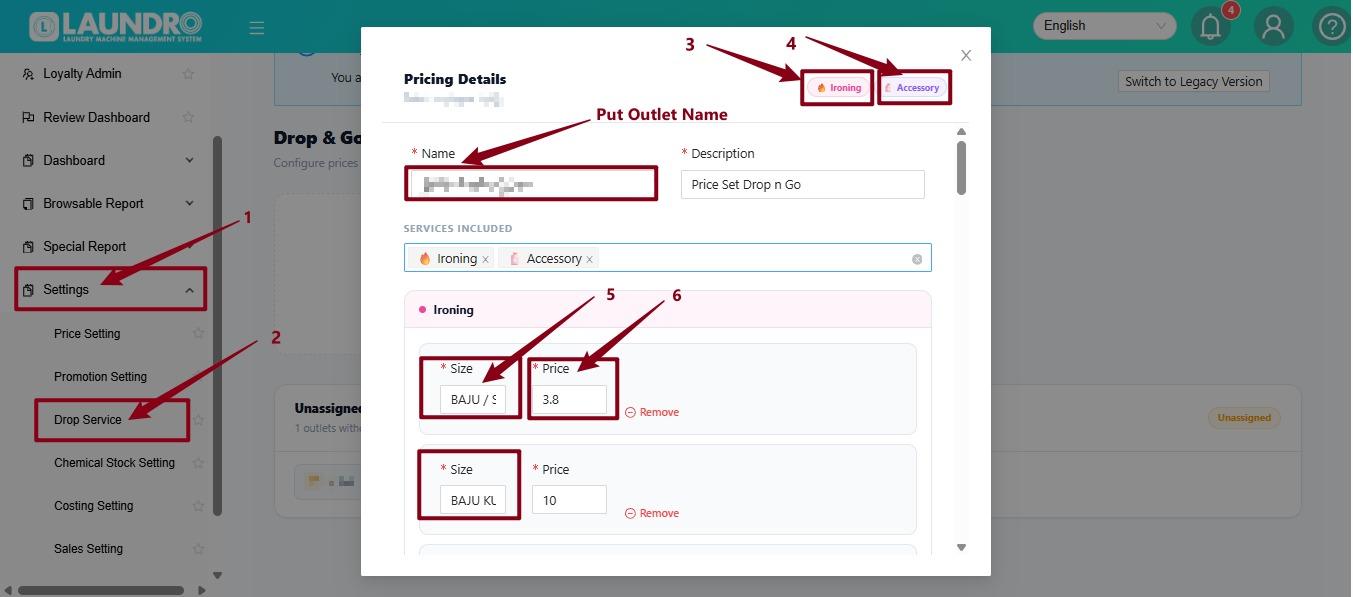
- Go to Settings.
- Select Drop Service.
- Enter the Outlet Name in the Name field.
- Select the service you want to add, such as Ironing or Accessory.
- Enter the Name for the service, for example BAJU / SELUAR.
- Enter the Price for that size, for example RM3.80.
You can add multiple sizes with different prices under the same service.
3.
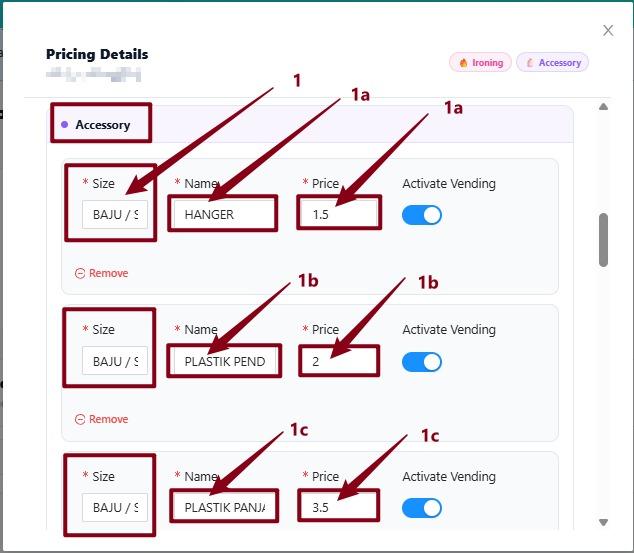
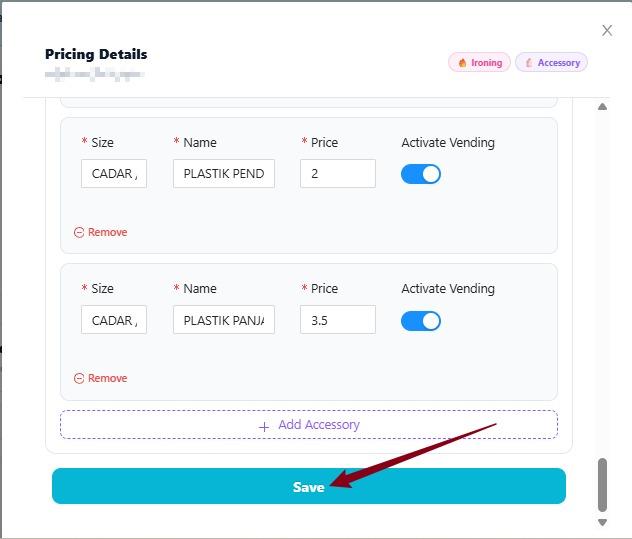
- Select Accessory to add accessory items.
- Enter the Size for the item, for example BAJU / SELUAR.
- Enter the Name of the accessory, for example HANGER.
- Enter the Price for the item, for example RM1.50.
- Activate Vending – Turn this ON if the item is available for vending.
You can add multiple accessory items, such as:
- HANGER – RM1.50
- PLASTIK PEND... – RM2.00
- PLASTIK PANJ... – RM3.50
Each item can have its own size, name, price, and vending status.
4. Click Save.
From the customer’s perspective.
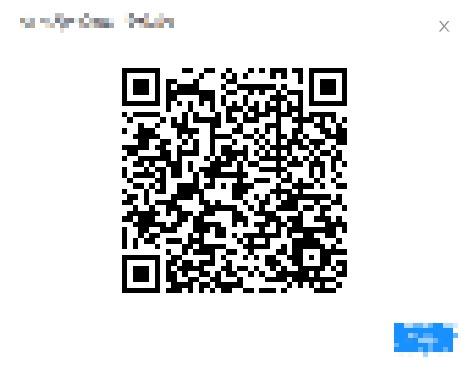
- Scan QR at Washer / Dryer at Outlet.
2.
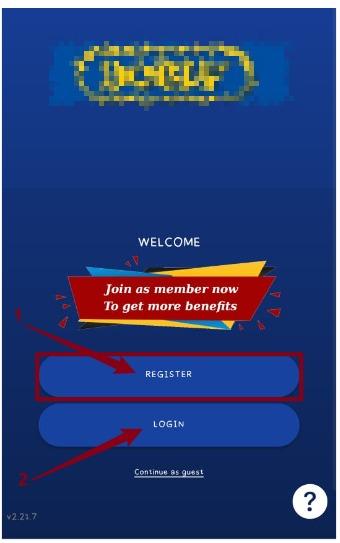
- REGISTER: For new users who want to create an account and enjoy member benefits.
- LOGIN: For existing users who already have an account.
- Continue as Guest: Use the app without creating an account or logging in.
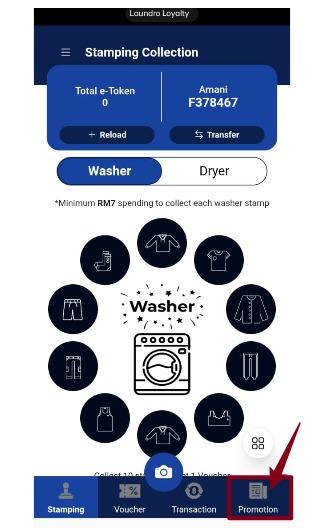
3. Click Promotion.
4. Click Drop N Go.