
Discount Code
- The Discount Code feature allows laundromat operators to create promotional discounts that customers can redeem during payment. It is a flexible marketing tool that helps attract new customers, reward loyal customers, increase machine usage, and run seasonal promotions.
Customers simply enter the discount code on the payment screen before making payment to receive the discount.
How It Works
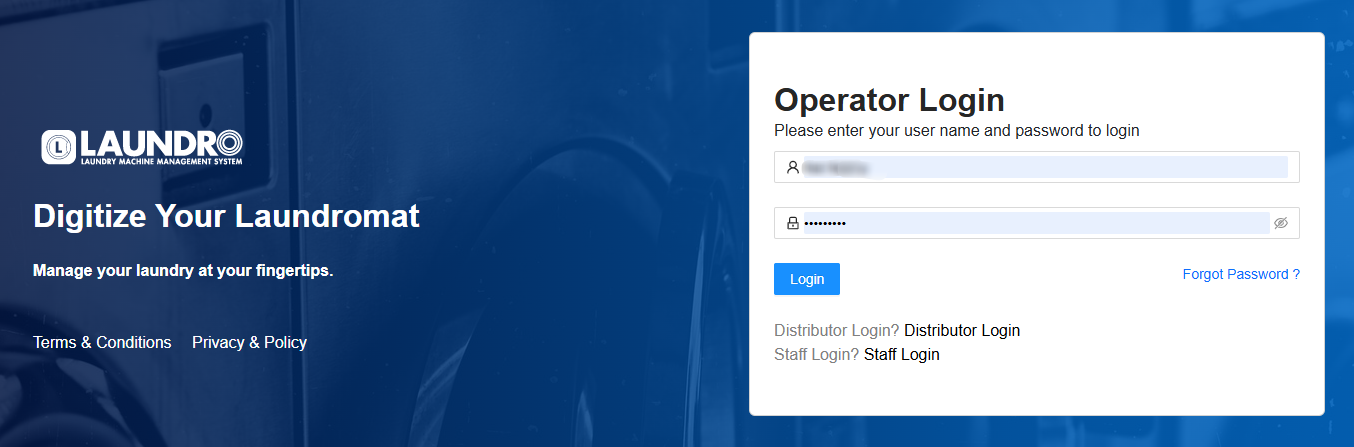
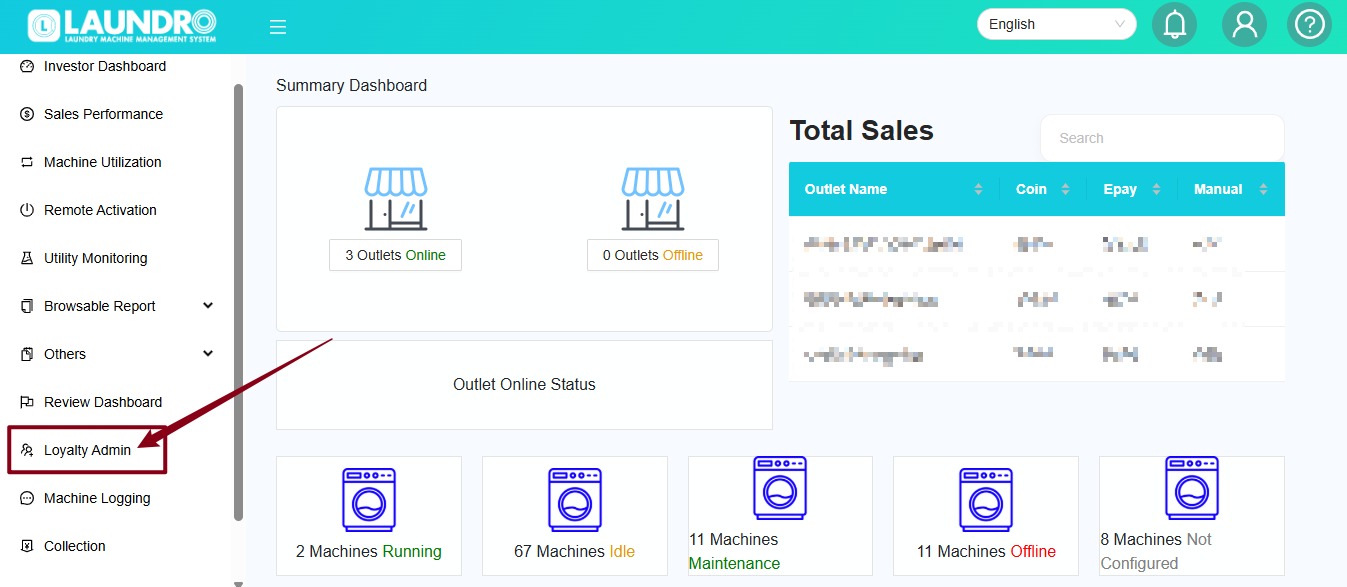
- The operator creates a discount code in the Merchant Portal.
- The operator decides:
- What machines the discount applies to.
- How much discount to give.
- When the code is valid.
- How many times the code can be used.
- Share the code with customers (social media, flyers, WhatsApp, SMS, etc.).
- Customers enter the code during payment.
- The discount is automatically deducted if all conditions are met.
Example:
Machine Price: RM10
Discount Code: SAVE2
Discount: RM2
Customer Pays: RM8
Types of Discount Code
1. General Discount Code
A General Discount Code is a single code that can be shared with many customers.
Example:
WELCOME10Everyone uses the same code.
Best Use Cases
- Grand opening promotion
- Holiday campaigns
- Facebook or Instagram promotions
- Store anniversary
- Weekend specials
Example
Promotion:
Use code WELCOME10 to enjoy RM2 off your first wash.
Every customer enters:
WELCOME10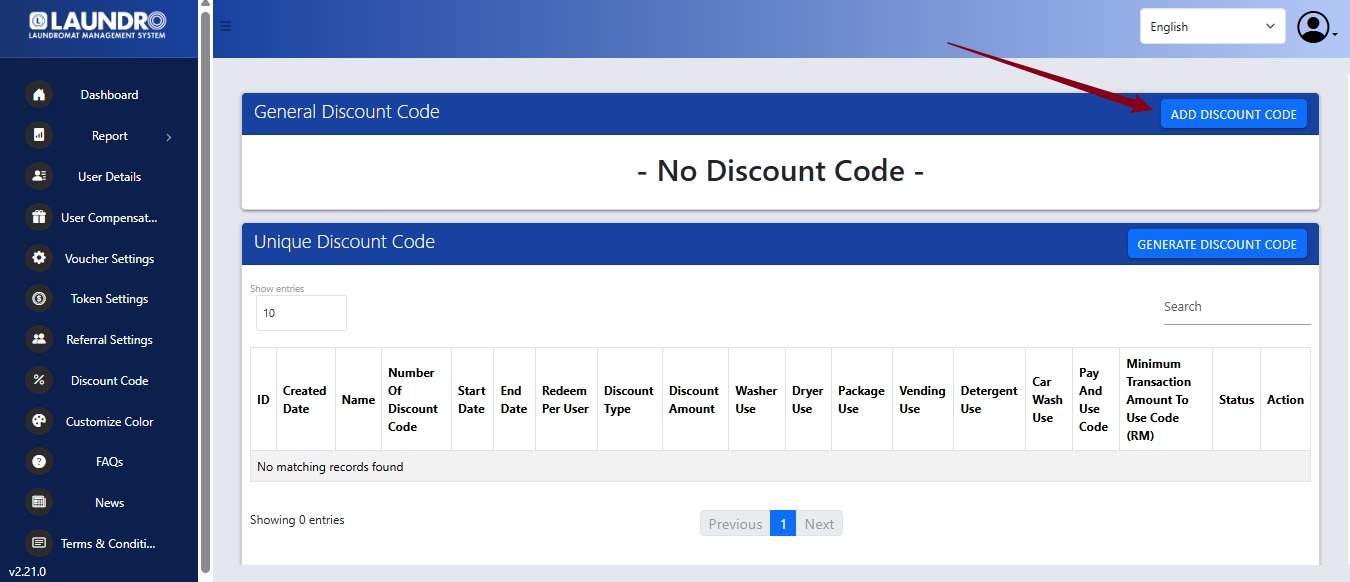
2. Unique Discount Code
A Unique Discount Code automatically generates multiple one-time codes.
Example:
ABX92L
QW83NP
LM920K
Each customer receives a different code.
Best Use Cases
- Reward campaigns
- Customer compensation
- Lucky draw winners
- Employee benefits
- Corporate partnerships
- Preventing customers from sharing the same discount code
Example
Generate 100 discount codes.
Each customer receives one code.
Once redeemed, that code cannot be used again.
Discount Code Settings
Discount Code
The code customers will enter during payment.
Example
SAVE5
WELCOME
FIRSTWASH
Choose a code that is easy to remember.
Select Period
Defines when the discount is active.
Example
Start Date:
1 August
End Date:
31 August
The code will automatically expire after the end date.
Use Case
Run promotions during:
- Public holidays
- School holidays
- Weekend campaigns
- Grand opening events
Redeem Per User
Limits how many times each customer can use the code.
Example
Value:
1Each registered customer can only redeem the code once.
Use Case
Perfect for:
- First-time customer promotions
- One-time welcome rewards
Redeem Per Day (General Discount Only)
Limits how many times the same discount code can be redeemed in one day.
Example
100 redemptions per dayAfter 100 uses, the code becomes unavailable until the next day.
Use Case
Control promotional costs while still running public campaigns.
Number of Discount Codes (Unique Discount Only)
Defines how many unique codes will be generated.
Example
Generate:
500The system creates 500 different codes.
Use Case
Distribute one unique code to each customer.
Discount Type
Choose how the discount is calculated.
Fixed Amount
Subtracts a fixed value.
Example
Machine Price:
RM12
Discount:
RM2
Customer Pays:
RM10
Percentage
Subtracts a percentage.
Example
Machine Price:
RM20
Discount:
10%
Customer Pays:
RM18
Discount Amount
Enter the value of the discount.
Examples
| Discount Type | Value |
|---|---|
| Fixed | RM3 |
| Percentage | 20% |
Applicable Outlet
Choose where the discount can be used.
Options:
- All outlets
- Selected outlets only
Example
A company has three laundromats.
The promotion is only available at:
- Branch A
- Branch B
Customers cannot redeem the code at Branch C.
Machine Type Selection
Choose which services accept the discount.
Available options include:
- Washer
- Dryer
- Package
- Vending
- Detergent
- Car Wash
- Pay & Use Code
Example 1
Only select:
✅ Washer
Customers can only use the discount for washing machines.
Example 2
Select:
✅ Dryer
Perfect for promoting dryer usage during rainy seasons.
Example 3
Select:
✅ Vending
Offer discounts on detergent or laundry products.
Minimum Transaction Amount
Set the minimum purchase required before the discount can be applied.
Example
Minimum Spend:
RM20
If the customer's total is RM18, the code cannot be used.
If the total is RM25, the code is accepted.
Best Use Cases
- Increase average customer spending.
- Encourage customers to purchase additional services or products.
Customer Payment Flow
- Select a machine.
- Choose the washing or drying program.
- Enter the discount code in the Discount Code field.
- The system validates the code.
- If valid, the discount is applied automatically.
- Complete the payment.
Common Use Cases
🎉 Grand Opening Promotion
Goal: Attract new customers.
Settings:
- General Discount Code
- Code:
WELCOME - RM3 Discount
- Valid for 30 days
- Redeem once per user
🎂 Birthday Reward
Goal: Reward members.
Settings:
- Unique Discount Code
- Generate one code for each birthday customer
- RM5 Discount
- Valid for 7 days
- One redemption only
🌧 Rainy Day Campaign
Goal: Increase dryer usage.
Settings:
- General Discount Code
- Code:
DRYNOW - RM2 Discount
- Apply to Dryer only
- Weekend only
🛍 Increase Customer Spending
Goal: Encourage larger purchases.
Settings:
- Minimum Transaction: RM20
- RM5 Discount
- Applicable to Washer and Dryer
Customers spending RM20 or more receive RM5 off.
😊 Customer Service Recovery
Goal: Compensate customers after a service issue.
Settings:
- Generate Unique Discount Code
- One code per affected customer
- Valid for 14 days
- One redemption only
This ensures only the intended customer can use the discount.
Tips & Best Practices
- Use General Discount Codes for public promotions and marketing campaigns.
- Use Unique Discount Codes for customer rewards, compensation, or exclusive offers.
- Set an expiry date to prevent old promotions from being reused.
- Use Redeem Per User to avoid repeated use by the same customer.
- Use Minimum Transaction Amount to encourage higher spending.
- Limit discounts to specific machine types if you want to promote a particular service, such as dryers during the rainy season or vending products.
This feature gives operators full control over promotional campaigns while providing customers with a simple and convenient way to enjoy discounts directly during payment.