
Notification Settings
Notification Settings moves Email and SMS credit management into the Laundro Settings page. Previously, email quantities were set manually in the backend, and SMS was set manually and viewed through the Loyalty admin portal. Now you can configure, monitor, and top up both directly as an operator, with no backend involvement.
What each channel is used for
- Email — notifications, system alerts, OTPs, and password resets.
- SMS — typically used by your customers for OTPs and cycle-done alerts.
- WhatsApp — not yet available; coming in a future update.
This same settings area will also support upcoming Email marketing and WhatsApp alerts, so you can monitor balances and top up credits for those from one place once they launch.
Where to find it
Click your profile icon, select Settings from the dropdown menu, then go to the Notification Settings tab.
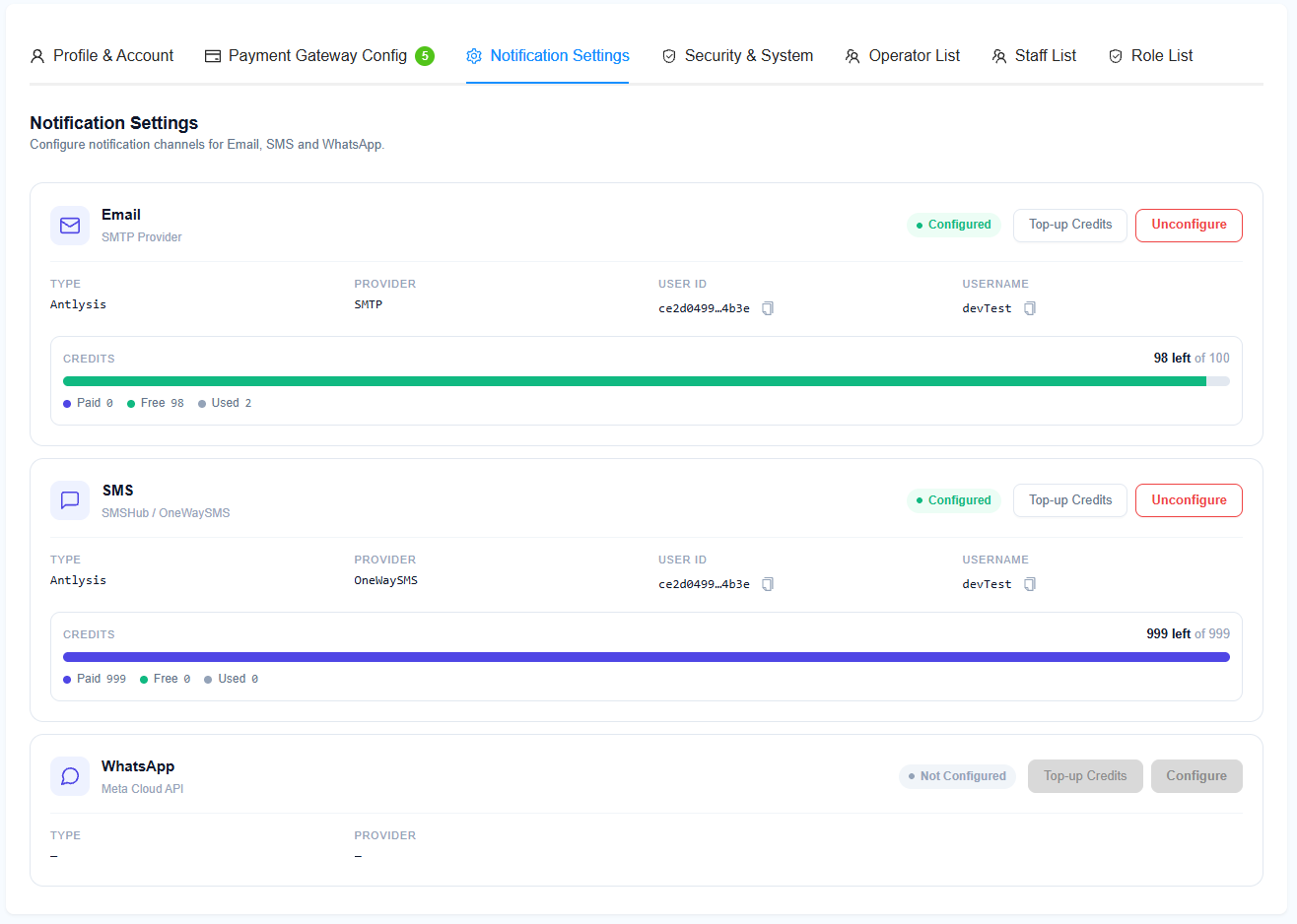
You can currently configure two platforms here: Email and SMS. WhatsApp is not available yet and will be added in a future update.
Configuring a platform
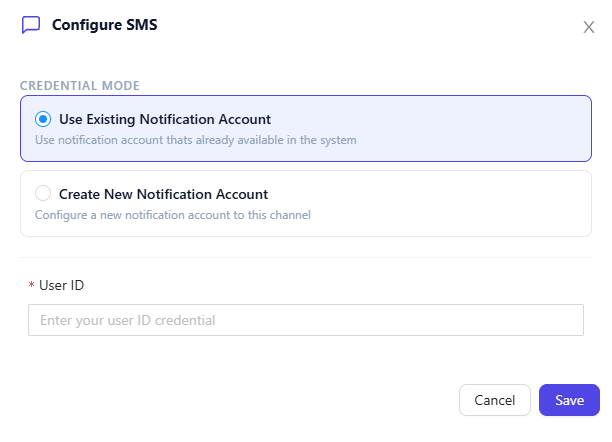
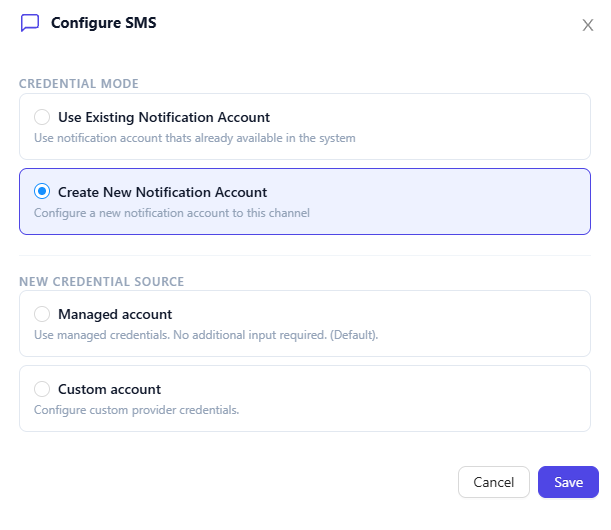
Click Configure on the Email or SMS card, then choose one of two options:
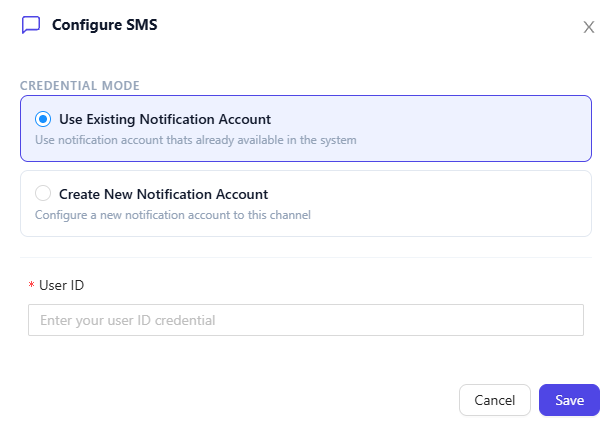
- Use existing notification account — key in a notification account user ID. This lets multiple operators share the same notification account and credit balance.
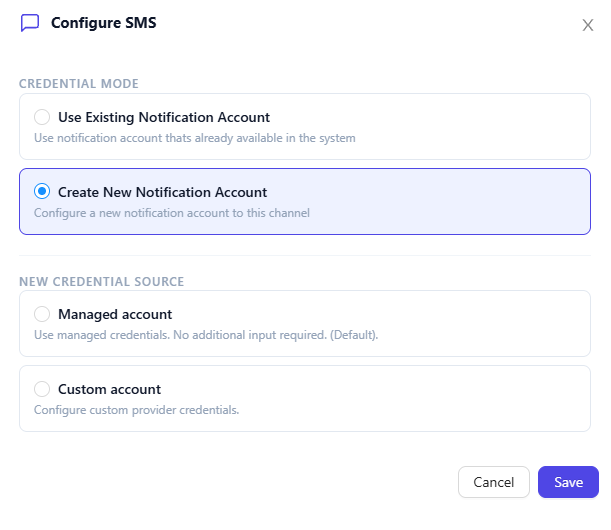
- Create new notification account — choose a credential type:
- Laundro — creates an account with default Laundro settings. You top up credits through Laundro as usual.
- Custom — key in your own credentials (SMTP provider for Email, SMSHub for SMS). You manage top-ups yourself outside Laundro.
Once an account is created, the card shows its balance and configuration details (type, provider, user ID, and credits). If a Custom account was created, the balance isn't shown, since top-ups are handled outside Laundro.
Note: if no account is set up for a platform, no emails or SMS will be sent on that channel.
Topping up credits
Click Top-up Credits on the Email or SMS card. This takes you to the Notification Package tab on the Billing page, where you can purchase more credits.
This only applies to Laundro-managed accounts — if you configured a Custom account, top-ups are handled directly with your own provider.