
How To Top-up SMS Credit
In this guide, you will top up the SMS credit for your Laundro notifications. SMS means Short Message Service. It is a text message that Laundro sends to a phone.
Before you start
- Sign in to Laundro.
- Use a user role that can open the Billing page. Only approved roles can open it. If you cannot open it, contact the Laundro administrator at [email protected].
- Choose a way to pay. After you click Pay Now, Laundro opens a payment gateway. A payment gateway is a separate website that accepts your payment. It shows many payment options.
Why you need SMS credit
Laundro uses SMS credit to send text messages. When the SMS credit is finished, you cannot send SMS messages. Top up the SMS credit before it is finished.
Steps
-
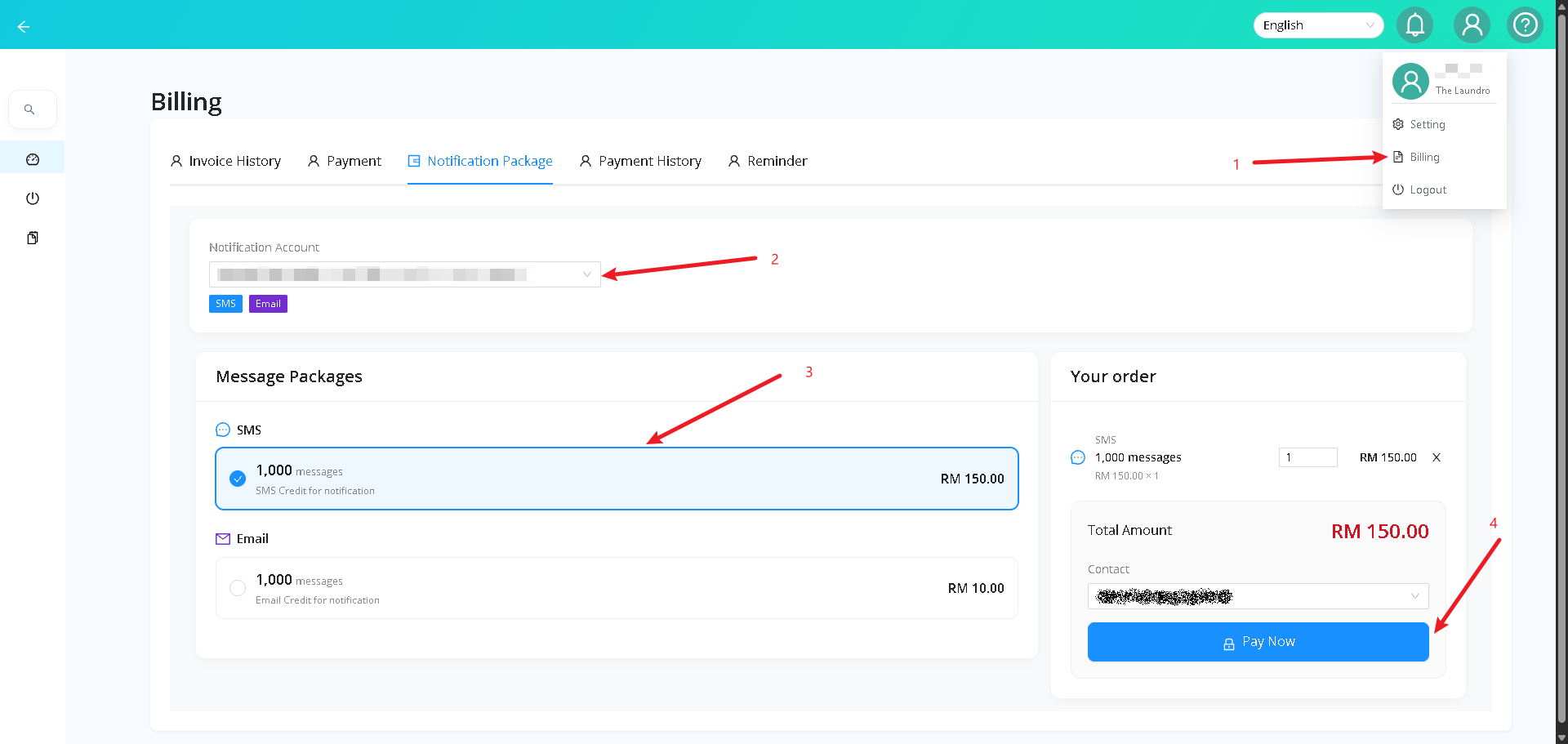
Click the profile icon at the top right of the screen.
-
Click Billing.
-
Click the Notification Package tab.
-
In Notification Account, choose the account that you want to top up.
-
Under Message Packages, find SMS.
-
Click the package with 1,000 messages.
In this example, the price is RM 150.00. RM means Malaysian ringgit.
-
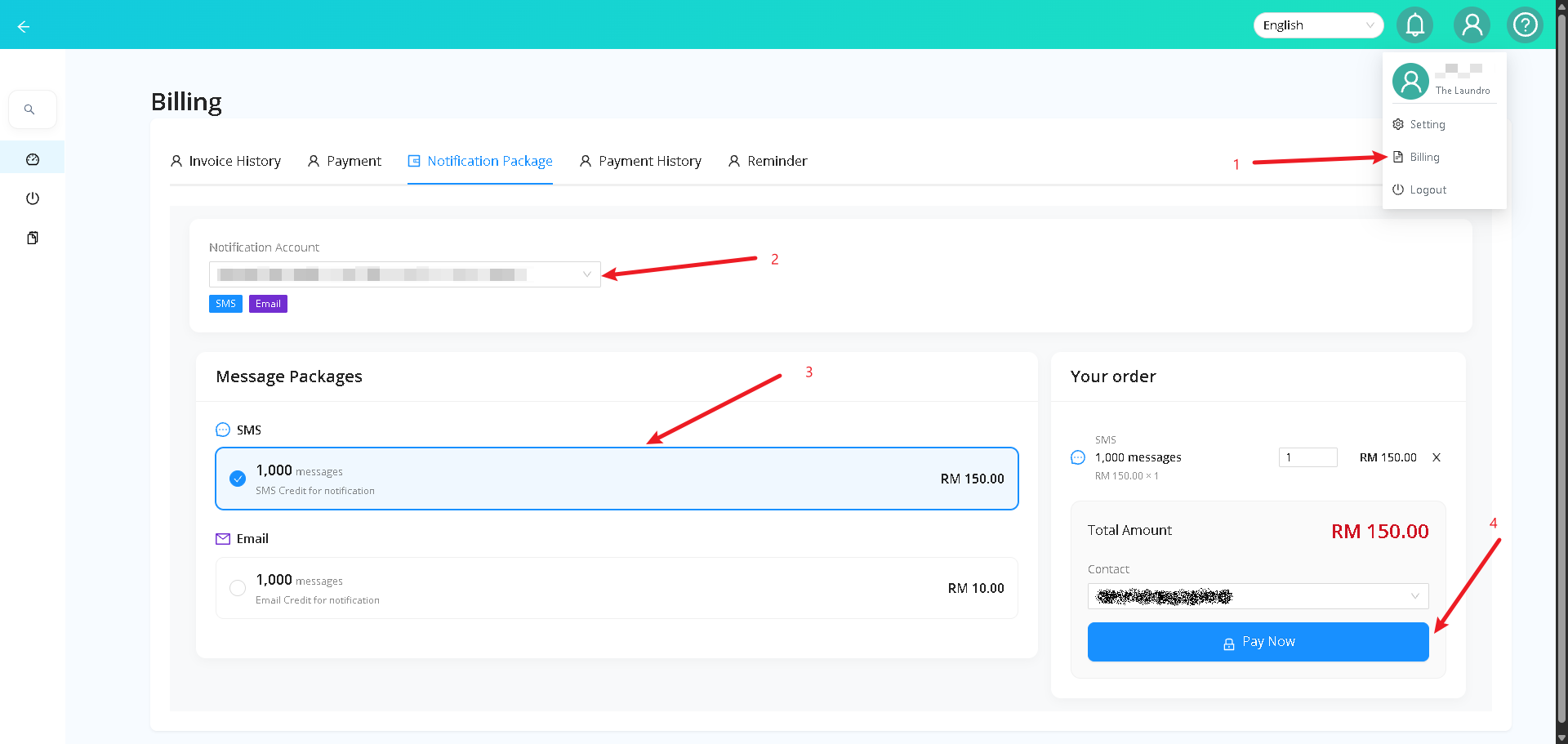
In Your order, check the package and the Total Amount.
-
If you need more than one package, change the number in the quantity box.
-
In Contact, choose the billing company. The billing company is the company name for this payment.
Laundro does not give a refund after you pay. Check the Total Amount before you click Pay Now. If you need help after you pay, contact the Laundro administrator at [email protected].
- Click Pay Now.
- On the payment page, choose a payment option.
- Follow the instructions on the payment page to finish your payment.
What you should see
After you pay, the payment page shows a success message. Then Laundro opens the Payment History page. The new SMS credit is added immediately to the account that you chose.
Open the top-up page from Notification Settings
You can also open the top-up page from the Notification Settings tab. Use these steps instead of steps 1 to 3 above.
- Click the profile icon at the top right of the screen.
- Click Setting.
- Click the Notification Settings tab.
- In the SMS section, click Top-up Credits.
- Continue from step 4 in the Steps section above.
Terms used in this page
- Top up: add SMS credit
- SMS credit: the balance that you use to send SMS messages
- Package: a set number of messages that you buy
- Notification Account: the account that receives the credit
- Billing company: the company name for the payment
- payment gateway: a separate website that accepts your payment
- Laundro administrator: the Laundro team, who own the product and help with user roles and refunds