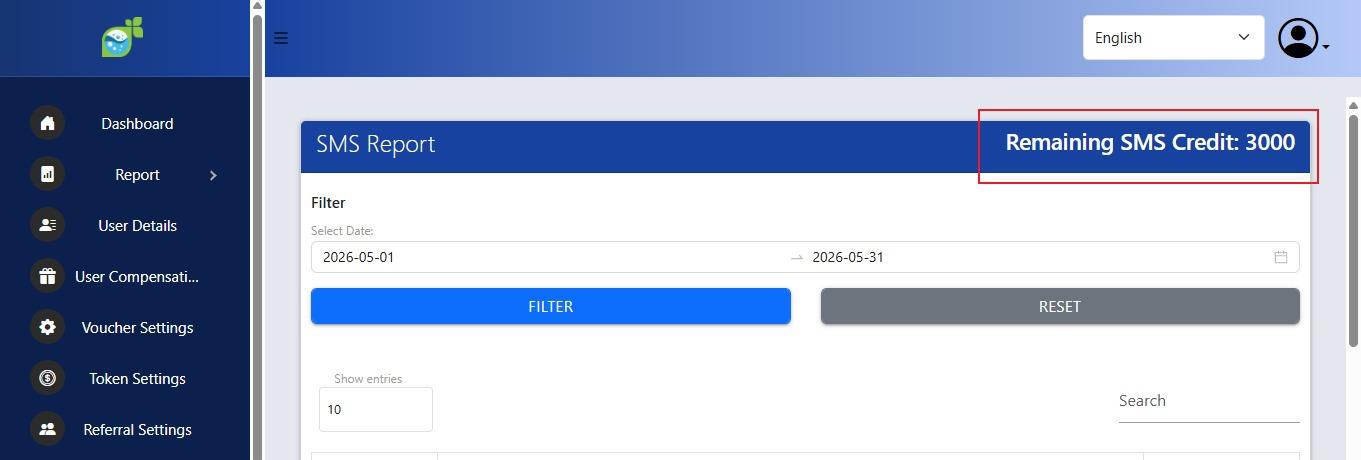
How to top-up SMS Credit
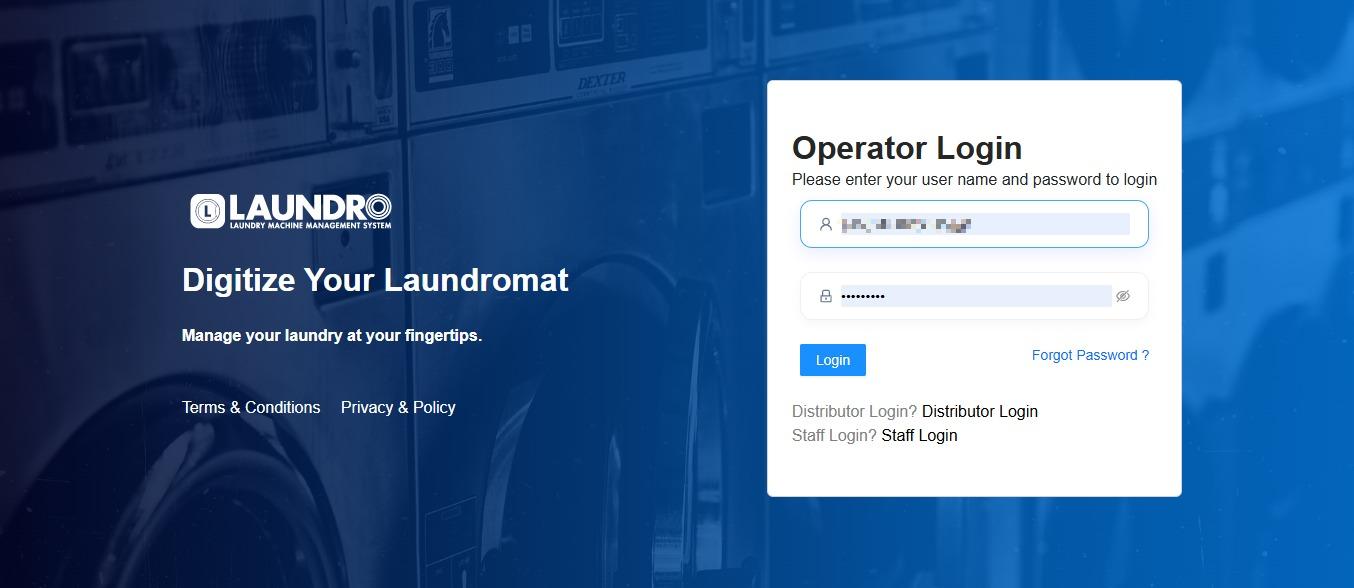
1. Go to the Operator Login, then enter the username and password and log in.
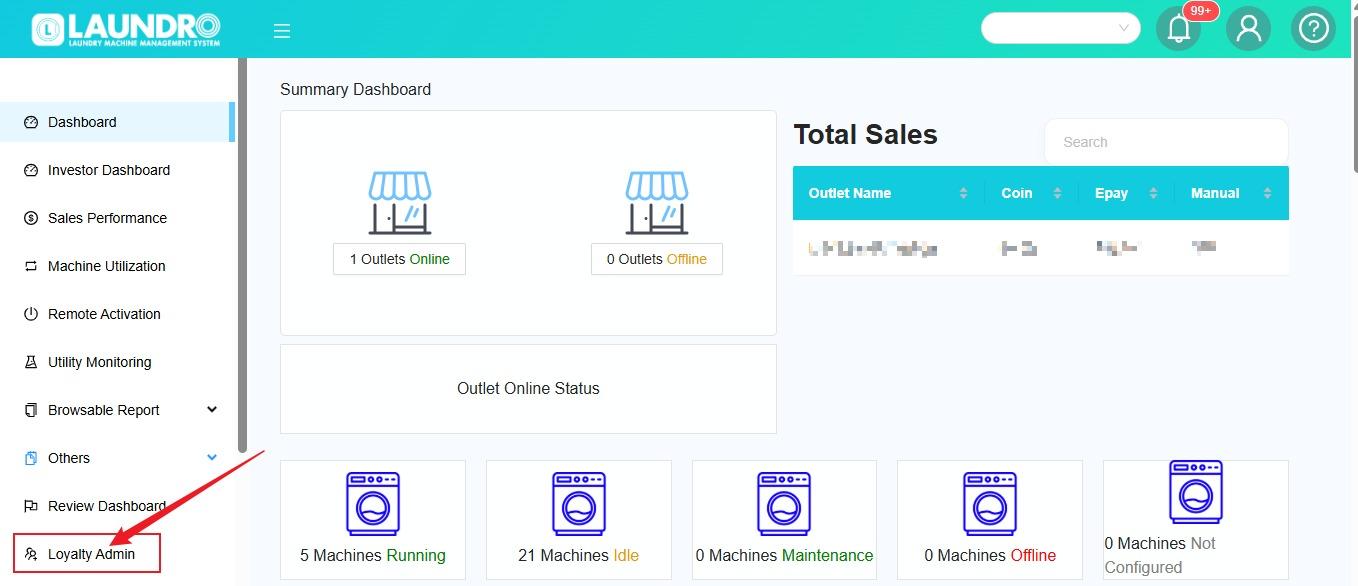
2.
click into Loyalty Admin. Leave this page for now and go to Freedcam.
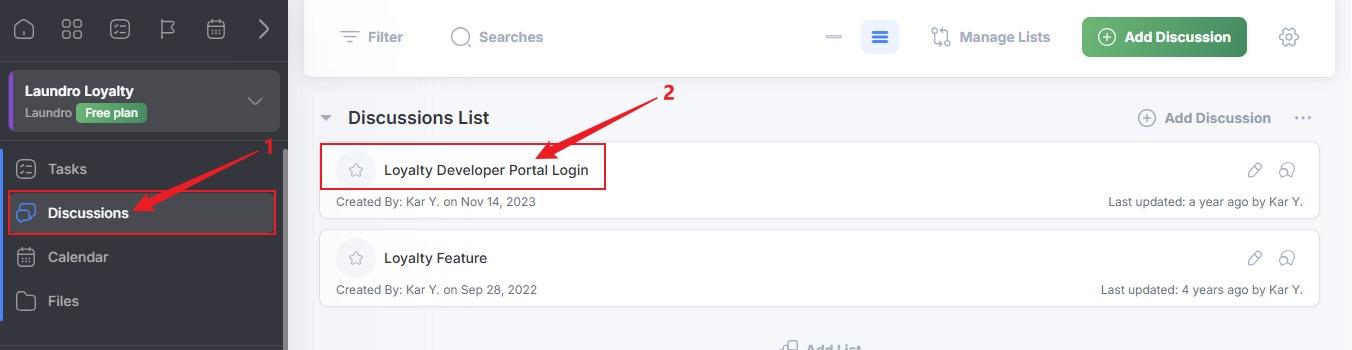
3.After entering Freedcam, click on Laundro Loyalty.
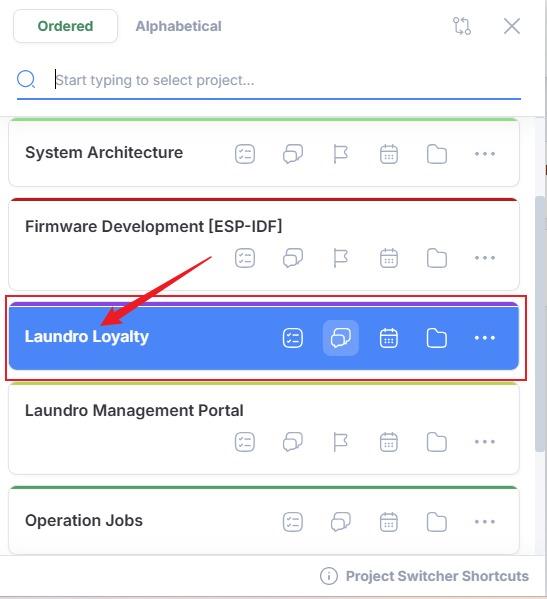
4.
- Click Discussions.
- Click Loyalty Developer Portal Login.
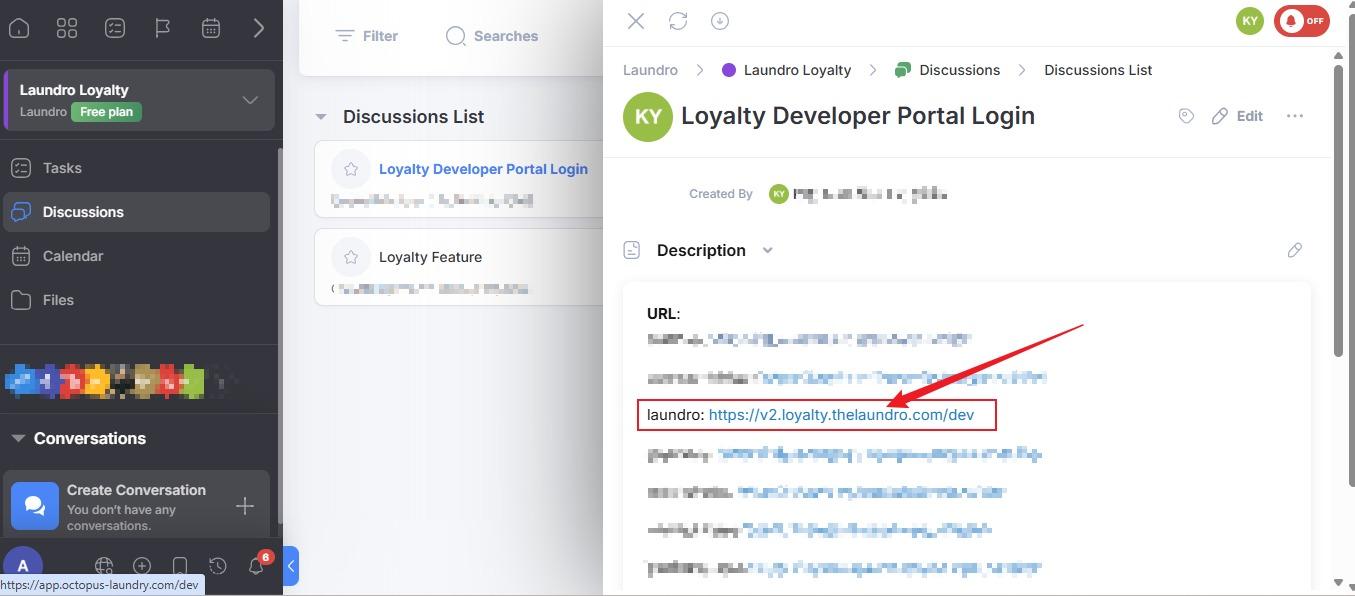
5. Click on Laundro link.
6.
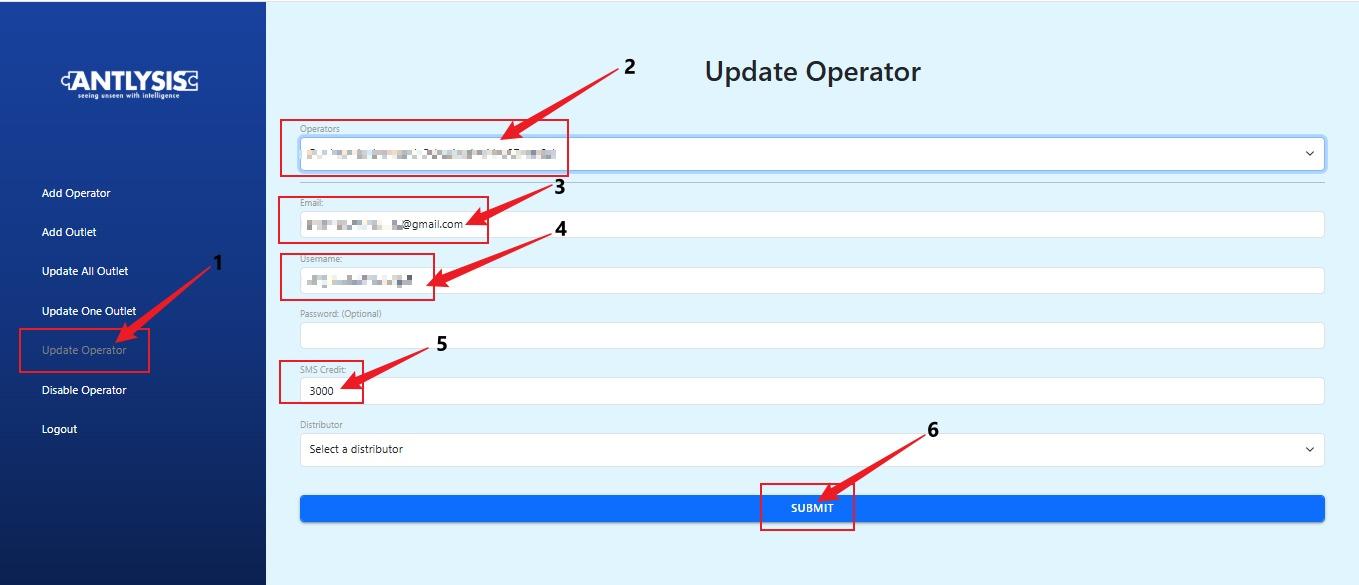
- Click Update Operator.
- Select the operator.
- Check the email address.
- Check the username.
- Enter the SMS credit amount.
- Click Submit.
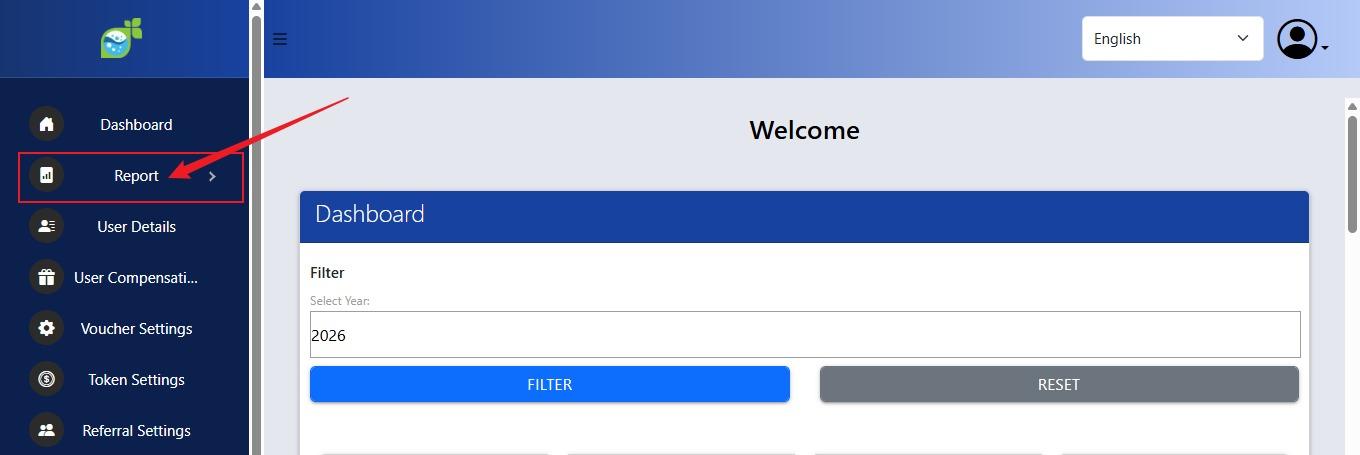
7. Go back to the Laundro Operator Dashboard. Loyalty Admin Page.
- Click on Report.
8.
- Click on SMS Report.
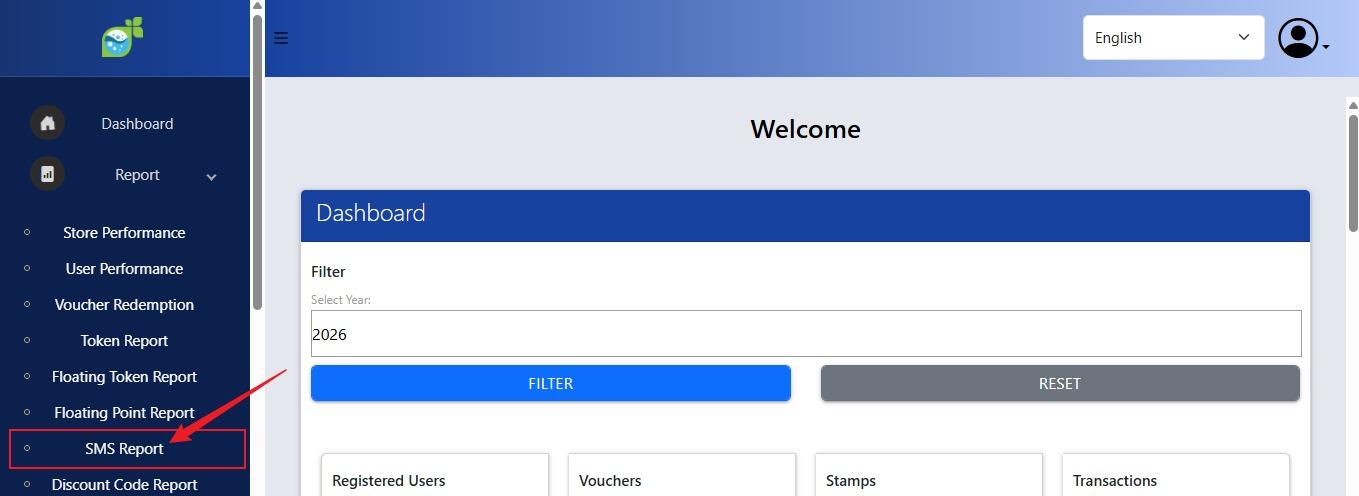
9. Remaining SMS Credit Balance.