
🔳 How to Get QR Codes
Welcome to the Laundro Portal Guide! 👋
Need to download QR codes for your laundry outlet? No worries! Follow this simple guide to findretrieve your outlet'smachine QR codes and downloadDrop themn forGo use.Service QR code.
🎯 Purpose
This guide explainsshows you how to:
- 🏪 Find your outlet in the Laundro Portal.
- 🔳 Access the outlet's QR Codes page.
- ⬇️
Generate and downloadDownload all machine QR codes. - 📦 Download the Drop n Go Service QR code.
🧭 Quick Navigation
- 🔐
Step 1:Inin to Laundro Portal - 🏪
Step 2: - 🔳
Step 3:Select QR Codes - ⬇️
Step 4: - ✅
Final Checklist:Verify Your Download
- 🔐
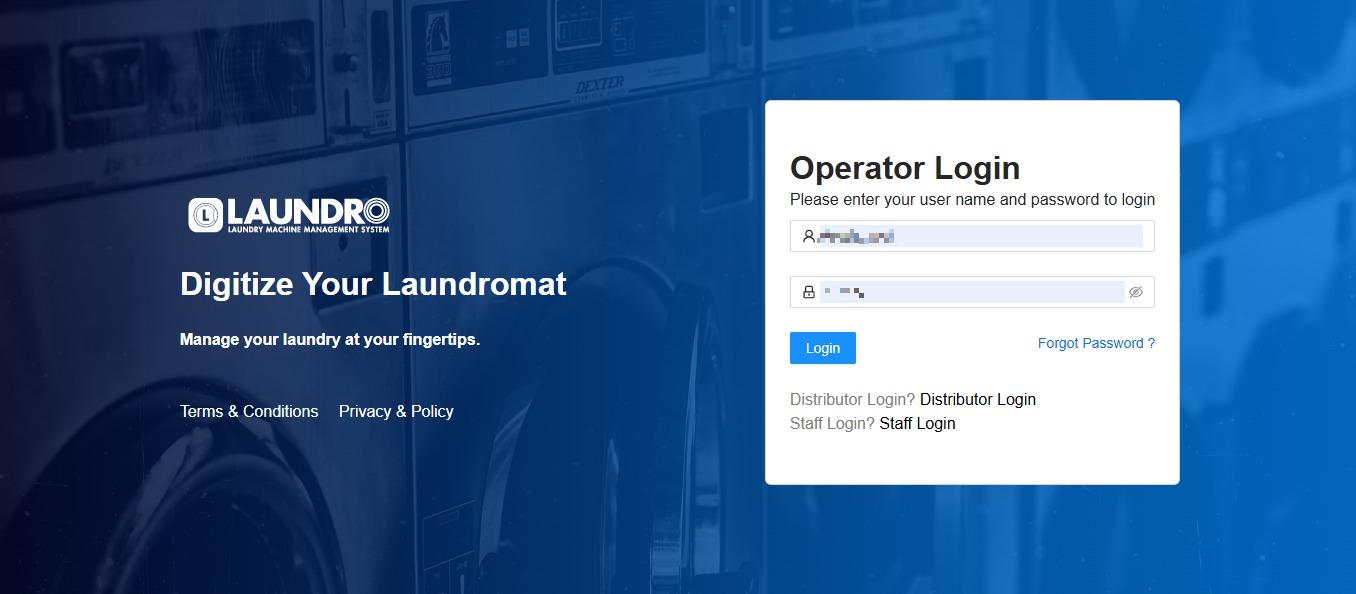
🔐 Step 1: Log In to Laundro Portal
- Open the Laundro Portal.
- Enter your
operatorregisteredusernameUsername andpassword.Password. LogClickin to your account.Login.
🔗 Portal Login: https://v2.thelaundro.com/operator_login
🏪 Step 2: Open My Outlets
- Click the Profile icon at the top-right corner of the screen.
- Select My Outlets from the dropdown menu.
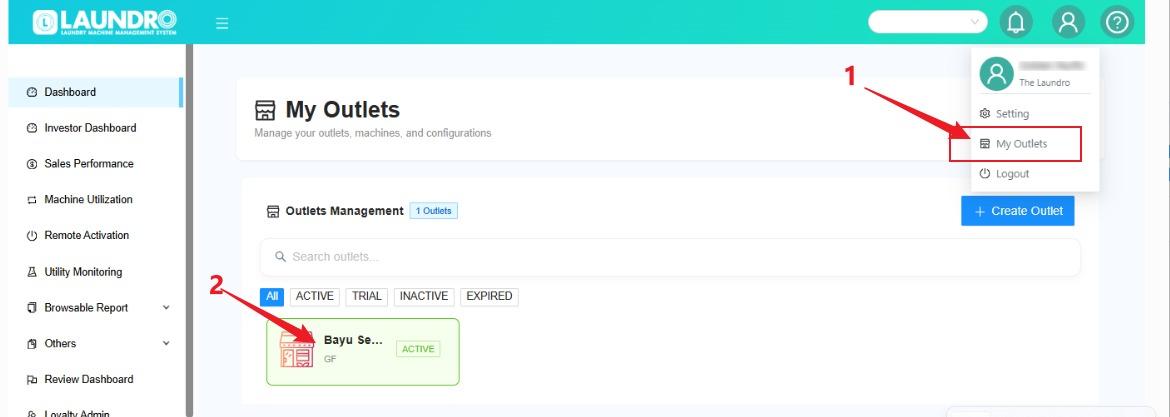
- Find the outlet you want to access.
- Click the outlet box to open its details.
💡 Tip: Make sure you select the correct outlet before proceeding.
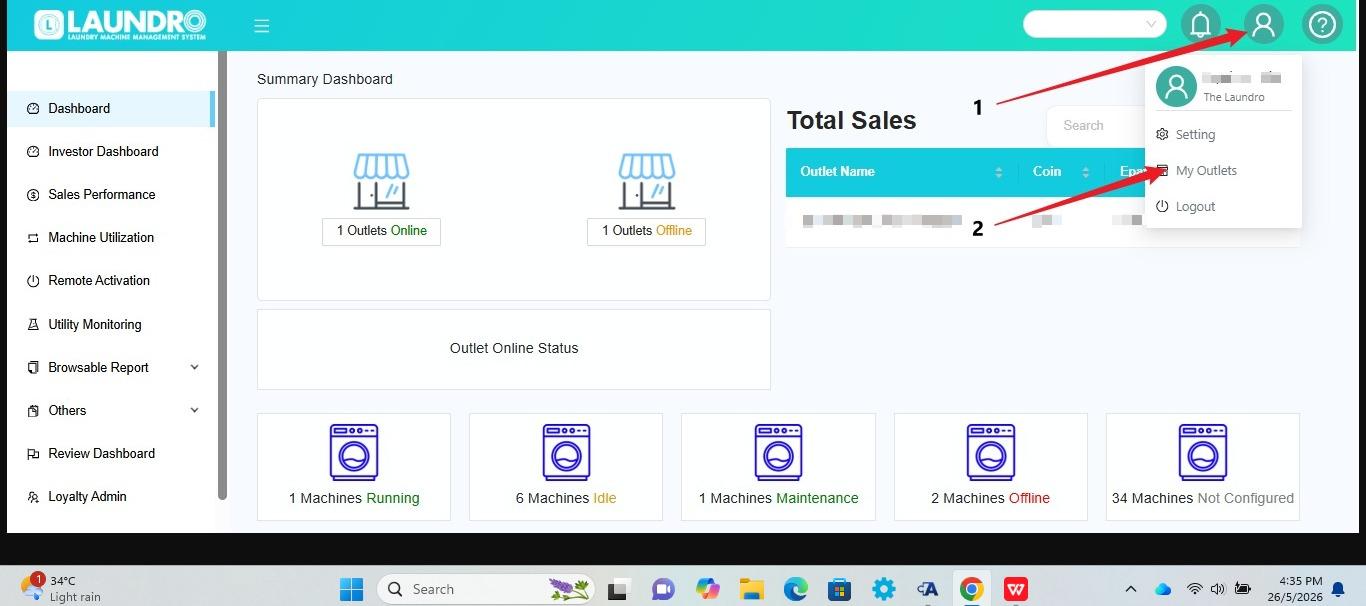
- Highlight the Profile icon and My Outlets option.
- Highlight an outlet box on the My Outlets page.
💡 Quick Tip: Make sure you select the correct outlet before proceeding.
🔳 Step 3: Open QR Codes
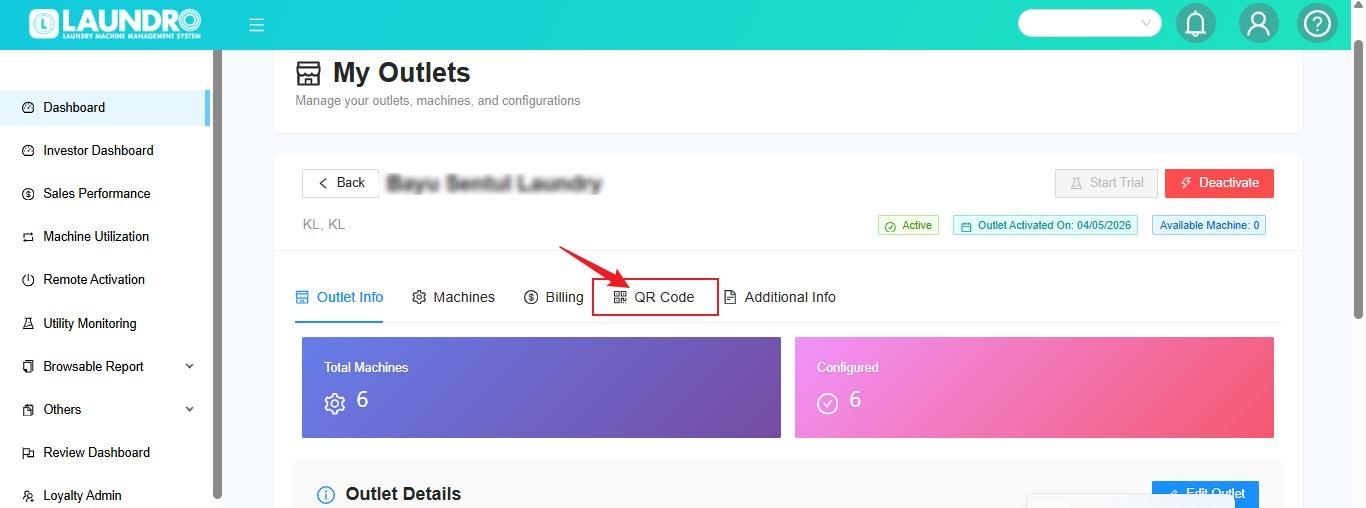
- Inside the selected outlet's details,
clicklocate QR Codes. - Click QR Codes
. Reviewto open the QR Codes page.
- Inside the selected outlet's details,
⬇️ Step 4: Download All QR Codes
There are two download options available:
Option A – Download All Machine QR Codes
- On the QR Codes page, click Download
AllAll.. - Allow the system to generate
and downloadthe QR codes. - Check your browser's
downloadsDownloadsor the selected download locationfolder for the downloaded file.
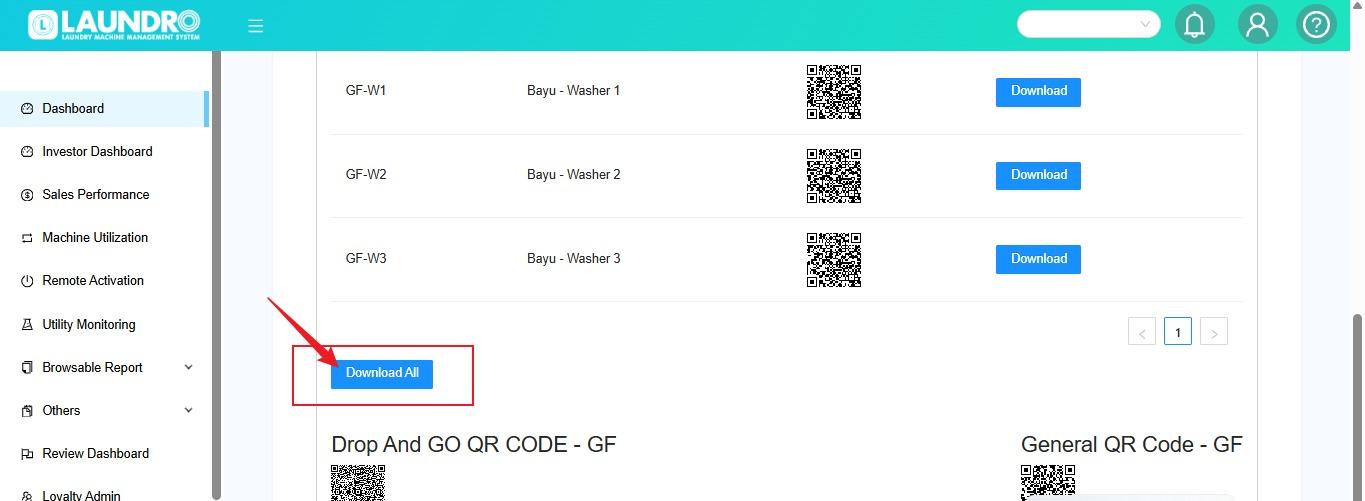
This is what our New Page looks like. You can click “Download All” to generate and download the QR codes.
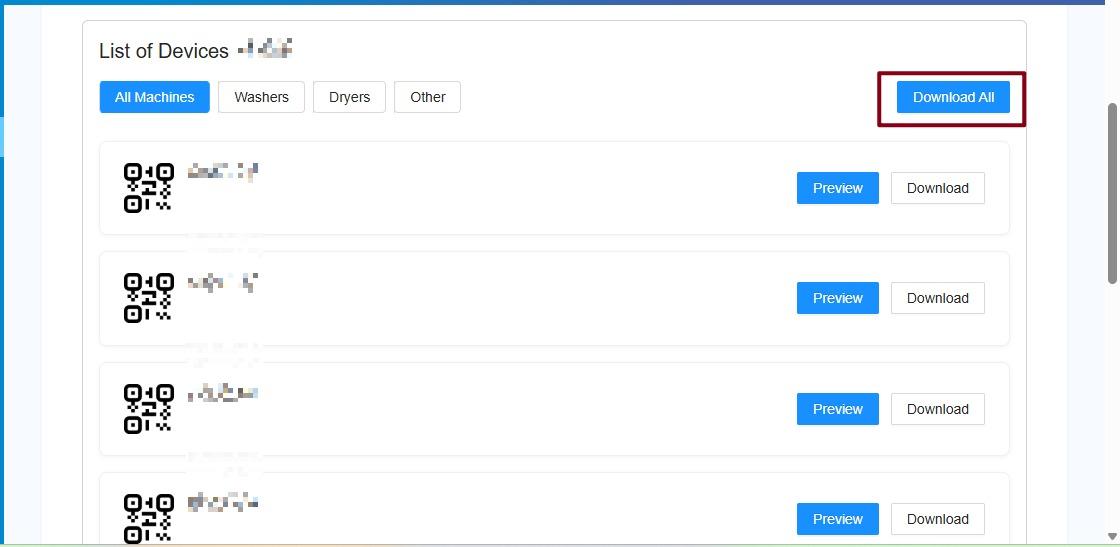
Click
Option “Other”B – Download Drop n Go Service QR Code
- On the QR Codes page, locate the Other option.
- Click 'Other' to download the Drop n Go Service QR code.
- Check your browser's Downloads folder.
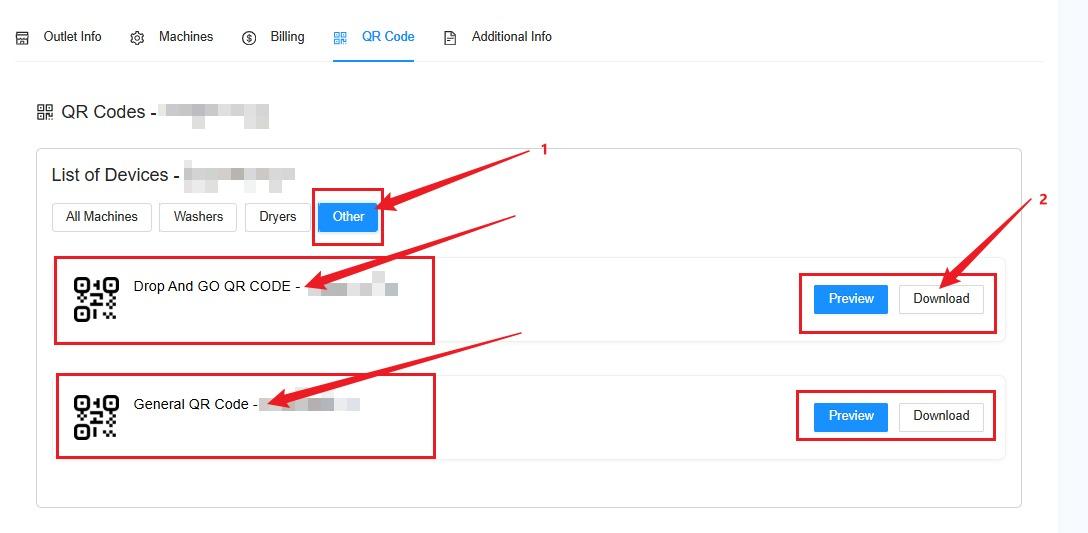
💡 QuickRemember:
- Download
MakeAllsure– For downloading the outlet's machine QR codes. - Other – For downloading the Drop n Go Service QR code.
⚠️ Important Reminders
- Always select the correct outlet.
- Check that the downloaded
file is available before printing or distributing the QR codes.⚠️Important:Verify that theQR codes belong to thecorrectintendedoutletoutlet. - Make sure the QR code is clear and readable before
usingprinting. - Keep
them.a
copy of the downloaded QR codes for future use.
📋 Quick Reference
| Option | Purpose |
|---|
|
|
|
|---|---|---|
|
|
|
|
|
|
|
|
|
| Download All |
|
Other | Download Drop n Go Service QR code |
✅ Final Checklist
Before finishing, make sure:
- 🔐
You are loggedLogged intosuccessfully - 🏪 Selected the correct
account. 🏪 You selected the correct outlet.outlet- 🔳
You openedOpened the QR Codespage.page - ⬇️
YouDownloadedclickedtheDownloadrequiredAll.QR code - 📁
TheChecked the downloaded fileis available. - 🔍
TheVerified the QRcodes are for the intended outletcode before printingor sharing.
🎉 You're Done!
🎉 You're all set! You havecan successfullynow completeduse theyour downloaded QR codecodes downloadfor process.your laundry outlet.
If the download does not work, try again and check your browser's download settings. If the issue persists, contact Laundro Support and provide the outlet name and a screenshot of the issue.