How to get QR Code
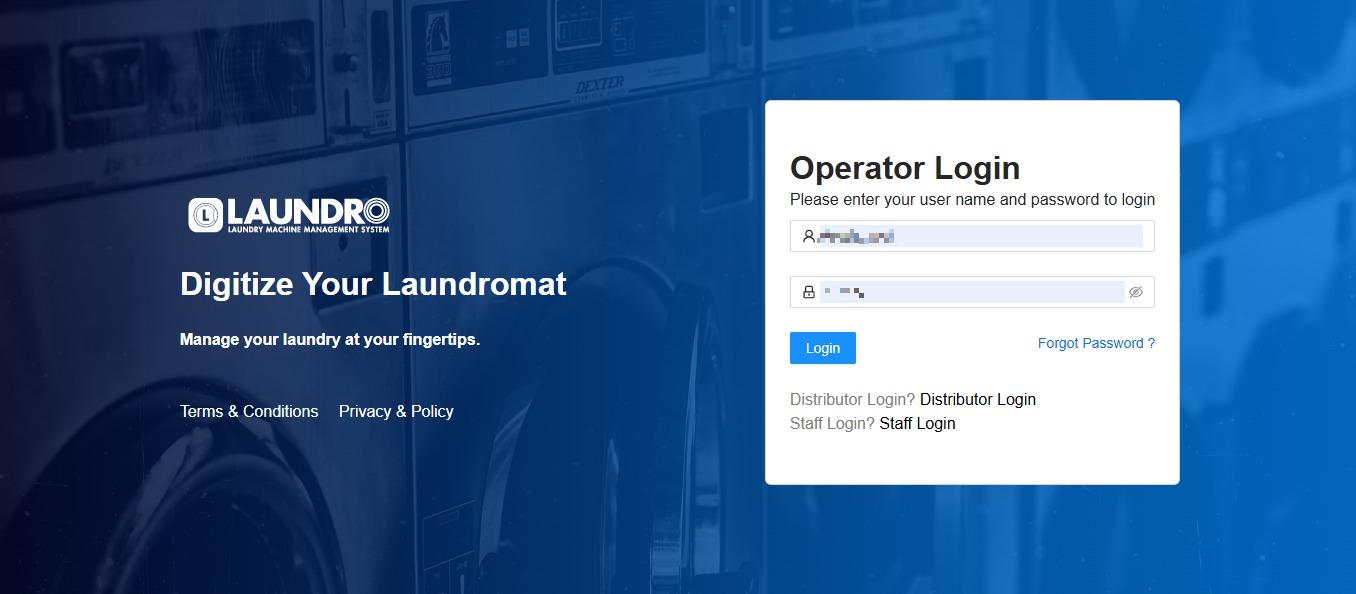
- Login into Laundro Portal & put-in Username / Password : https://v2.thelaundro.com/operator_login
2.
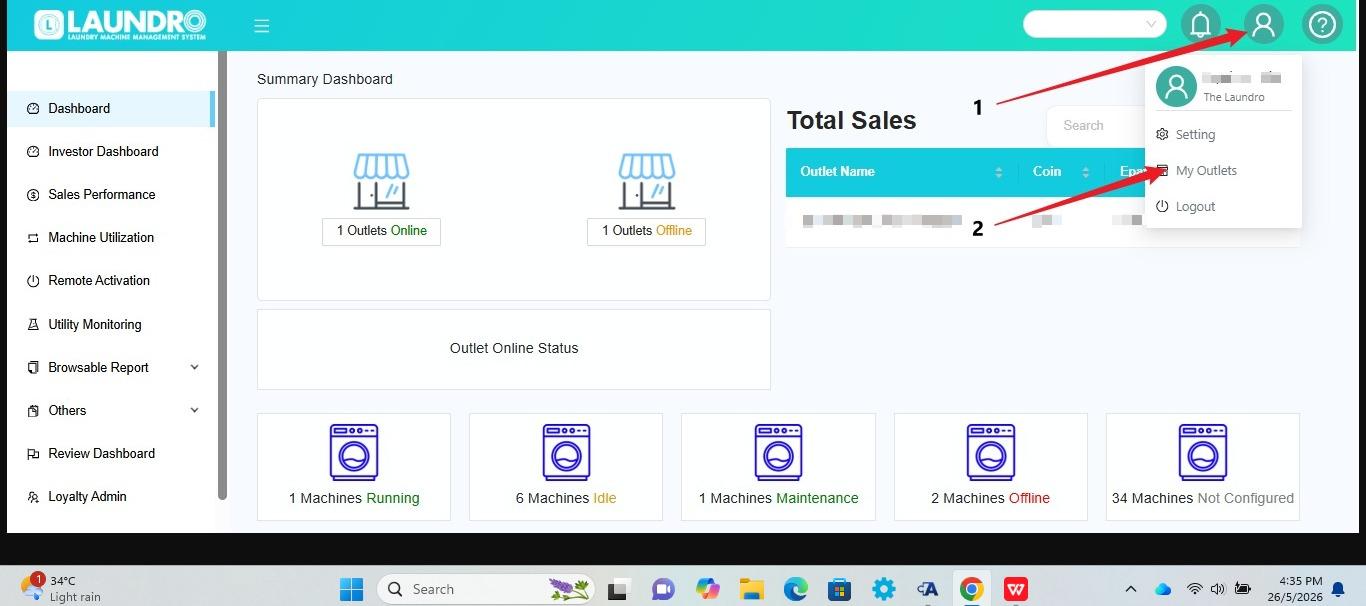
- Click the Profile icon at the top-right corner of the screen.
- Select My Outlets from the dropdown menu.
- The system will open the My Outlets page where you can view your outlets.
3.
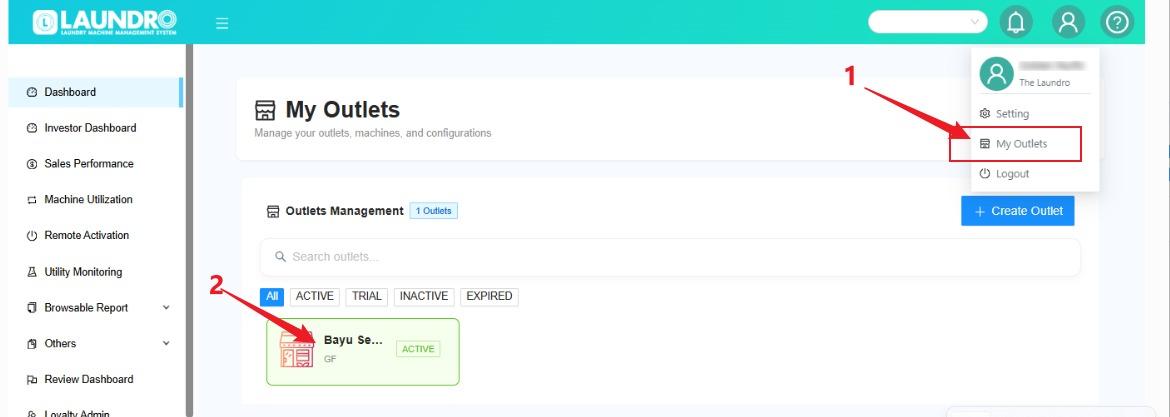
- Click the profile icon and select “My Outlets.”
- Click the outlet box to open the outlet details.
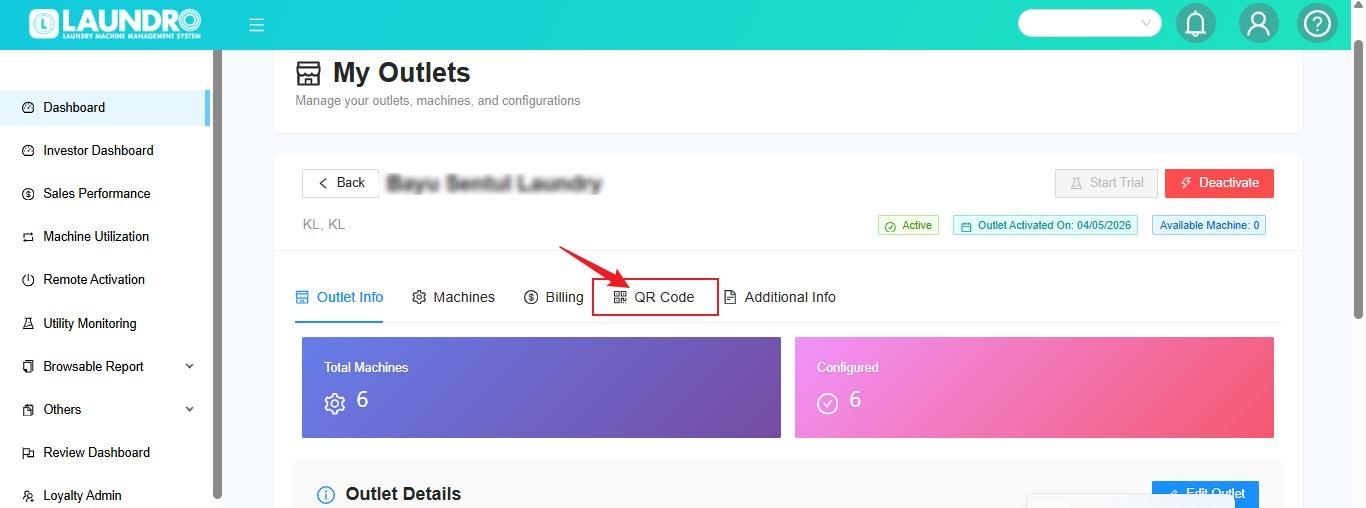
4. Click QR Codes.
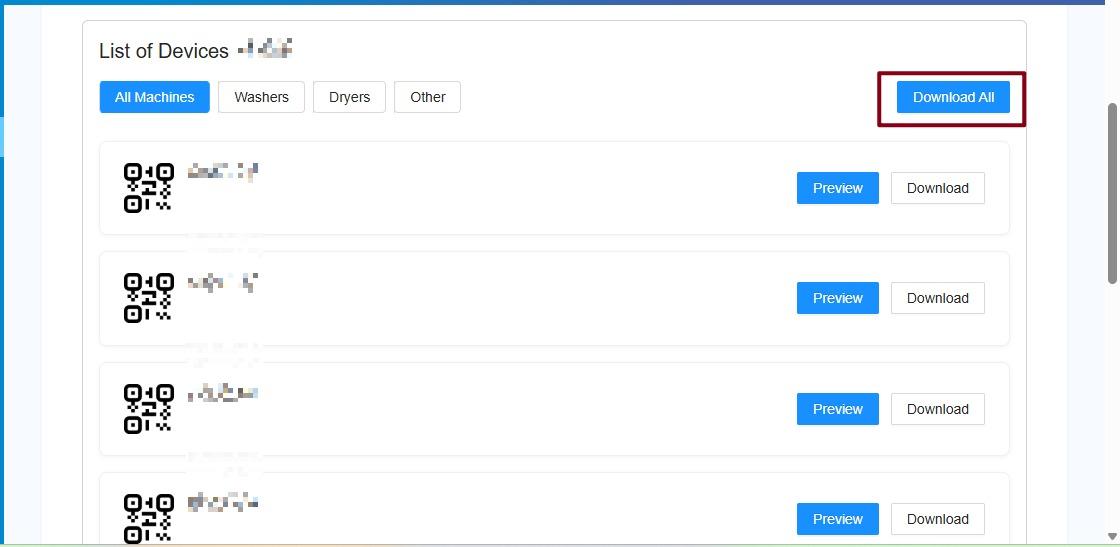
5. Click Download All.
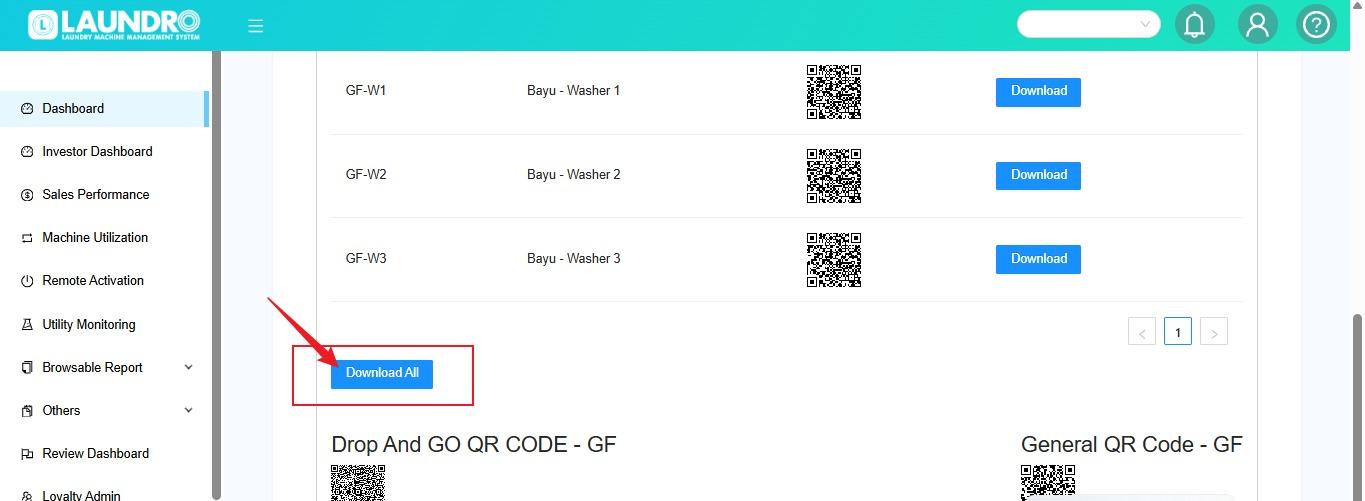
6. This is what our New Page looks like. You can click “Download All” to generate and download the QR codes.