
🔔 How to Enable Notification Centre
🎯 Purpose
Learn how to access Notification Settings and enable the notifications you want to receive.
🧭 Quick Navigation
1.
- 🔐 Log in to Laundro Portal
- ⚙️
2.Open Settings - 🔔
3.Open Notification Settings - ✅
Options4.EnablenotificationNotificationoptions - 🚪
Finish5.Close andfinish
📍 How to Access
🔐 Step 1 — Log in to Laundro Portal
- Open the Laundro Portal Login.
- Enter your username and password.
- Click Login.
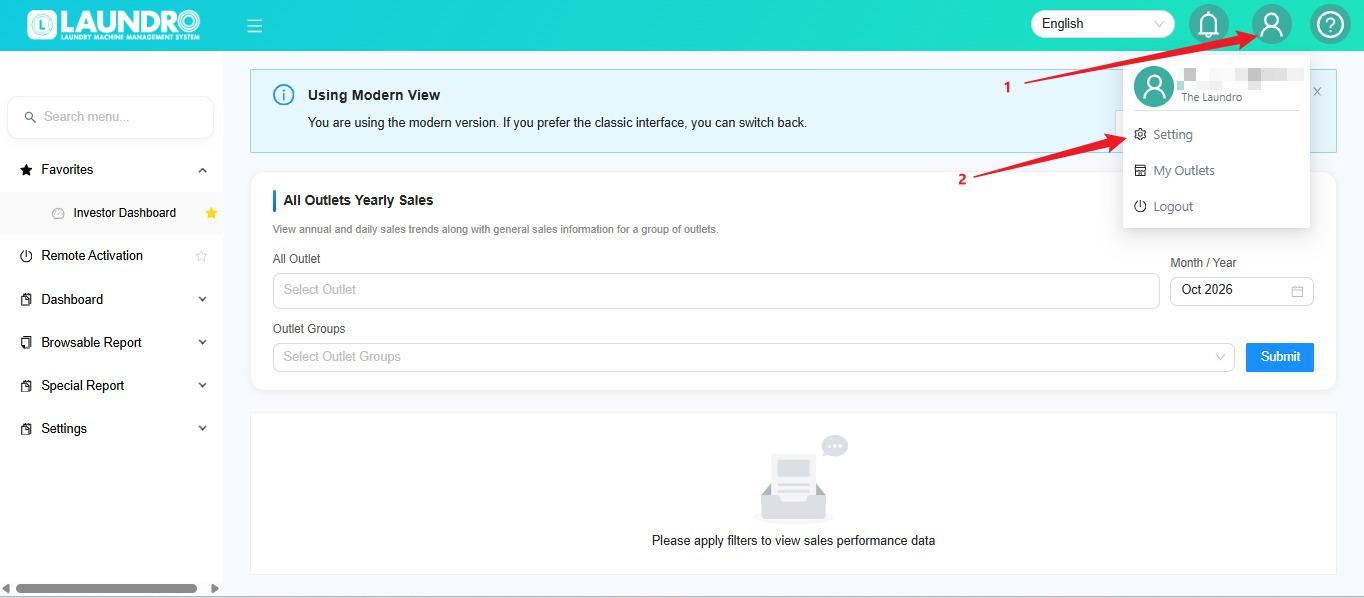
⚙️ Step 2 — Open Settings
- Click the Profile icon.
- Select Setting.
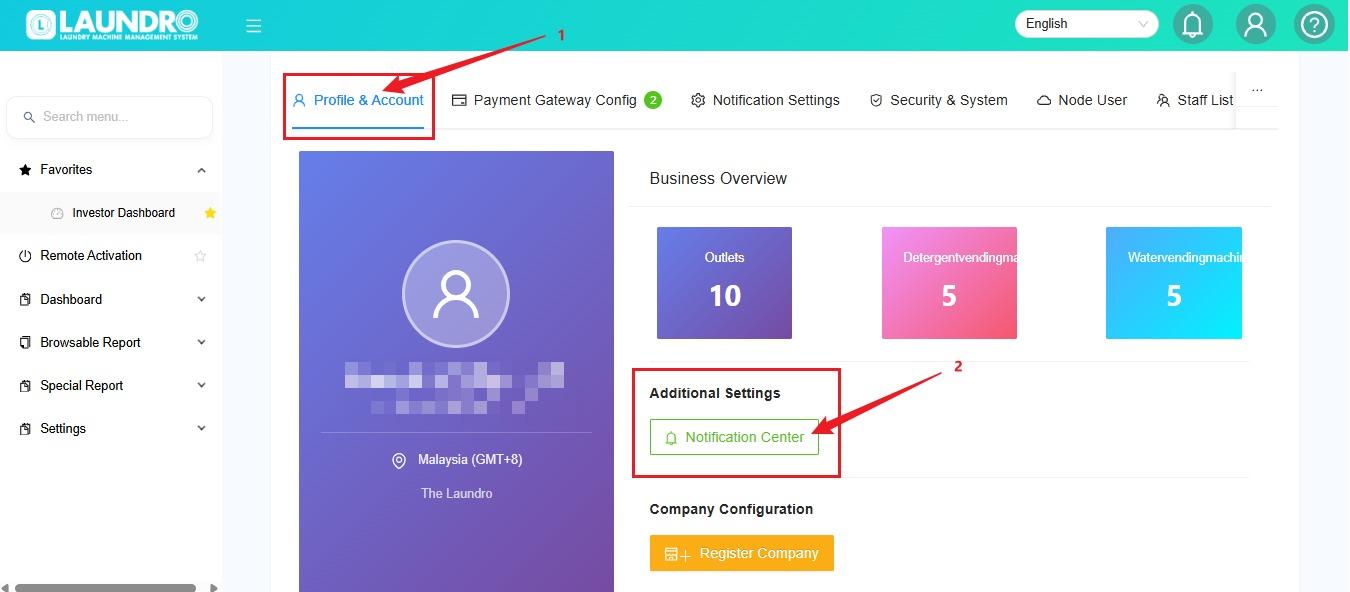
🔔 Step 3 — Open Notification Settings
Find the notification settings section where you can manage your notification preferences.
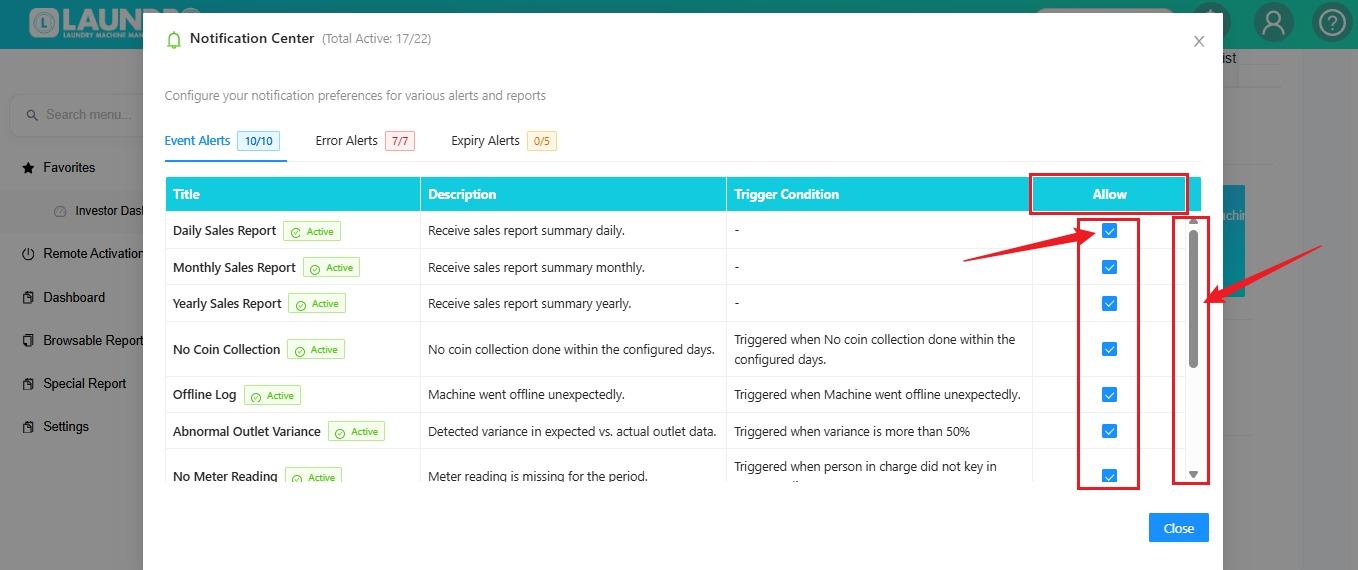
✅ Step 4 — Enable Your Notifications
- Review the available notification options.
- Tick the checkbox beside each notification you want to enable.
- Scroll up or down to view additional options.
- Double-check your selections before proceeding.
Helpful Tip : Review the available options carefully and enable only the notifications you need.
🚪 Step 5 — Close the Settings
Once you have finished selecting your notification preferences, click Close.
🎉 You're Done!
Your notification preferences have been selected. If the portal requires a separate save or confirmation action, complete it before leaving the page.