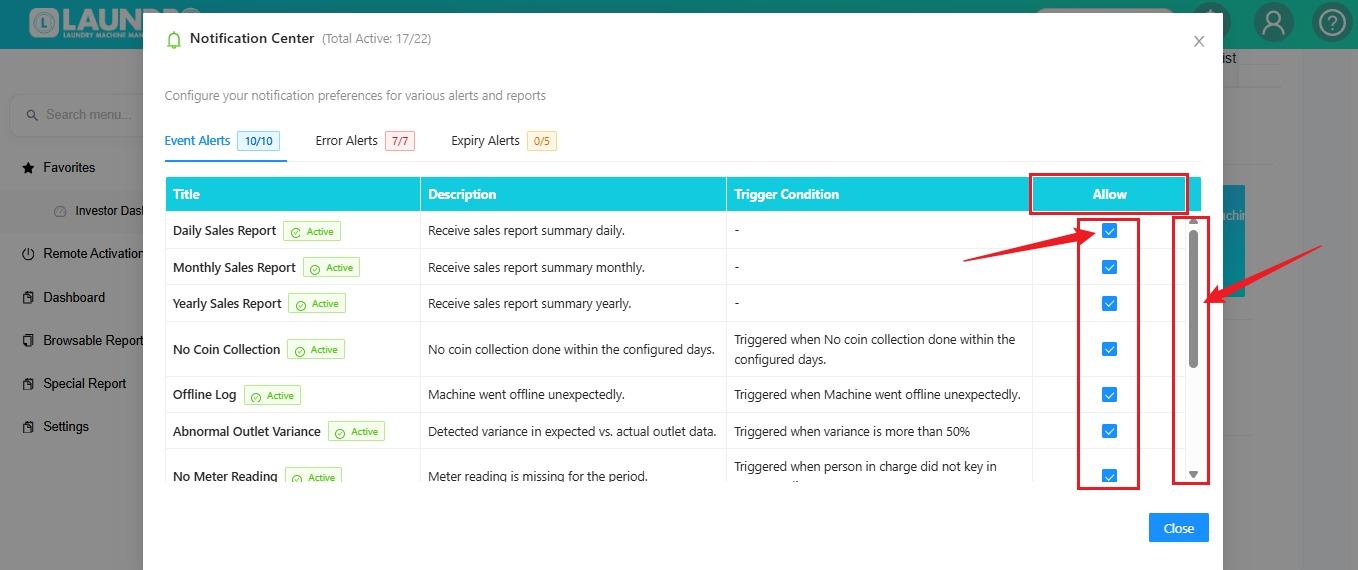
How To Able & Enable Notification Centre
📍 How to Access
🔐 Step 1 — Login to Laundro Portal
Log in using your Username and Password. https://v2.thelaundro.com/operator_login
🏪 Step 2 — Open My Outlets
- Click the 👤 Profile icon.
- Select Setting.
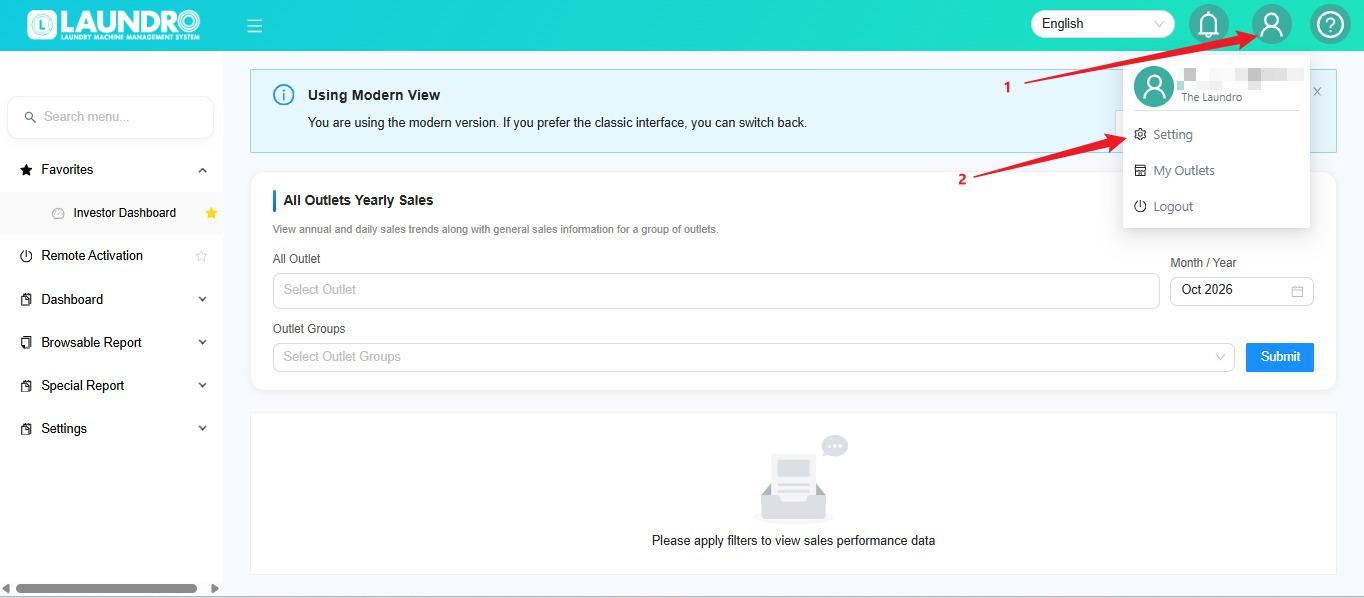
step 3
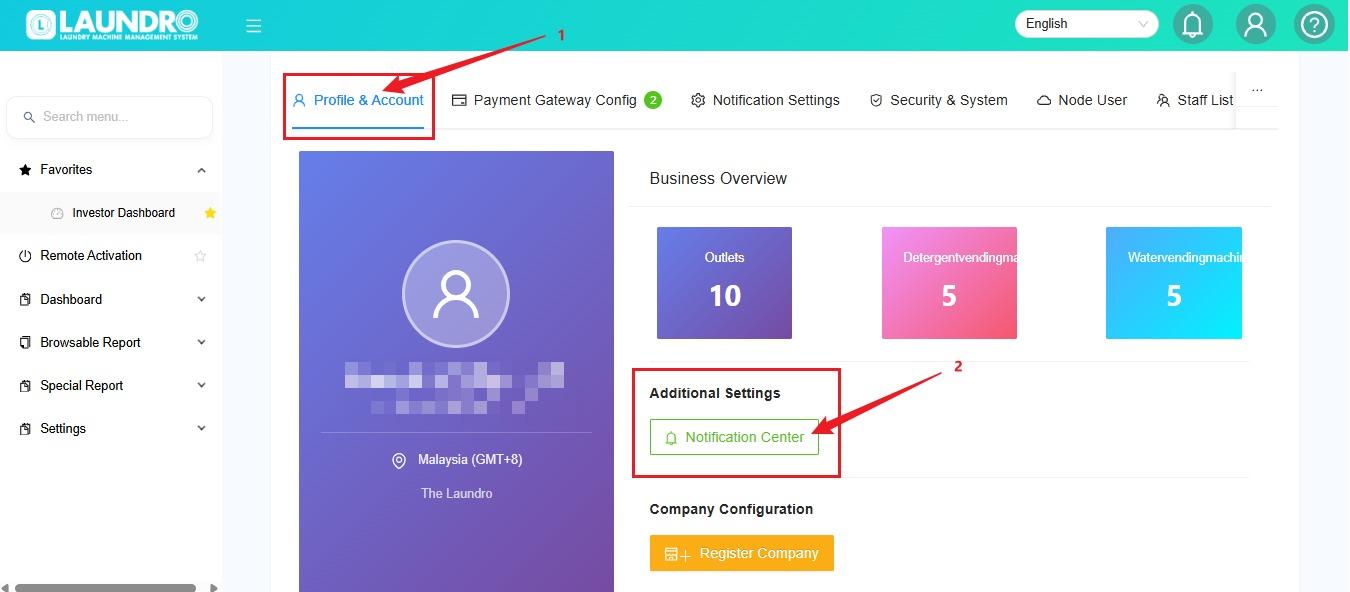
step 4
- Tick which one to able & enable.
- To scroll up / down.
- Click Close when finish.