
✏️ How to Edit Pricing
NeedWant to update yourthe existing Washer or Dryer prices? Follow this simple guide to edit your machine pricing inthrough the Laundro Portal.
🎯 Purpose
This guide explains how to access Price Setting and update the pricing for your machines.
🧭 Quick Navigation
- 🔐 Log in to Laundro Portal
- ⚙️ Open Setting
- 💰 Select Price Setting
- ✏️ Edit the pricing
- 💾 Save and verify the changes
🔐 Step-by-Step Guide
🔐 Step 1 — Login to Laundro Portal
Log in using your Username and Password. https://v2.thelaundro.com/operator_login
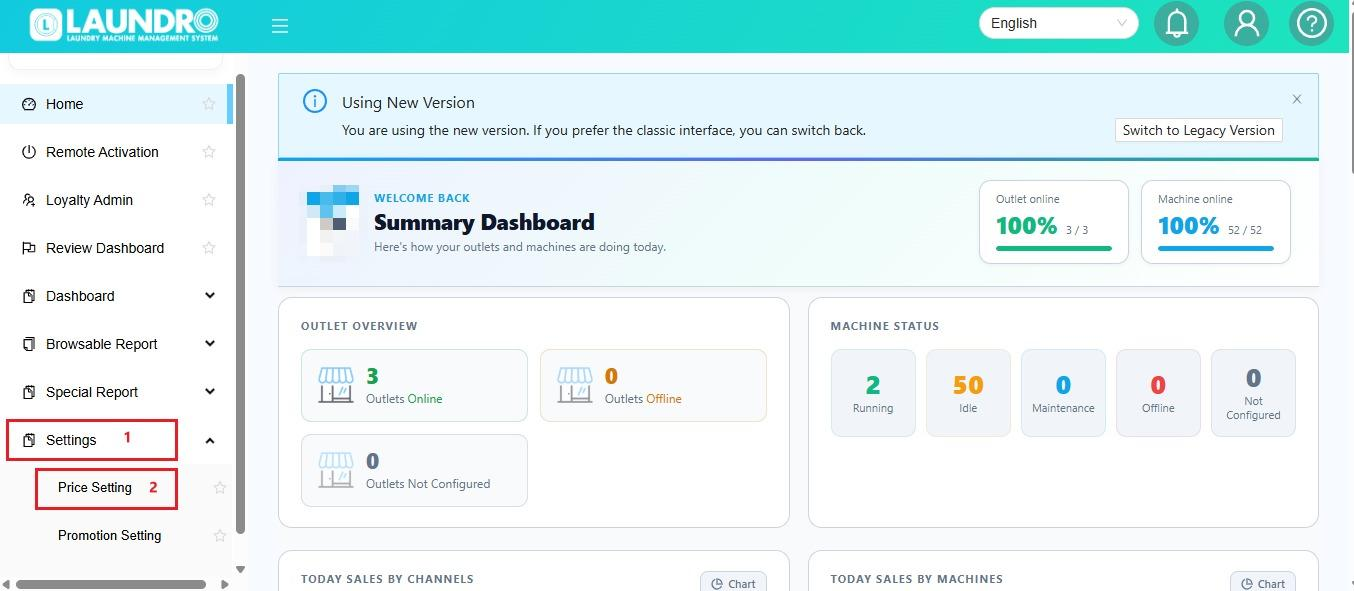
📍⚙️ Step 2 — Go toOpen Price Setting
- Click Setting.
- Select Price Setting.
💰 Step 3 — SelectFind the Existing Pricing to Edit
Locate the pricing or machine you want to update.
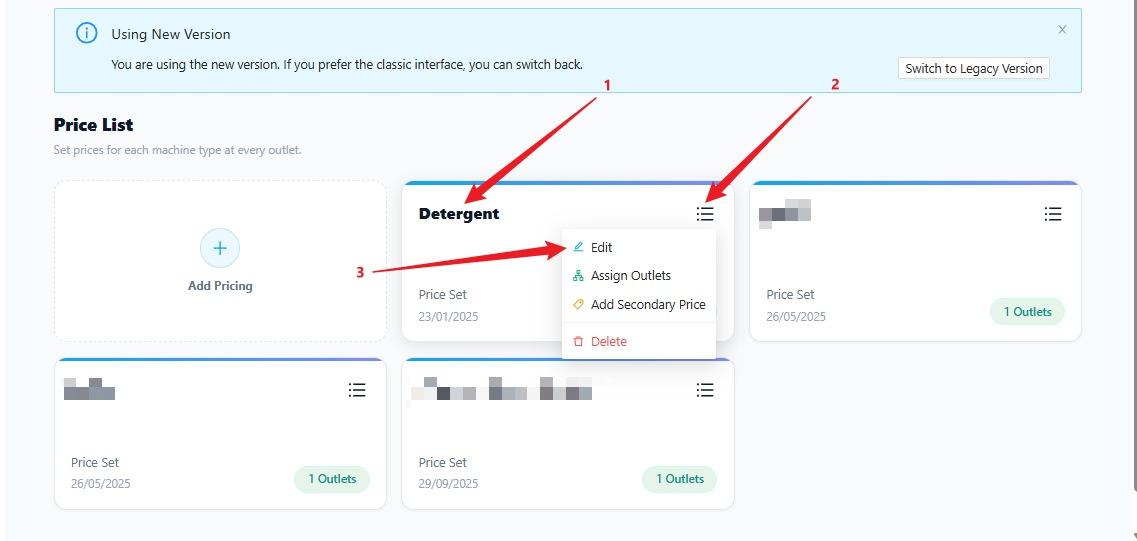
💡 Tip: Make sure you have selected the correct outlet, machine, or pricing category before making changes.
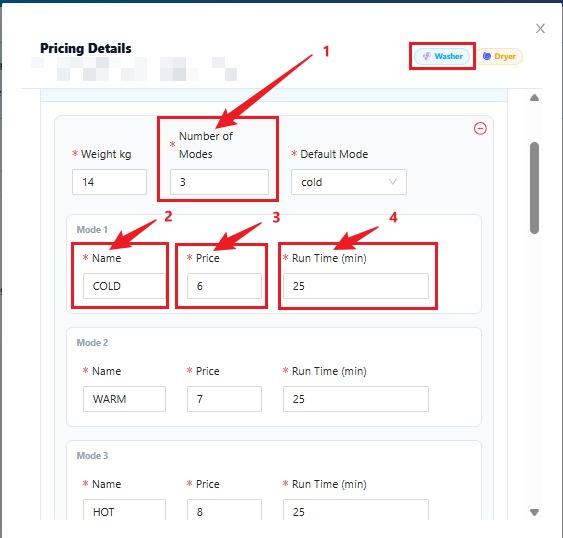
✏️ Step 4 — UpdateFind and edit the Pricingexisting price
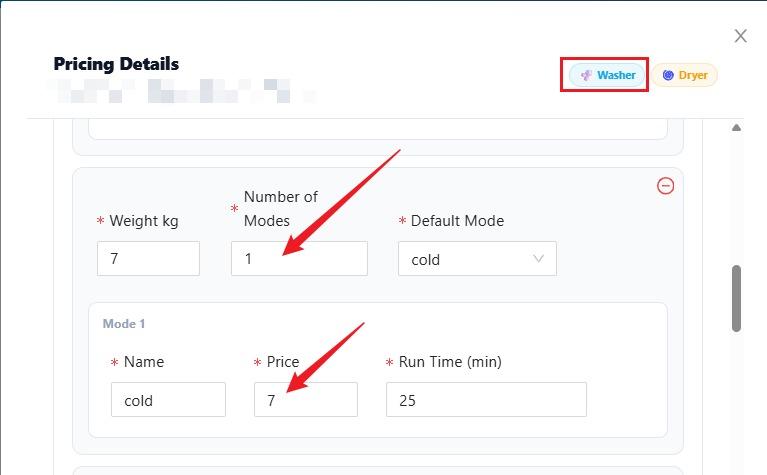
Washer :
- Select the relevant pricing entry.
- Edit the required price details.
- Double-check the amount before proceeding.
Dryer :
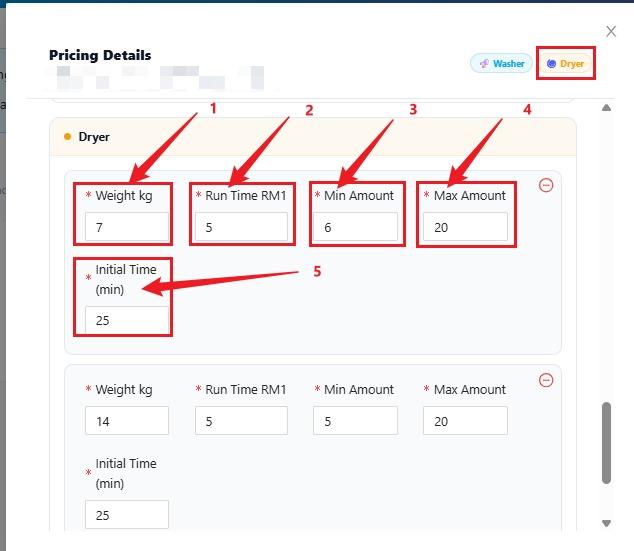
💾 Step 5 — Save Yourand Changesverify your changes
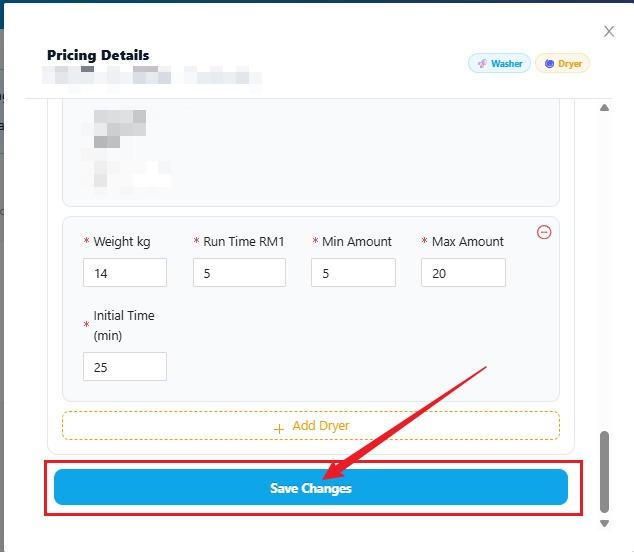
Click Save[Confirm the actual Save/Update button name] to applysave the updated pricing.changes.
💡 Helpful Tips
- Double-check the machine and pricing before saving.
- Make sure the updated price is correct.
- Verify the changes after saving.
✅ Final Checklist
- Correct machine or pricing selected
- New price entered correctly
- Changes saved successfully
- Updated pricing verified
🎉 You're all set! Your pricing has been updated.