
✏️ How to Edit Machine Details
Welcome to the Laundro Portal Guide! 👋
Need to update a machine's name, type, coin rate, or weight? Follow this guide to edit machine details in the Laundro Portal.
🧭 Quick Navigation
- 🔐 Step 1: Log In
- 🏪 Step 2: Open My Outlets
- 🧺 Step 3: Select the Outlet
- ⚙️ Step 4: Open Machines
- ✏️ Step 5: Select the Machine to Edit
- 📝 Step 6: Update Machine Details
- 💾 Step 7: Save Changes
📍 How to Access
🔐 Step 1 — Login to Laundro Portal
Log in using your Username and Password. https://v2.thelaundro.com/operator_login
📍
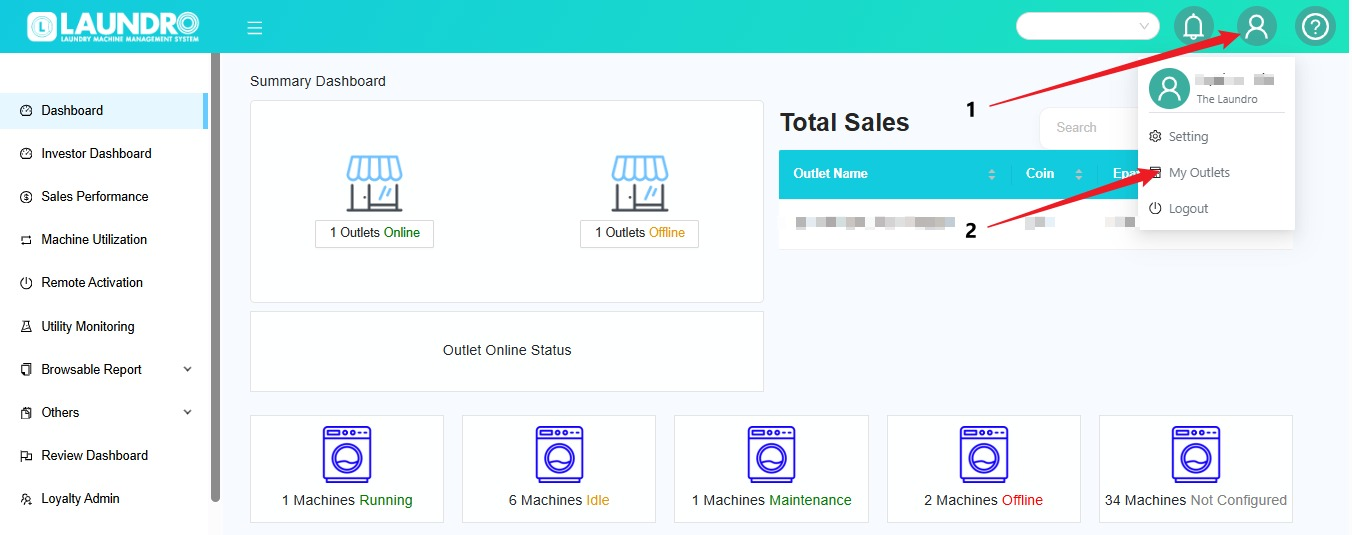
🏪 Step 2 — Go toOpen My Outlets
- Click the 👤
👤Profile icon. - Select My Outlets.
TheFindlisttheofoutletyouryououtletswantwilltobe displayed.manage.
- Click the 👤
🏪
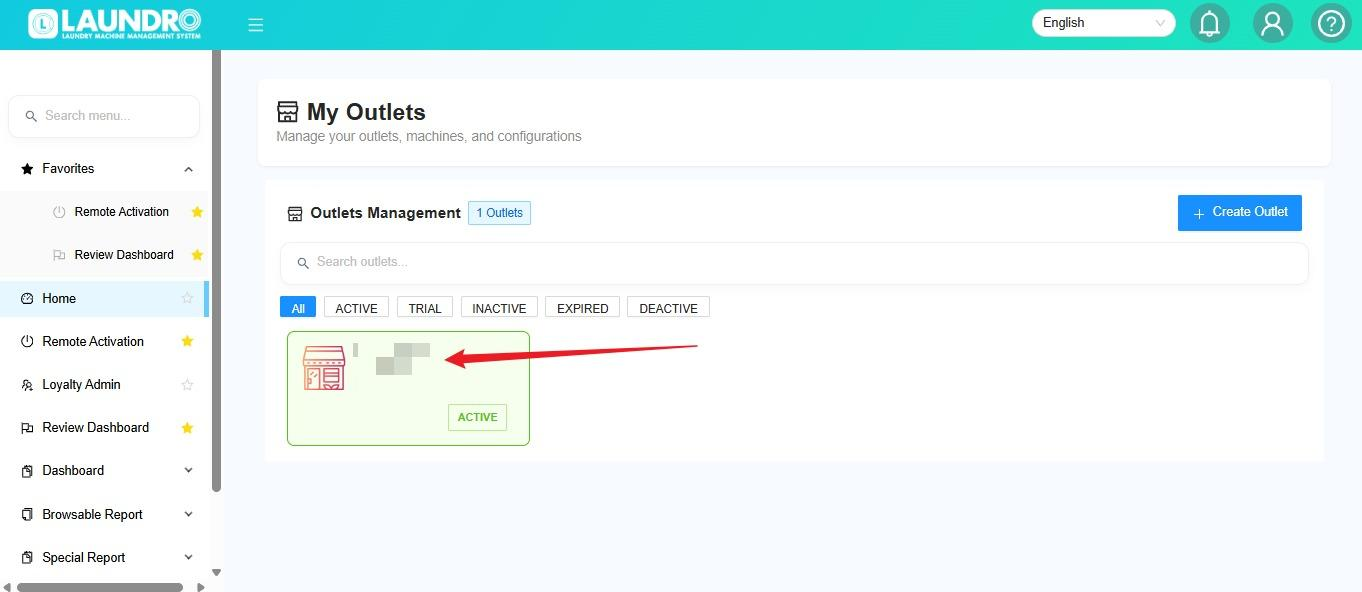
🧺 Step 3 — Select the Outlet
Click the outlet where the machine is located.
Click💡 Quick Tip: Double-check the outlet wherename youbefore wantediting toany addmachine the machine.details.
✏
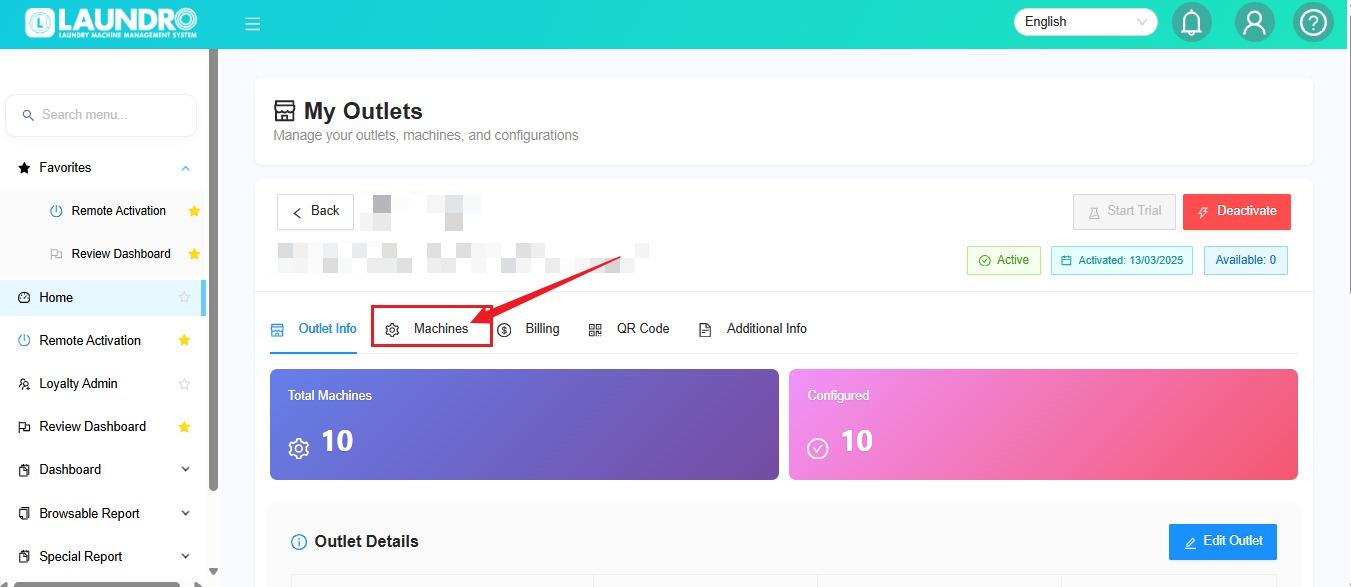
⚙️ Step 4 — AddOpen Machine
Machines
ClickOn the selected outlet page, click Machines to view and manage theits machines in the selected outlet.machines.
➕
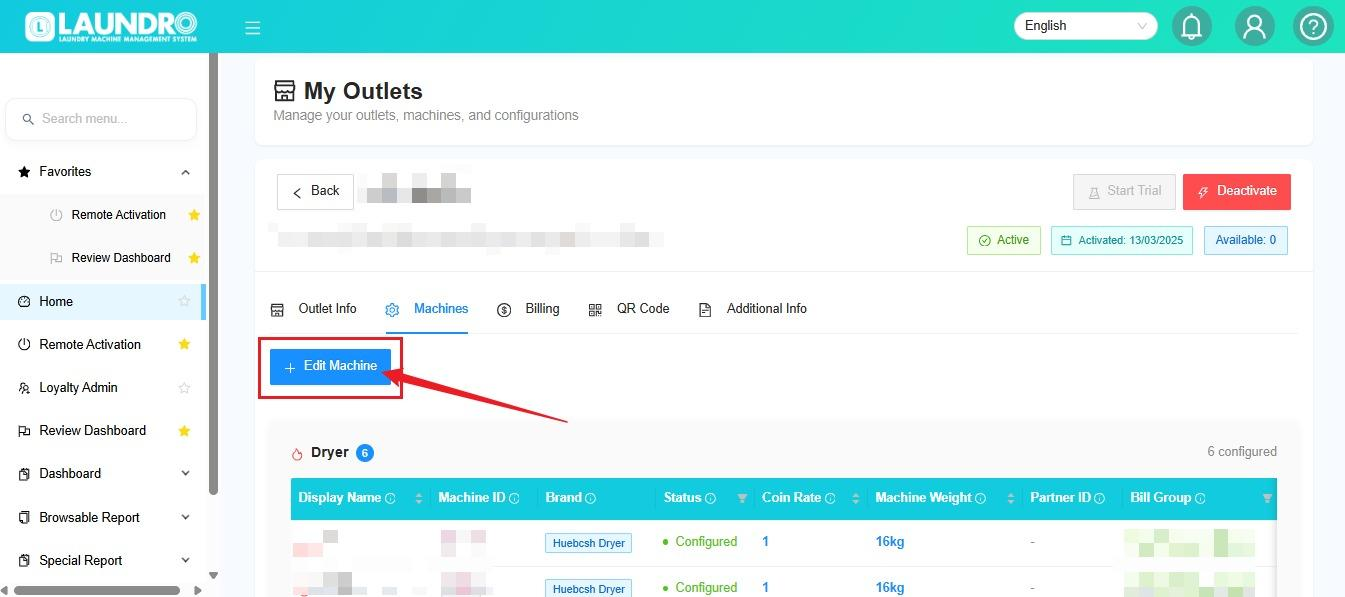
✏️ Step 5 — EditSelect the Machine
to Edit
Click +the Editrelevant Machine.
Thenoption chooseand select the machine type:type, if prompted:
- 🧺 Washer
- 🔥 Dryer
💡 Important: Confirm that you are editing the correct machine type.
🔢
📝 Step 6 — Edit Detail Machines
⚙️ Update Machine
Details
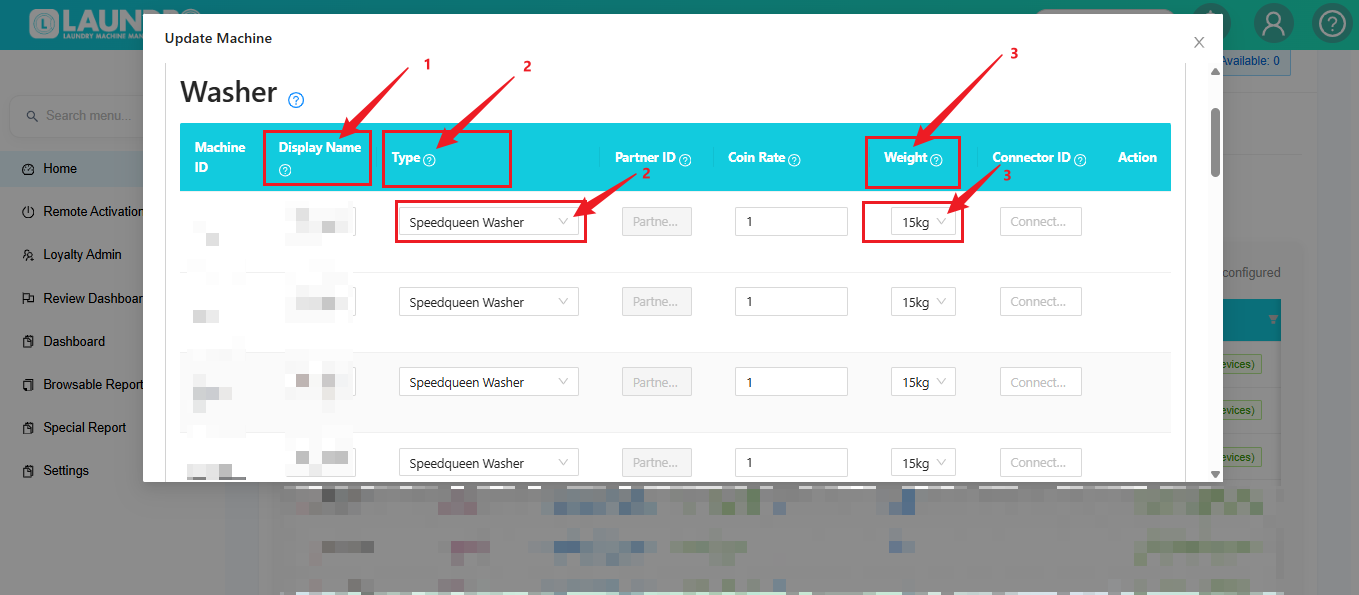
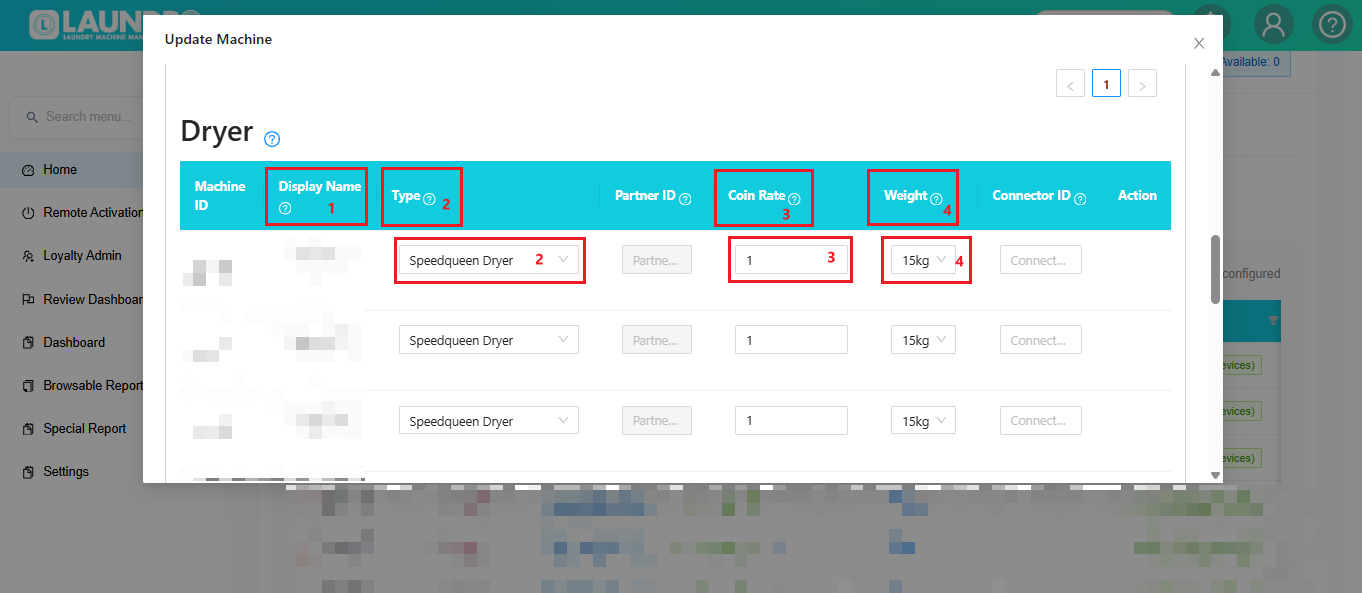
After selecting the outlet, you can update the machine information inIn the Update Machine section.section, review and edit the required fields.
🏷️
1. Display Name
Enter or update the
machine'name used to identify the machine.Example: Washer W1 or Dryer D1, following your outlet's
displaynamingname.- convention.
🧺 2. Type
Select the appropriate machine model or type.
Example:
🧺Speedqueen Dryer, if applicable.🪙 3. Coin Rate
Enter the required coin rate.
Example: 1, if this is the correct value for your machine setup.
⚠️ Confirm the intended coin rate before changing it.
⚖️ 4. Weight
Select the correct machine capacity.
Examples: 15kg or 30kg.
💡
TypeQuick Tip:SelectMake sure the selected weight matches the actual machine. The weight may affect how the machinetype,issuchidentified and configured elsewhere in the system.➕ Need to Edit More Machines?
Scroll up or down to locate other machines and update their details as
Speedqueen Dryer. 💰Coin RateEnter the machine's coin rate.Example:1⚖️WeightSelect the machine capacity, such as15kgor30kg.➕Add Machine ( Washer / Dryer )Scroll up/downif you need to edit another machine.💾SaveAfter completing all the changes, clickSaveto save the updated machine information.
💾 Step 7 — Save Changes
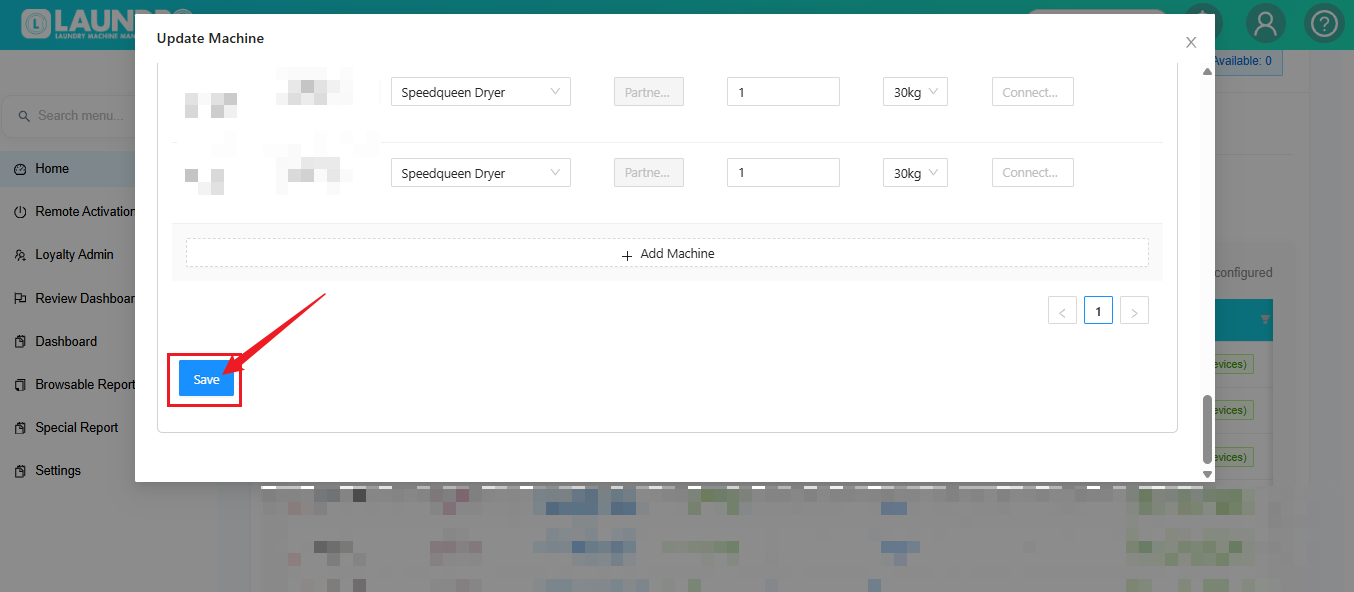
Once you have finished editing:
- Review all updated fields.
- Check the machine name, type, coin rate, and weight.
- Click Save.
✅ Final Check: Confirm that the updated details are displayed correctly after saving.