How To Edit Detail Machine
📍 How to Access
🔐 Step 1 — Login to Laundro Portal
Log in using your Username and Password. https://v2.thelaundro.com/operator_login
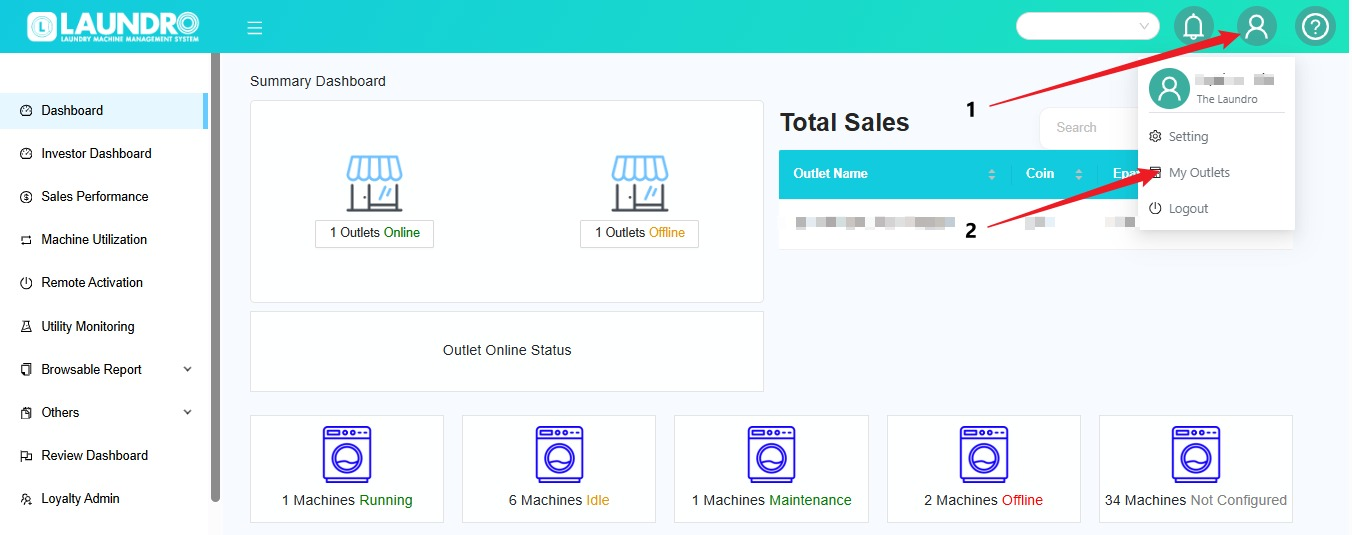
📍 Step 2 — Go to My Outlets
- Click the 👤 Profile icon.
- Select My Outlets.
- The list of your outlets will be displayed.
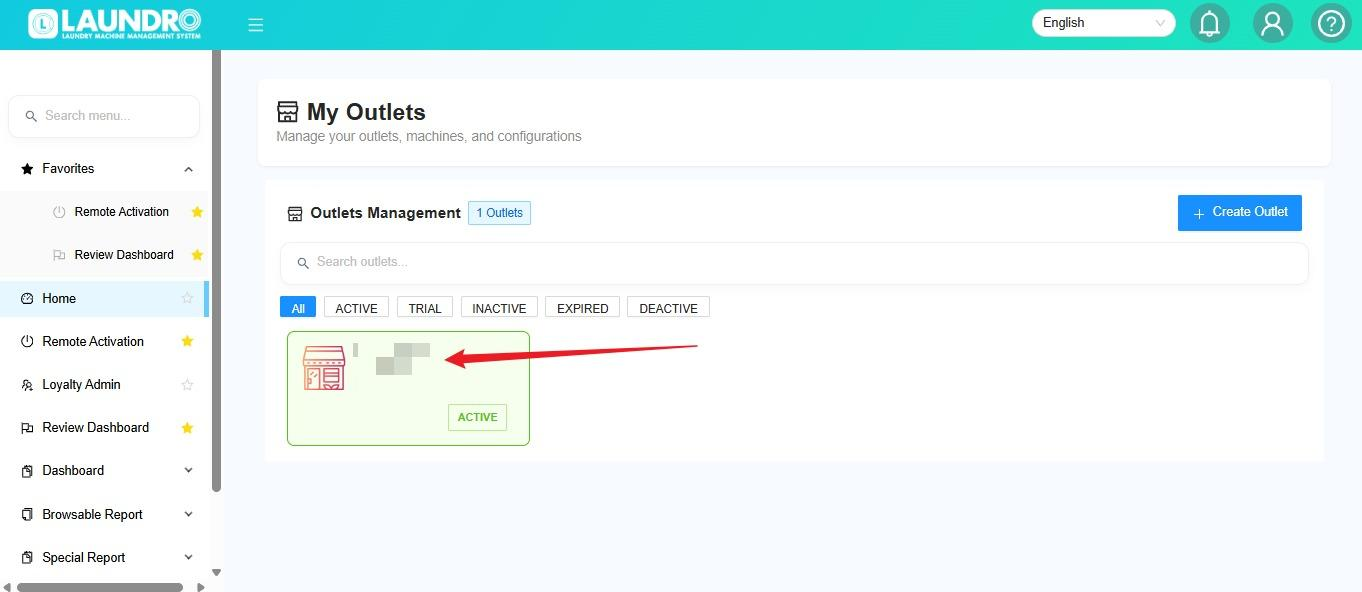
🏪 Step 3 — Select the Outlet
Click the outlet where you want to add the machine.
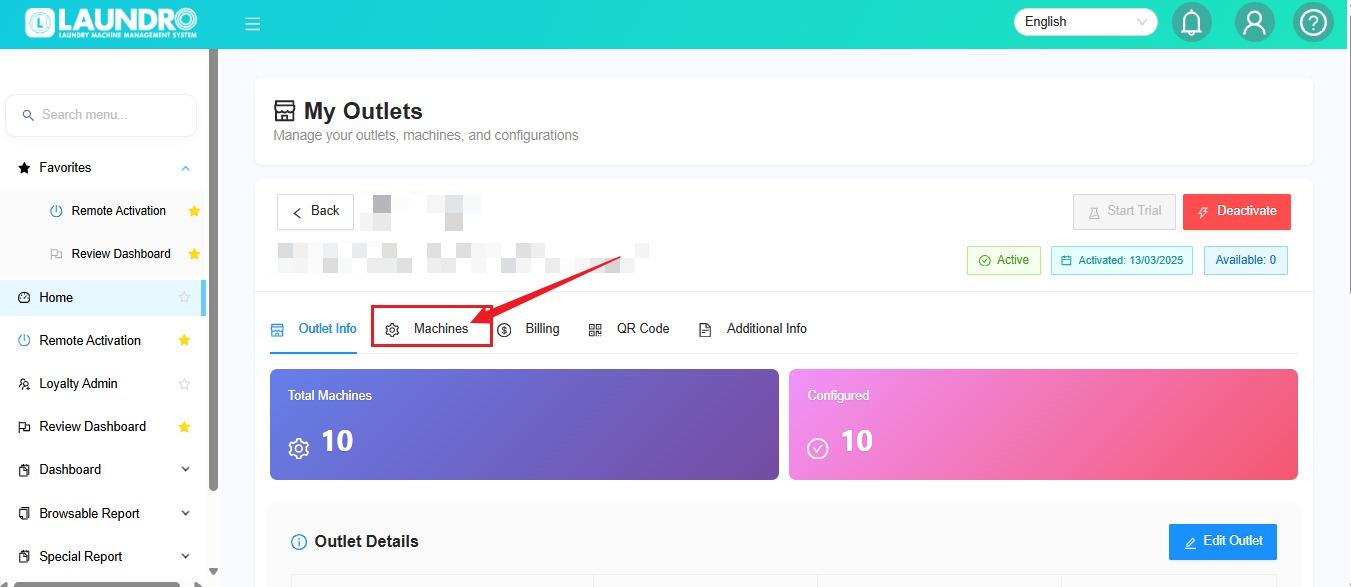
✏️ Step 4 — Add Machine
Click Machines to manage the machines in the selected outlet.
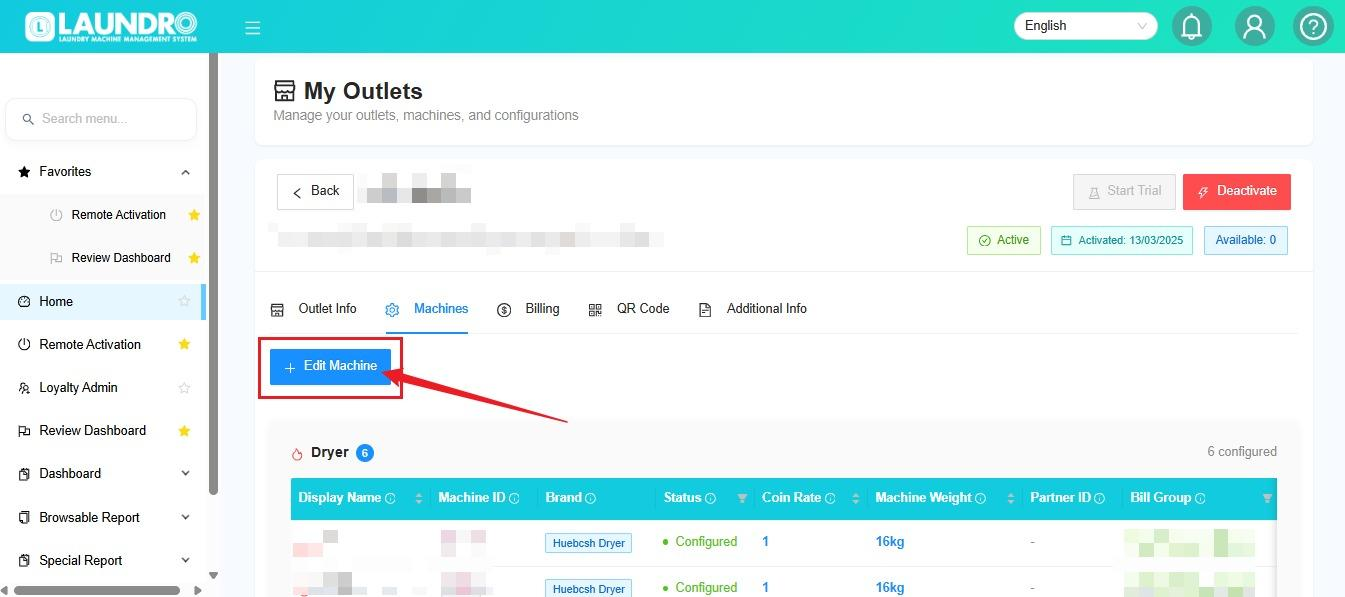
➕ Step 5 — Edit Machine
Click + Edit Machine.
Then choose the machine type:
- 🧺 Washer
- 🔥 Dryer
🔢 Step 6 — Edit Detail Machines
⚙️ Update Machine
After selecting the outlet, you can update the machine information in the Update Machine section.
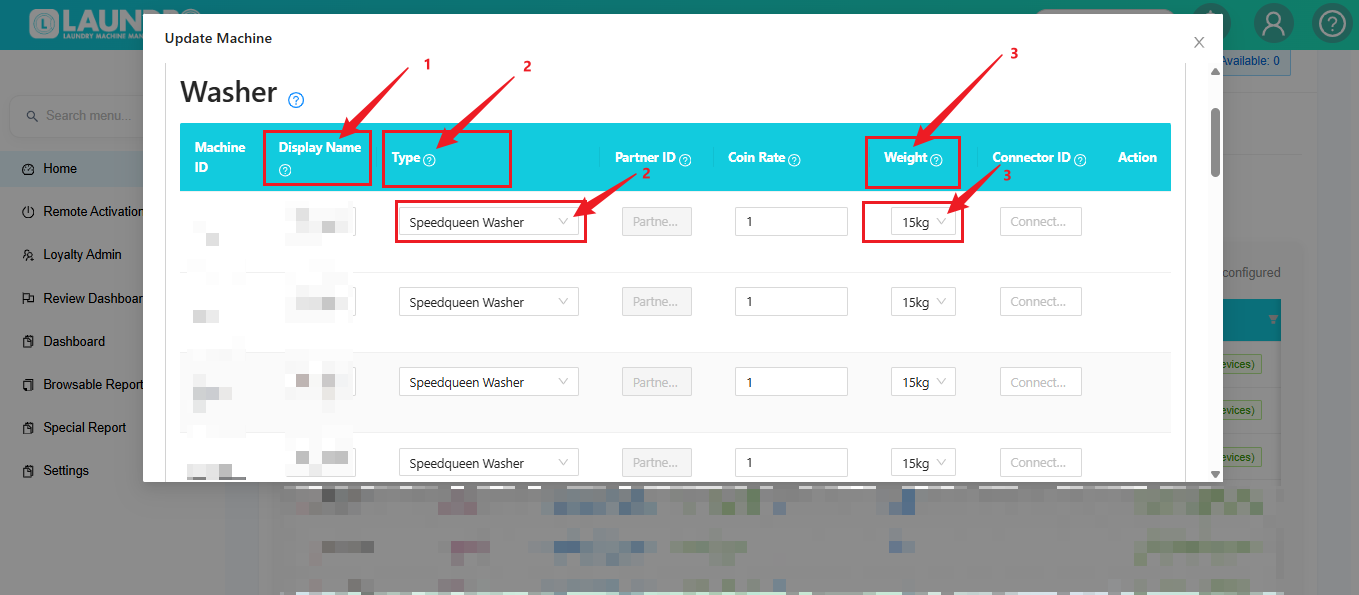
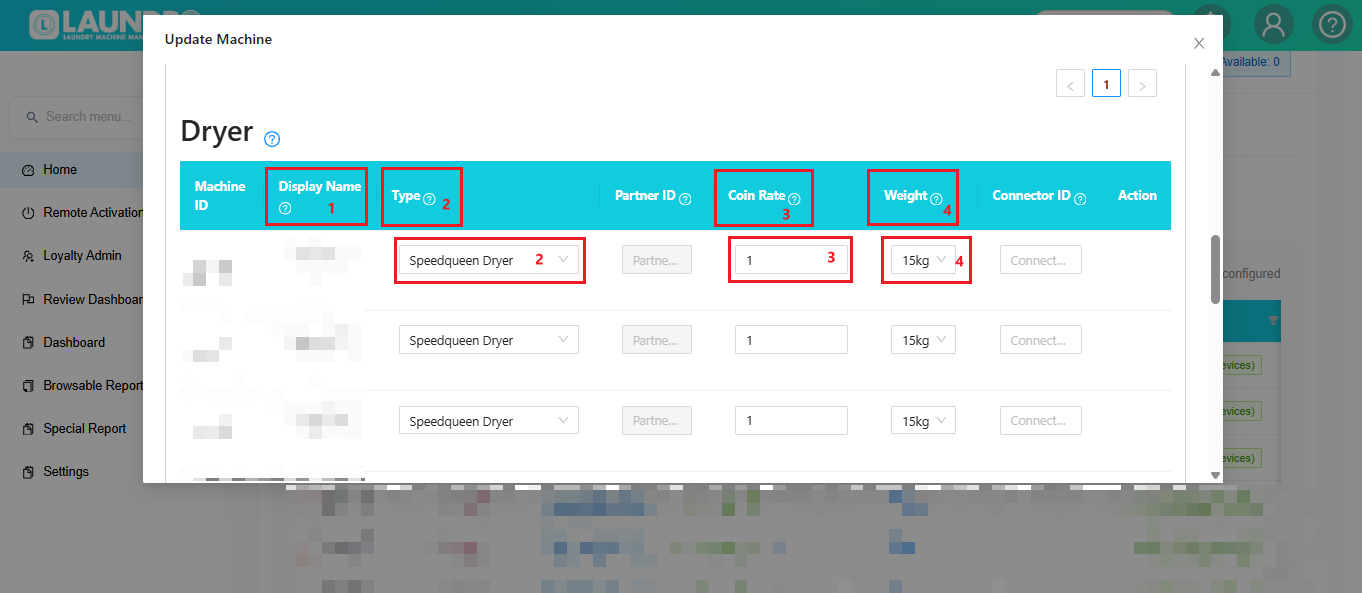
- 🏷️ Display Name
Enter or update the machine's display name. - 🧺 Type
Select the machine type, such as Speedqueen Dryer. - 💰 Coin Rate
Enter the machine's coin rate.
Example: 1 - ⚖️ Weight
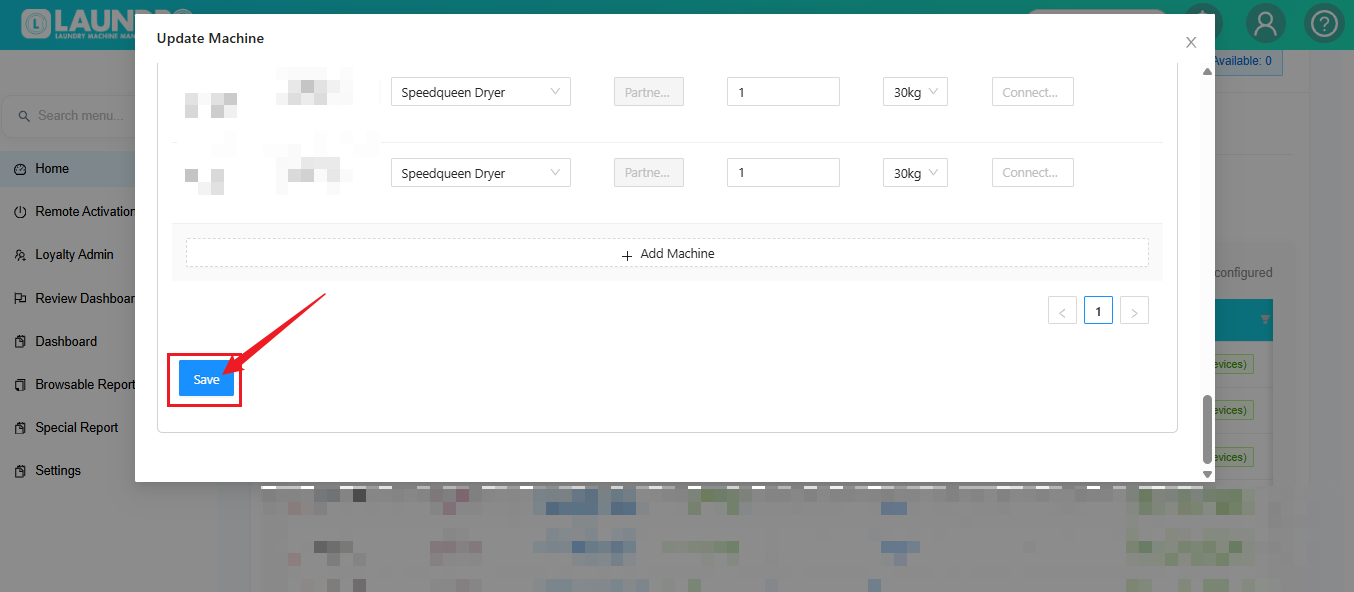
Select the machine capacity, such as 15kg or 30kg. - ➕ Add Machine ( Washer / Dryer
Scroll up/down if you need to edit another machine. - 💾 Save
After completing all the changes, click Save to save the updated machine information.