
⚡ How to Do Remote Activation
Welcome to the Laundro Portal Guide! 👋
Need to remotely activate a Washer or Dryer? Follow this guide to select the correct outlet and machine, then proceed with the remote activation process.
🧭 Quick Navigation
- 🔐 Step 1: Log In to Laundro Portal
- ⚙️ Step 2: Open Remote Activation
- 🏪 Step 3: Select an Outlet
- 🧺 Step 4: Select a Machine Type
- 🔎 Step 5: Select the Machine
- ✅ Step 6: Complete Remote Activation
🔐 Step 1: Log In to Laundro Portal
Open the Laundro Portal and enter your operator username and password.
🔗 Portal Login: https://v2.thelaundro.com/operator_login
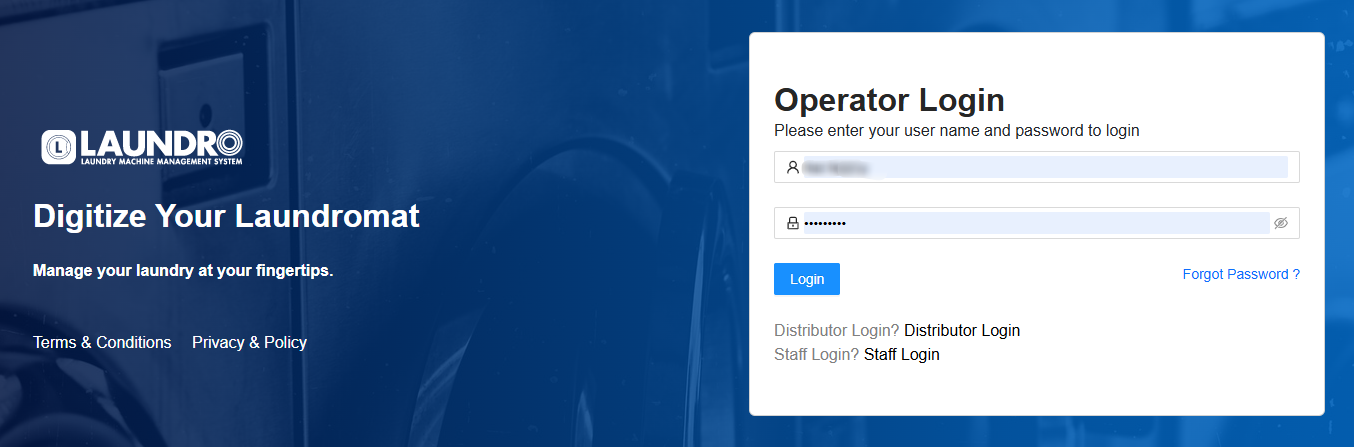
⚙️ Step 2 — Open Remote Activation
After logging in:
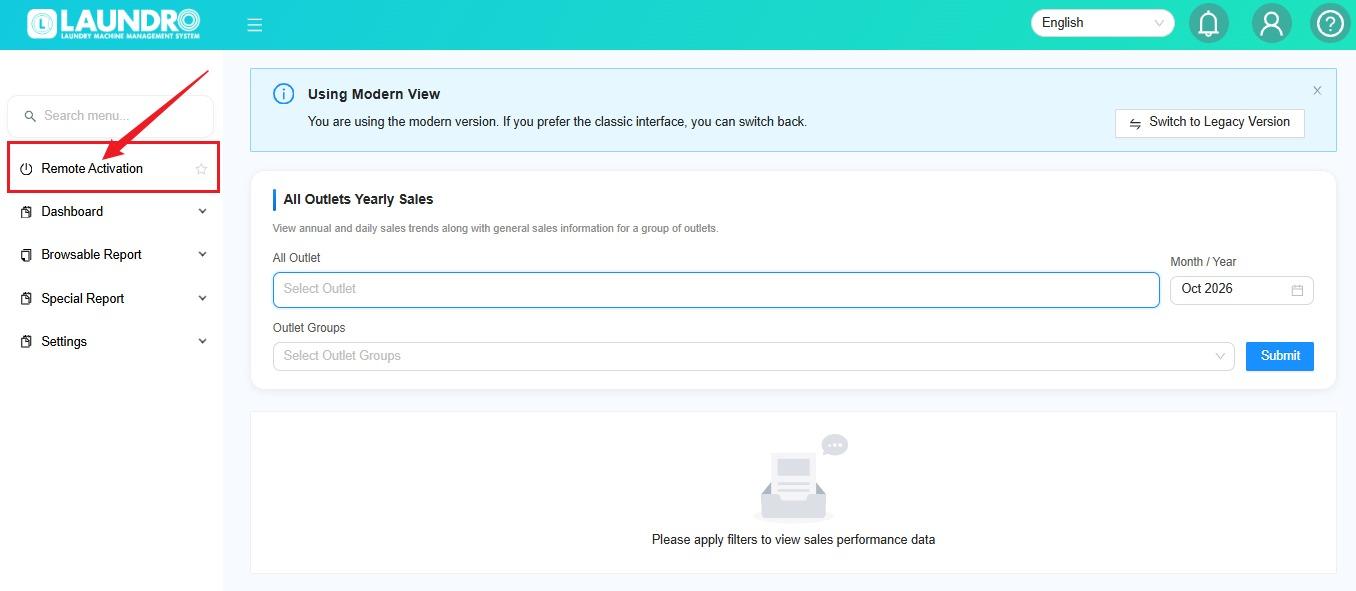
💡 Tip: Make sure you have the correct account permissions to access this feature.
🏪 Step 3 — Select an Outlet
On the Remote Activation page:
- Click the Outlet dropdown.
- Select the outlet where the machine is located.
💡 Quick Tip: Always double-check the outlet before selecting a machine.
🧺 Step 4 — Select a Machine Type
Choose the required machine type:
- 🧺 Washer — to find a washing machine.
- 🔥 Dryer — to find a drying machine.
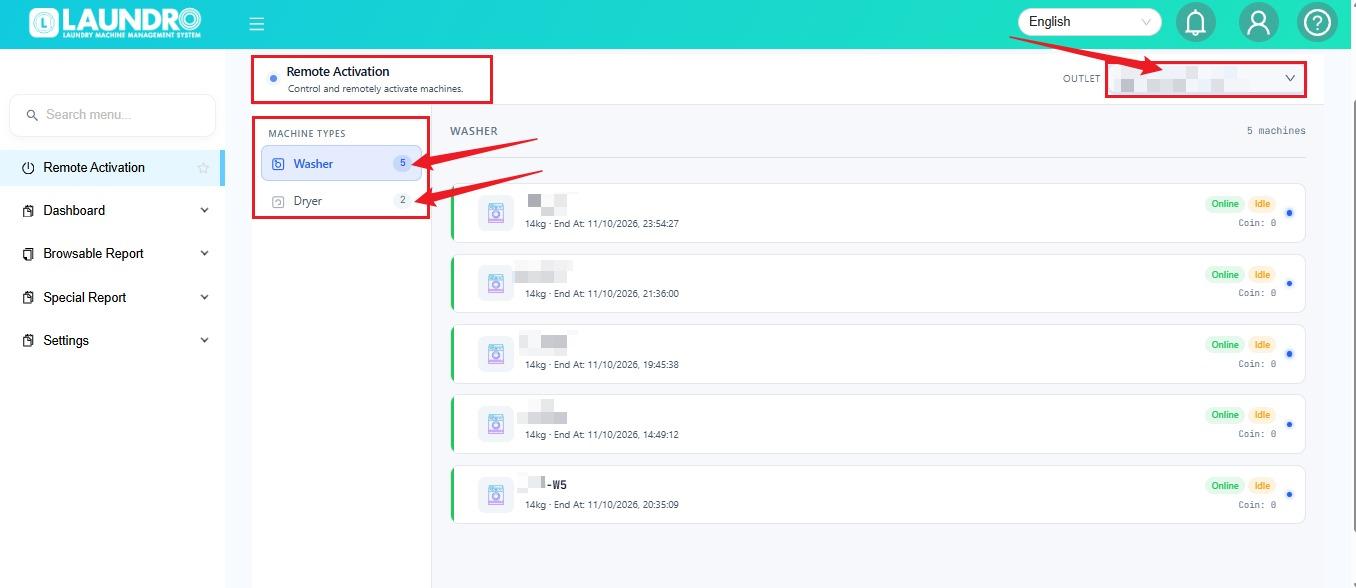
🔎 Step 5 — Select the Machine
Select the specific machine you want to activate.
Example: W1 refers to Washer 1, if that is how the machine is labelled in your outlet.
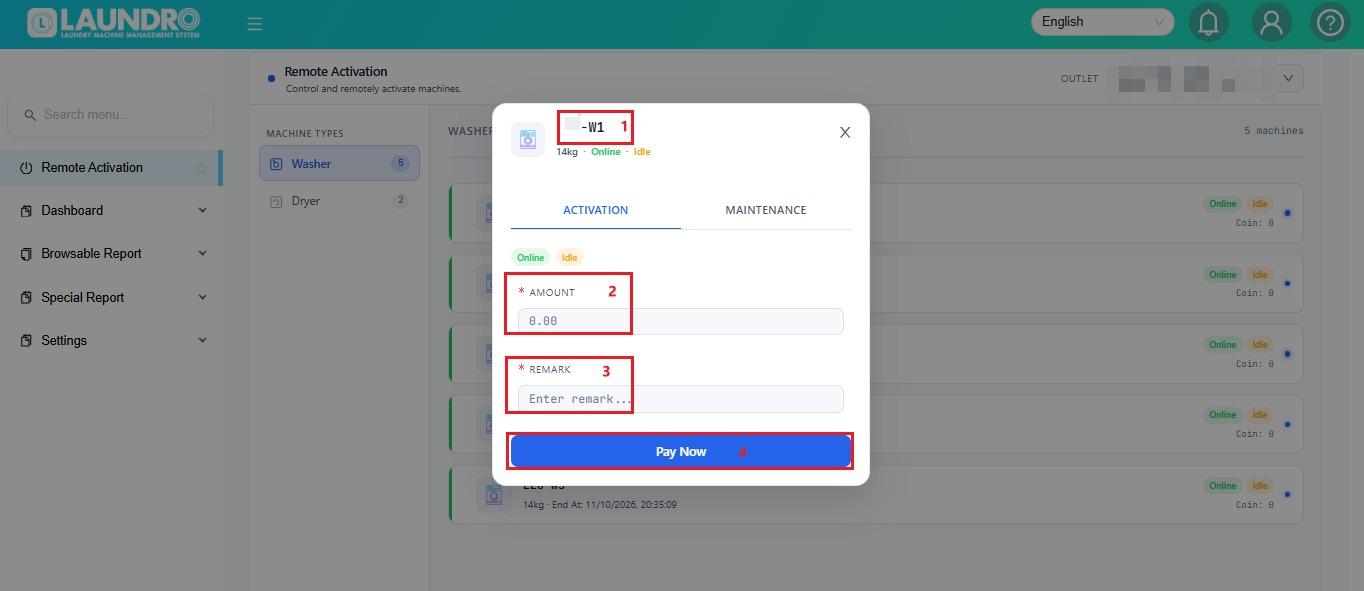
⚠️ Important: Confirm the machine number before proceeding to avoid activating the wrong machine.
✅ Step 6 — Complete Remote Activation
Follow the activation instructions displayed on the Remote Activation page.
💡 Important: Add the exact button name and any confirmation steps shown in your portal here. Verify that the machine has received the activation command before considering the process complete.
Need help? If remote activation fails, record the outlet, machine number, and error message, then contact the Laundro support team.