How To Do Remote Activation
🔐 Step 1: Log In to Laundro Portal
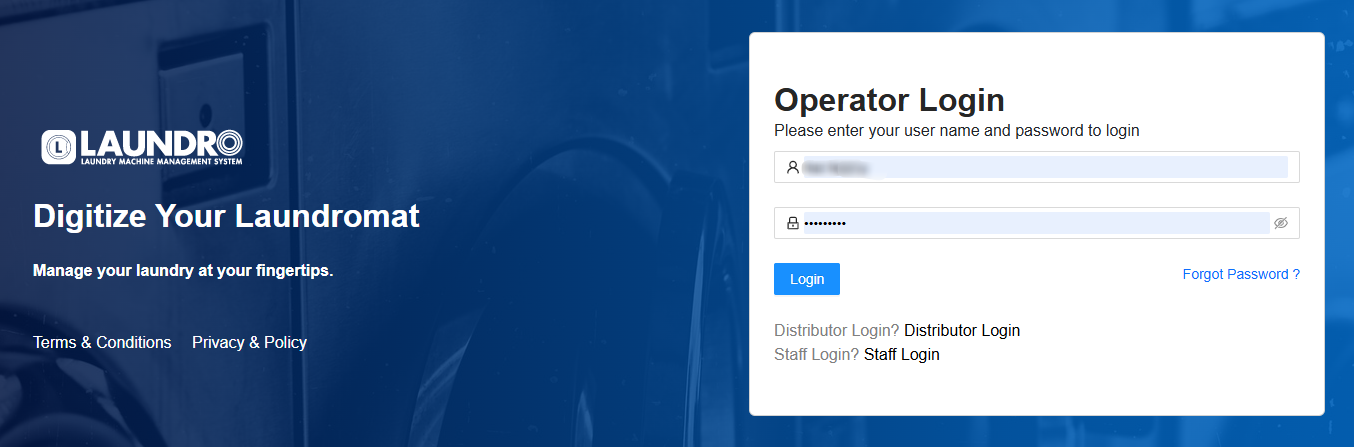
Open the Laundro Portal and enter your operator username and password.
🔗 Portal Login: https://v2.thelaundro.com/operator_login
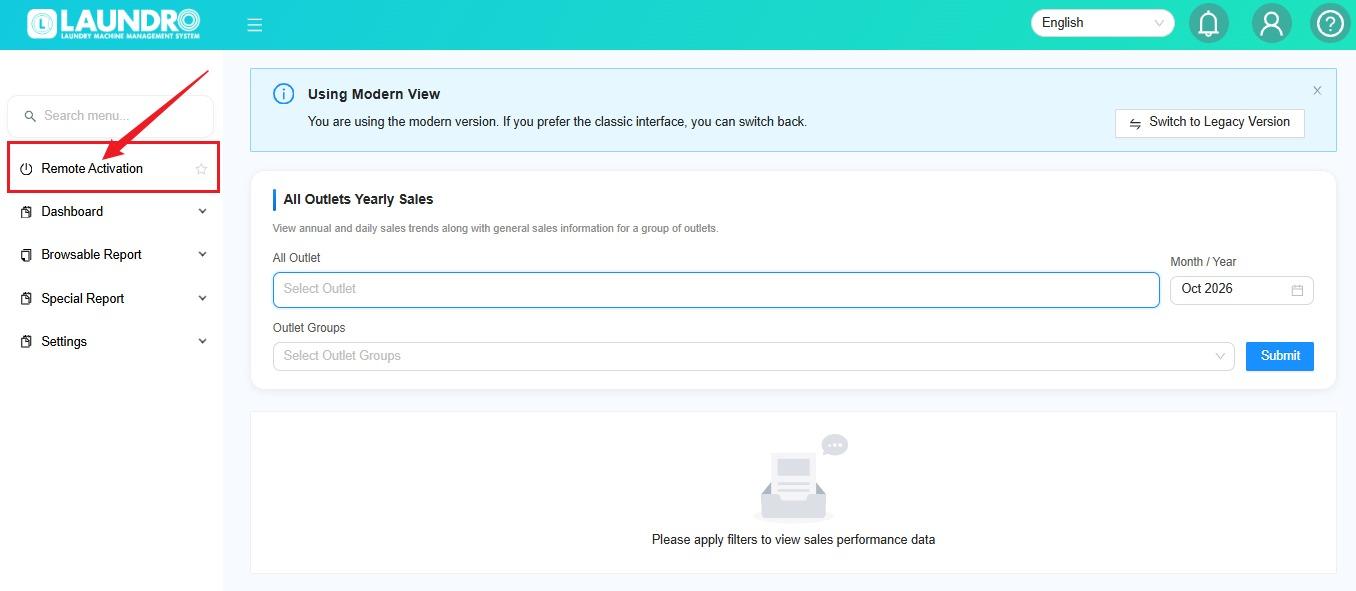
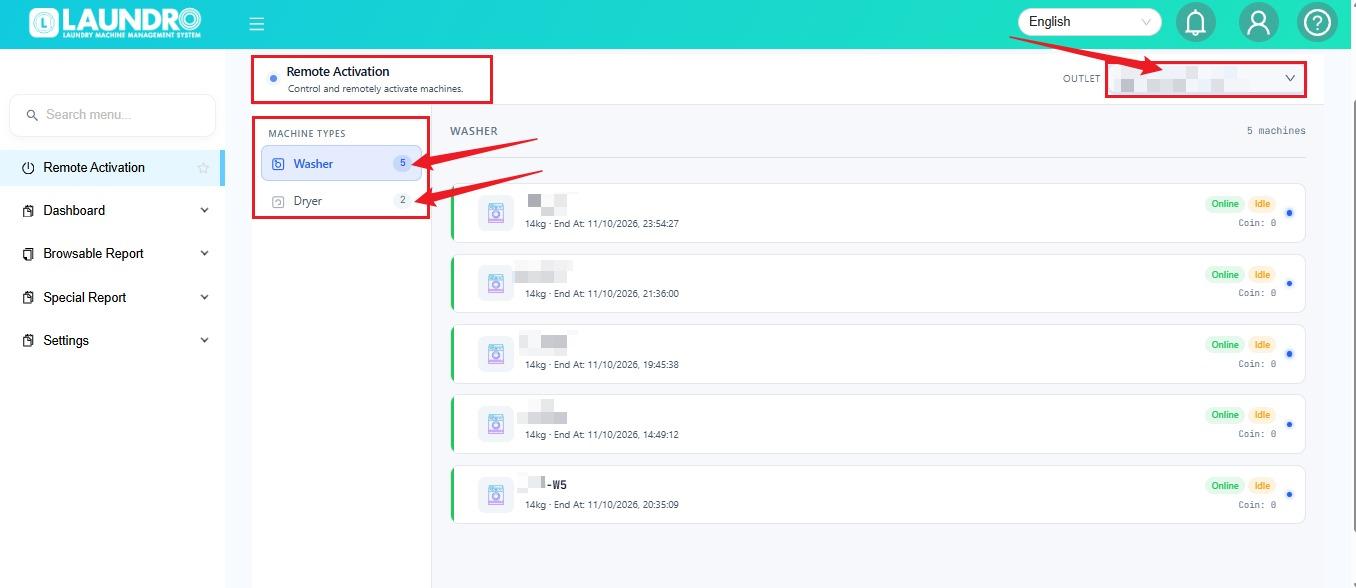
On the Remote Activation page,
- Click Outlet to select which outlet you want to do Remote Activation.
- You can select either Washer / Dryer From Machine Type.
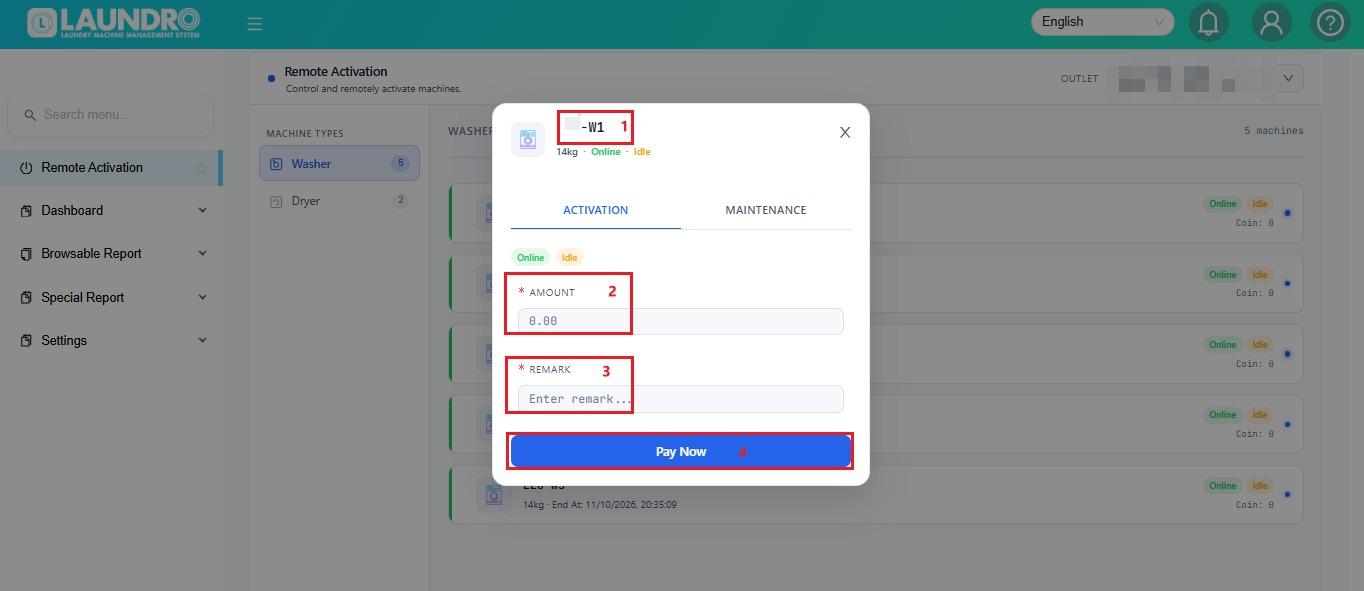
- Click to Sample : W1