
📩 How to Check SMS Credit
Welcome to the Laundro FAQ! 👋
This guide explains how to check your remaining SMS credit and monitor SMS activity through the Loyalty Admin portal.
🎯 Purpose
Use the SMS Report to:
🧭Before Quickyou Navigationstart
🔐 Step 1 — Log In to Laundro Portal
Openopen the Billing page. Only approved roles can open it. If you cannot open it, contact the Laundro administrator at [email protected].
Steps
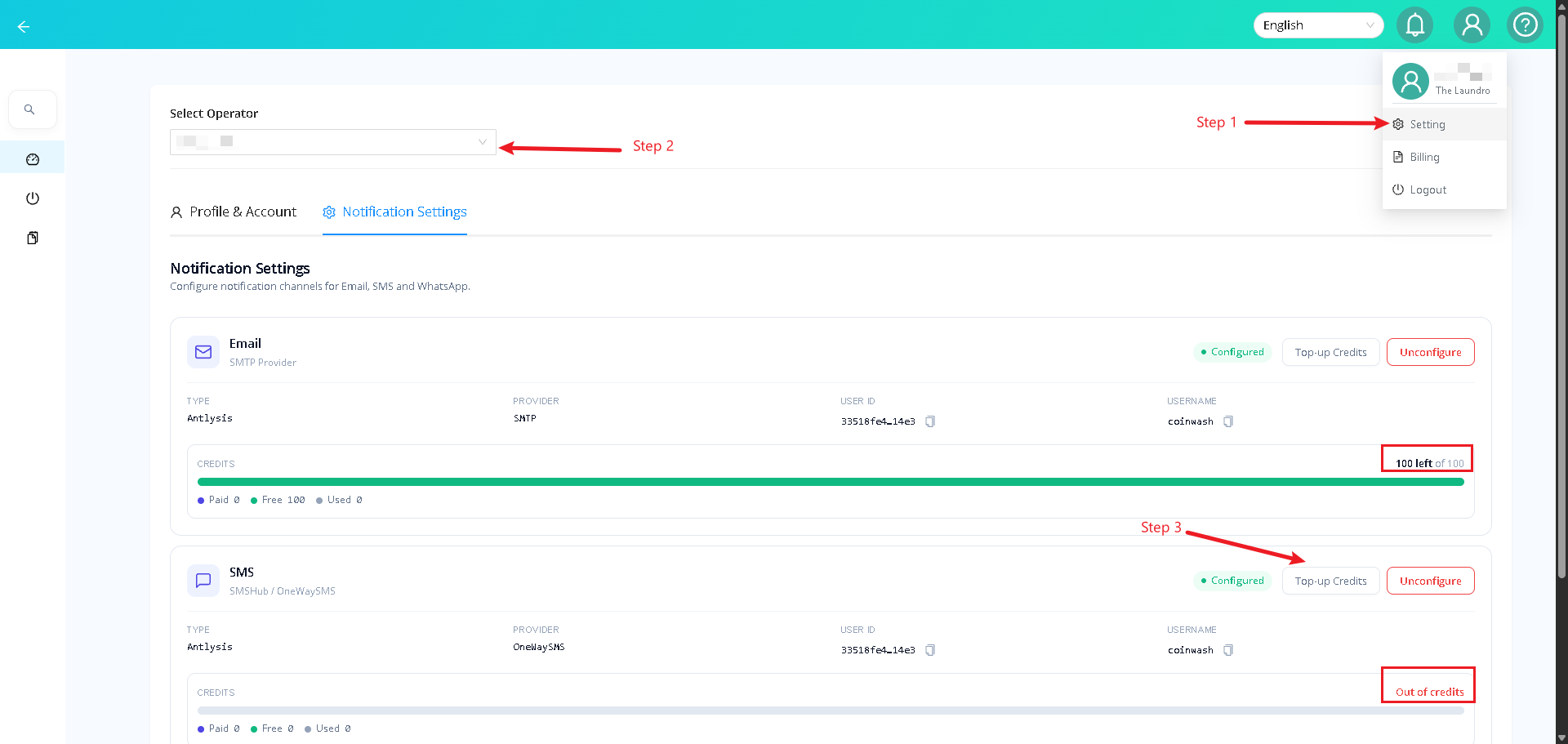
Clickon LogProfile In& Account tofirst.
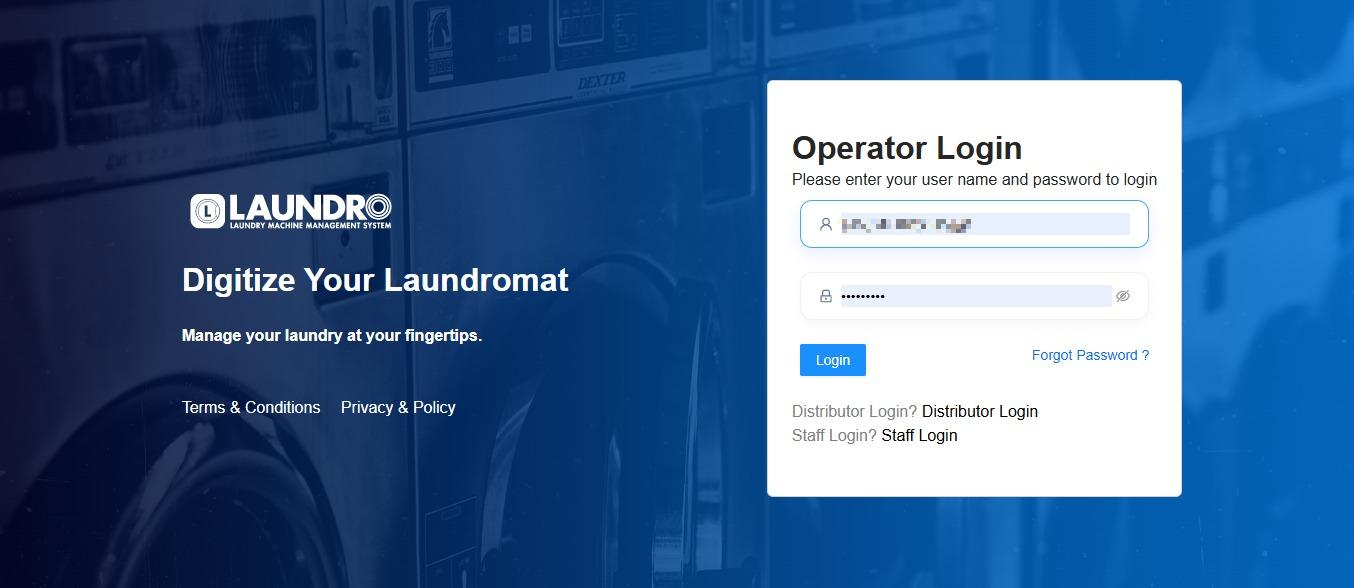
🔐 Step 2: Click In to Loyalty Admin
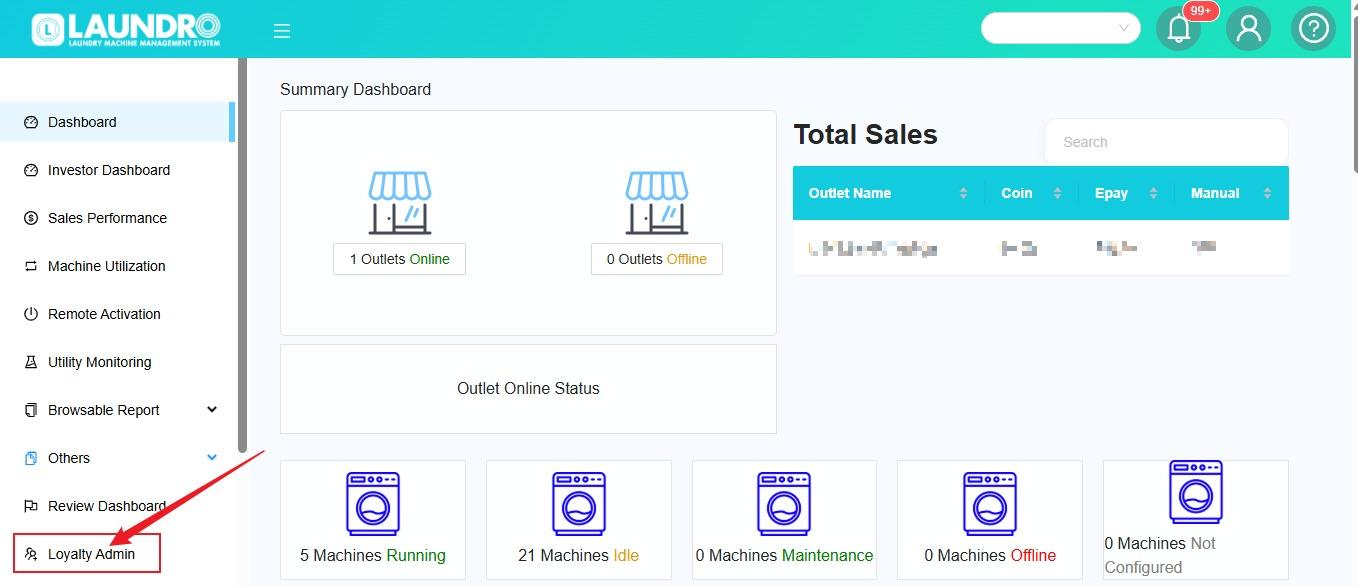
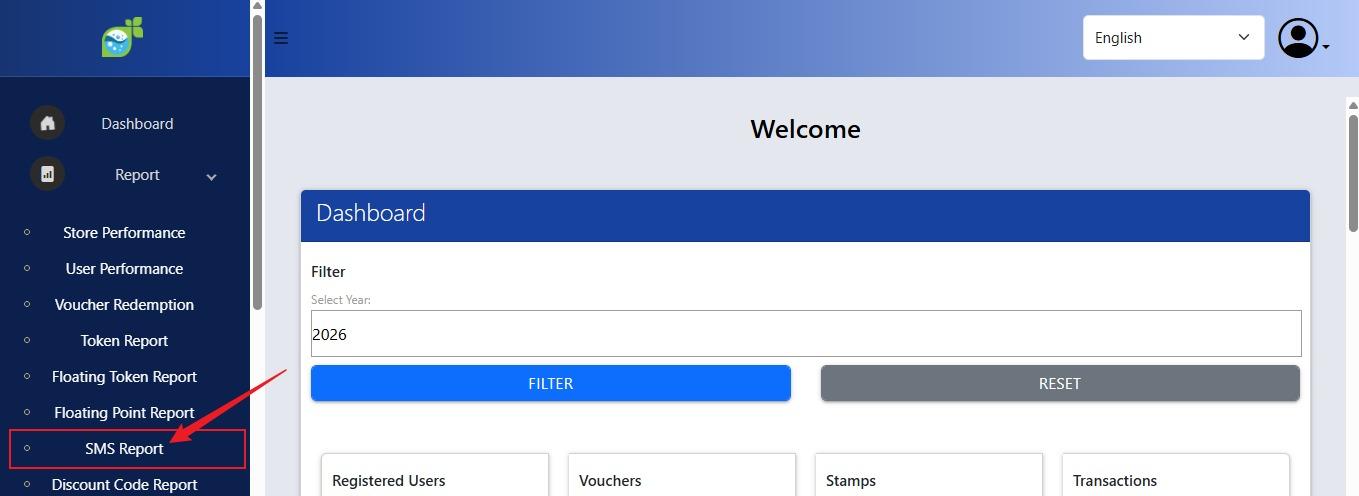
📩 Step 3: Open SMS Report
FindReportbox in thenavigation menu.Click onReport.
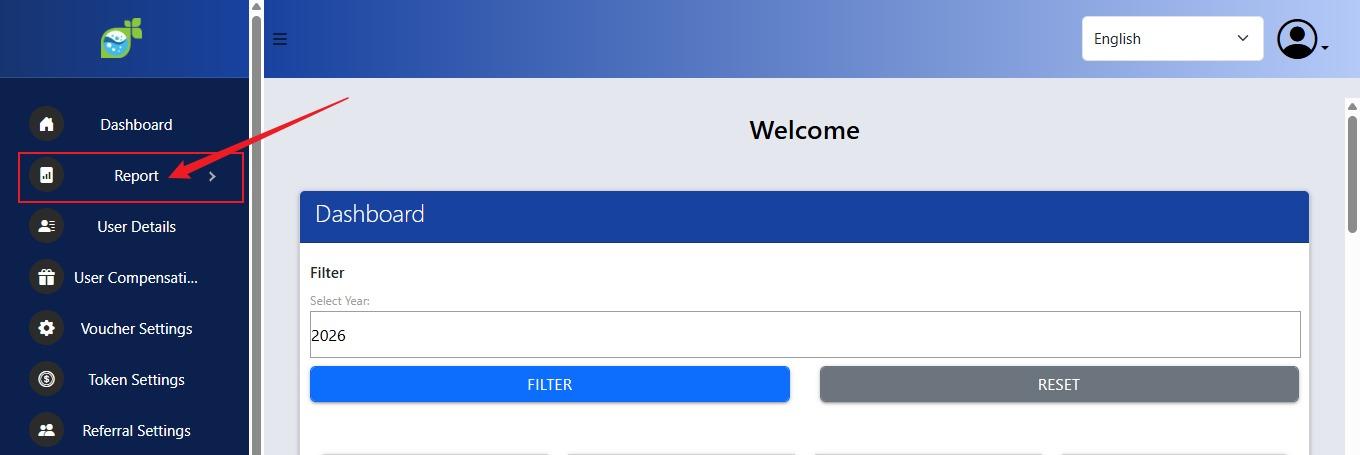
ClickSMSReporttosection.
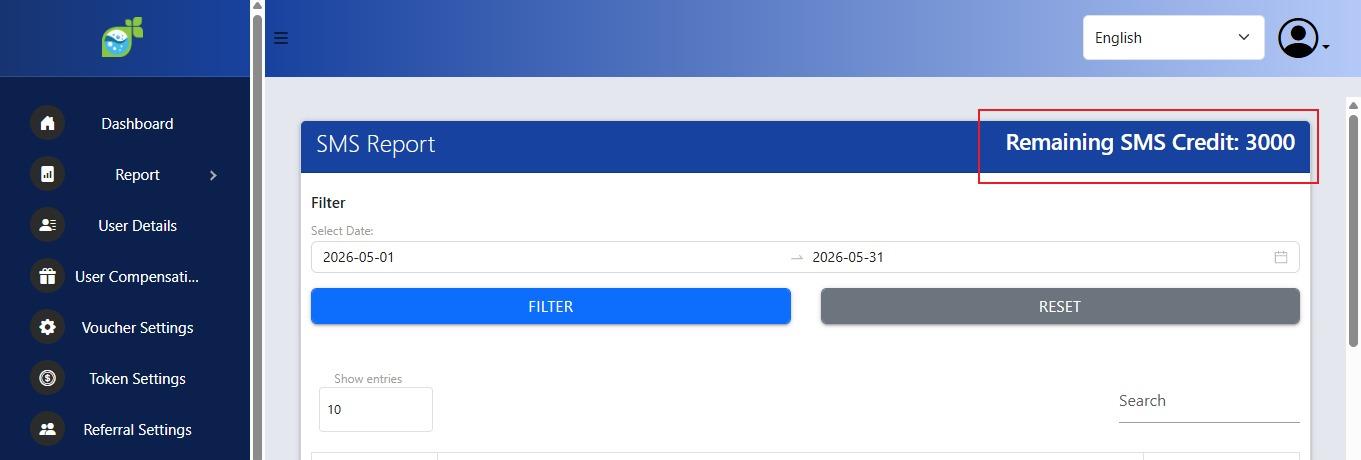
What you should see
For example, "589 left of 638" means that you have 589 credits left. The total is 638 credits.
💡The bar and the labels below the text show more details:
The Email section works in the same way. One email also uses one credit.
Next
💳step
If 4:you Checkhave Remainingno SMS Creditcredit,
Ontop up the SMSReportcredit.page, locateIn theremainingSMSSMSsection,creditclickbalance.Check the available credit.Review the SMS activity records if you need to check temporary-password requests.
⚠️ Step 5: Request a Top-up
IfCredits. theLaundro SMS credit is running low:
Notify the developer team or your SMS supplier.Request a top-up.Check the available balance again afteropens the top-uphas been processed.
⚠️ Important: Do not wait untilFor the steps to pay, read How To Top-up SMS Credit.
Terms used in this page
📋 Quick Reference
|
|
|---|---|
|
|
|
|
|
|
|
|
✅ Final Checklist
🔐 Logged in to the correct Loyalty Admin account.📩 Opened SMS Report.💳 Checked the remaining SMS credit.⚠️ Contacted the relevant team if a top-up is needed.
🎉 You're Done!
You now know how to monitor SMS activity and check the remaining SMS credit.
If you cannot locate