
📩 How to Check SMS Credit
1. GoWelcome to the Laundro FAQ! 👋
This guide explains how to check your remaining SMS credit and monitor SMS activity through the Loyalty Admin portal.
🎯 Purpose
Use the SMS Report to:
- 📩 Monitor SMS requests, including temporary-password requests.
- 💳 Check the remaining SMS credit balance.
- ⚠️ Identify when a top-up may be needed.
🧭 Quick Navigation
- 🔐 Step 1: Log In to Laundro Portal
- 🔐 Step 2: Click Loyalty Admin
- 📩 Step 3: Open SMS Report
- 💳 Step 4: Check Remaining SMS Credit
- ⚠️ Step 5: Request a Top-up
- ✅ Final Checklist: Verify Your SMS Credit
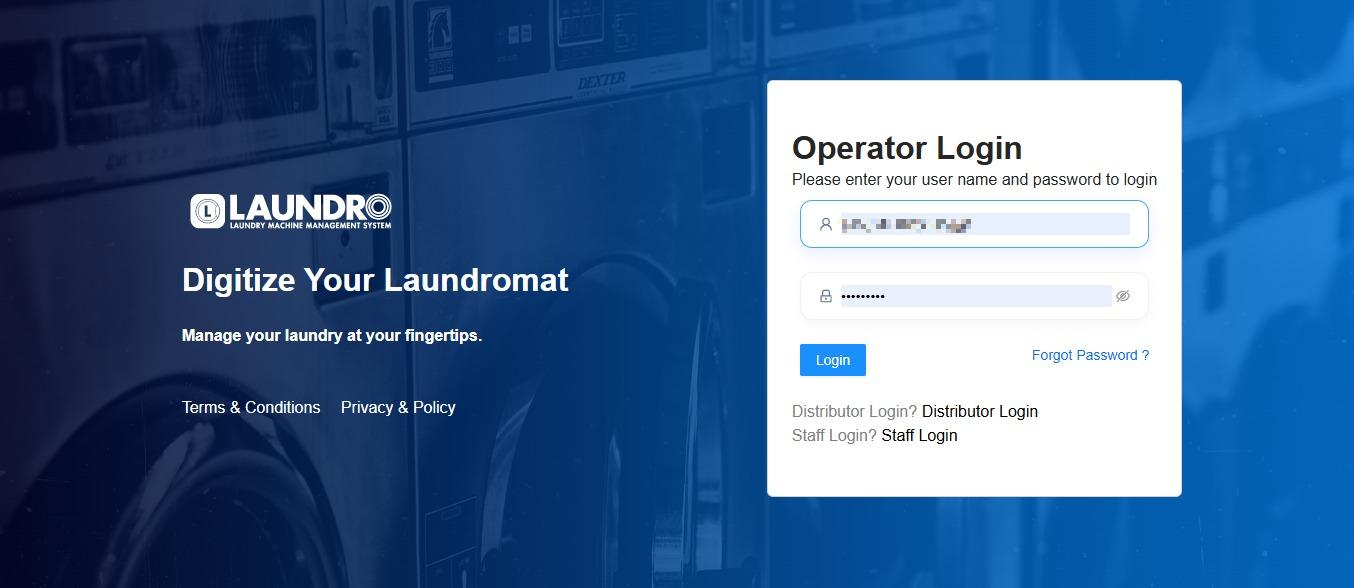
🔐 Step 1 — Log In to Laundro Portal
Open the Operator Login, thenpage and enter theyour username and passwordpassword. https://v2.thelaundro.com/operator_login
Click Log In andto logaccess in.the portal.
2.
🔐
Step 2: Click In to Loyalty Admin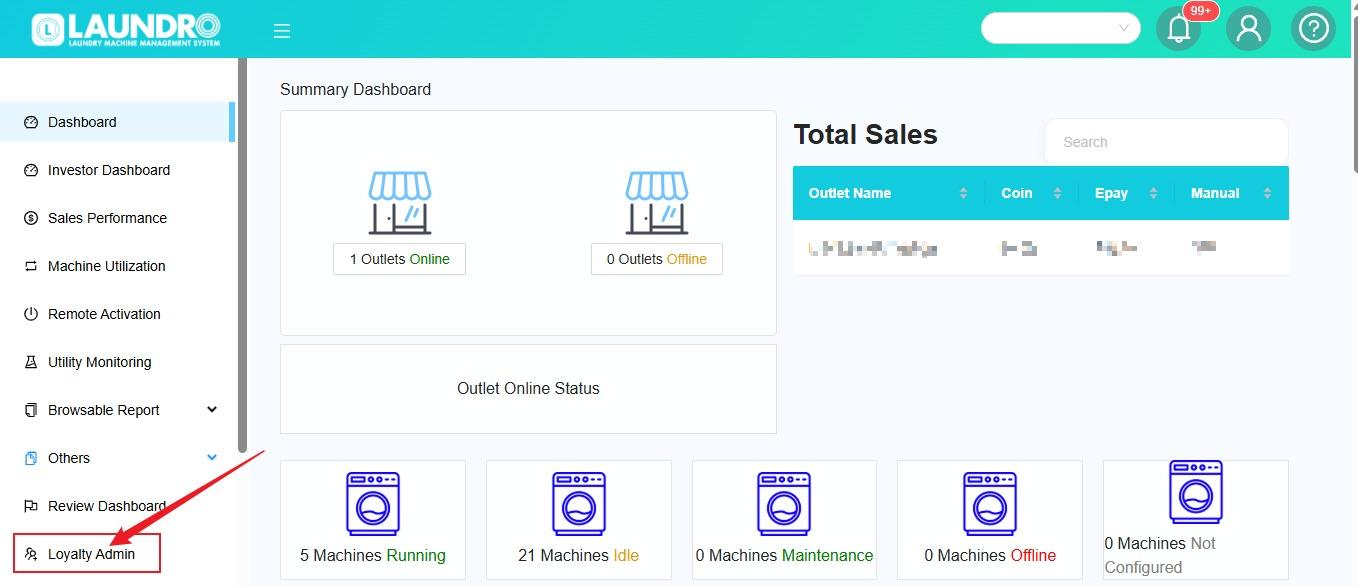
📩 Step 3: Open SMS Report
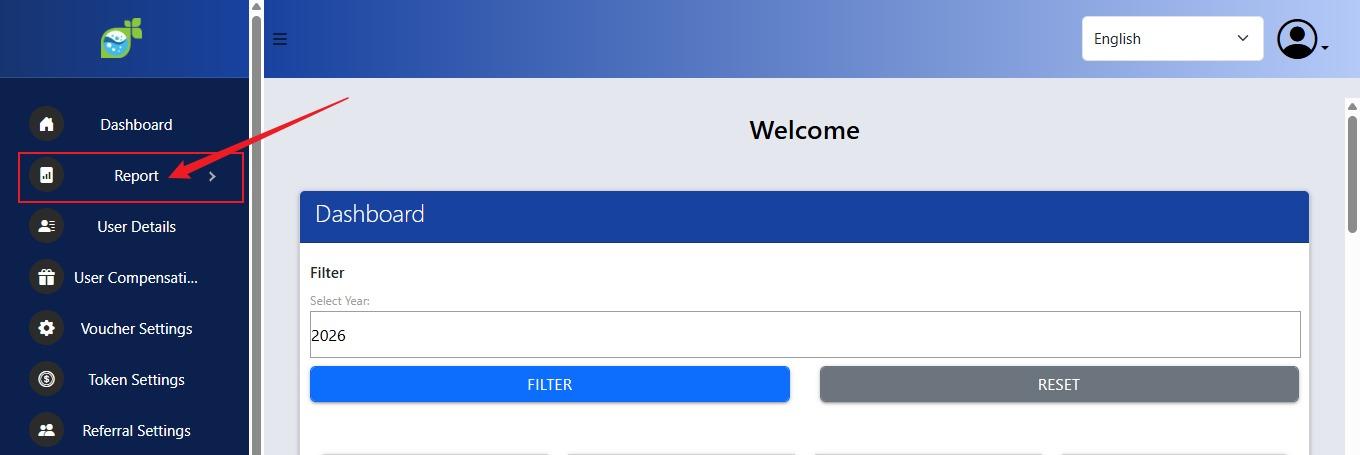
- Find Report in the navigation menu.
- Click on Report.
8.
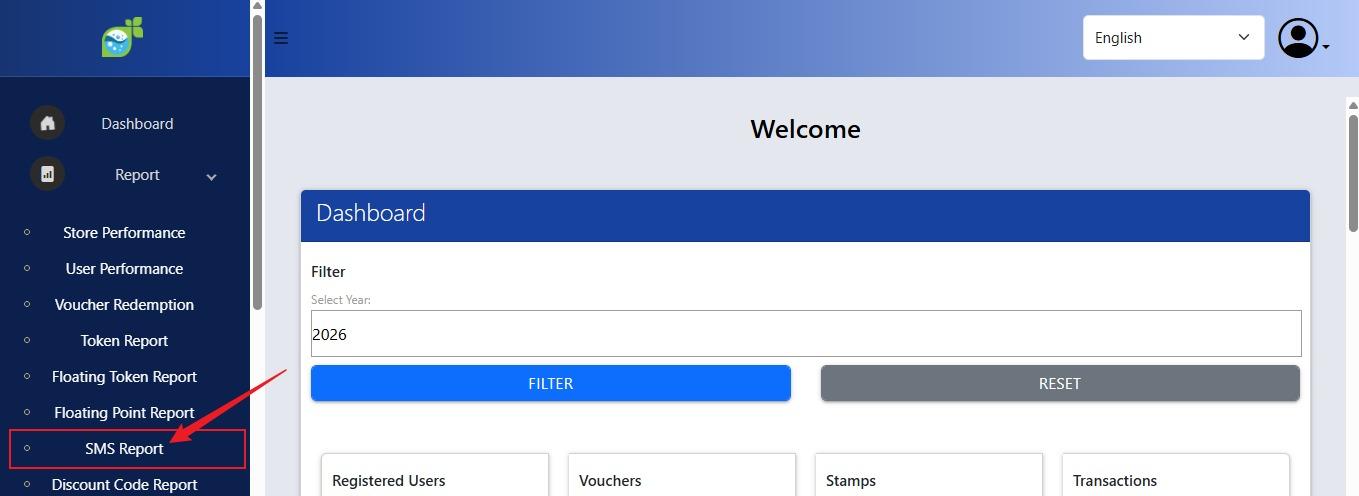
- Click
onSMSReport.Report to open the report page.
💡 Quick Tip: Make sure you are accessing the correct Loyalty Admin account.
9.
💳
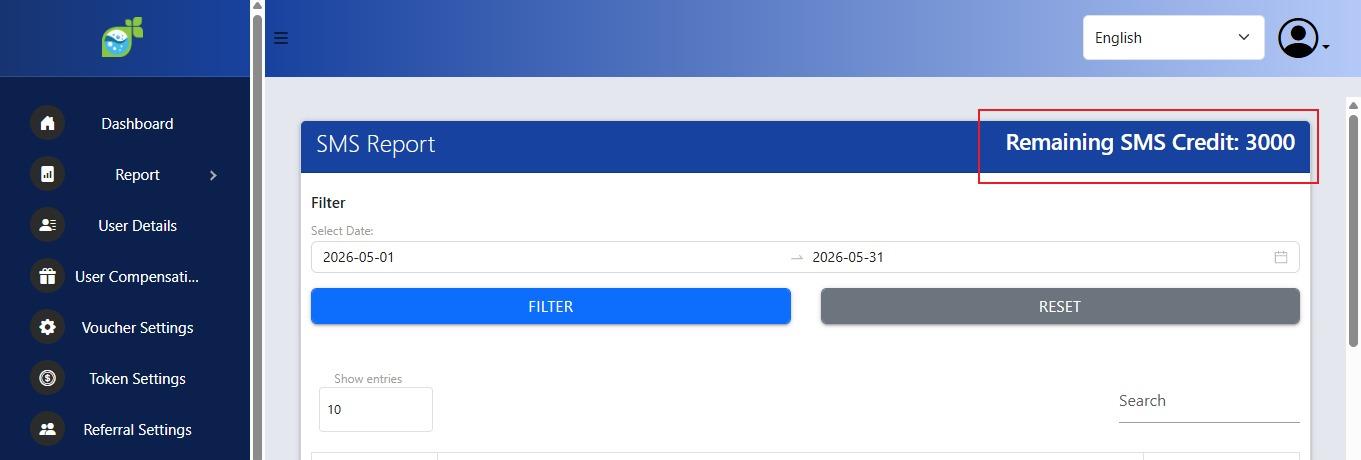
Step 4: Check Remaining SMS Credit- On the SMS Report page, locate the remaining SMS credit balance.
- Check the available credit.
- Review the SMS activity records if you need to check temporary-password requests.
⚠️ Step 5: Request a Top-up
If the SMS credit is running low:
- Notify the developer team or your SMS supplier.
- Request a top-up.
- Check the available balance again after the top-up has been processed.
⚠️ Important: Do not wait until the SMS credit reaches zero, as this may affect SMS-related functions.
📋 Quick Reference
| Task | Action |
|---|---|
📩 View SMS activity | Open SMS Report |
💳 Check available credit | Review the remaining SMS balance |
⚠️ Credit is low | Contact the developer team or SMS supplier |
✅ After top-up | Verify the updated balance |
✅ Final Checklist
- 🔐 Logged in to the correct Loyalty Admin account.
- 📩 Opened SMS Report.
- 💳 Checked the remaining SMS credit.
- ⚠️ Contacted the relevant team if a top-up is needed.
🎉 You're Done!
You now know how to monitor SMS activity and check the remaining SMS credit.
If you cannot locate the balance or encounter an issue, contact the developer team and provide a screenshot of the SMS Report page.