
How to Cancel Voucher / Remove Credit or Stamp
A) How To Chancel Voucher
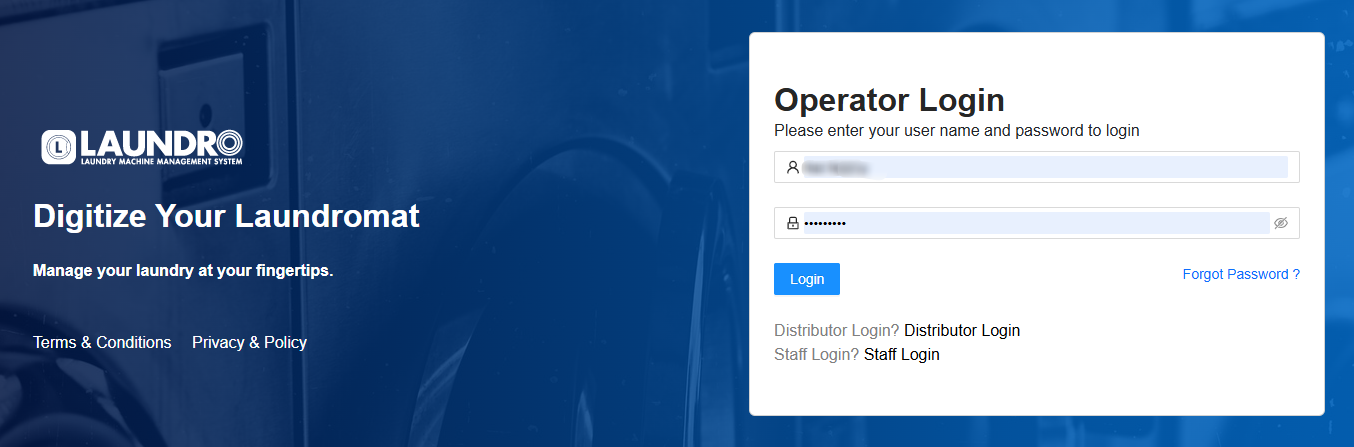
1) Log in to your Laundro Operator account.
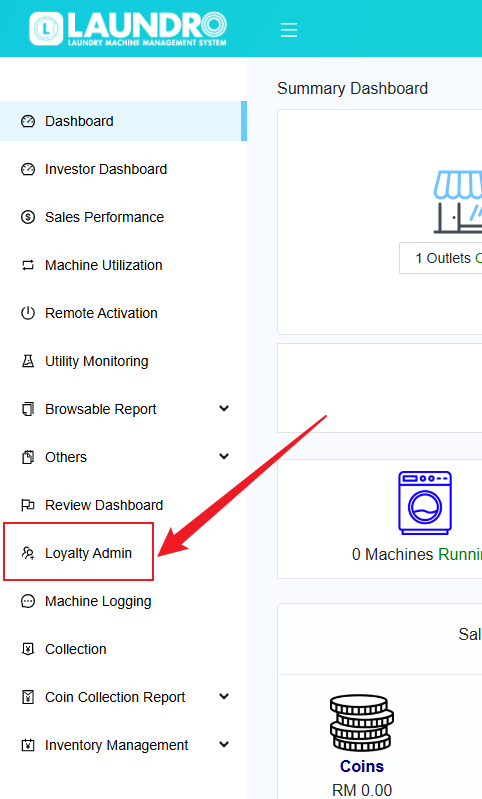
2) On the page, click on "Loyalty Admin" in the left-hand column.
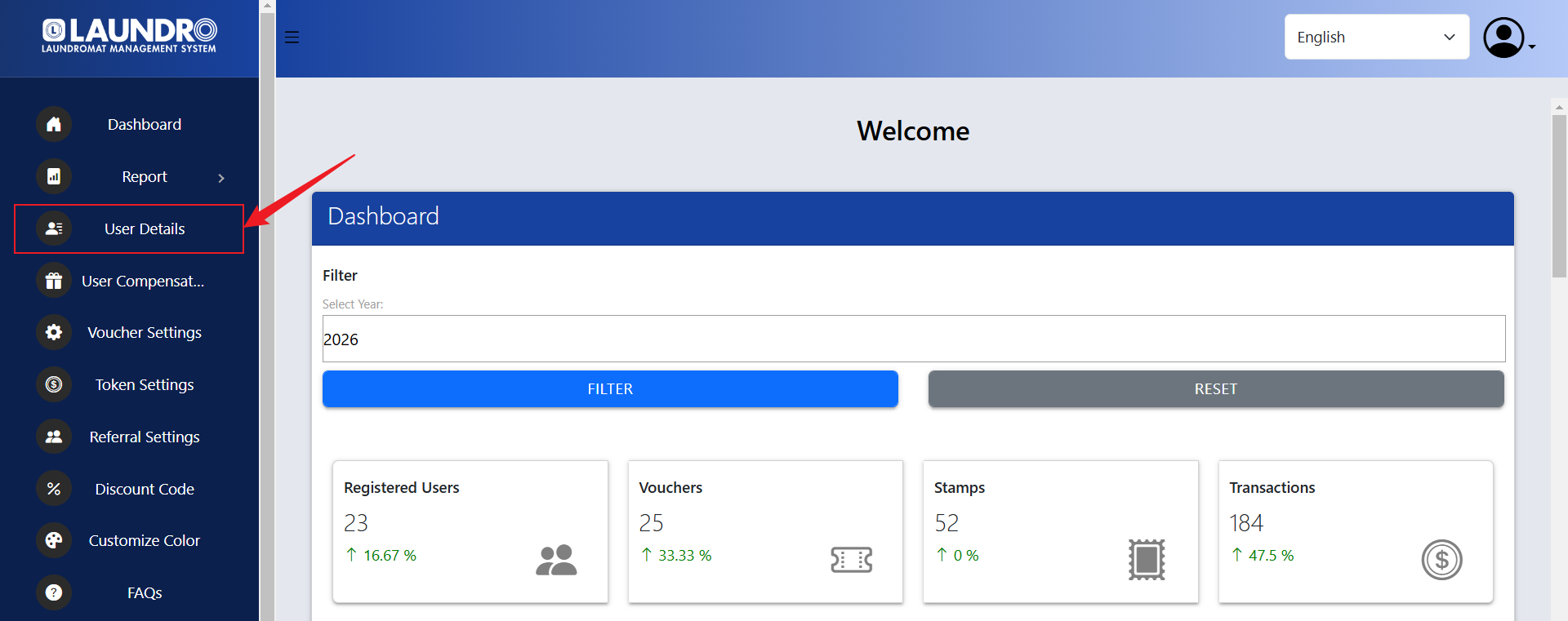
3) On the Loyalty Admin page, click on "User Details".
4) Under "User Details", you can search for a user using their Phone Number, Member ID, or Email Address.

5) Under "Member Details Report", click on "REPORT".

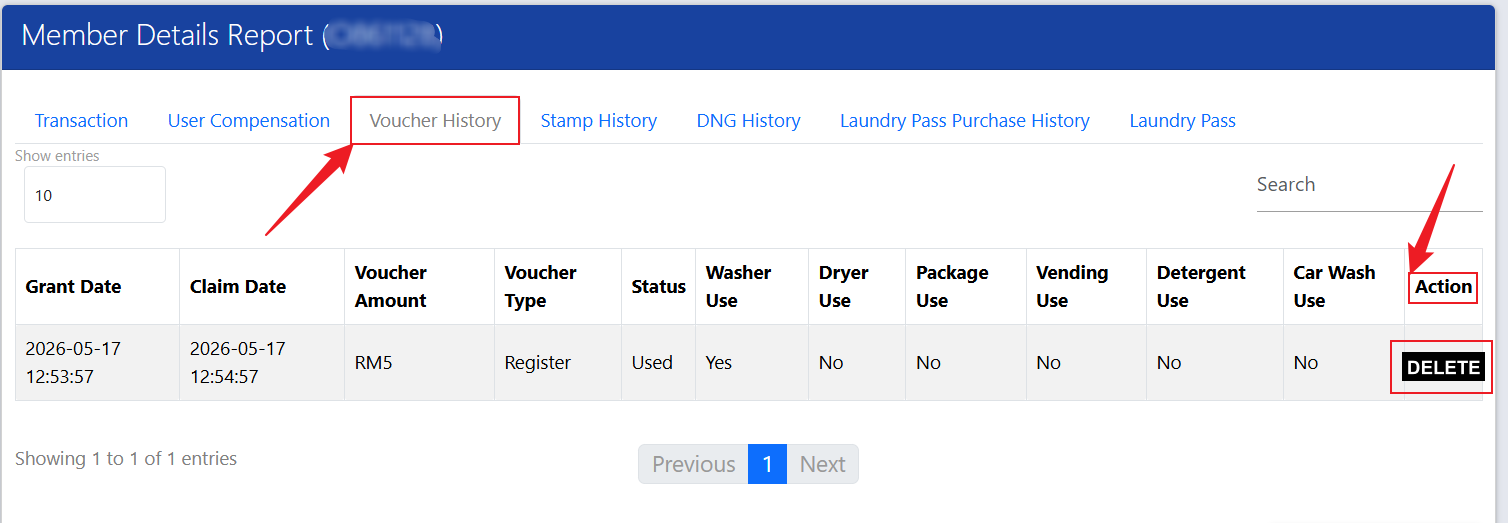
6) Click on "Voucher History". Under the "Action" column, click the Delete icon to remove the voucher.
B) Remove Credit Or Stamp
1) Log in to your Laundro Operator account.
2) On the page, click on "Loyalty Admin" in the left-hand column.
3) On the Loyalty Admin page, click on "User Details".
4) Under "User Details", you can search for a user using their Phone Number, Member ID, or Email Address.
5) Under the "Action" column, click on "REWARD".
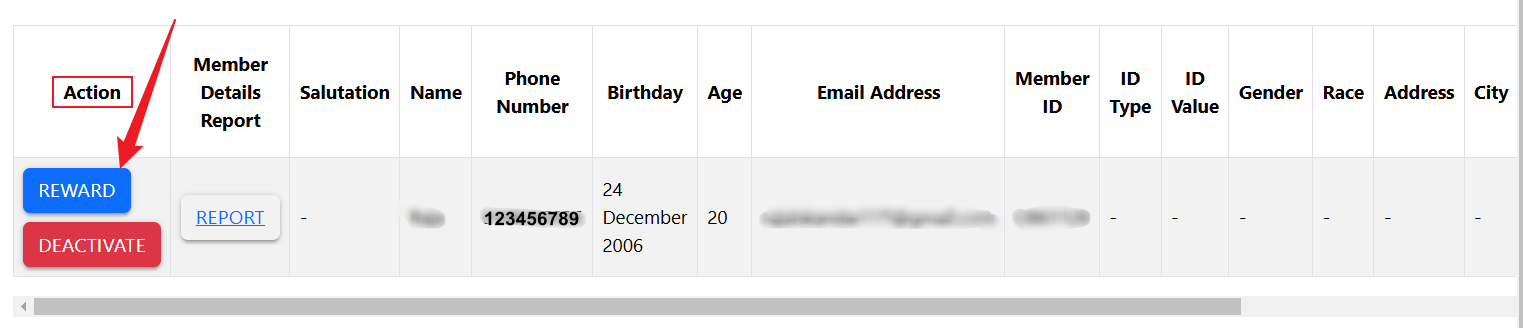
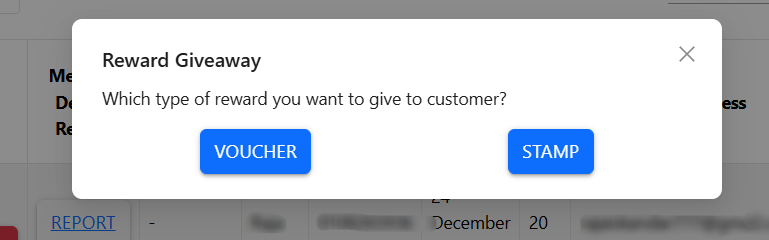
6) Click on prefer reward VOUCHER or STAMP.
7) To remove credit, enter a negative (-) sign before the amount shown, then click "OK".
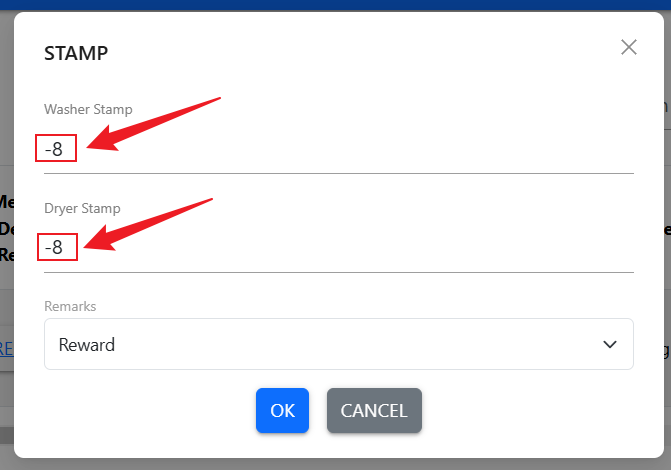
8) Once the process is completed, the credit will be removed.