
Activation Outlet
🏪 How Toto Activate an Outlet
Welcome to the Laundro Portal Guide!
👋Follow these steps to activate a new outlet or add billing for additional machines to an existing outlet.
💡 Before you start: Make sure all Washer and Dryer devices have been configured before activating the outlet. Pricing can be configured separately.
🔐 Step 1 — Access My Outlets
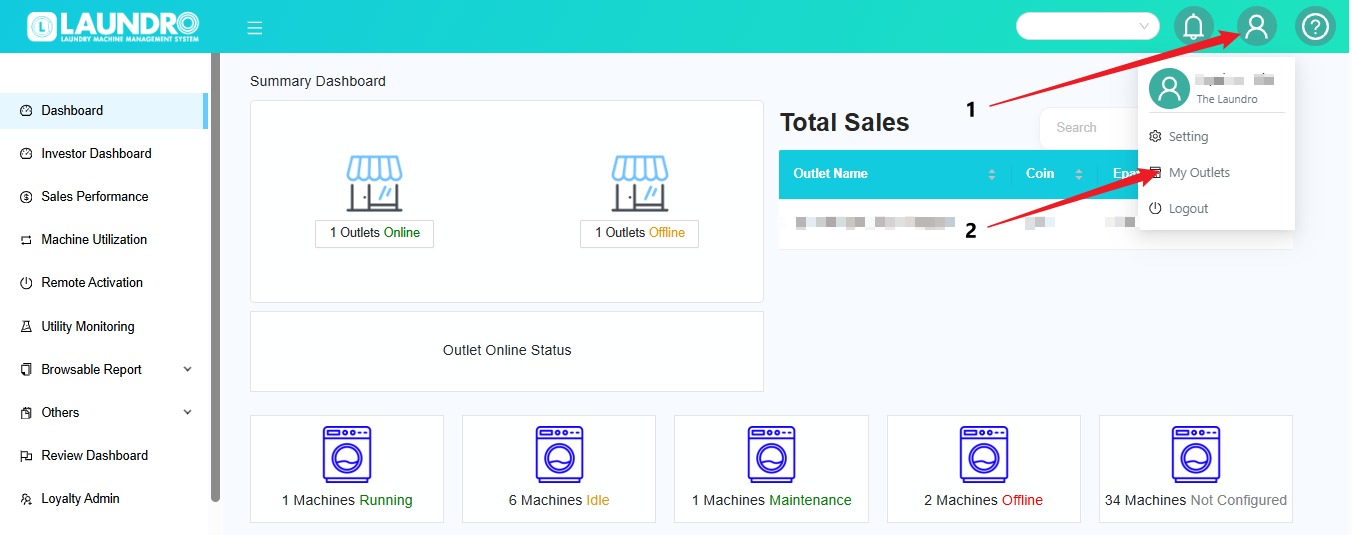
- Log
in to the Laundro Portal.
Select My Outlets from the dropdown menu.
The system will open the My Outlets page where you can view your outlets.
💡 Tip: Make sure you select the correct outlet before proceeding.
🧾
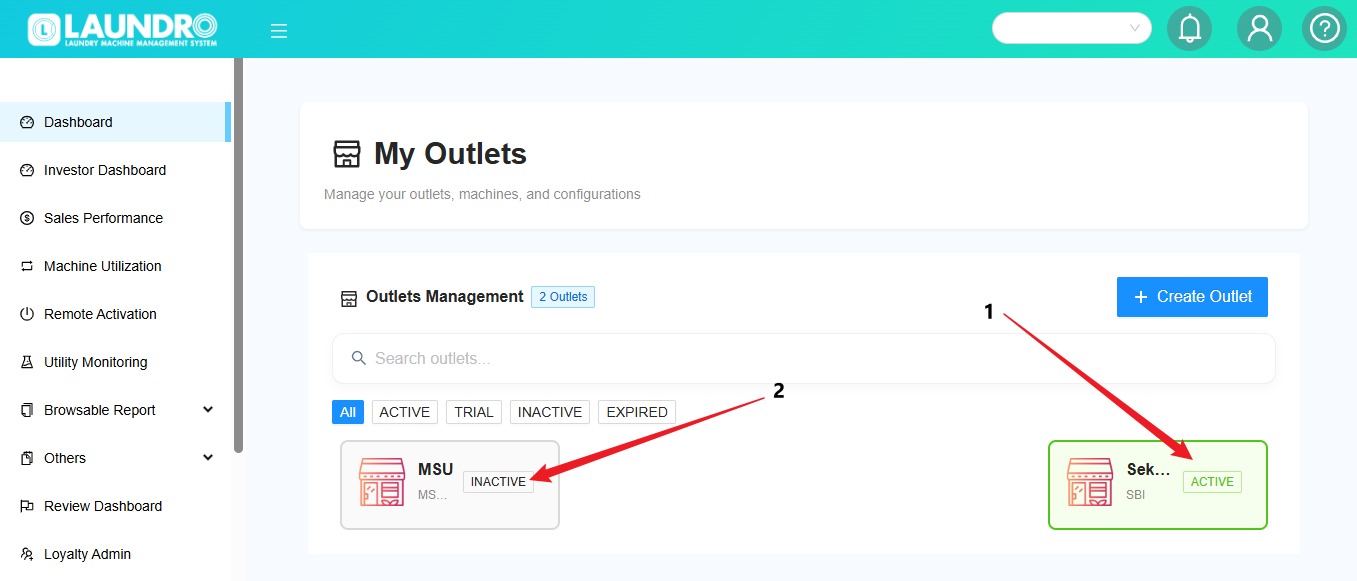
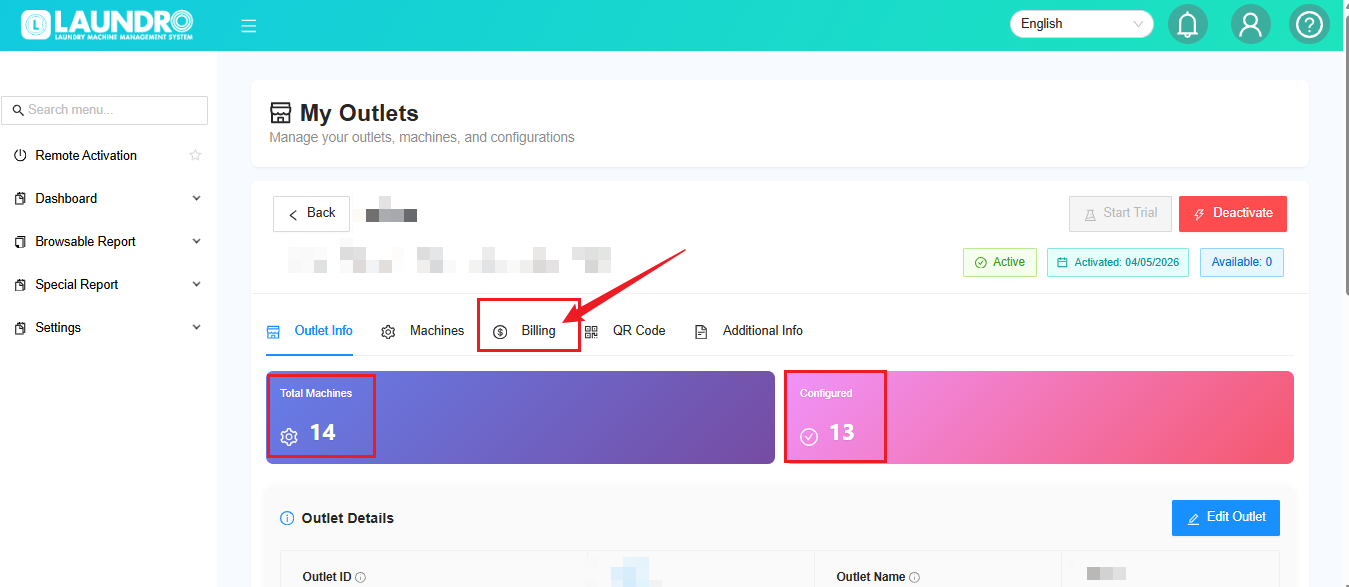
Step 2 — Check Your Outlet StatusOn the ActivatedMy Outlets page, check the status of your outlet.
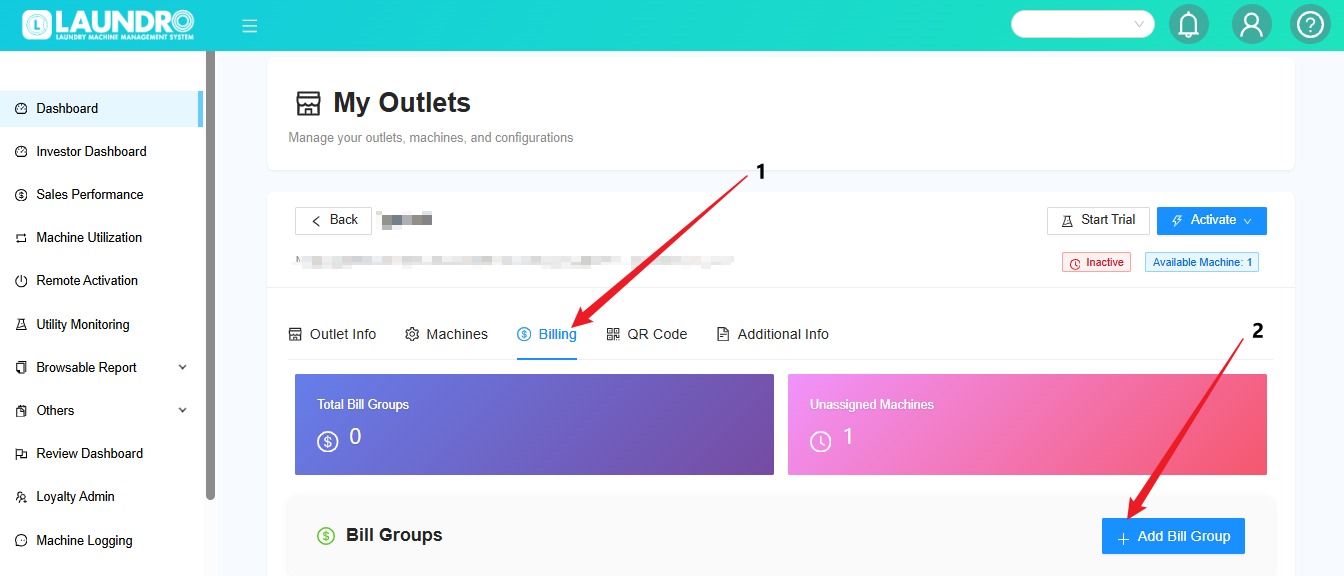
💳
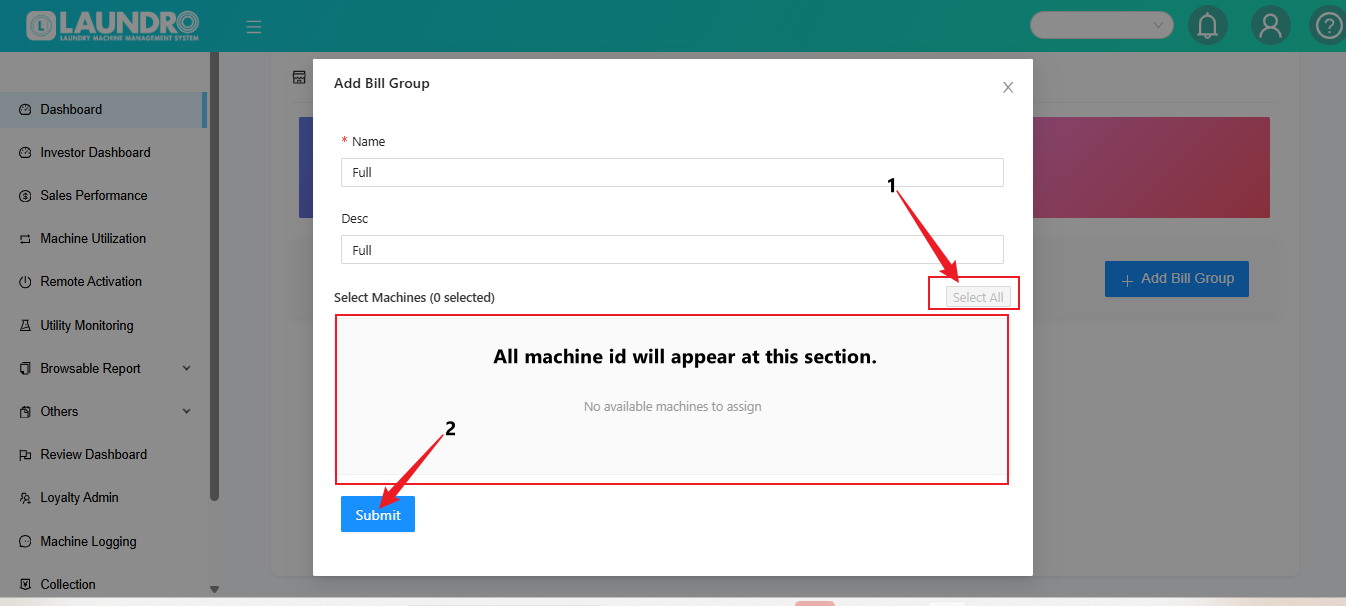
📝 Select the Machines
💡 Quick Tip: Check that all the intended machines are selected before clicking Submit.
✅ Step 4 — Activate the Outlet
Once the billing setup is complete:
🎉 Your outlet activation process is complete once the system confirms the activation.
⚠️ Important Reminder : Please ensure that all Washer and Dryer devices are configured before activating the outlet.
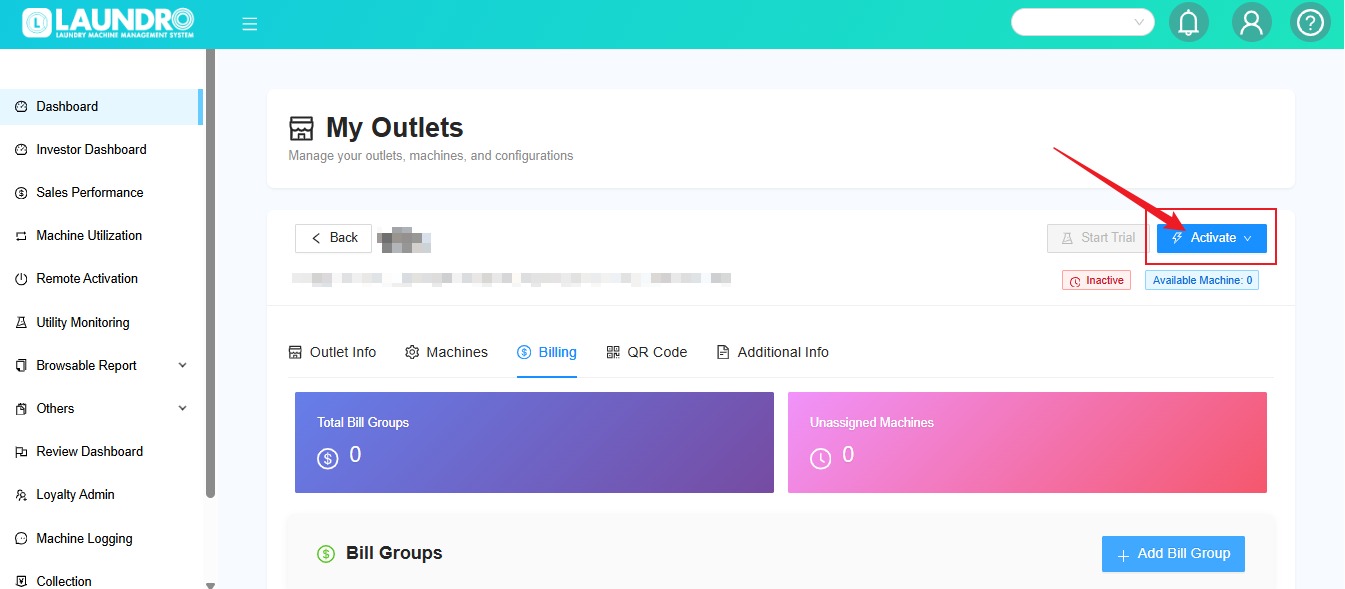
Quality Note: Please make sure you have configured all devices for the washers and dryers before activating the outlet.
For
➕ Step 5 — Add Billing for an Existing Outlet
Already Add-onhave Machinean :active outlet but want to add more machines? Follow these steps!
💡 Quick Tip: Make sure you select the newly added machines rather than billing the existing machines again.
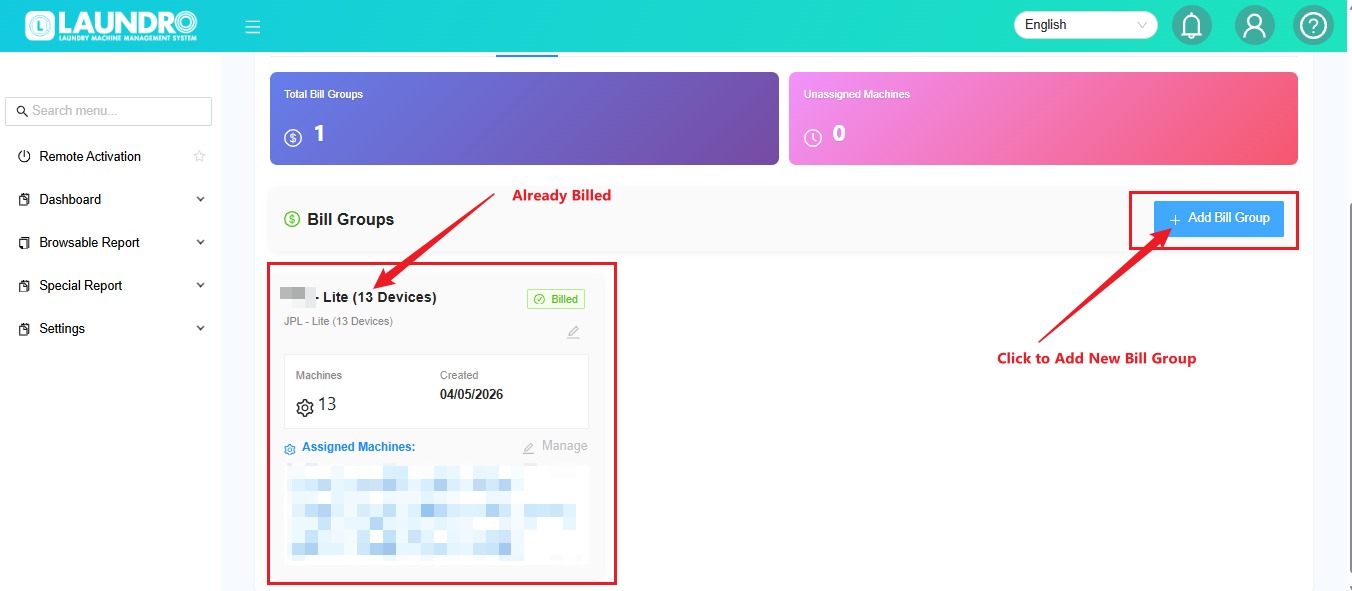
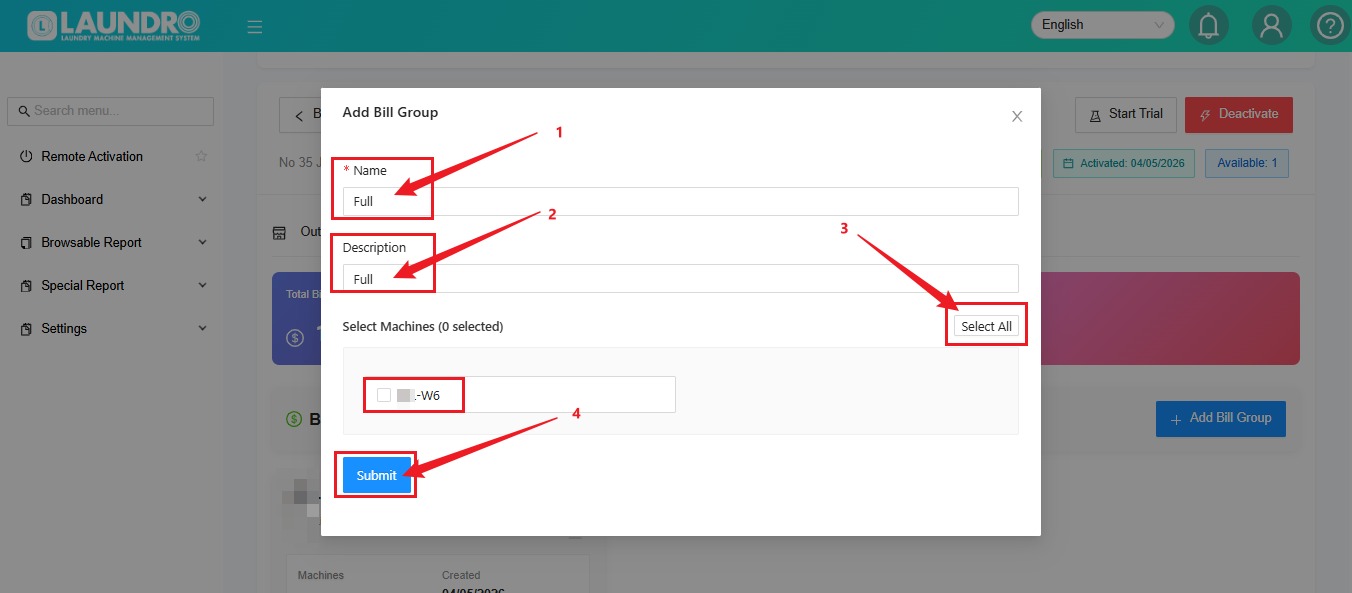
💡 Quick Tip: Make sure you select the newly added machines rather than billing the existing machines again.
🎉 You're All Set!
Before finishing, use this checklist:
Correct outlet selected
All Washer and Dryer devices configured
Required machines selected for billing
Billing setup completed
Outlet activated, if applicable
Need help? Contact the Laundro support team if you encounter any issues during activation.