
Einvoice Report v2
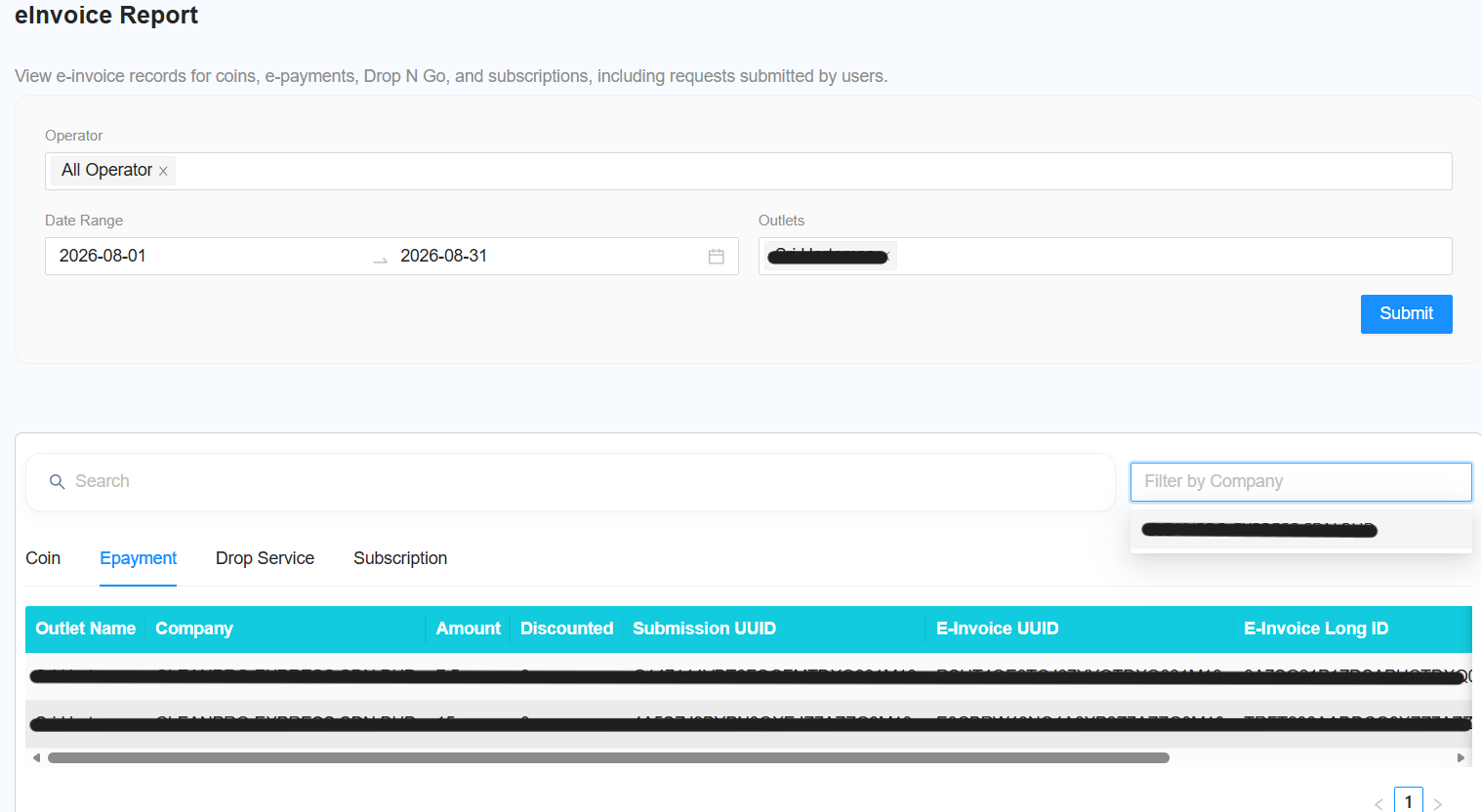
Filter Function
The following filters are available for generating the report:
-
Select Operator
- Select the required operator.
-
Select Date Range
- Select a date range within the previous months.
-
Select Outlet
- Select the required outlet.
-
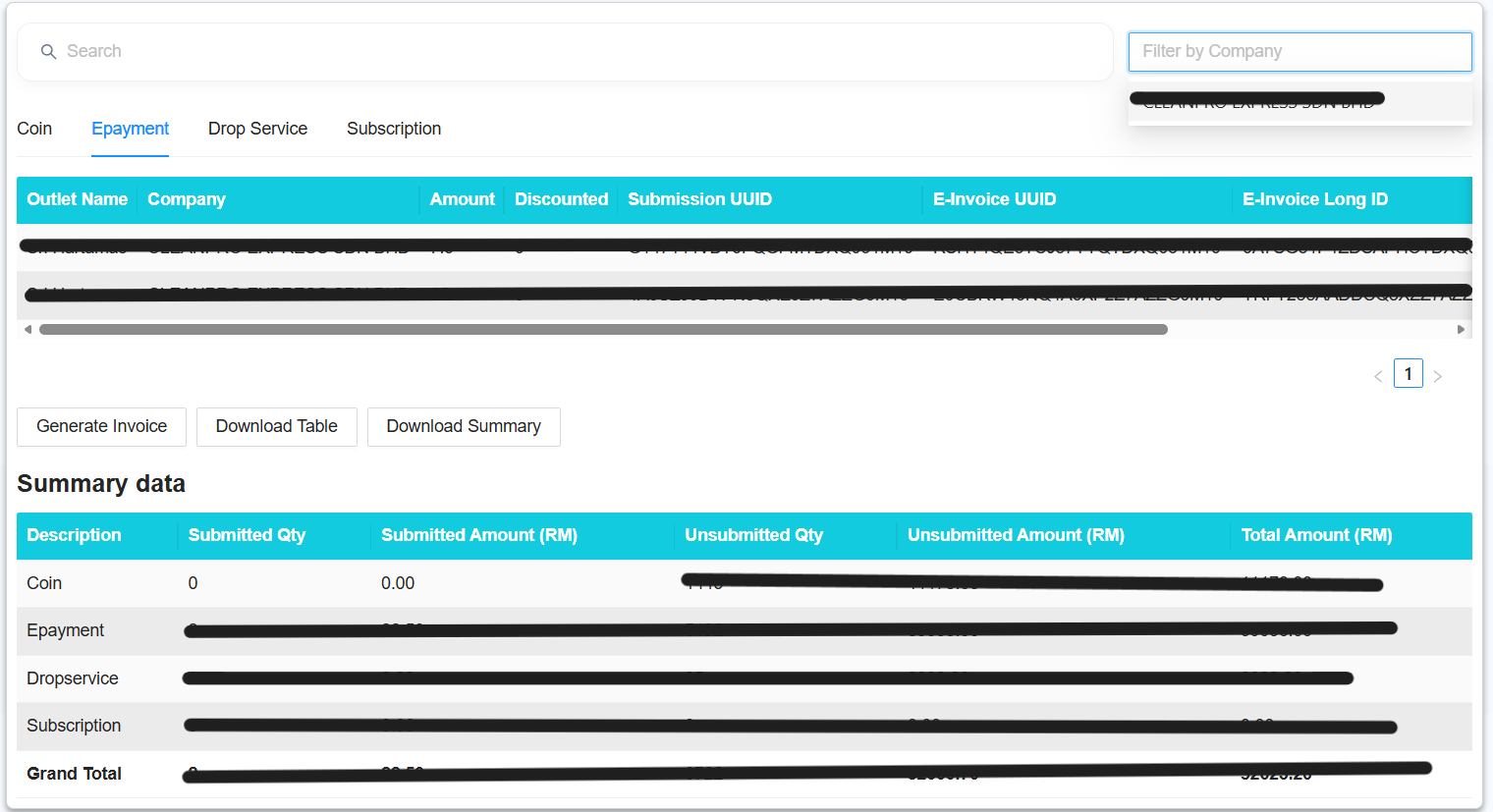
[NEW] Filter by Company
- Select the required company to filter the report by company.
-
Submit
- Click Submit to generate the report based on the selected filters.
Report
The report will include the following new features:
-
[NEW] Total Amount
- Display the total amount based on the selected filters.
-
[NEW] Download Report
- Allow the generated report to be downloaded for further use.