
Coin Collection V2

New Coin Collection
1. Start Collection
To start a collection, the user must select an Operator and Outlet using the primary filter at the top of the page.
The user can then select one of the following actions:
-
Start Collection
- Follows the same collection flow as the current Coin Collection process.
-
Stock Adjustment
- Allows the user to update the Utilities and Chemical stock and costing for the selected outlet.
2. Coin Collection Filter
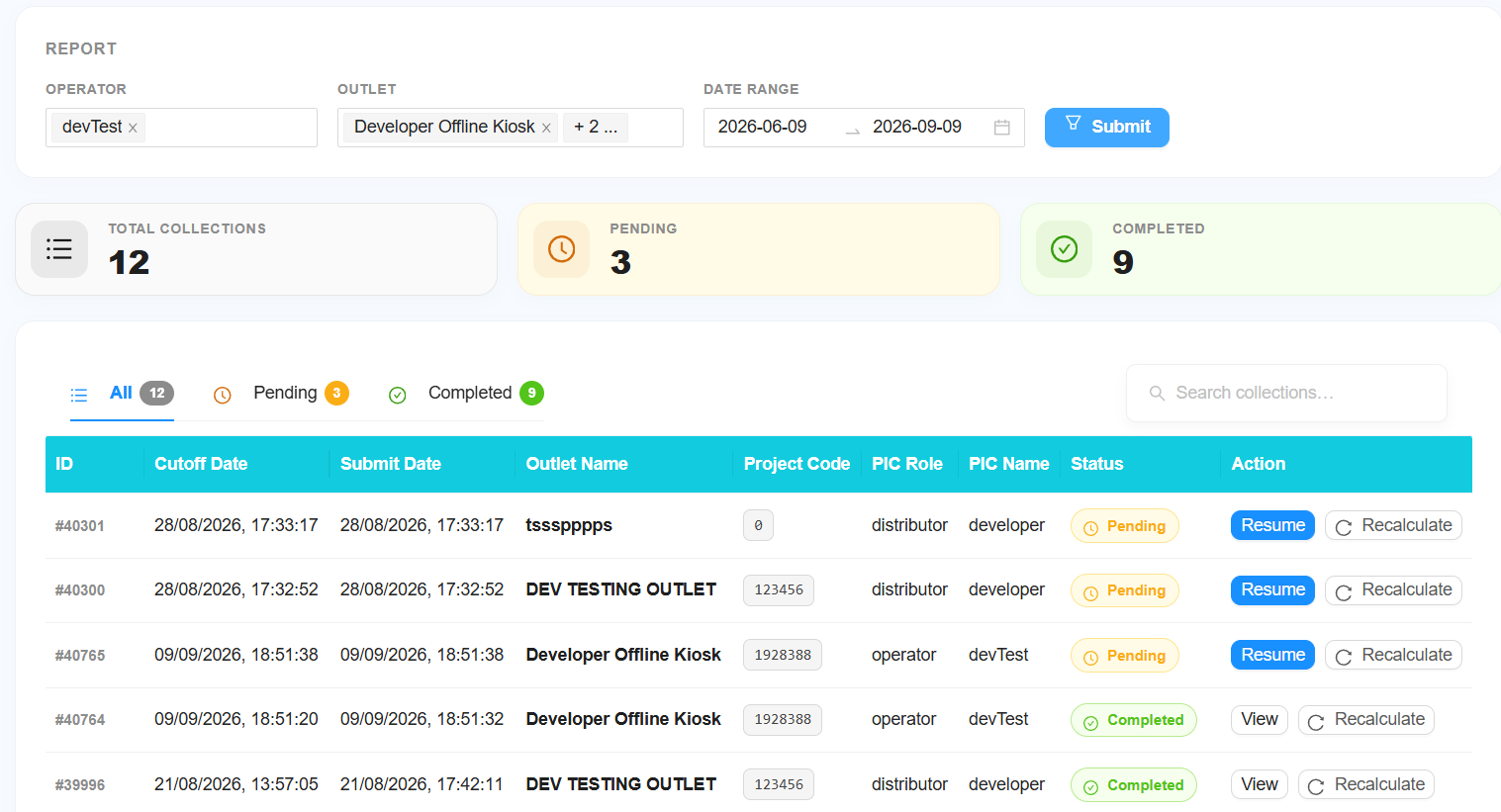
The second filter is used to search and view existing coin collections.
The following filters are available:
-
Select Operator
- For Staff and Distributor levels, select the required operator.
- Leave the filter unchanged to include All Operators.
-
Select Outlet
- Select the required outlet.
- Leave the filter unchanged to include All Outlets.
-
Select Date
- Select the required date or date range.
-
Submit
- Click Submit to retrieve the coin collection records.
Coin Collection Table
The table will display all information related to the coin collections.
The collection status can be viewed as:
- All
- Pending
- Completed
Users can perform the following actions:
- View — View a completed coin collection.
- Resume — Resume a coin collection that was stopped before completion.
- Auto Calculate Cutoff — Automatically calculate the collection cutoff amount.
3. Coin Collection Sections
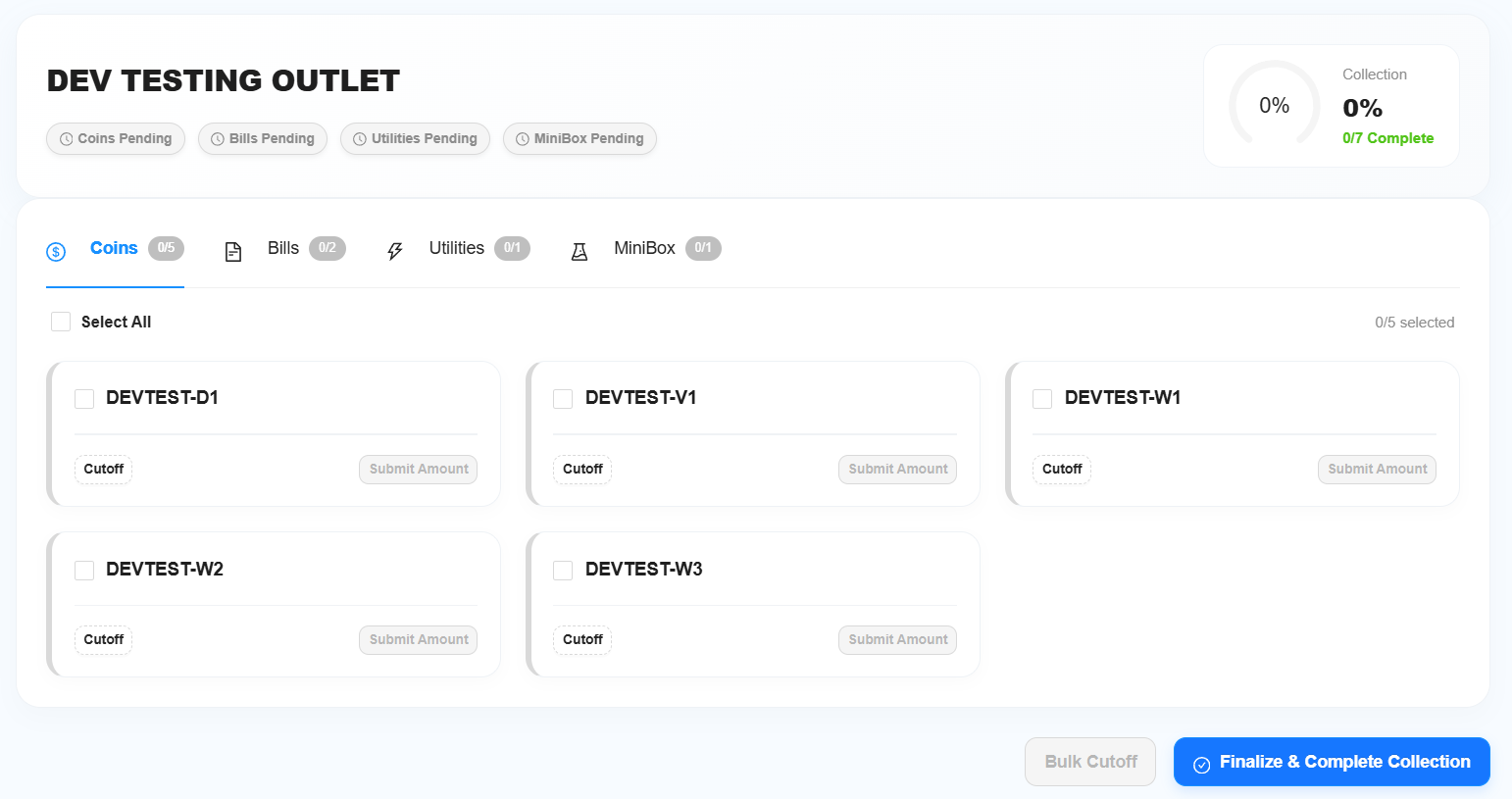
The Coin Collection page will be divided into four sections:
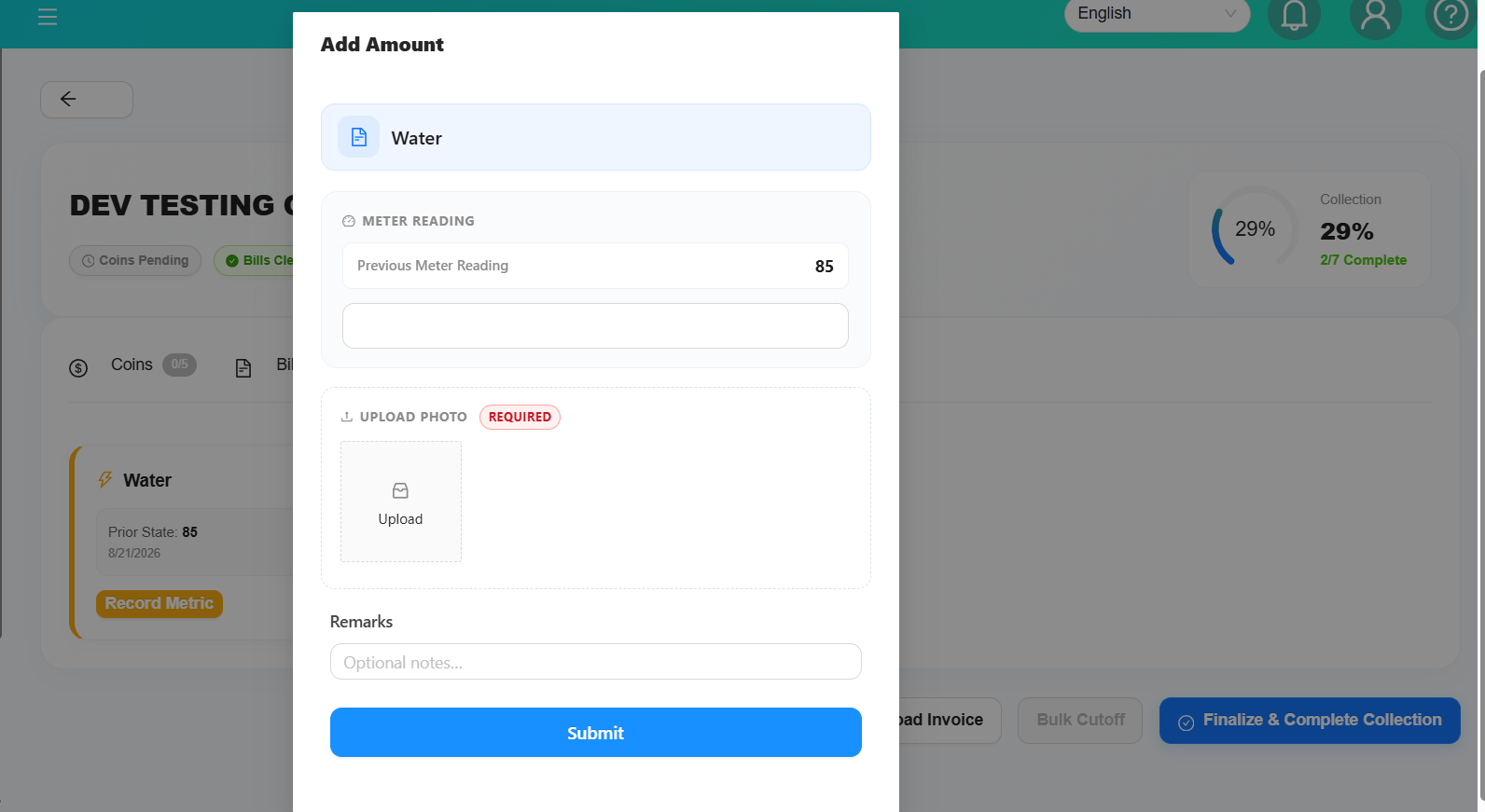
- Coin
- Bill
- Utilities — Used for costing.
- Chemical
4. Bill Collection
If the selected outlet contains bill collection data:
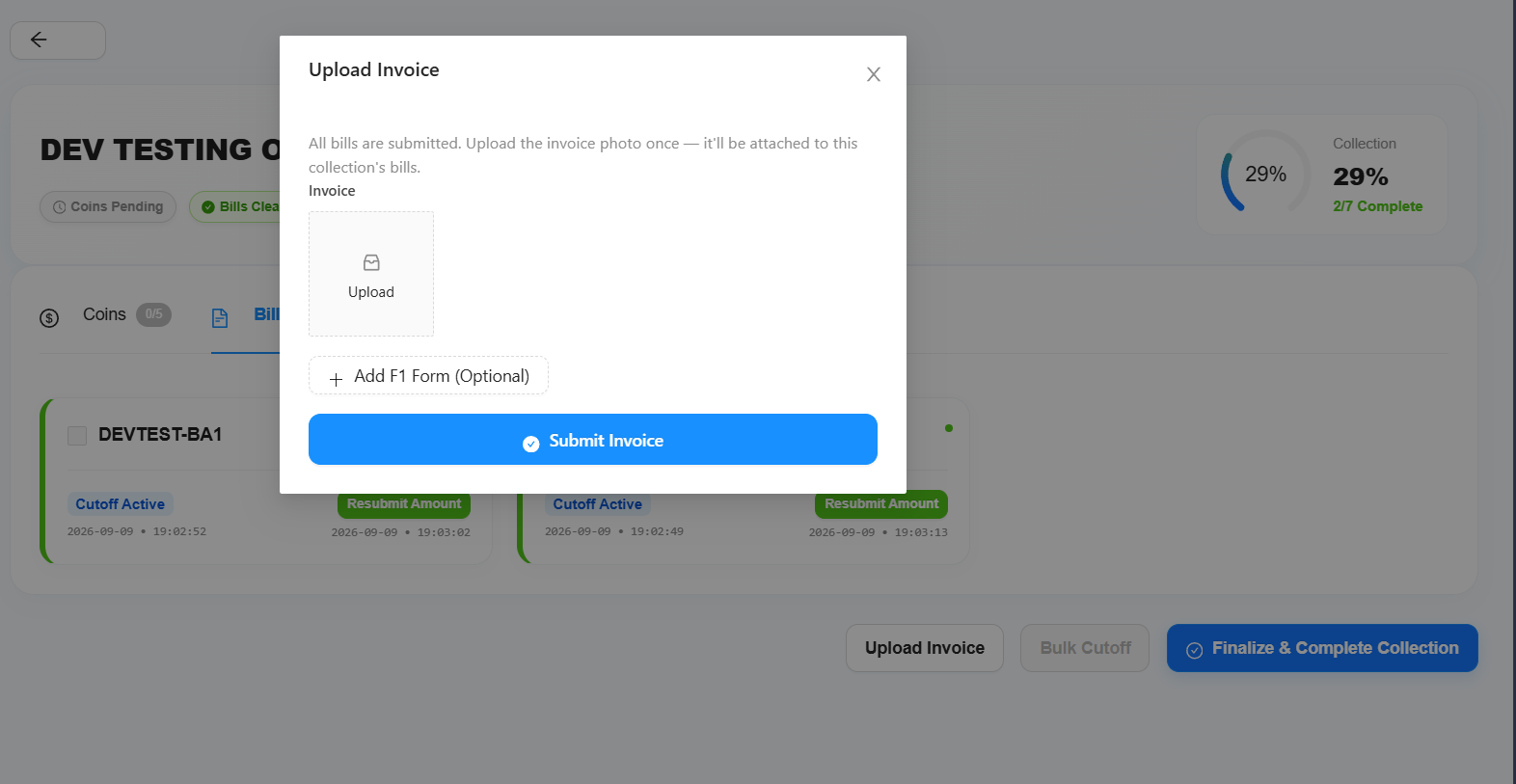
- Complete the Bill Cutoff.
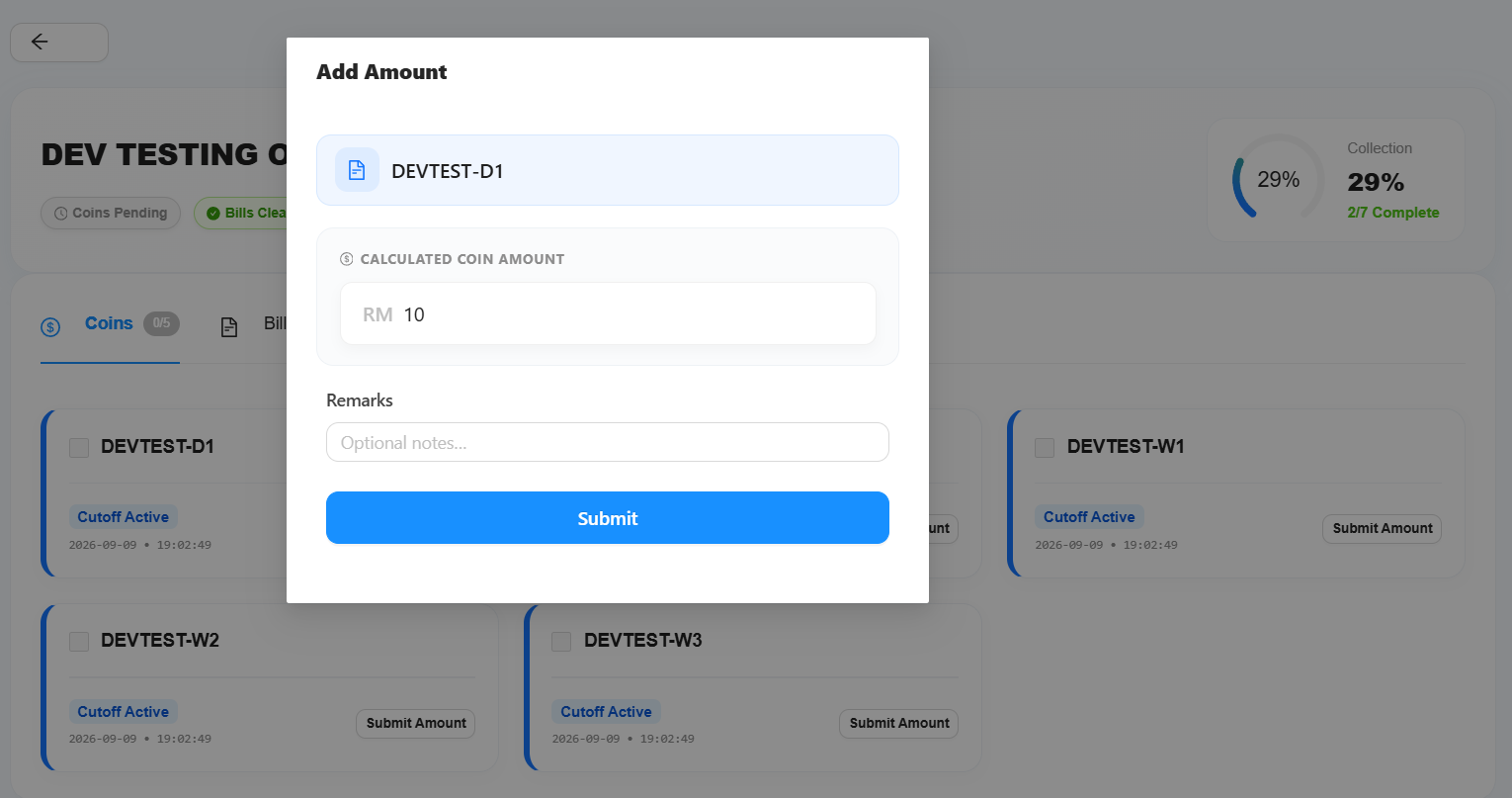
- Submit the collected amount.
- The Submit Invoice button will be available.
- Upload or submit the receipt/invoice provided by the bank or relevant payment provider.
Additionally:
5. Chemical / Minibox Balance
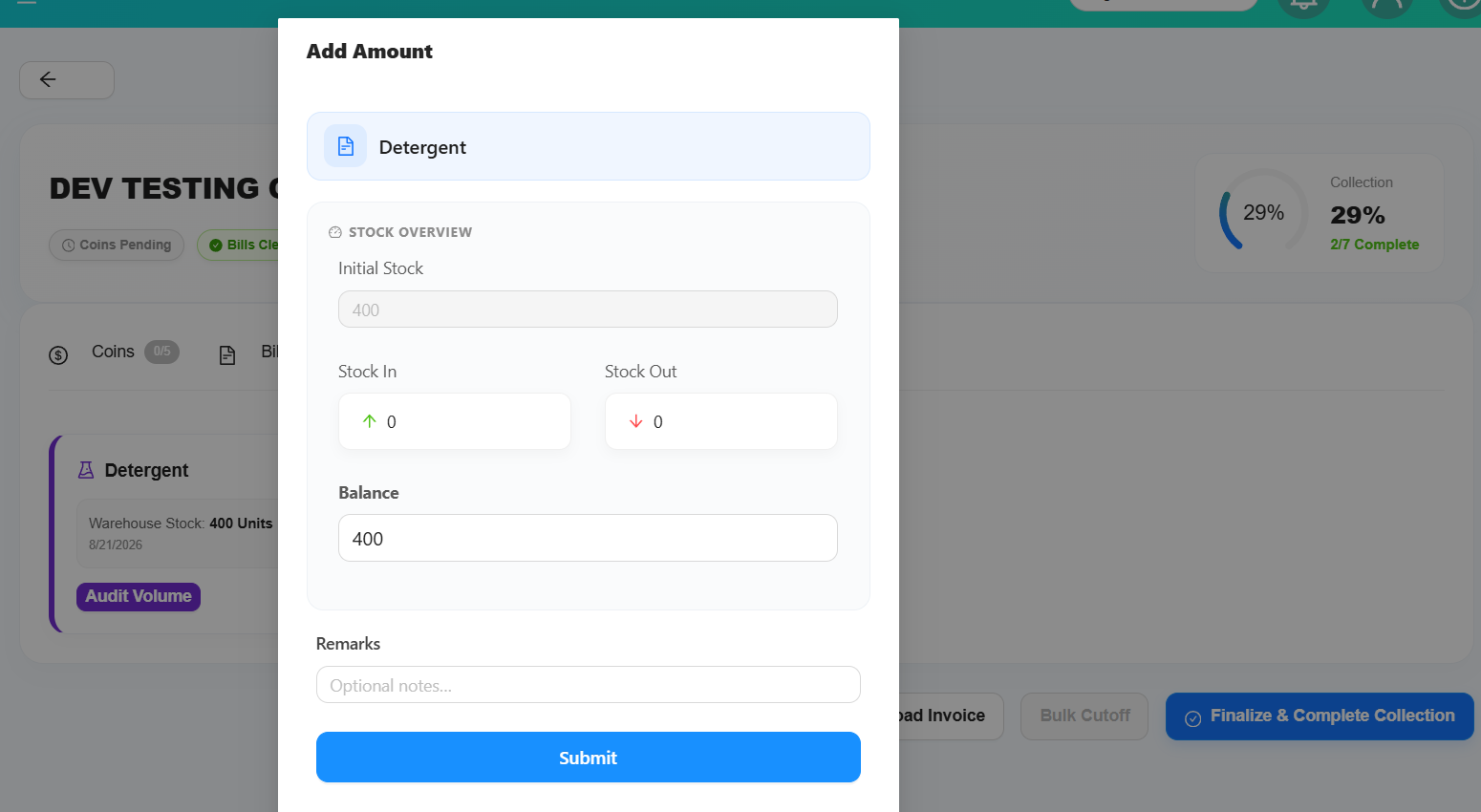
For Minibox/Chemical, a new Balance field will be available.
Users can update the balance directly. The system will automatically calculate and update:
- Stock In
- Stock Out
based on the updated balance.
6. Collection Completion Requirements
A coin collection can only be completed when the required collection items have been submitted.
Required
- All Coin collections must be submitted.
- All Bill collections must be submitted.
- If the outlet contains bill collection data, an Invoice is required.
Optional
- Utilities
- Minibox/Chemical
Utilities and Minibox/Chemical do not prevent the collection from being completed.
7. Stock Adjustment
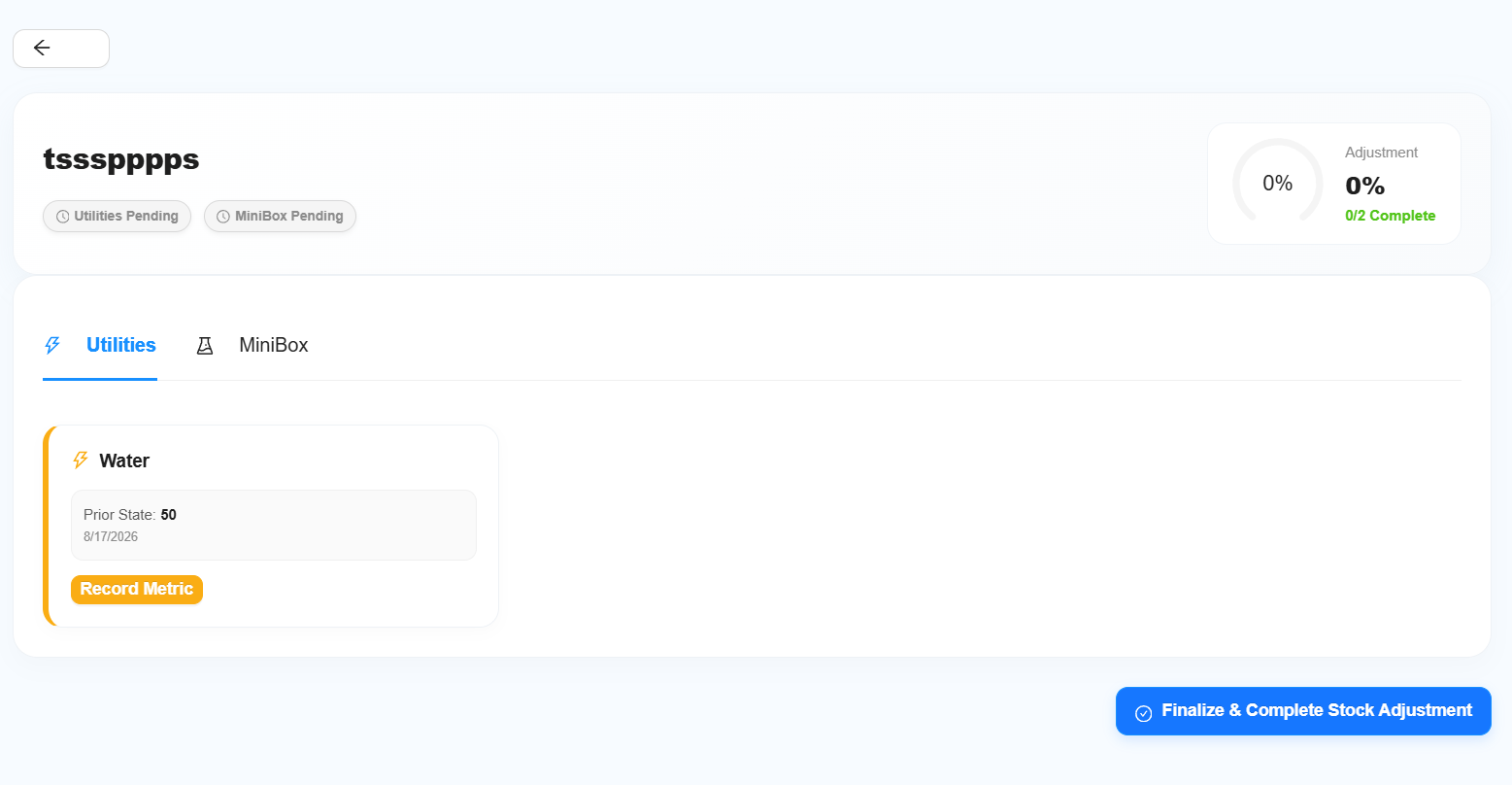
Stock Adjustment is separate from the normal collection flow.
Users can directly update:
- Utilities
- Minibox/Chemical
Stock Adjustment does not have any blocking requirements. The adjustment can be completed regardless of whether the Utilities or Minibox/Chemical information has been updated.