
Coin Collection by outlet v2
Filter Function
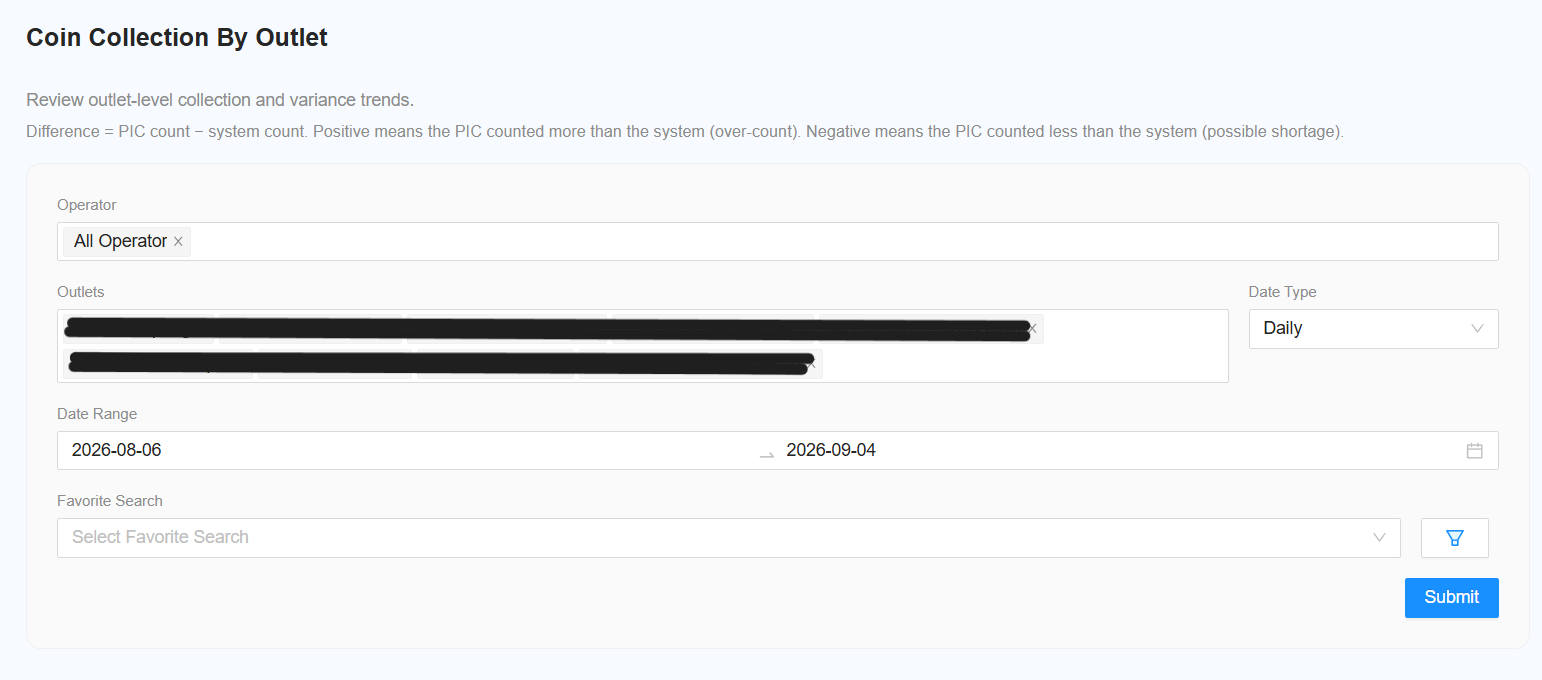
The following filters are available for generating the report:
-
Select Operator
- Select the required operator.
- Select All Operator to include all operators.
-
Select Outlet
- Select the required outlet.
- Select All Outlet to include all outlets.
-
Select Date Type
-
Select the date type:
- Daily
- Monthly
-
-
Select Date Range
- Select the required date range based on the selected date type.
-
[NEW] Select View Type (Optional)
-
Choose how the report should be displayed:
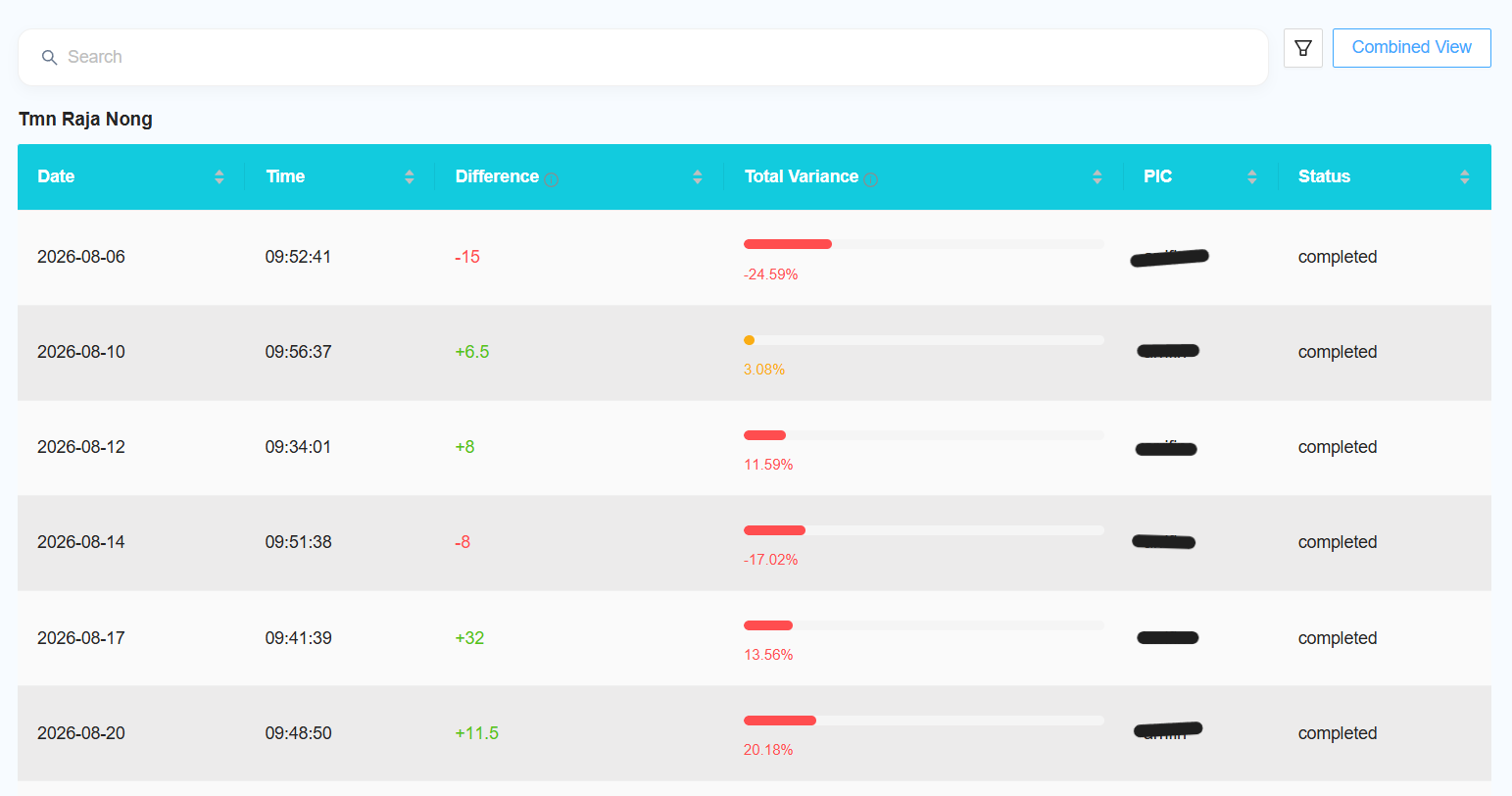
- By Outlet — display the report separately for each outlet.
- Combined View — combine the data from all selected outlets into a single report.
-
Reporting Changes
-
The following changes and improvements have been made to the report:
-
[NEW] Add Favourite
- Add the option to mark the report as a favourite.
- Favourite settings can be synced with the Collection report.
-
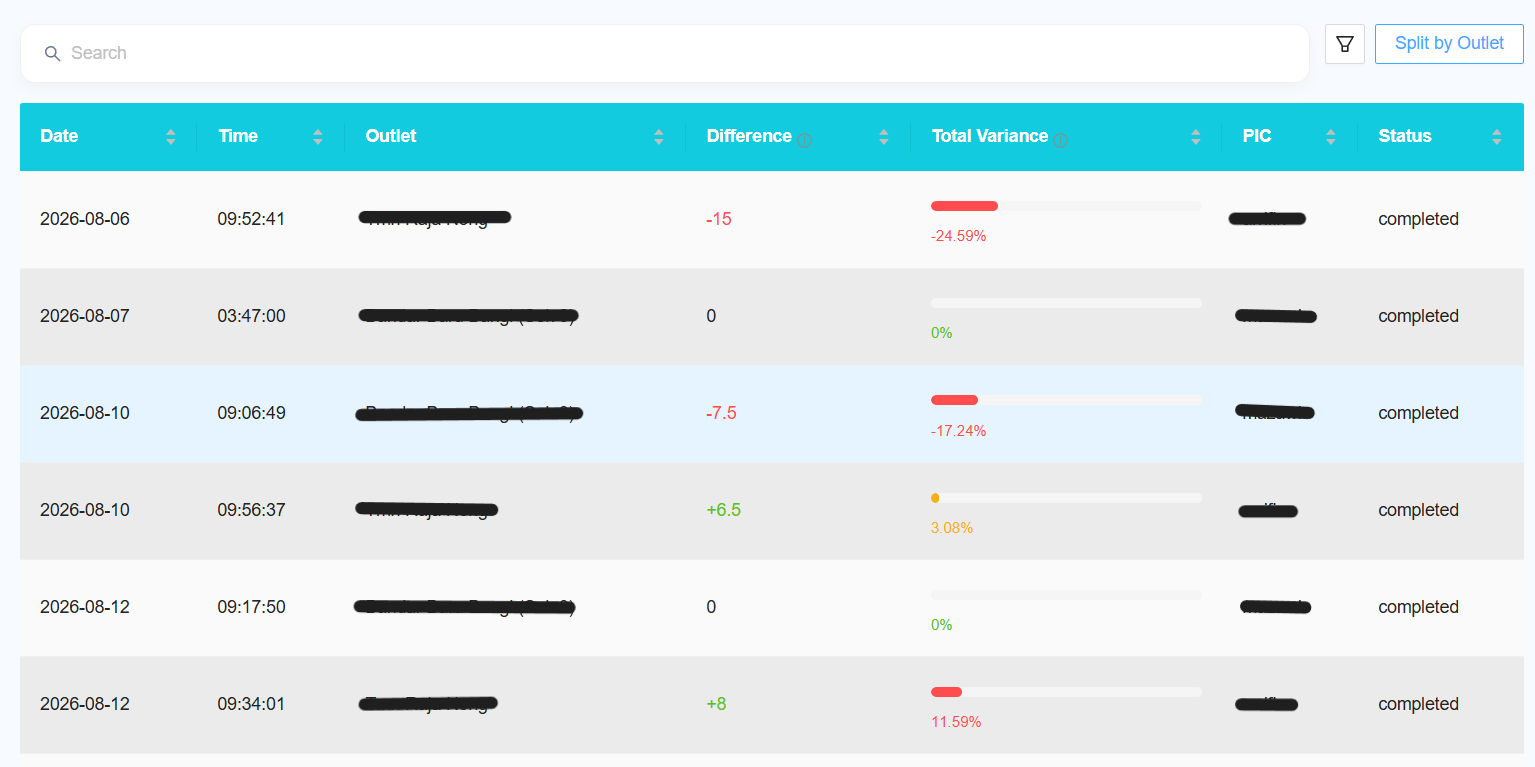
[NEW] Change Pct to Total Variance
- Rename the Pct column to Total Variance.
-
[NEW] Display Difference
- Add a Difference column to the report.
-
[NEW] Add Column Filter
- Allow users to select which columns are displayed in the report.
- Follow the same column filter functionality used in other browsable reports.
-
[NEW] Variance Explanation
- Provide an explanation of what positive and negative variance represents.
-
[NEW] Excel Download Improvement
- Correct the header row in the downloaded Excel report.
- Add one All sheet containing the combined data.
- Add a separate sheet for each outlet.
-
[NEW] Date Type Update
- When changing the date type between Monthly and Daily, update the table format accordingly.
- The report data will only be refreshed after clicking Submit.
-
[NEW] Split by Outlet
- Add a Split by Outlet option, similar to the Bill Collection report.
-
[NEW] Favourite Sync
- Allow favourite settings to be shared/synced with the Collection report.
-
[NEW] Tooltip Behaviour
- Fix the tooltip behaviour when hovering over the information icon.
- The ascending and descending sort tooltips should not appear at the same time.