Chemical Report v2


Filter

🎯 Function

Purpose

The followingChemical filtersReport arev2 availableallows foryou generatingto view chemical stock information based on the report:selected Operator, Outlet, Method, Date, and Item.

    You

    can

    Selectuse Operatorthe report to check either:

    • Consume – how much chemical stock was consumed during a selected period.
    • SelectBalance the required operator.
    Select All Operator to include all operators.

    Select Outlet

      Select the required outlet. Select All Outlet to include all outlets.

      Select Date Range

        Select the date range for the report.

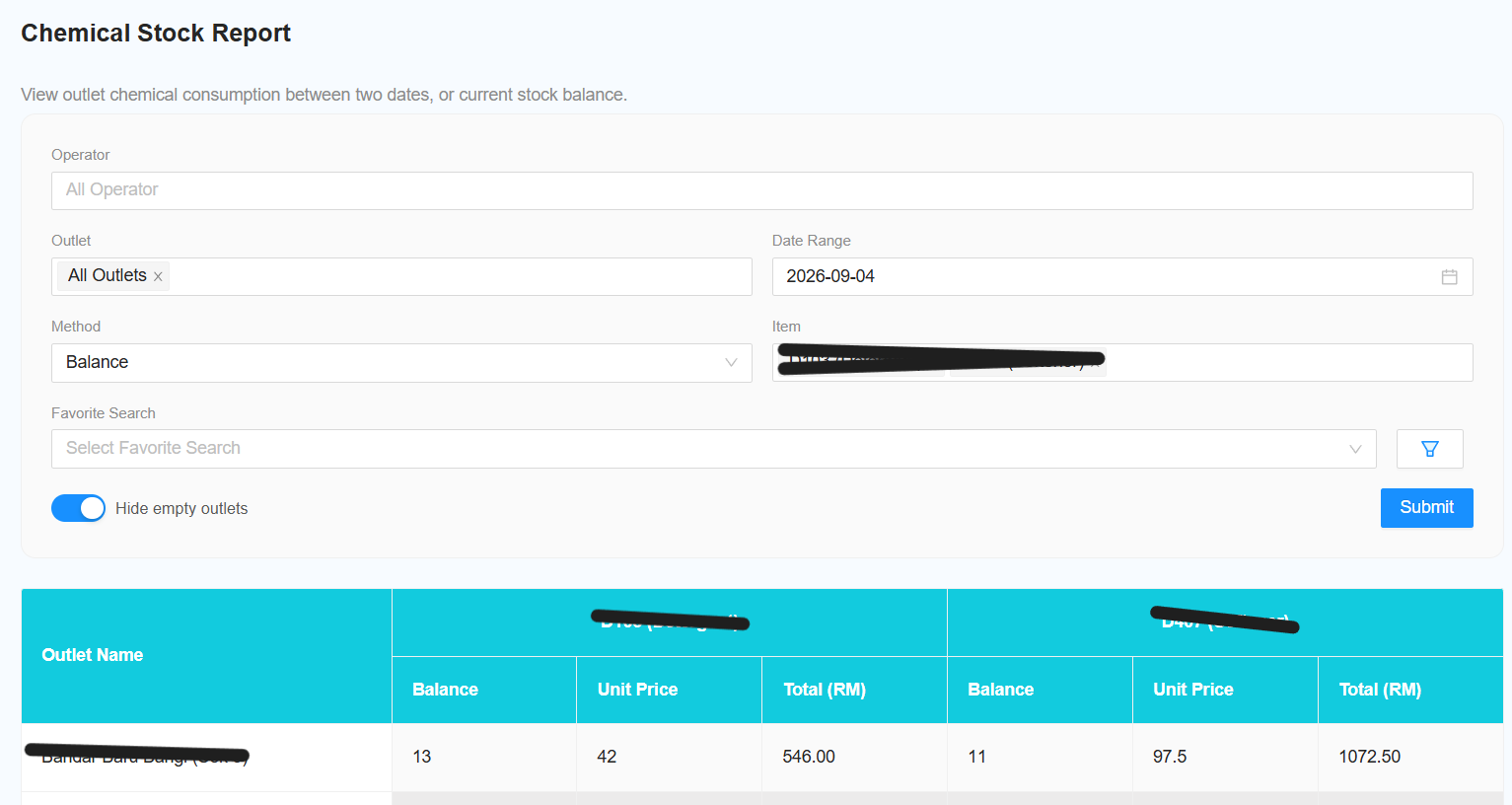
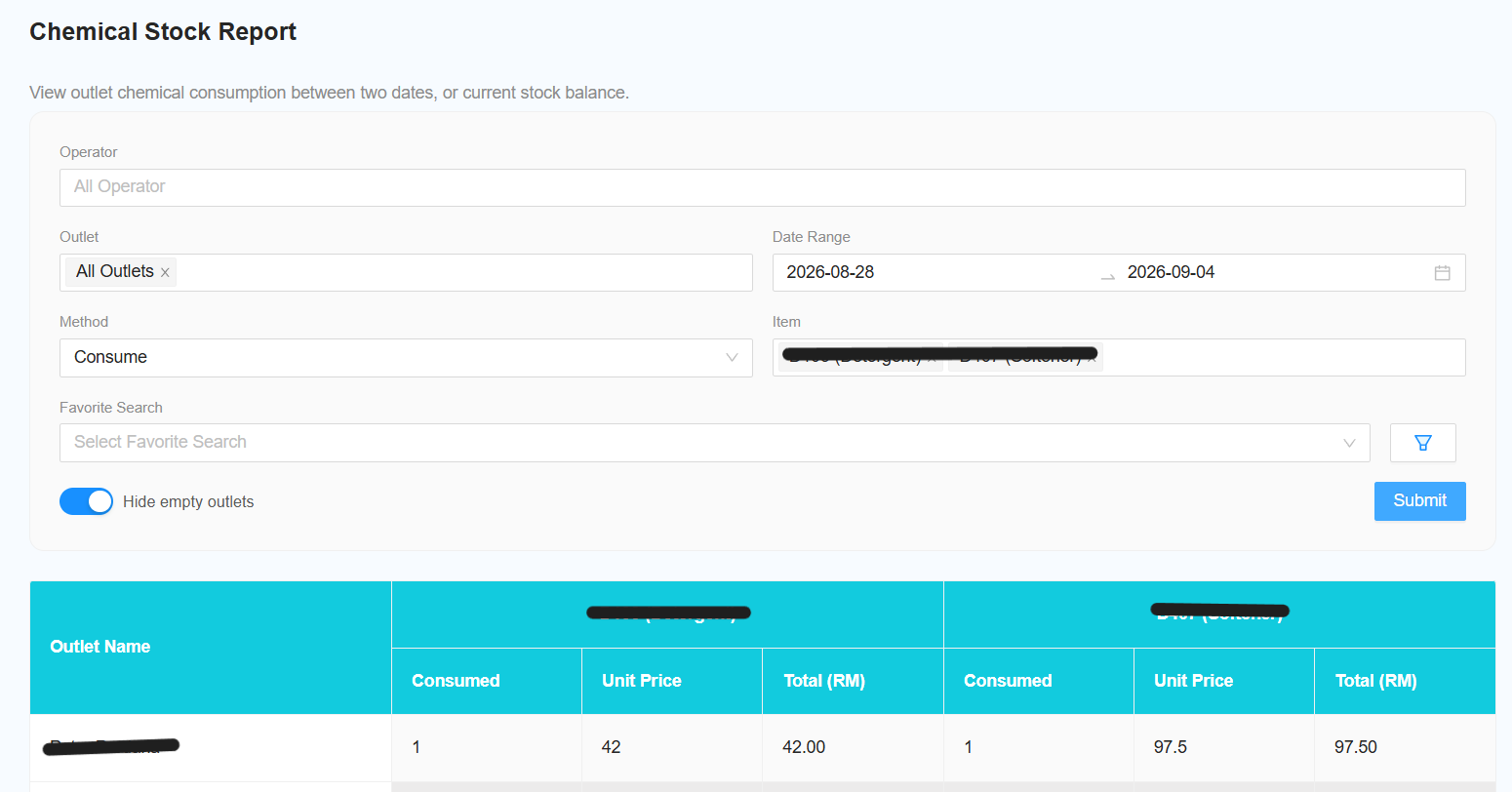
        [NEW] Select Method

          Select the method to determine– the stock value:balance on a specific date.

          a. Consume

            📍

            Displays how many stocks were consumed during the selected date range.

            b. Balance

              Displays the current balance of the stock.

              Select Item

                Select the required item. Select All ItemHow to includeAccess all

                Step items.

                1 — Open Laundro Portal

                [NEW]Log Hide Empty Outlet

                  Toggle this switch to hide outlets with no stock data. This helps to simplify the report and improve readability.

                  Reporting Changes

                  The following changes and improvements have been madein to the report:Laundro Portal using your Username and Password.

                    Step

                    2 — Open Report

                    From the sidebar menu, click [NEW]Report.

                    Change

                    Step 3 — Select Chemical Report Namev2

                    Select Chemical Report v2

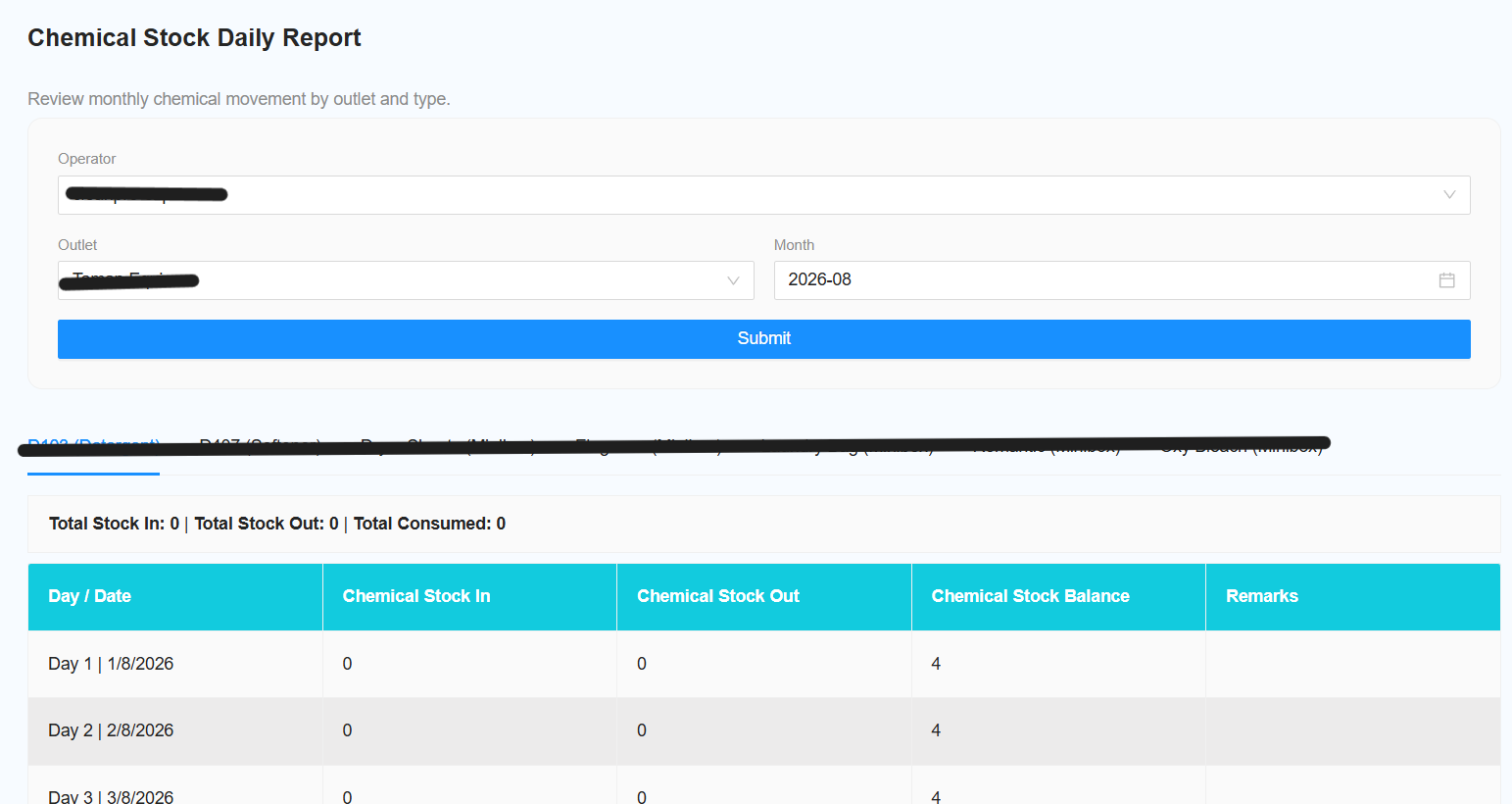
                      Changefrom the reportReport name to Chemical Stock Daily Report. menu.

                      [NEW]You Remove Favourite Search

                        Remove the favourite search function as only a single outlet canwill be selected.

                        [NEW] Remove Chemical Filter

                          Remove the existing chemical filter.

                          [NEW] Move Total to Top

                            Move the Total sectiondirected to the top of the report.

                            [NEW] Add Total Consumed

                              Add Total Consumed to the total count.

                              [NEW] Consumption Date Range Filter

                                Add a filter to display consumption between two selected dates.

                                [NEW] Hide Empty Outlets

                                  Add an option to hide outlets with no chemical stock data.

                                  [NEW] Item Filter

                                    Add a filter to select specific items. The default selection is All Items.

                                    [NEW] Add Favourites Section

                                      Add a dedicated Favourites section.

                                      [NEW] Change Tab and Title Name

                                        Change the tab and report title to Chemical Stock Report. page.

                                        [NEW] Change Filter Name

                                          1️⃣

                                          ChangeSelect Operator

                                          Select the ViewOperator filteryou namewant to Method.

                                          include

                                          [NEW] Balance Method Date Selection

                                            When Method is set to Balance, the date selection changes to a single date.

                                            [NEW] Consume Method Date Selection

                                              When Method is set to Consume, the date selection changes to a date range.

                                              [NEW] Chemical Type Total

                                                Add a total for each Chemical Type at the bottom ofin the report.

                                                To

                                                include all operators, select:

                                                All Operator