Chemical Report v2

Filter Function

The following filters are available for generating the report:

  1. Select Operator

    • Select the required operator.
    • Select All Operator to include all operators.
  2. Select Outlet

    • Select the required outlet.
    • Select All Outlet to include all outlets.
  3. Select Date Range

    • Select the date range for the report.
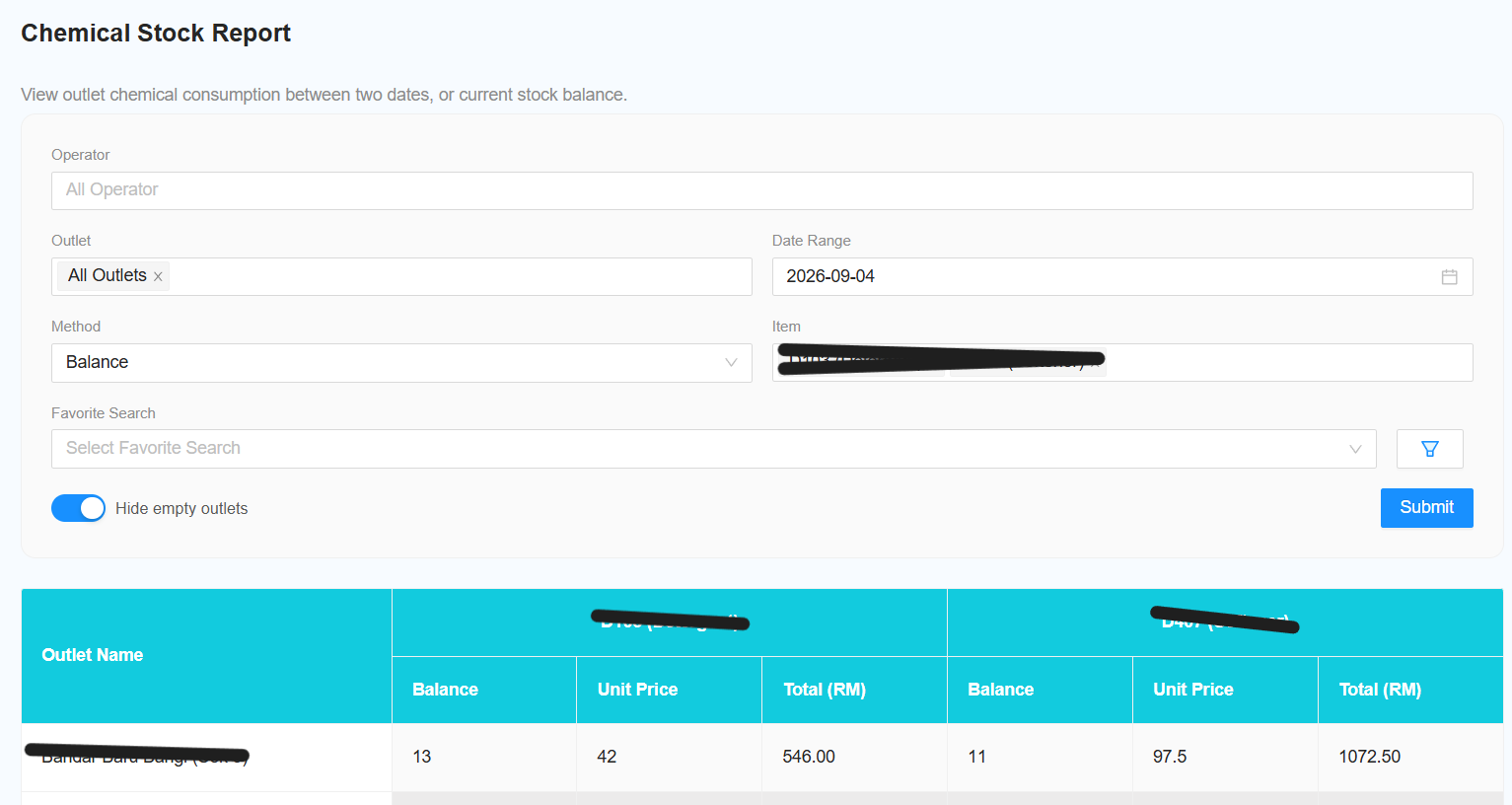
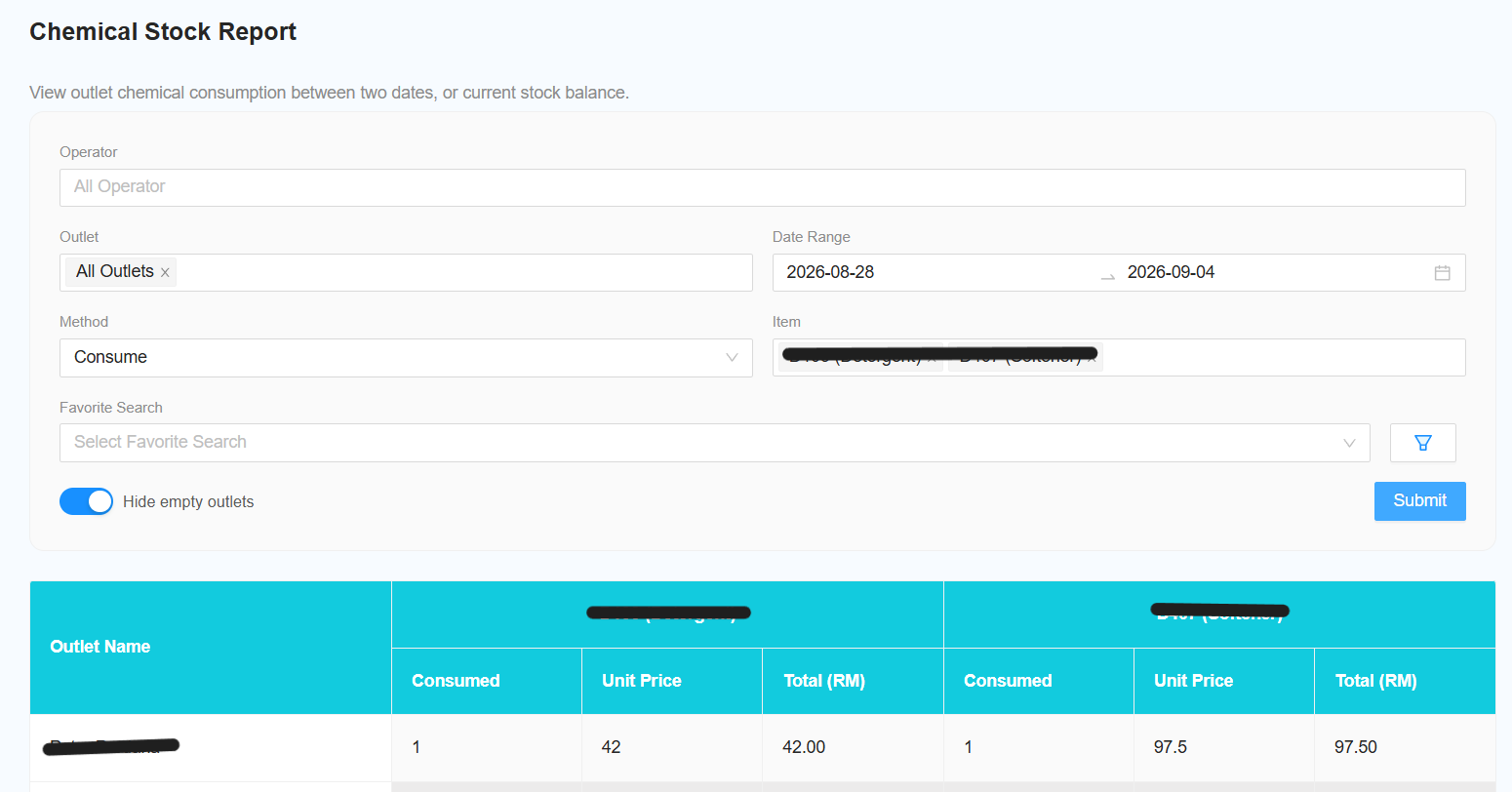
  4. [NEW] Select Method

    • Select the method to determine the stock value:

    a. Consume

    • Displays how many stocks were consumed during the selected date range.

    b. Balance

    • Displays the current balance of the stock.
  5. Select Item

    • Select the required item.
    • Select All Item to include all items.
  6. [NEW] Hide Empty Outlet

    • Toggle this switch to hide outlets with no stock data.
    • This helps to simplify the report and improve readability.

    Reporting Changes

The following changes and improvements have been made to the report:

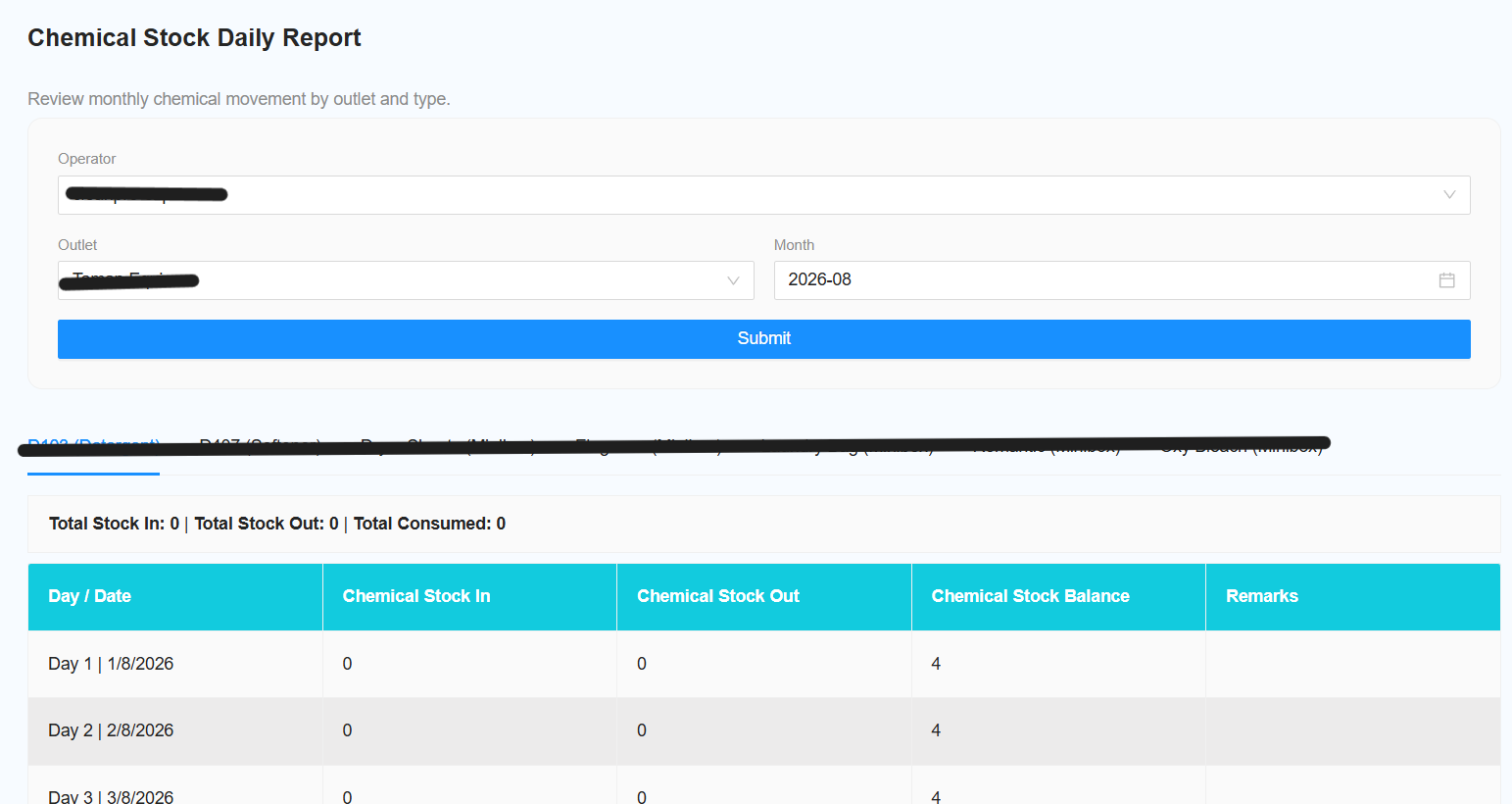
    [NEW] Change Report Name

      Change the report name to Chemical Stock Daily Report.

      [NEW] Remove Favourite Search

        Remove the favourite search function as only a single outlet can be selected.

        [NEW] Remove Chemical Filter

          Remove the existing chemical filter.

          [NEW] Move Total to Top

            Move the Total section to the top of the report.

            [NEW] Add Total Consumed

              Add Total Consumed to the total count.

              [NEW] Consumption Date Range Filter

                Add a filter to display consumption between two selected dates.

                [NEW] Hide Empty Outlets

                  Add an option to hide outlets with no chemical stock data.

                  [NEW] Item Filter

                    Add a filter to select specific items. The default selection is All Items.

                    [NEW] Add Favourites Section

                      Add a dedicated Favourites section.

                      [NEW] Change Tab and Title Name

                        Change the tab and report title to Chemical Stock Report.

                        [NEW] Change Filter Name

                          Change the View filter name to Method.

                          [NEW] Balance Method Date Selection

                            When Method is set to Balance, the date selection changes to a single date.

                            [NEW] Consume Method Date Selection

                              When Method is set to Consume, the date selection changes to a date range.

                              [NEW] Chemical Type Total

                                Add a total for each Chemical Type at the bottom of the report.