
Check Fiuu Payment Records
(ENG)
👉Step 1: Log in to the FIUU portal using your existing ID and password.
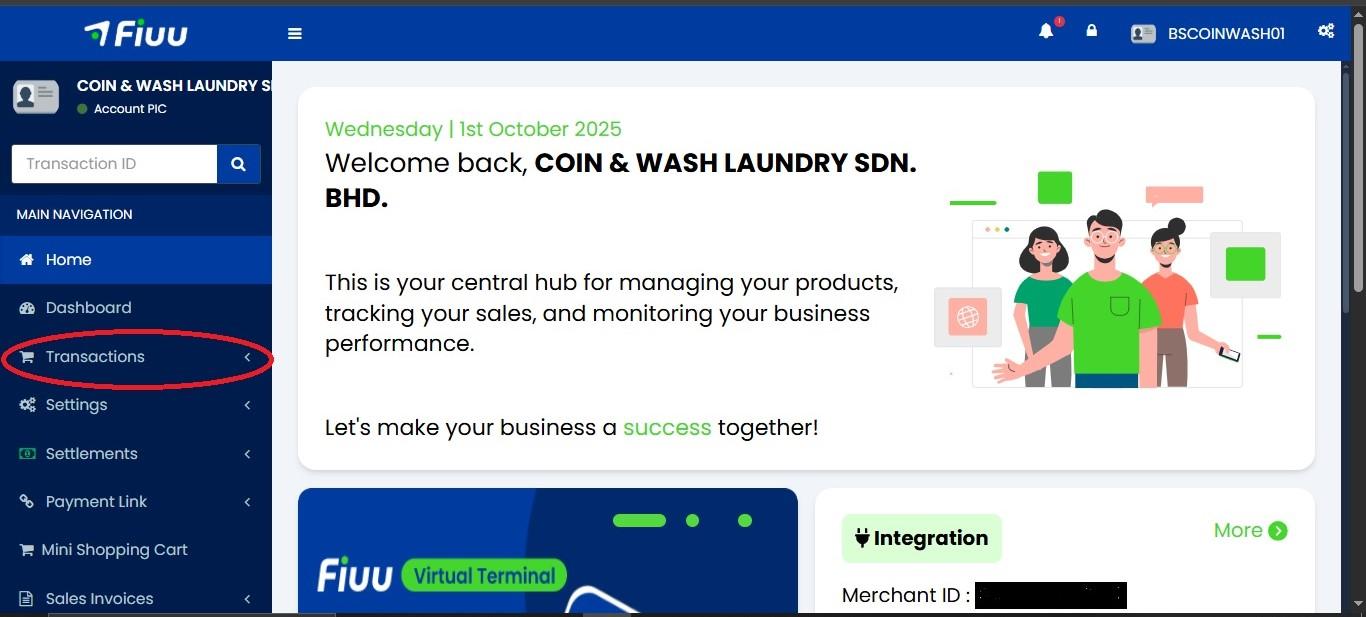
👉Step 2: Click on "Transactions".
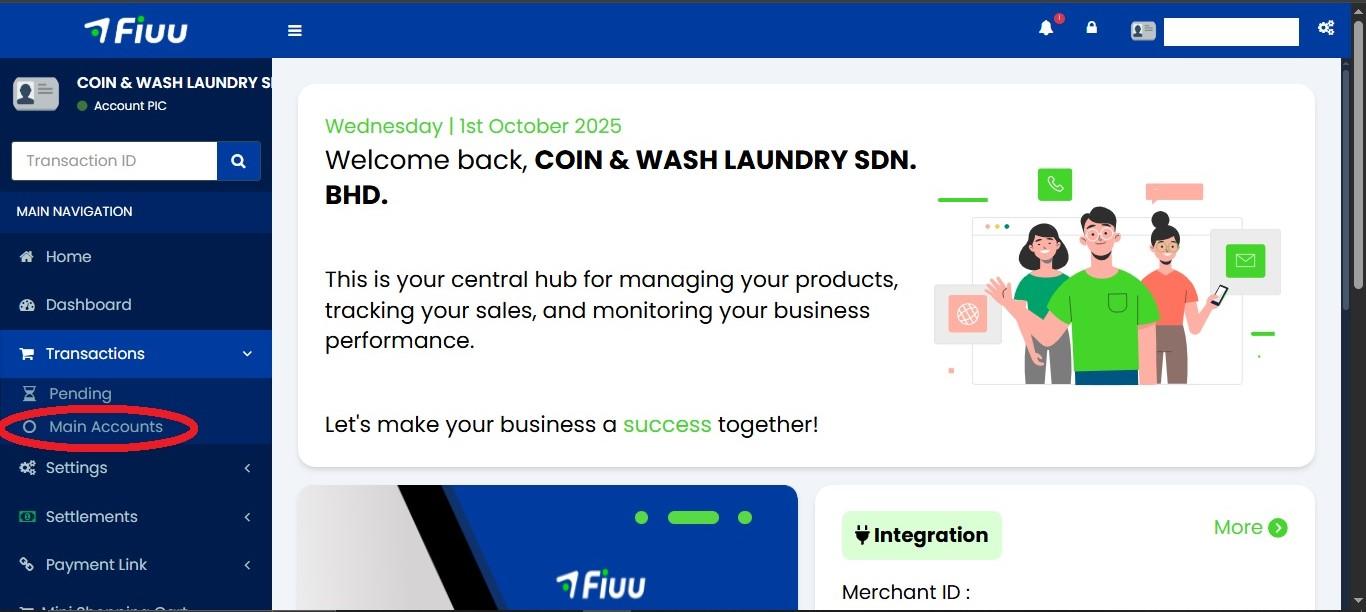
👉Step 3: Click on "Main Accounts".
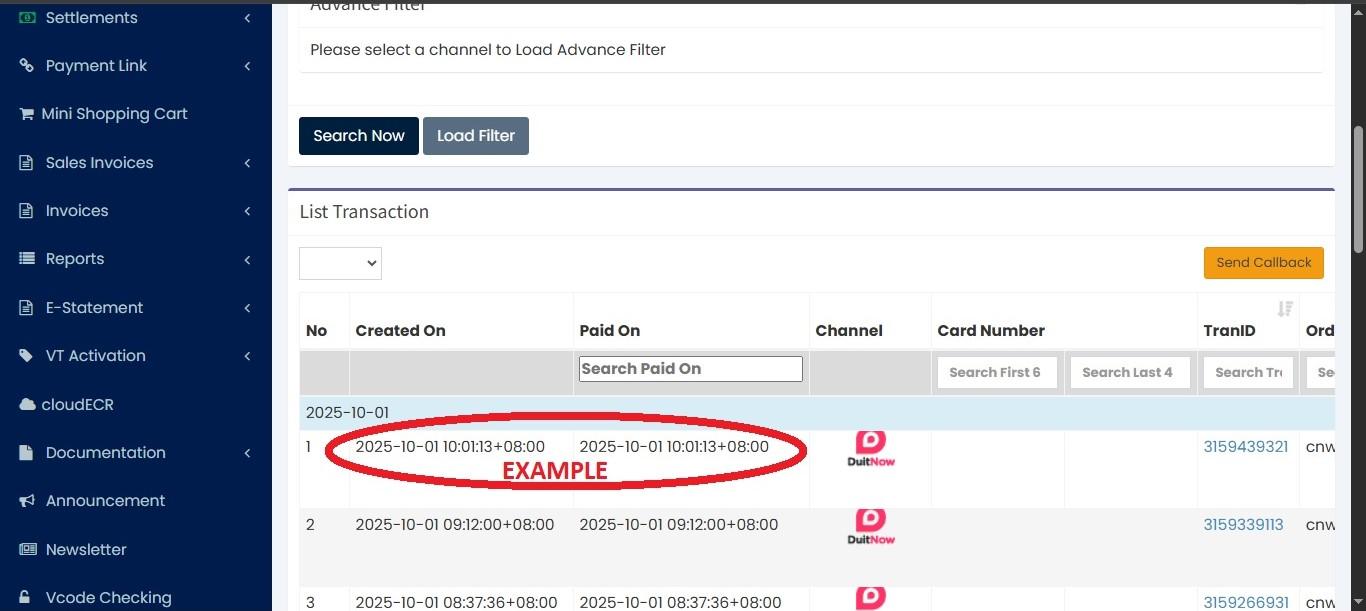
👉Step 4: Now you can view the transaction date and time.
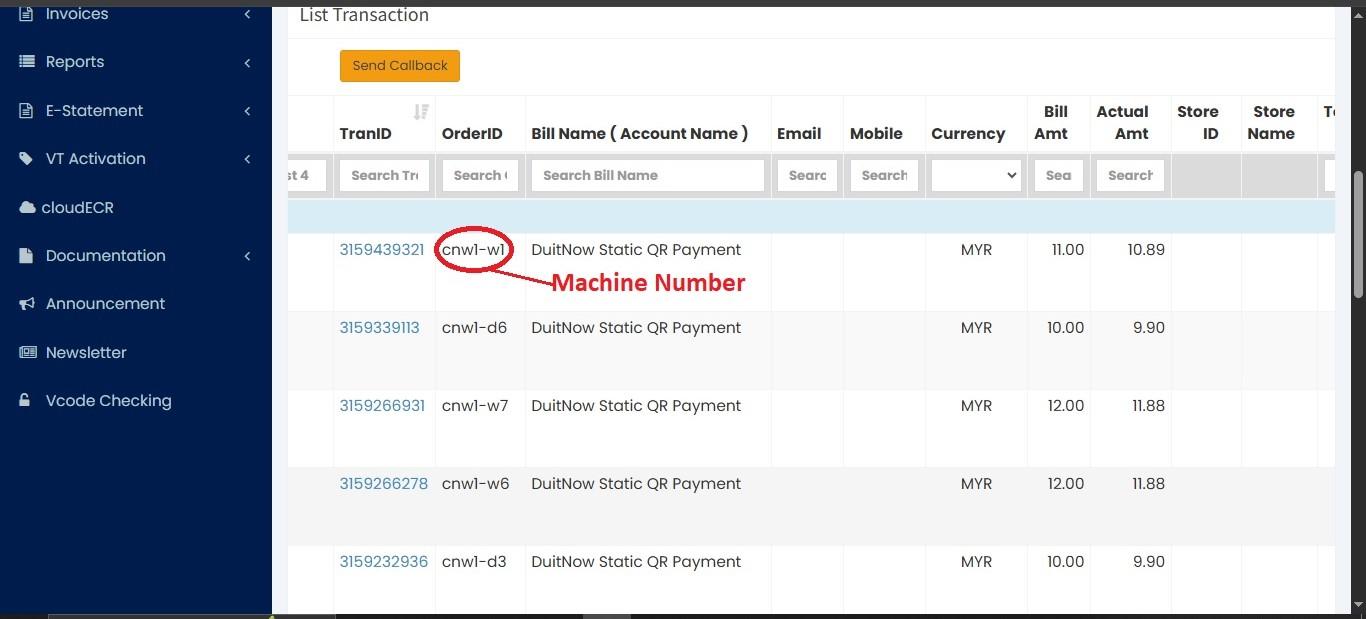
👉Step 5: Scroll to the right to view the machine details and the transaction amount.
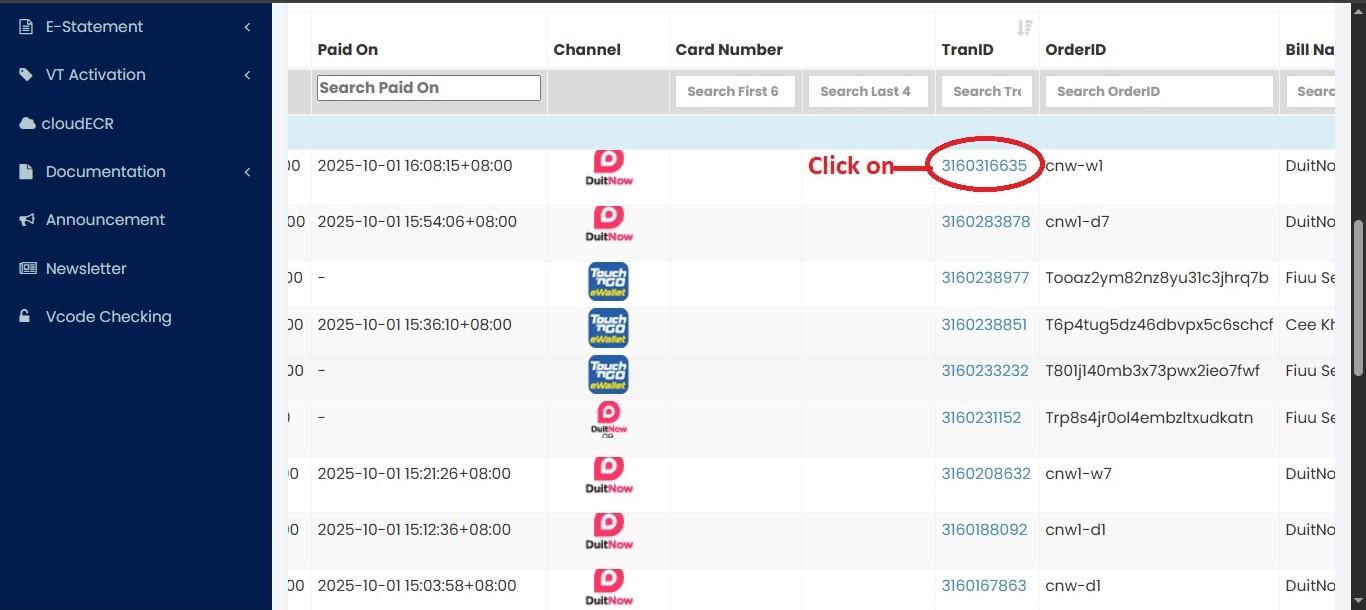
👉Step 6: Click on the "Transaction ID" to view the transaction details.
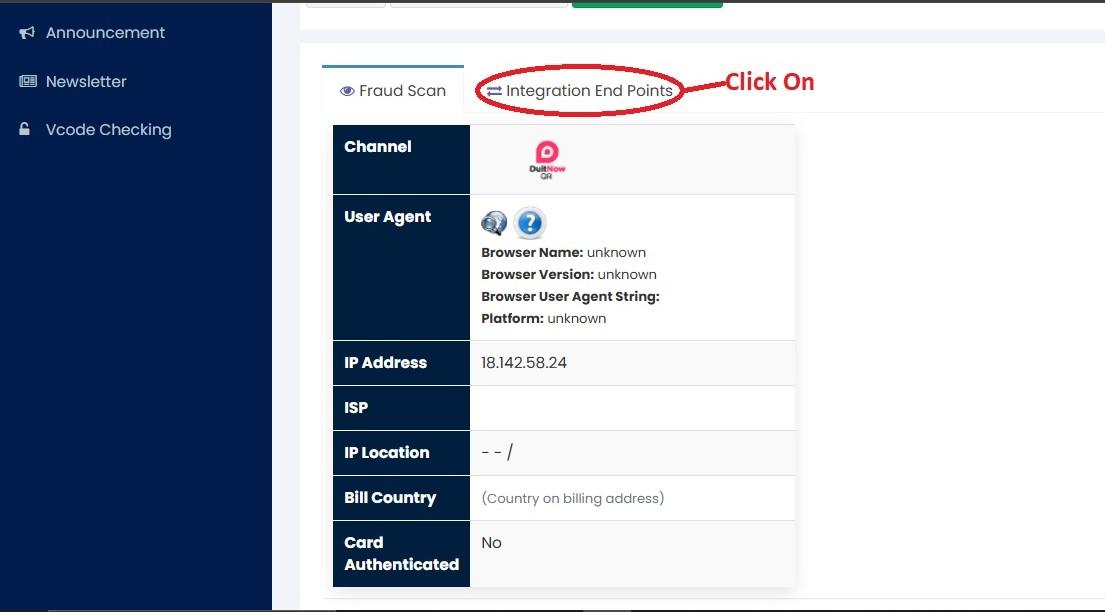
👉Step 7: Click on "Integration End Points".
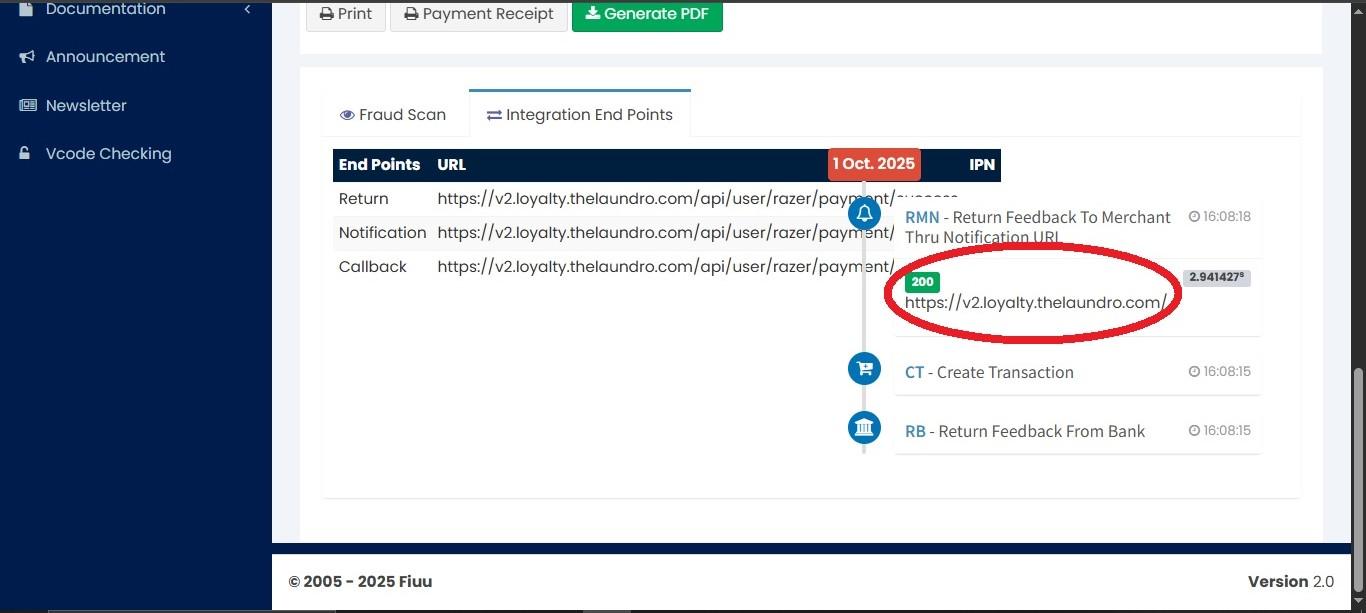
Step 8: You will see the transaction details. From there, look for the green icon with https://v2loyalty.v2.loyalty.thelaundro.comcom/ — this indicates that LAUNDRO has received the transaction.
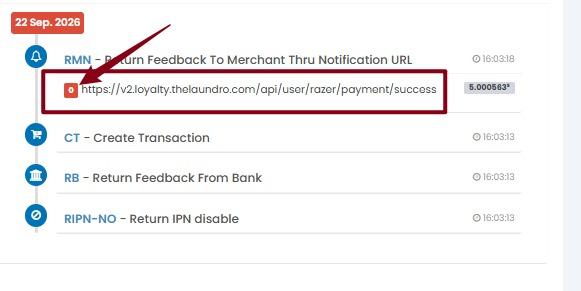
Step 9. If you find that the value shows “0”, it indicates an error in the FIUU system. Please email FIUU to request further clarification and a solution for the error.
(BM)
👉 Langkah 1: Log masuk ke portal FIUU menggunakan ID dan kata laluan sedia ada anda.
👉 Langkah 2: Klik pada "Transactions".
👉 Langkah 3: Klik pada "Main Accounts".
👉 Sekarang anda boleh melihat tarikh dan masa transaksi.
👉 Tatal ke kanan untuk melihat butiran mesin dan jumlah transaksi.
👉Langkah 6: Klik pada "Transaction ID".
👉Langkah 7: Klik pada "Integration End Points".
Langkah 8: Anda akan melihat butiran transaksi. Dari situ, cari ikon berwarna hijau dengan pautan https://v2loyalty.v2.loyalty.thelaundro.comcom/ — ini menunjukkan bahawa Laundro telah menerima transaksi.