
Check Fiuu Payment Records
(ENG)
👉Step 1: Log in to the FIUU portal using your existing ID and password.
👉Step 2: Click on "Transactions".
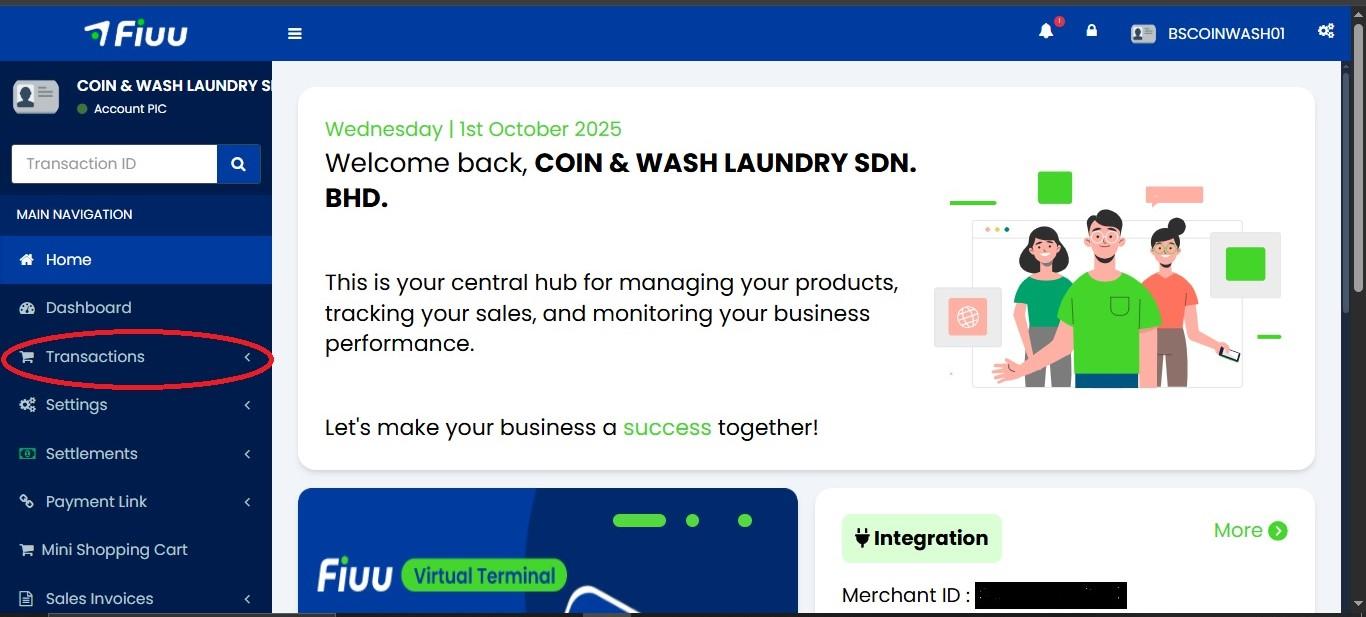
👉Step 3: Click on "Main Accounts".
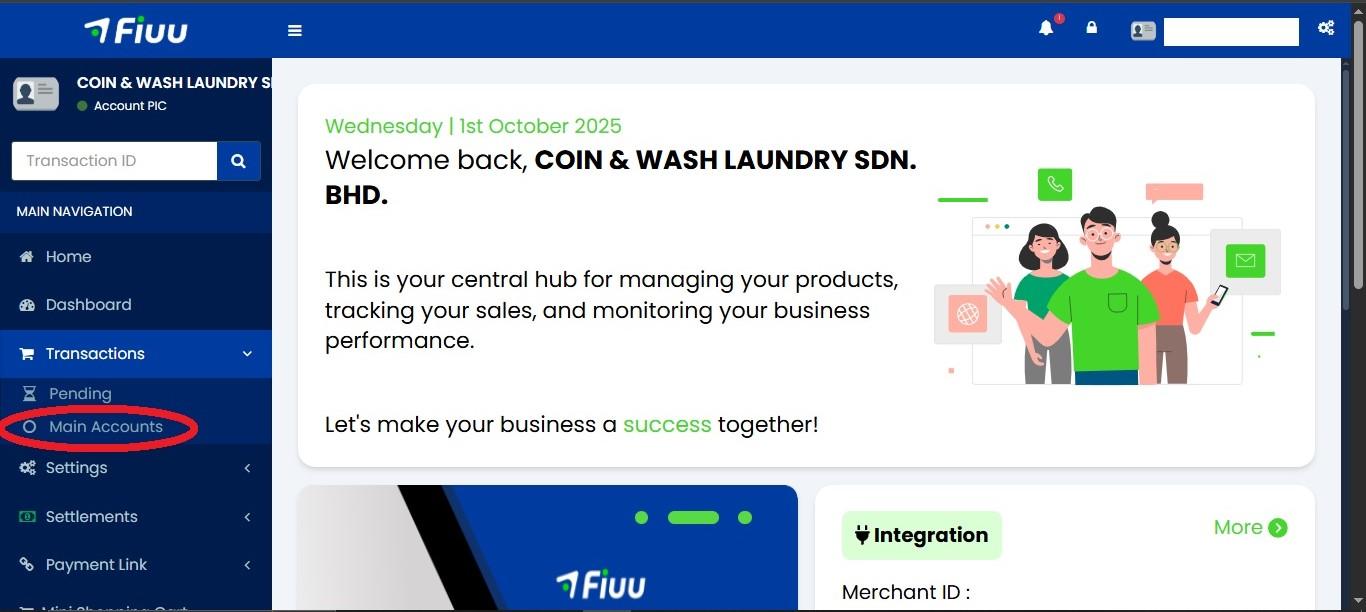
👉Step 4: Now you can view the transaction date and time.
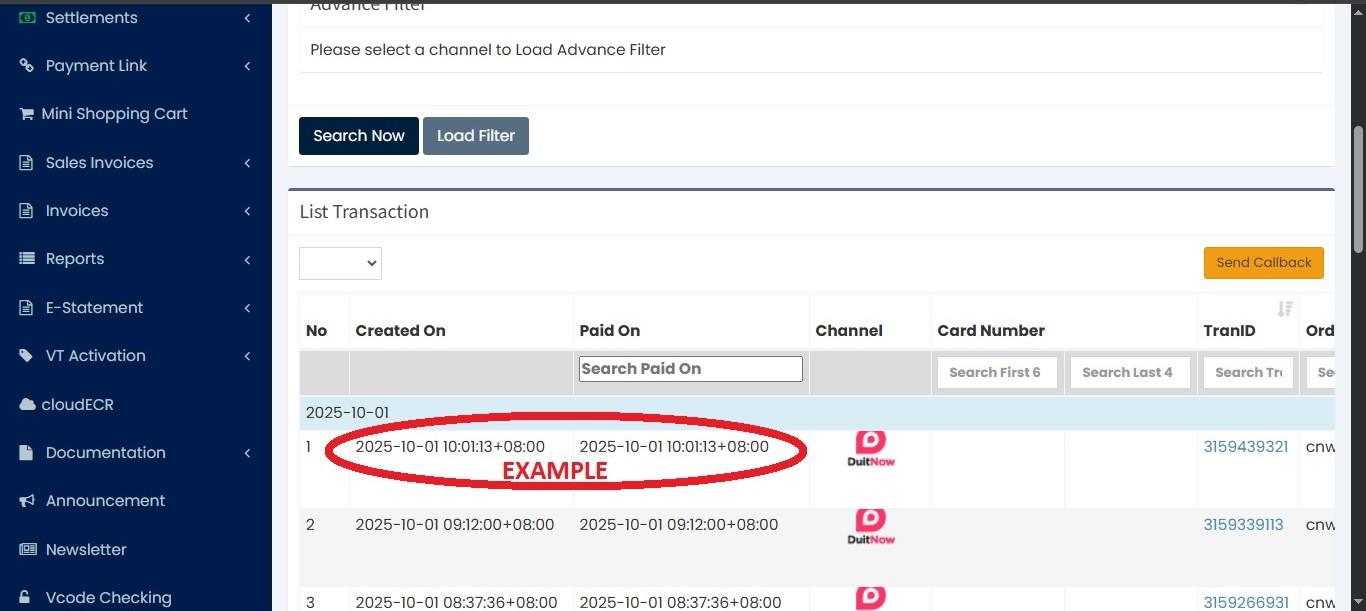
👉Step 5: Scroll to the right to view the machine details and the transaction amount.
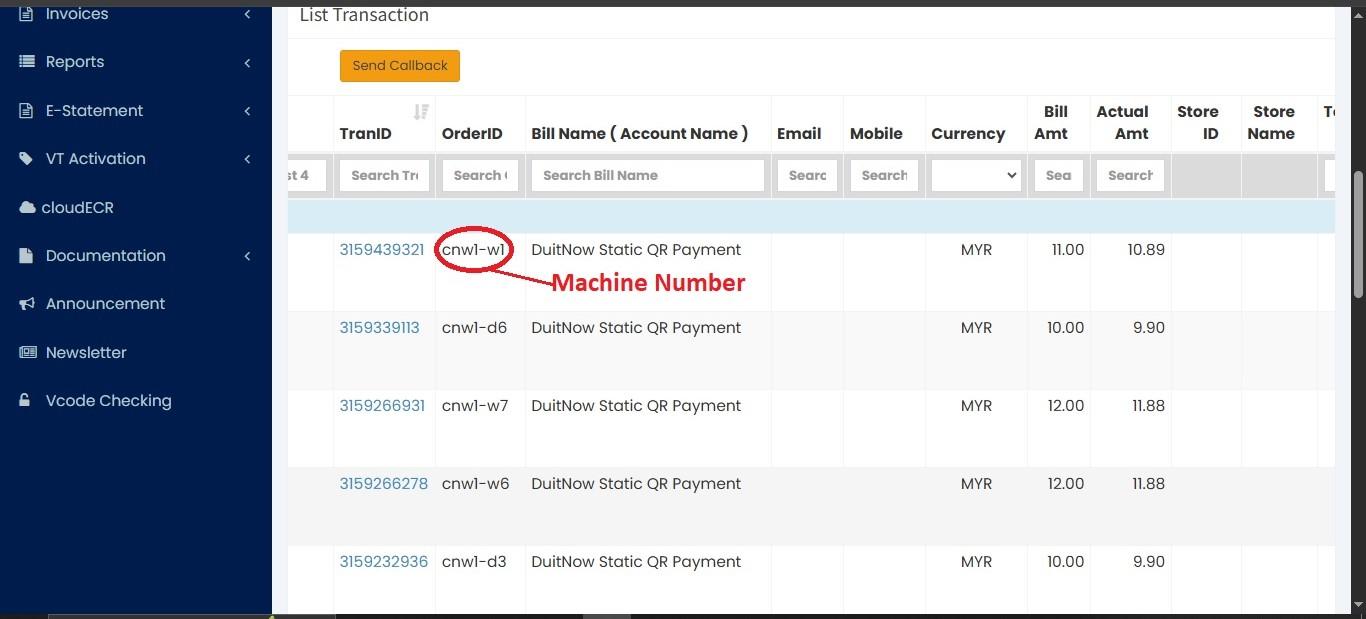
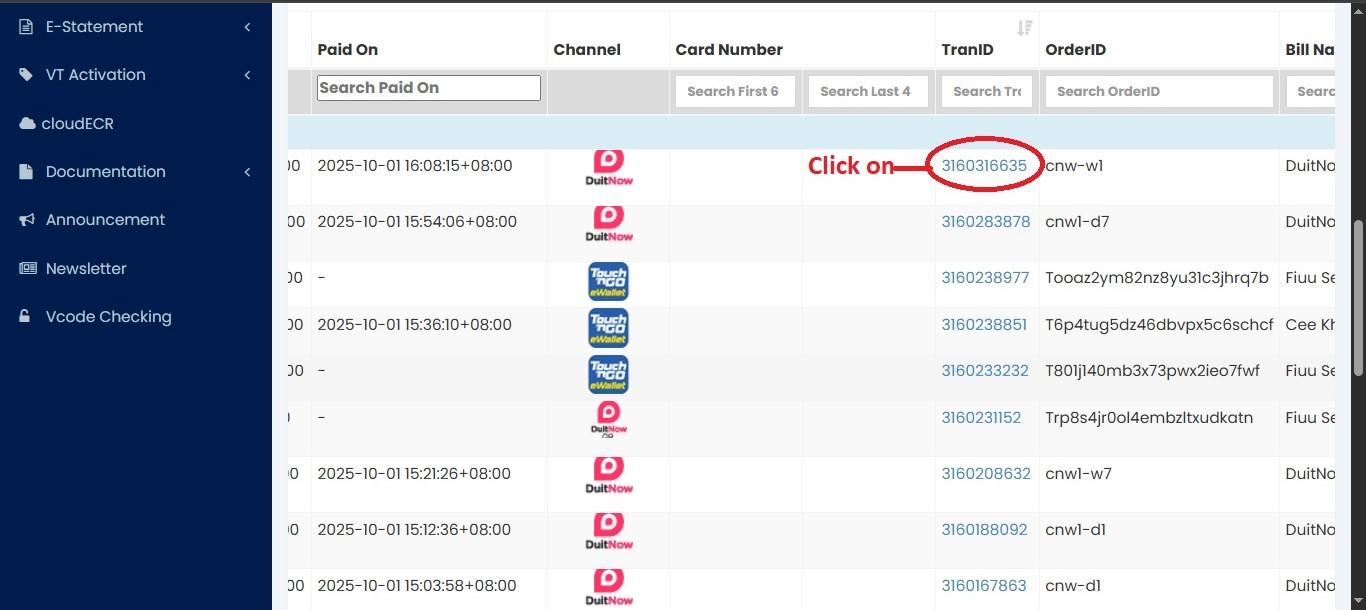
👉Step 6: Click on the "Transaction ID" to view the transaction details.
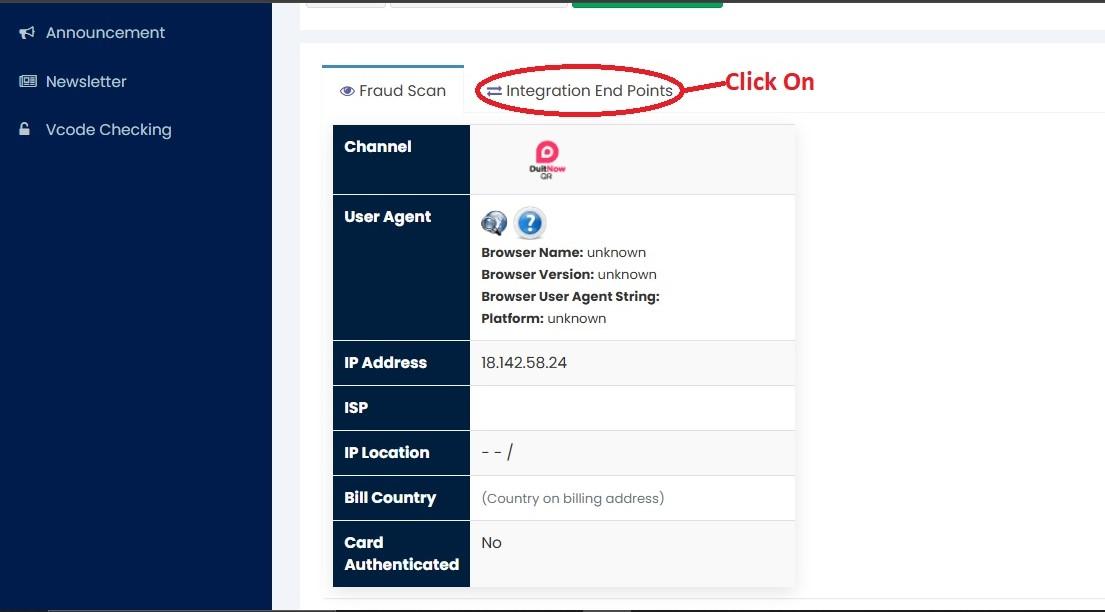
👉Step 7: Click on "Integration End Points".
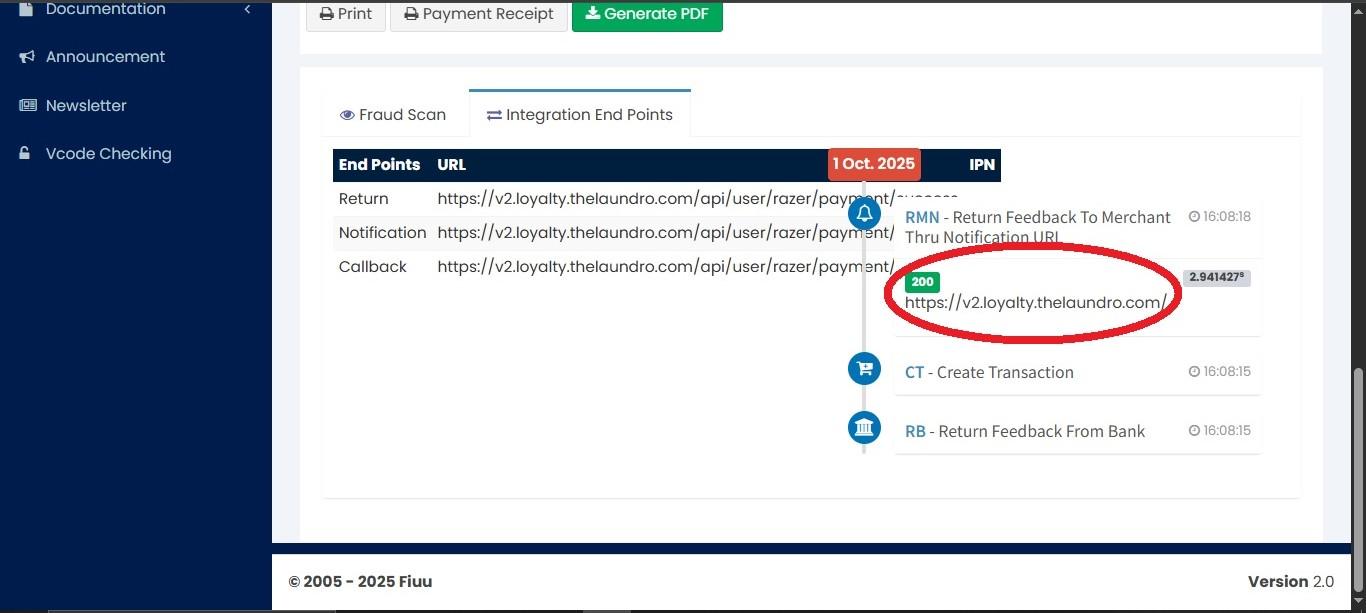
Step 8: You will see the transaction details. From there, look for the green icon with https://v2loyalty.thelaundro.com — this indicates that LAUNDRO has received the transaction.
(BM)
👉 Langkah 1: Log masuk ke portal FIUU menggunakan ID dan kata laluan sedia ada anda.
👉 Langkah 2: Klik pada "Transactions".
👉 Langkah 3: Klik pada "Main Accounts".
👉 Sekarang anda boleh melihat tarikh dan masa transaksi.
👉 Tatal ke kanan untuk melihat butiran mesin dan jumlah transaksi.
👉Langkah 6: Klik pada "Transaction ID".
👉Langkah 7: Klik pada "Integration End Points".
Langkah 8: Anda akan melihat butiran transaksi. Dari situ, cari ikon berwarna hijau dengan pautan https://v2loyalty.thelaundro.com — ini menunjukkan bahawa Laundro telah menerima transaksi.