
Bill Collection v2
Filter Function
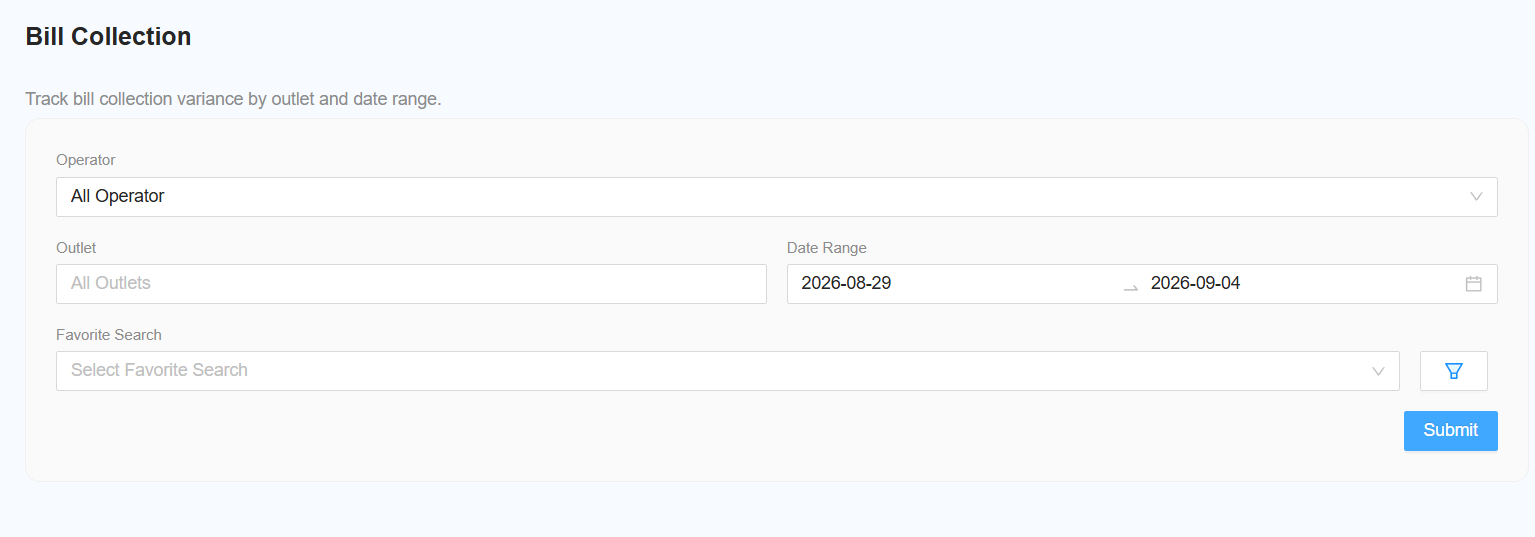
The following filters are available for generating the report:
- Select Operator
- Select the required operator.
- Leave the filter unchanged to include All Operators.
- Select Outlet
- Select the required outlet.
- Leave the filter unchanged to include All Outlets.
- Select Date Range
- Select the required date range for the report.
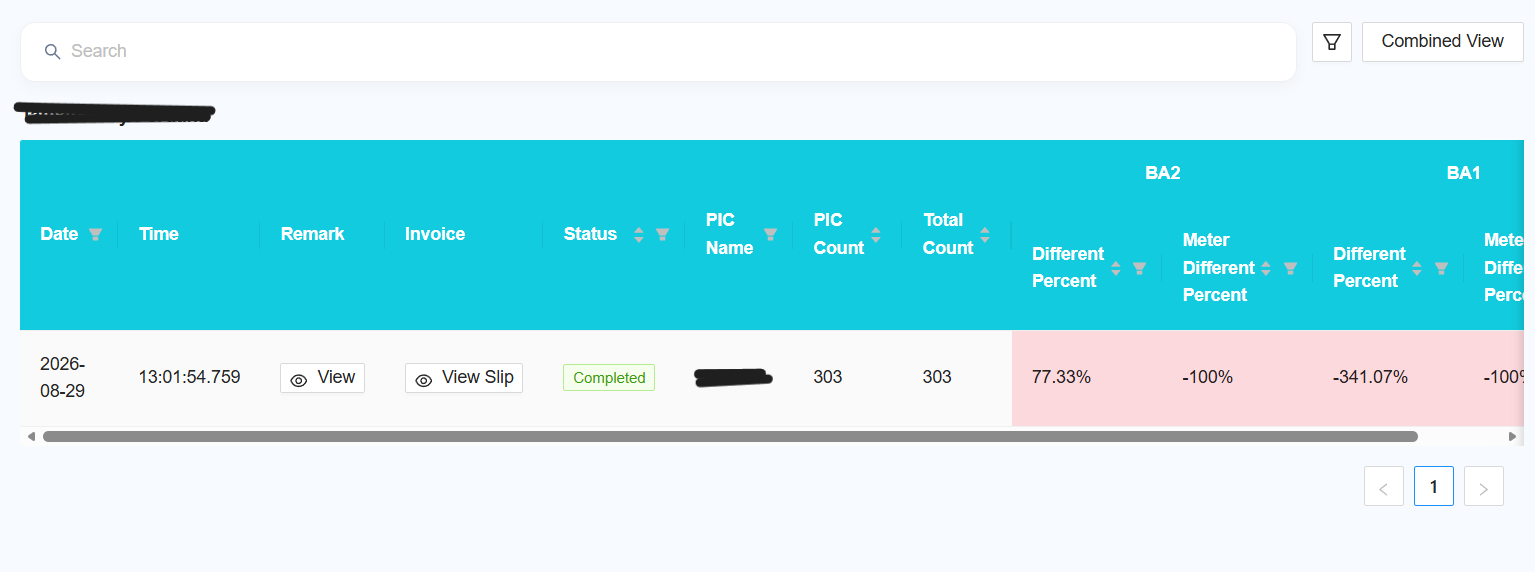
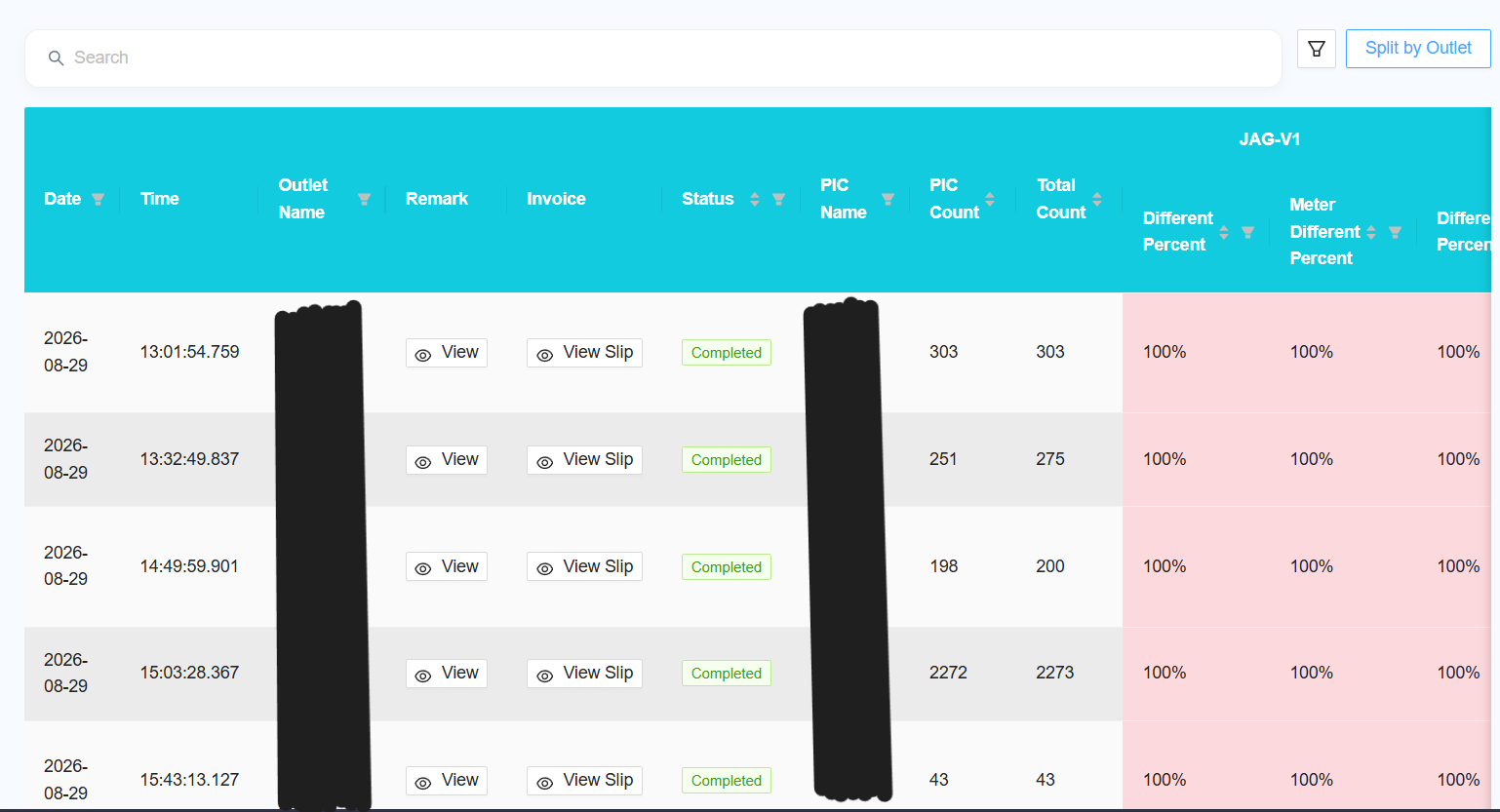
- [NEW] Select View Type
- Choose how the report should be displayed:
- Combined View — combine the data from all selected outlets into a single report.
- Split by Outlet — display the report separately for each outlet.
- Choose how the report should be displayed:
Report
The report table will include the following options:
- View Remark
- Click View Remark to view the corresponding F1 Form.
- View Slip
- Click View Slip to view the corresponding Collection Slip.
Reporting Changes
The following changes and improvements have been made to the report:
- [NEW] Multiple Outlet Selection
- Allow users to select multiple outlets when generating the report.
- [NEW] Add Favourite
- Add the option to mark the report as a favourite.
- [NEW] Add New Columns
- Add the following columns to the report:
- Outlet Name
- PIC Name
- PIC Count
- Total Count
- Add the following columns to the report:
- [NEW] Add Column Filter
- Allow users to select which columns are displayed in the report.
- Follow the same column filter functionality used in other browsable reports.
- [NEW] Remove F1 Column
- Remove the F1 column from the report.
- [NEW] Collection Slip
- Change the collection slip from one slip per machine to one slip per collection.
- [NEW] Slip Preview
- Do not display the slip preview directly in the report.
- Add a button to open the slip preview in a popup when required.