
Bill Collection v2
Filter Function
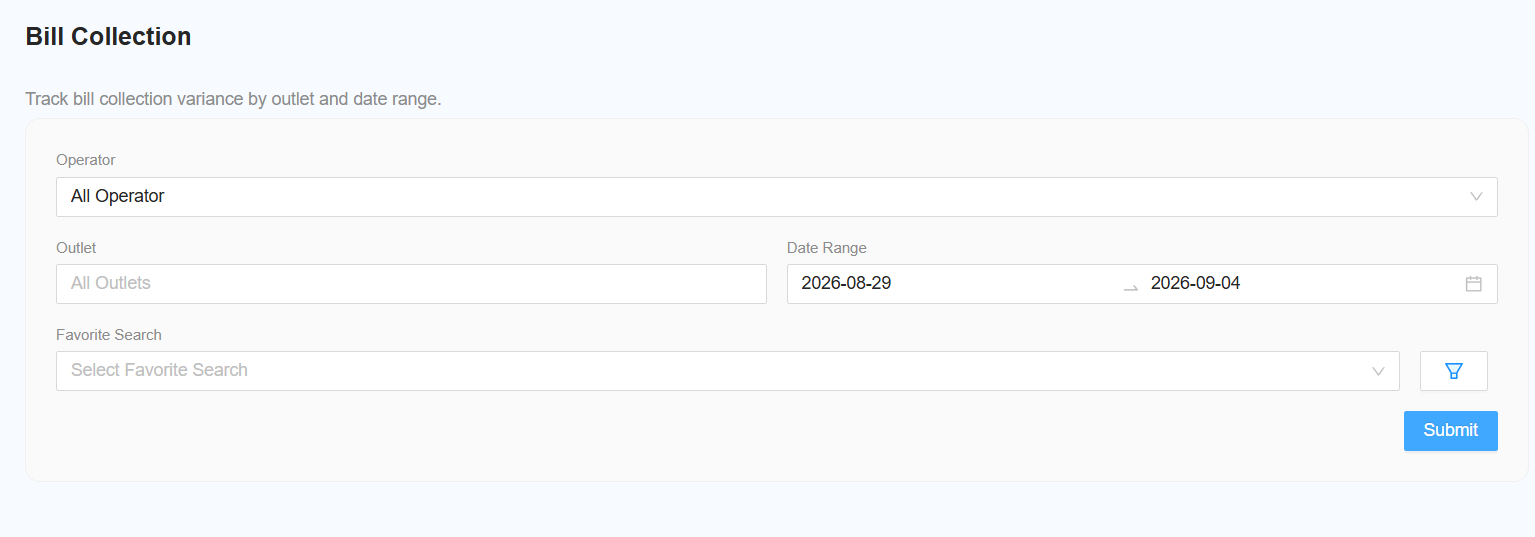
The following filters are available for generating the report:
-
Select Operator
- Select the required operator.
- Leave the filter unchanged to include All Operators.
-
Select Outlet
- Select the required outlet.
- Leave the filter unchanged to include All Outlets.
-
Select Date Range
- Select the required date range for the report.
-
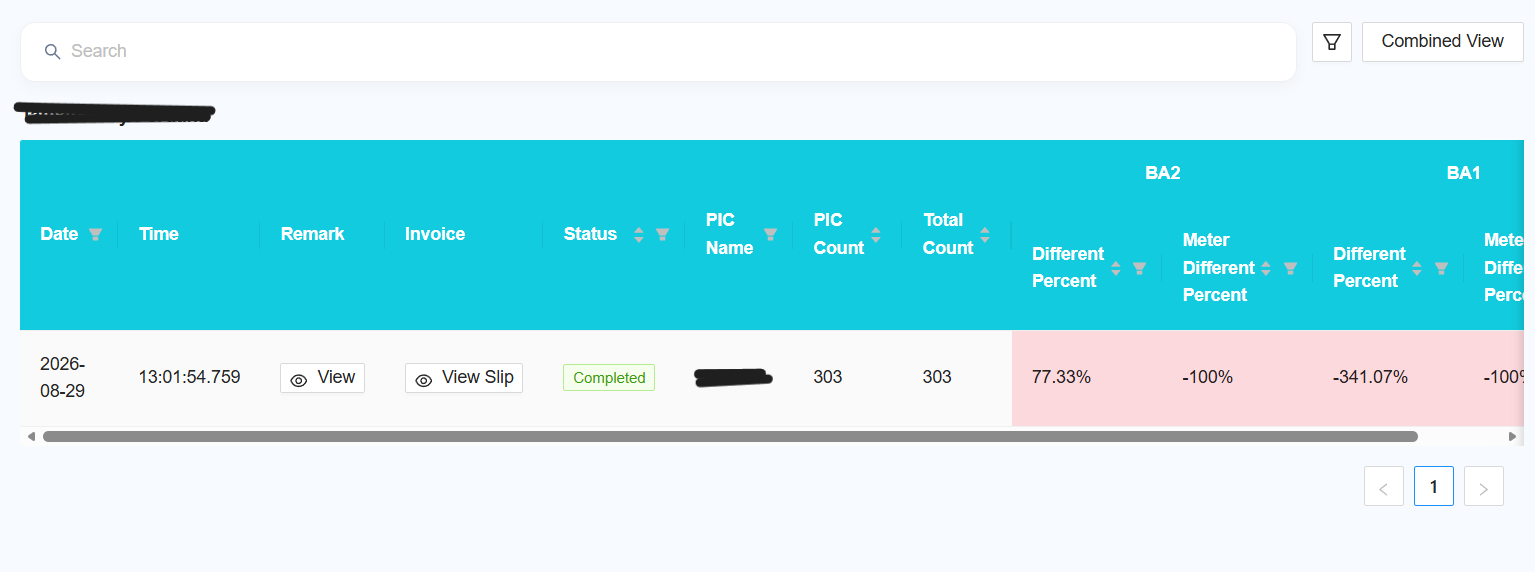
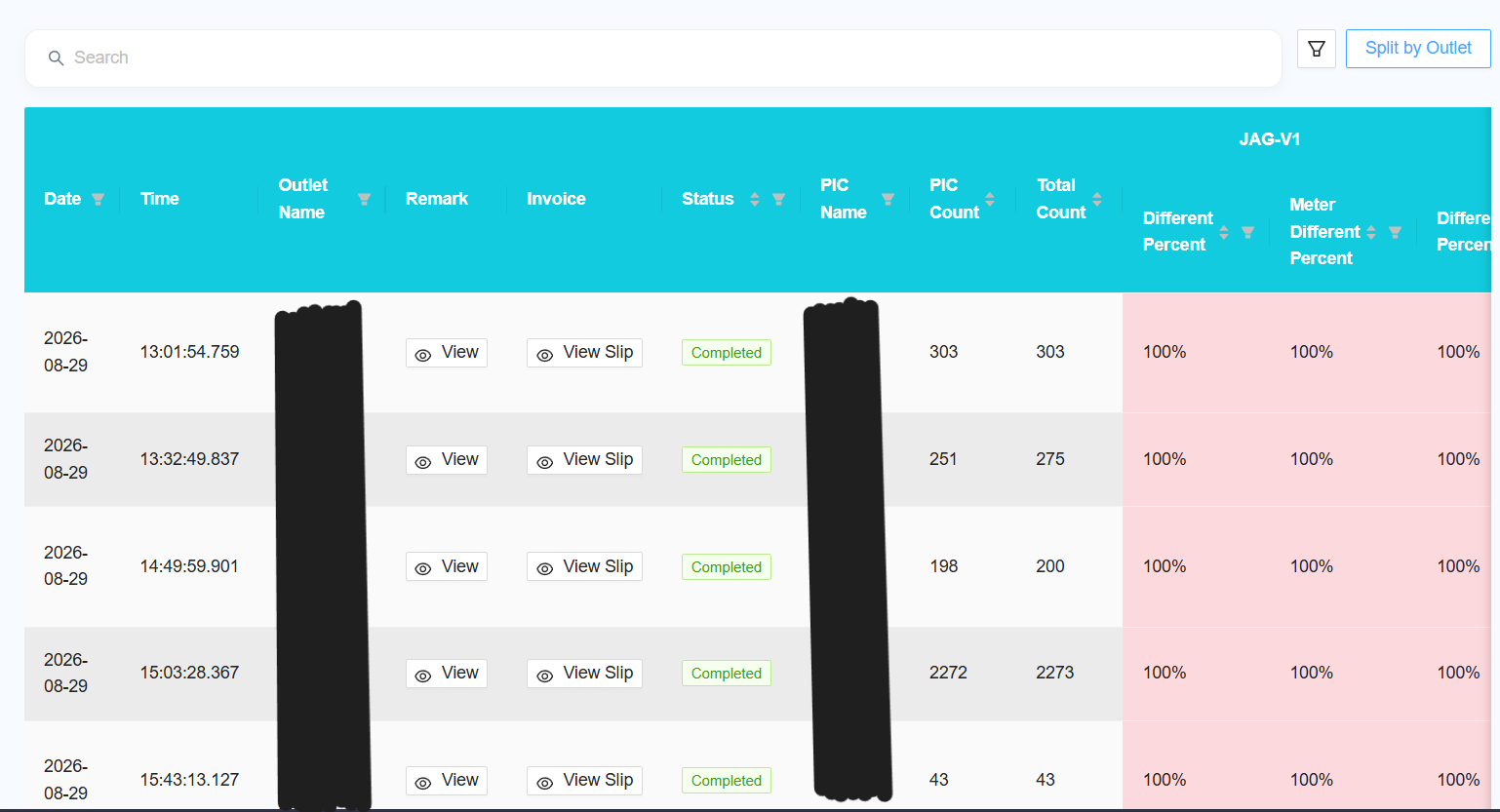
[NEW] Select View Type
-
Choose how the report should be displayed:
- Combined View — combine the data from all selected outlets into a single report.
- Split by Outlet — display the report separately for each outlet.
-
Report
The report table will include the following options:
-
View Remark
- Click View Remark to view the corresponding F1 Form.
-
View Slip
-
Click View Slip to view the corresponding Collection Slip.
-
-
Reporting Changes
The following changes and improvements have been made to the report:
[NEW] Multiple Outlet Selection
[NEW] Add Favourite
[NEW] Add New Columns
Add the following columns to the report:
[NEW] Add Column Filter
[NEW] Remove F1 Column
[NEW] Collection Slip
[NEW] Slip Preview