
Activation Outlet
How To Activate Outlet :
-
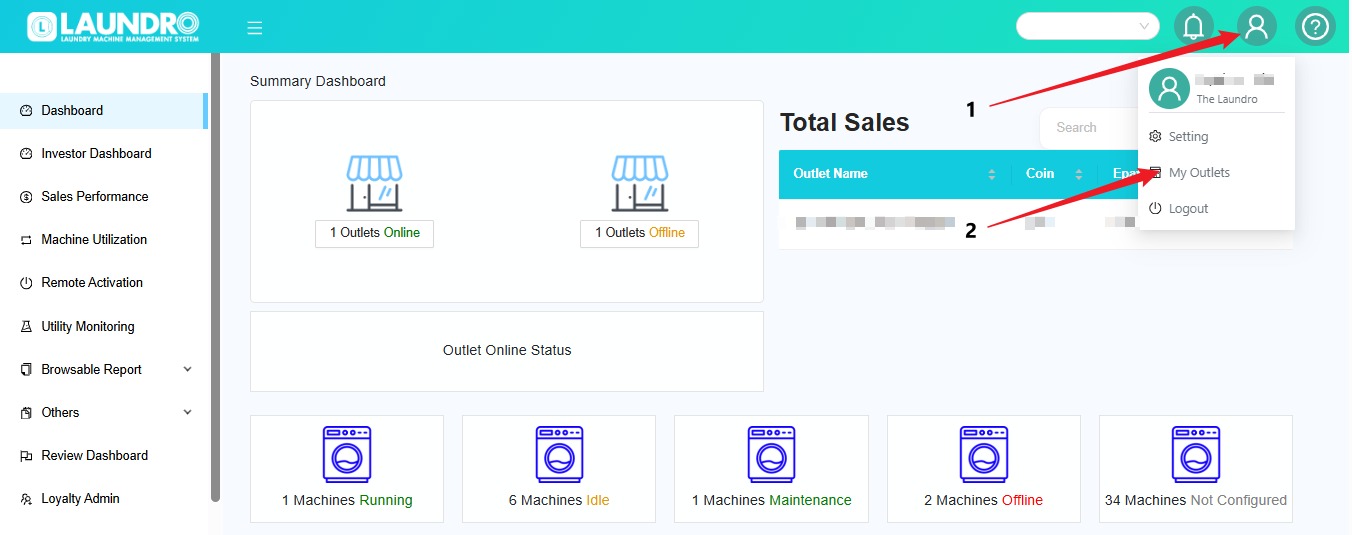
Click the Profile icon at the top-right corner of the screen.
-
Select My Outlets from the dropdown menu.
-
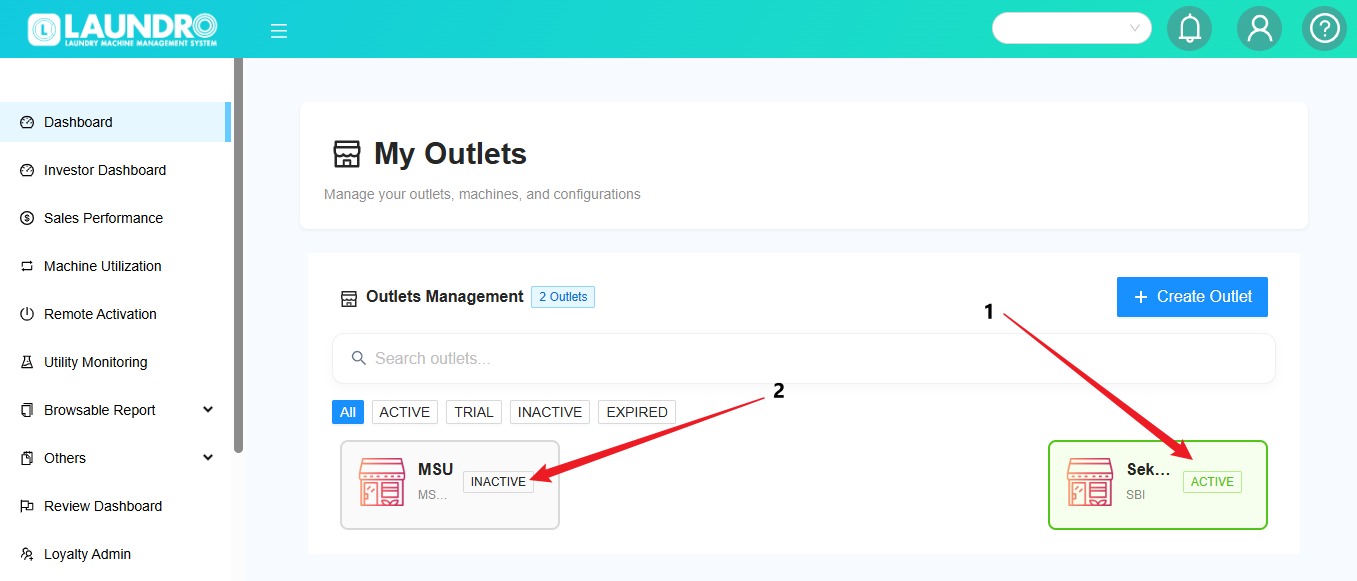
The system will open the My Outlets page where you can view your outlets.
- Outlet Activated
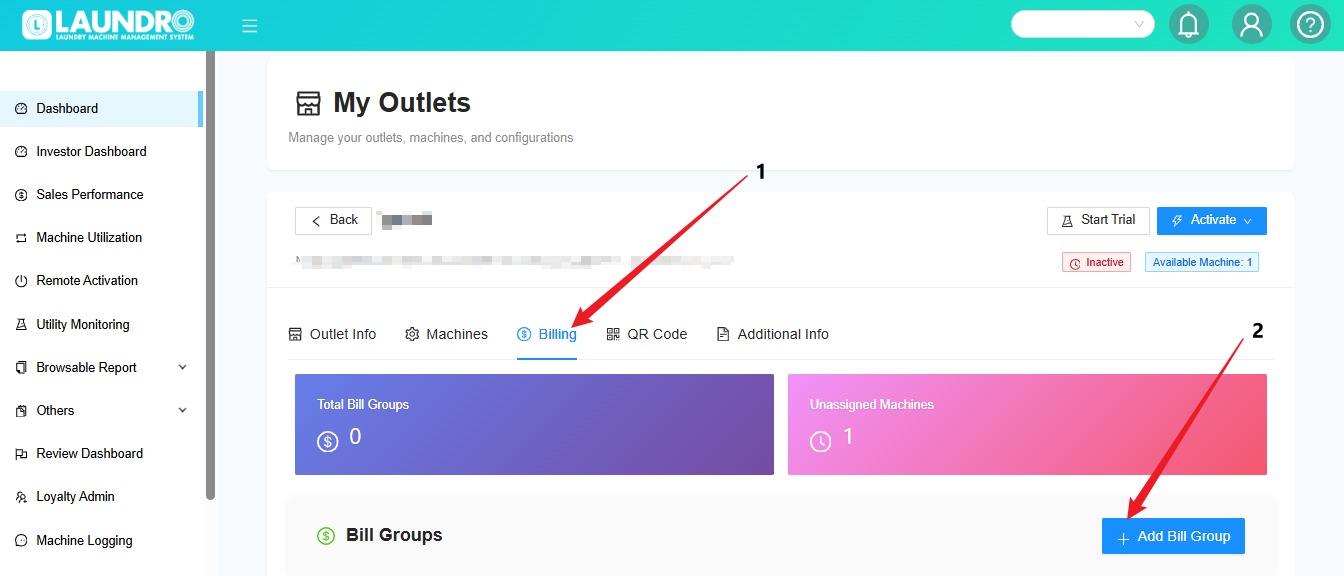
- Outlet Inactive. Click into Inactive Outlet.
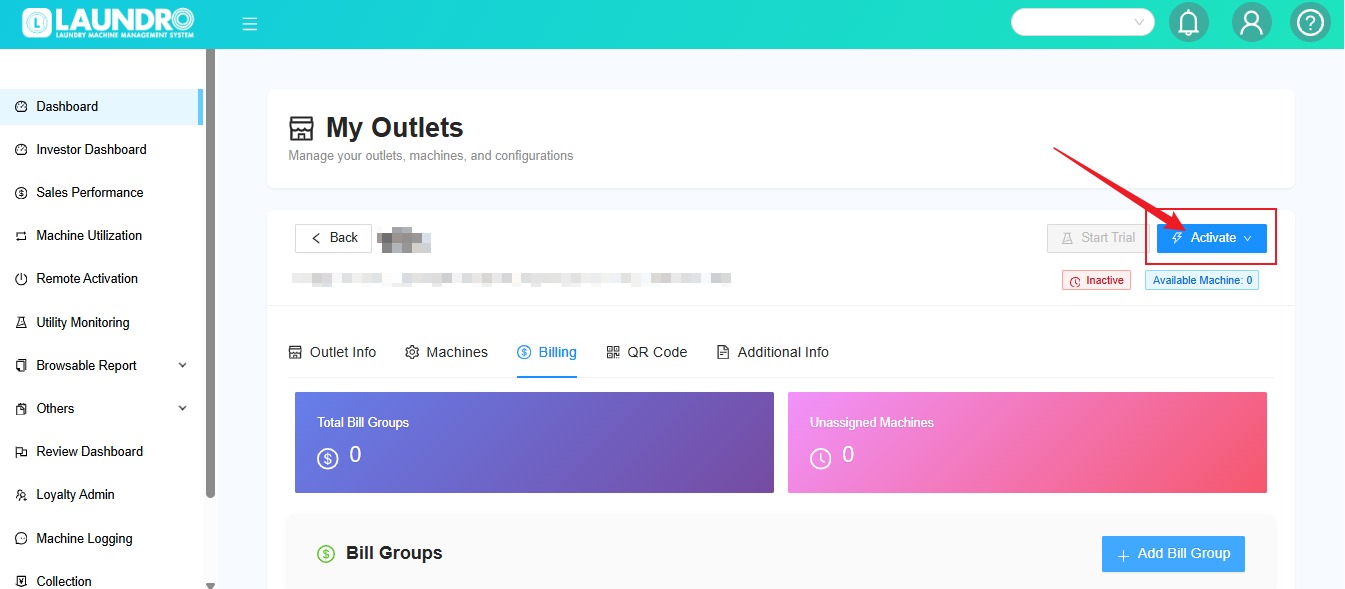
 Quality Note
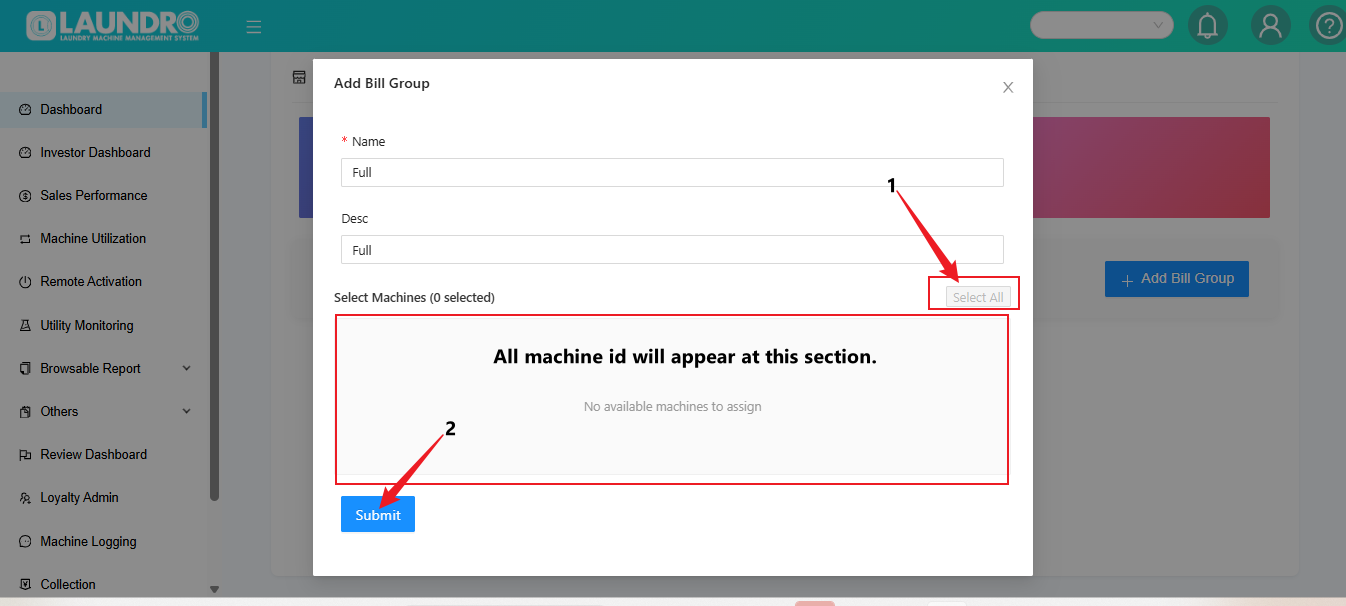
Please make sure you have configured all devices for the washers and dryers before activating the outlet.