Activation Outlet

How To Activate Outlet :

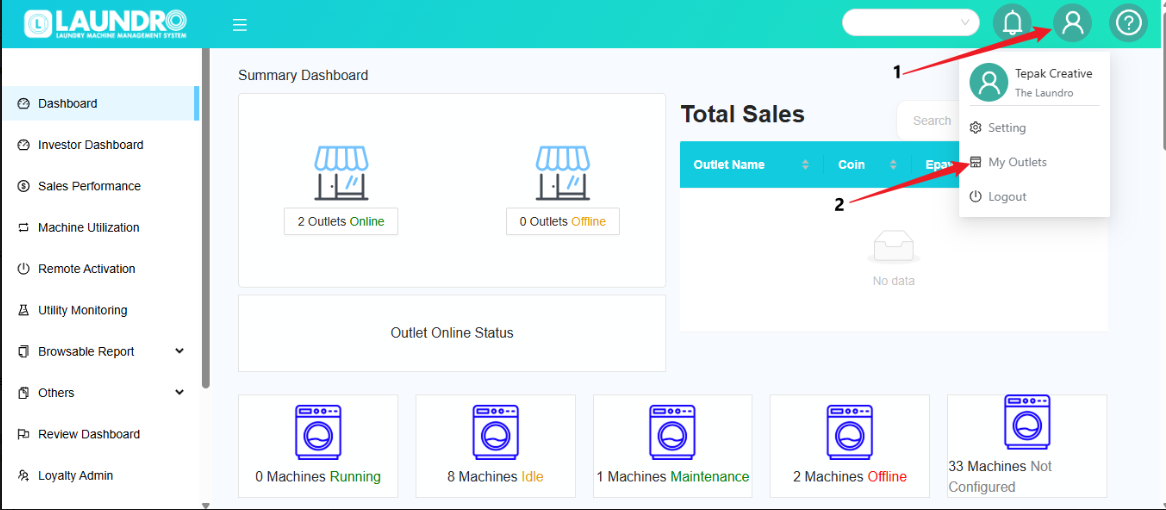
  1. Click the Profile icon at the top-right corner of the screen.

  2. Select My Outlets from the dropdown menu.

  3. The system will open the My Outlets page where you can view your outlets.


  1.  Outlet Activated
  2. Outlet Inactive. Click into Inactive Outlet.
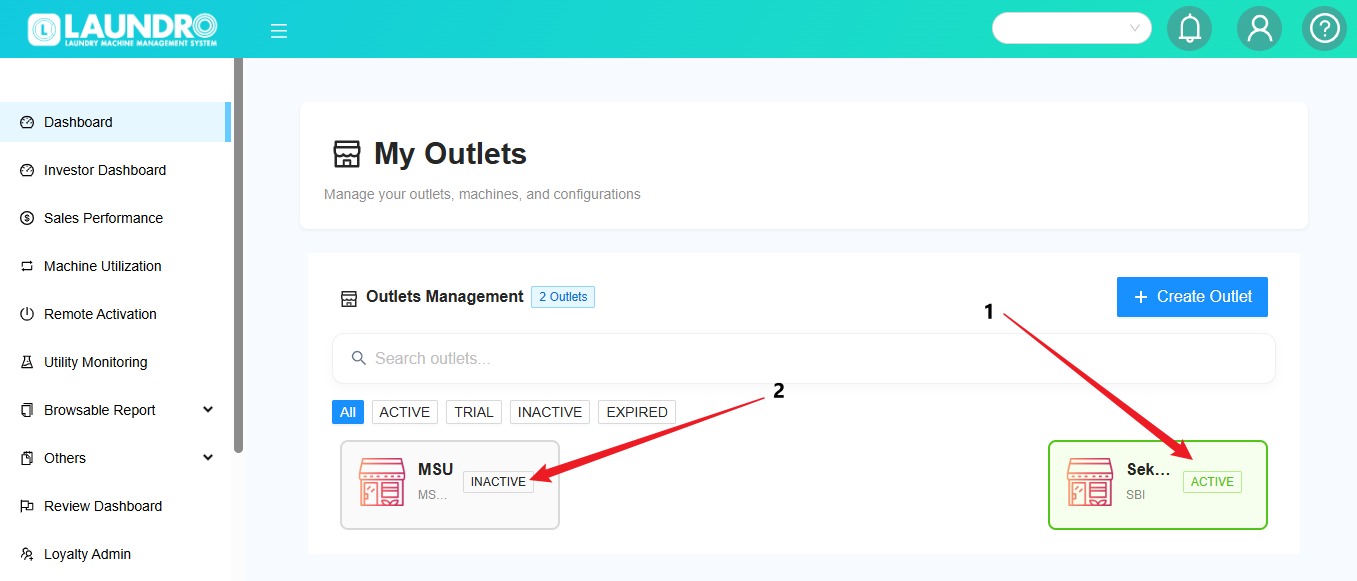
WhatsApp Image 2026-05-21 at 10.14.27 AM.jpeg


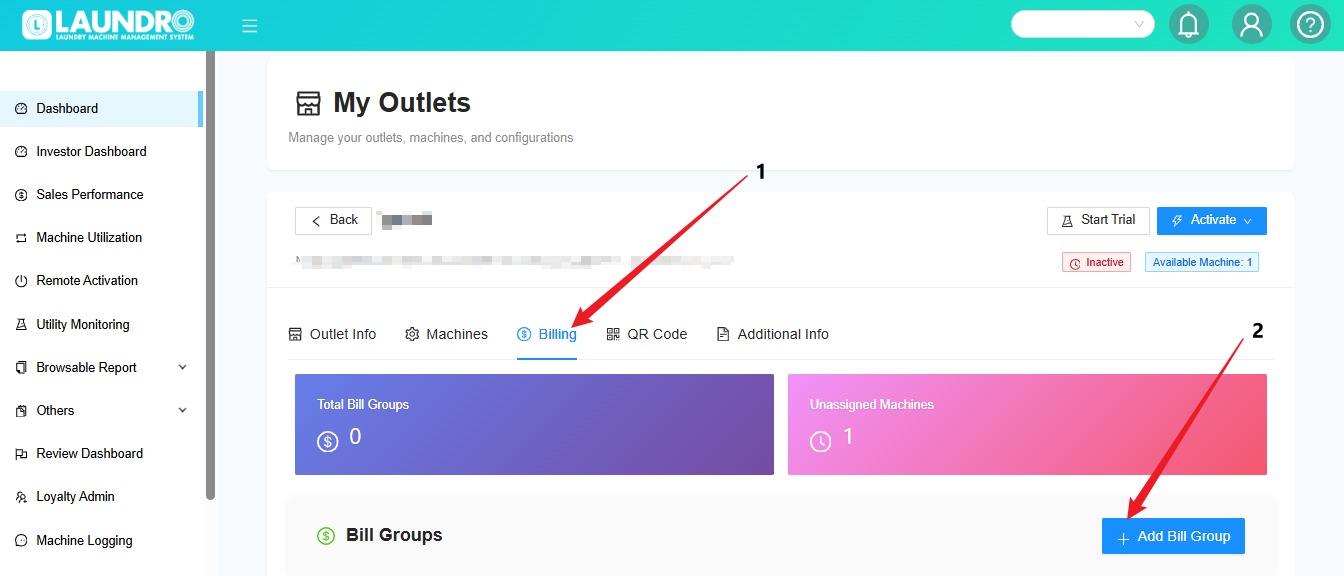
  1. Click the Billing tab.
  2. Click the + Add Bill Group button.

WhatsApp Image 2026-05-21 at 10.24.02 AM.jpeg


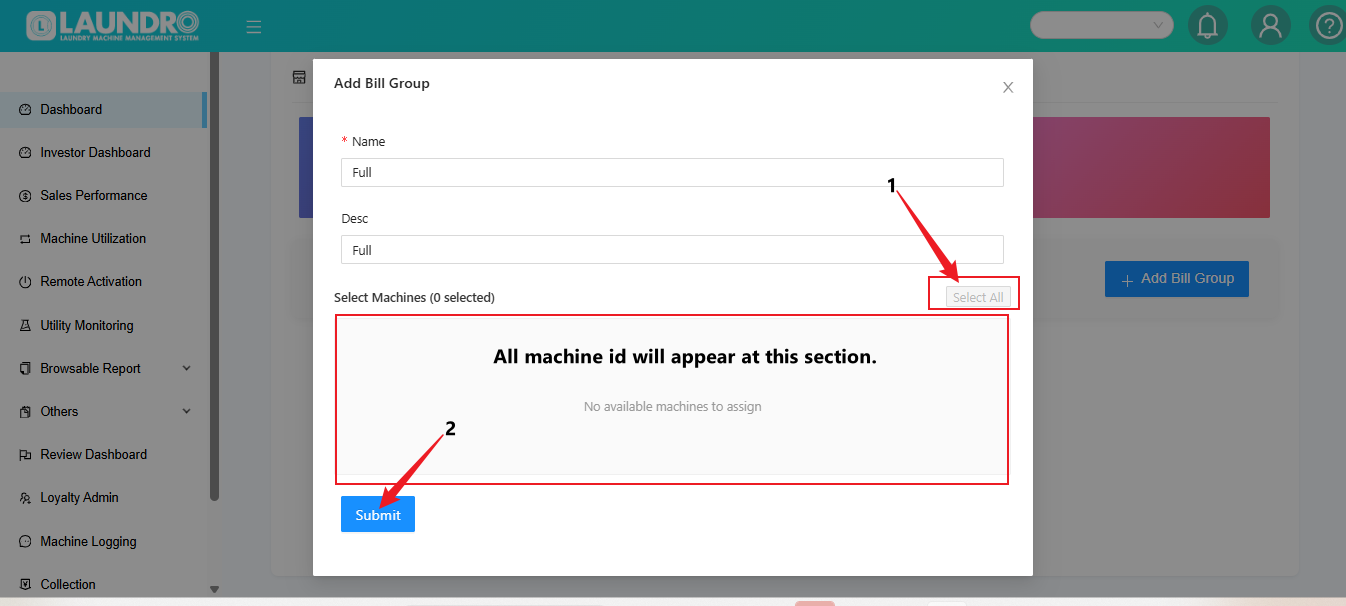
  1. Click on Select All
  2. Click Submit

image.png


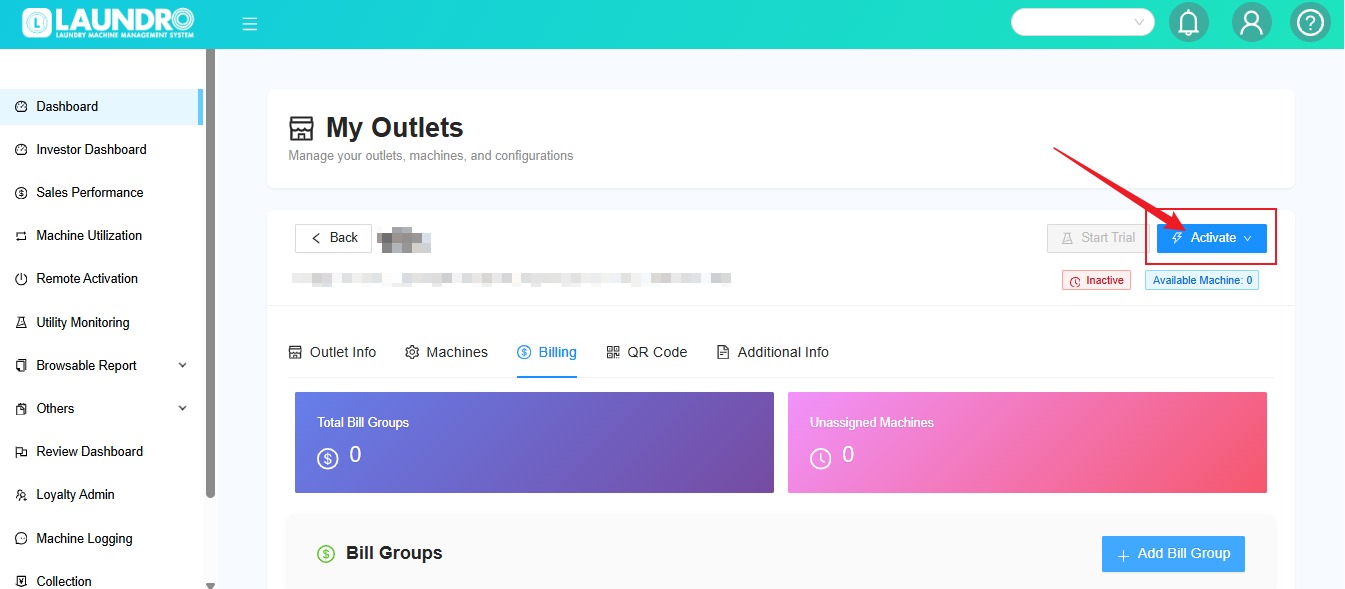
Click into Activate.
WhatsApp Image 2026-05-21 at 10.41.51 AM.jpeg