# Short Running Cycle

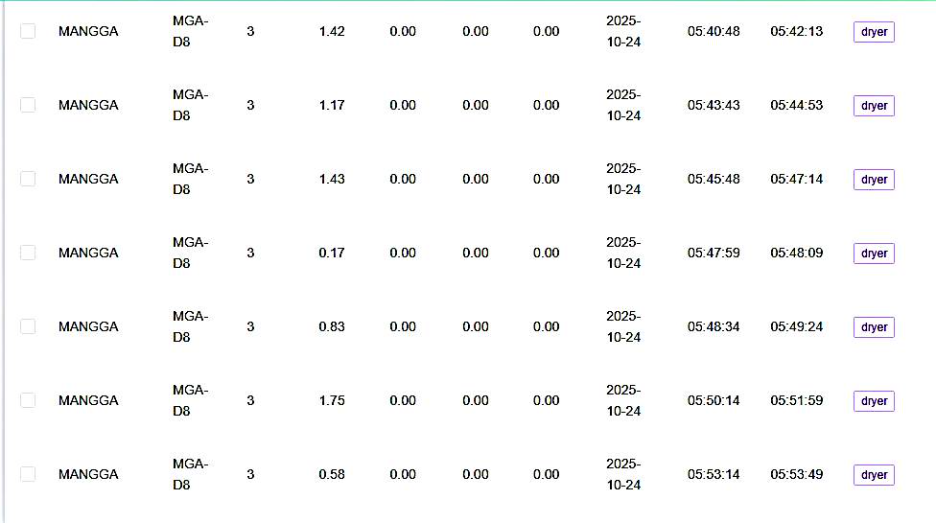
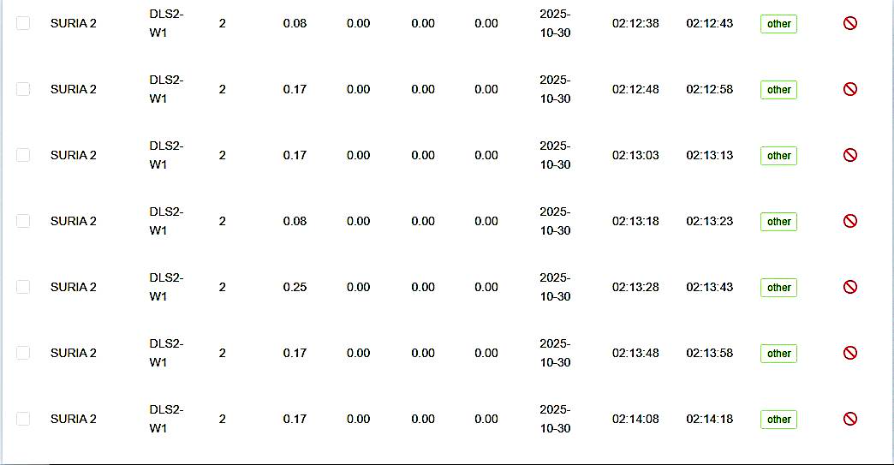
When we check the data in the transaction record, we found a Short Running Circle as shown \[in the image\].

<div drawio-diagram="471"><img src="https://docs.antlysis.com/uploads/images/drawio/2025-11/2FebPrh8iNagvocv-drawing-11-1762386895.png" alt=""/></div>

<div drawio-diagram="473"><img src="https://docs.antlysis.com/uploads/images/drawio/2025-11/ofZ7EaHYRJGrzITu-drawing-11-1762386995.png" alt=""/></div>

### **Threshold**

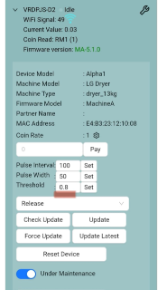
1. **After configure, observe the threshold menu for each device at the configuration page.**
2. **The default “Threshold” value is set to 0.8. However you should increase or decrease the value based on its idle value.**

<div drawio-diagram="456"><img src="https://docs.antlysis.com/uploads/images/drawio/2025-11/5Z4xxKza0NQ2d3Gv-drawing-11-1762318516.png" alt=""/></div>

### **Wire Harness**

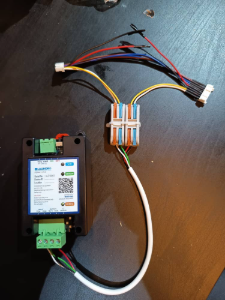
1.**Make sure the connection is tight by checking the wire harness and screw terminal.**
<div drawio-diagram="457"><img src="https://docs.antlysis.com/uploads/images/drawio/2025-11/f55IX7xmubID2dGw-drawing-11-1762319514.png" alt=""/></div>