# RHB Duitnow
## RHB Duitnow Setup Guide
## Login
##### 1. Open URL laundro v2 admin : [https://v2.thelaundro.com/admin\_login](https://v2.thelaundro.com/admin_login)
2\. Click to RHB Duitnow management & Click at Add **RHB DuitNow QR Code**
[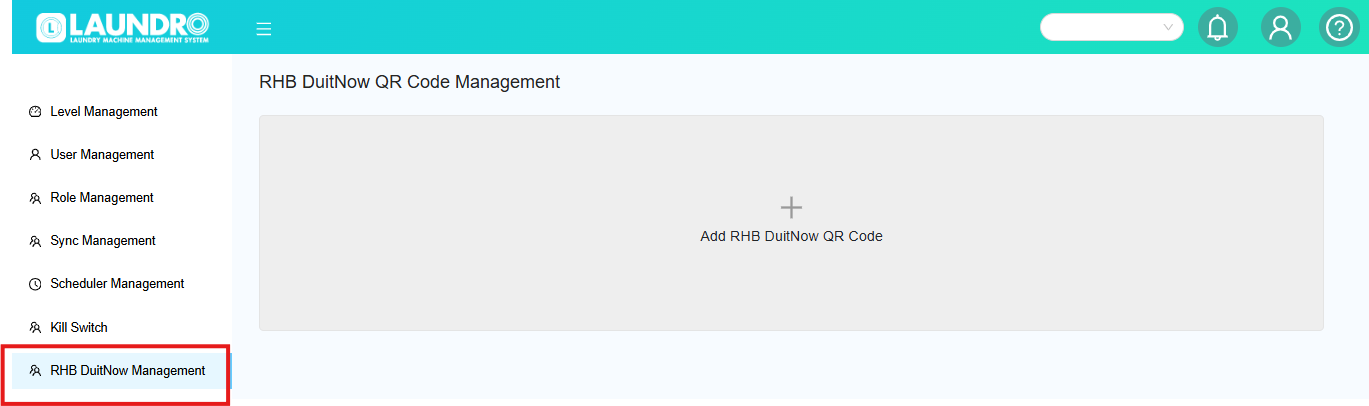](https://docs.antlysis.com/uploads/images/gallery/2026-04/rZWoqH5WTFhL7Hzc-image.png)
4\. Please select the required details paste into the box.
- Copy the **Machine ID** from the Laundro account (name) and paste it.
[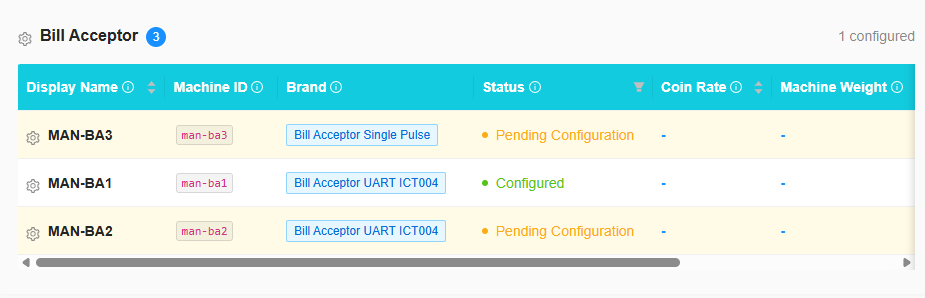](https://docs.antlysis.com/uploads/images/gallery/2026-04/yyN0AXDCnnLQd9QD-image.png)
- Update too the laundro **(RHB DATA)** [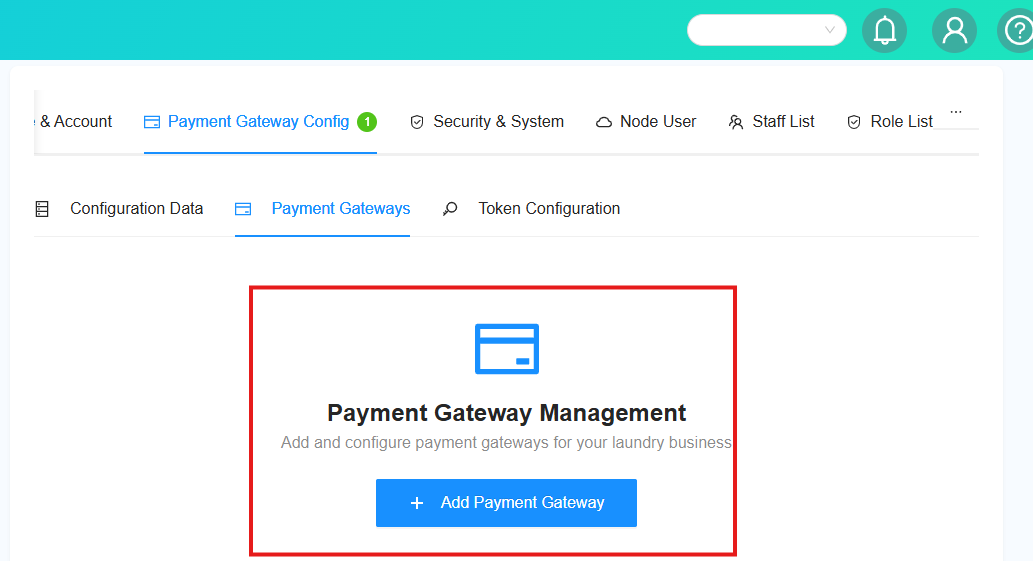](https://docs.antlysis.com/uploads/images/gallery/2026-05/sFAtVd90IcsJCzdx-image.png)
[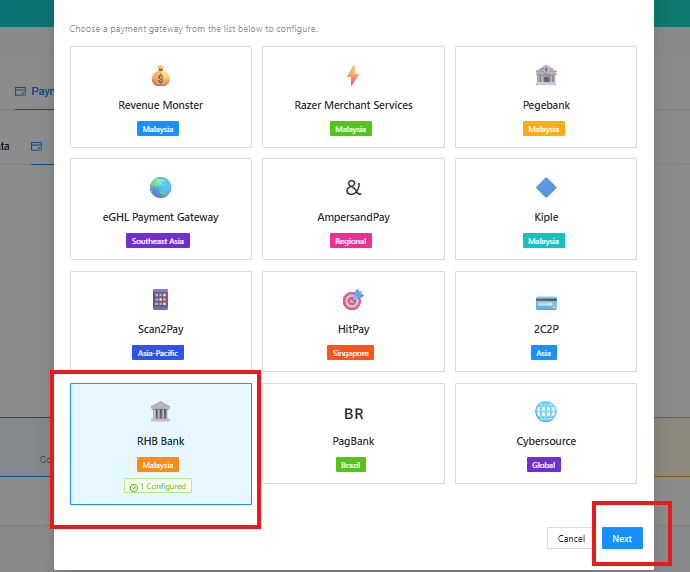](https://docs.antlysis.com/uploads/images/gallery/2026-05/ZSzfxEF3vQtoOgPD-image.png)
[](https://docs.antlysis.com/uploads/images/gallery/2026-04/99fo8kEXEAjUjHyw-image.png)
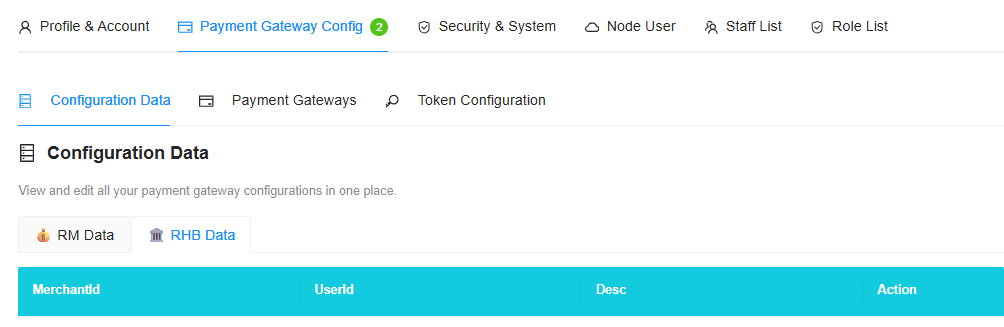
- **PLEASE** FILL UP 4 TEM'S MENTIONED
- **MERCHANT ID**
- **USER ID**
- DESC
- **RHBD ID**
ICA MODEL : RHBD214215GTBMAKER2RHBCIC08
- After complete fill **RHB DATA**
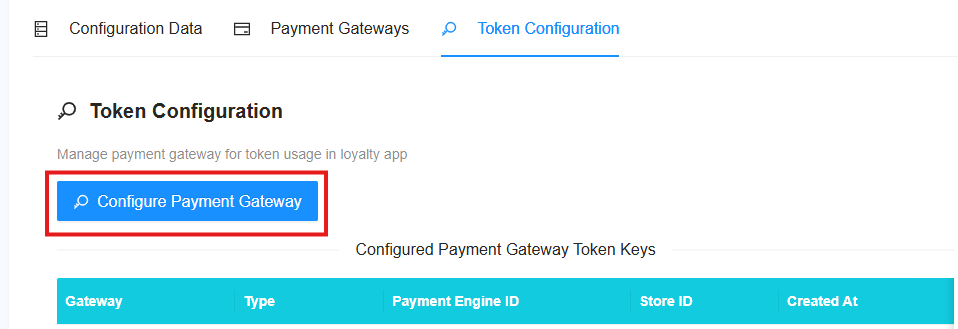
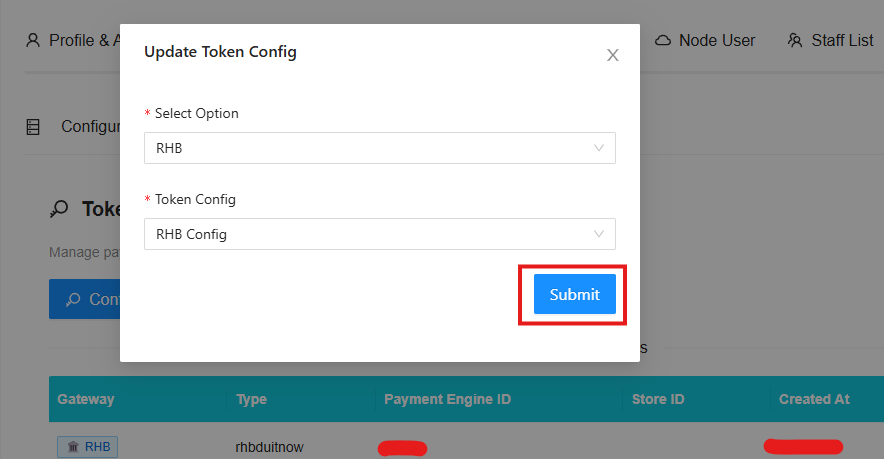
- **PLEASE ADD ON TOKEN CONFIG**
[](https://docs.antlysis.com/uploads/images/gallery/2026-05/dlREKwzhjZSzQWE5-image.png)
[](https://docs.antlysis.com/uploads/images/gallery/2026-05/8Jp44yzNP81xC0wp-image.png)
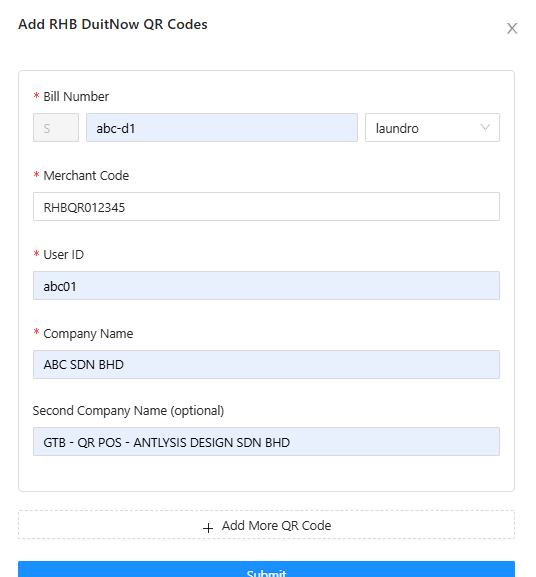
5. Please obtain the information listed below from the client/customer.
- Bill Number : copy & paste ID from laundro
- Merchant code : copy details from client
- User ID : copy details from client
- Company name : Please enter the outlet name to make it easier to locate.
- Second Company name : GTB - QR POS - ANTLYSIS DESIGN SDN BHD
- To add more QR codes, click the “Add More QR Code” button.
- Submit after done
- **IF** u need create new QR Please click **"REFRESH"**
[](https://docs.antlysis.com/uploads/images/gallery/2026-04/5JR5LsoKpUByB8Yf-image.png)
- **Please refresh** if needed, then proceed with generating the **next QR** code for the following outlet or machine (washer/dryer).
[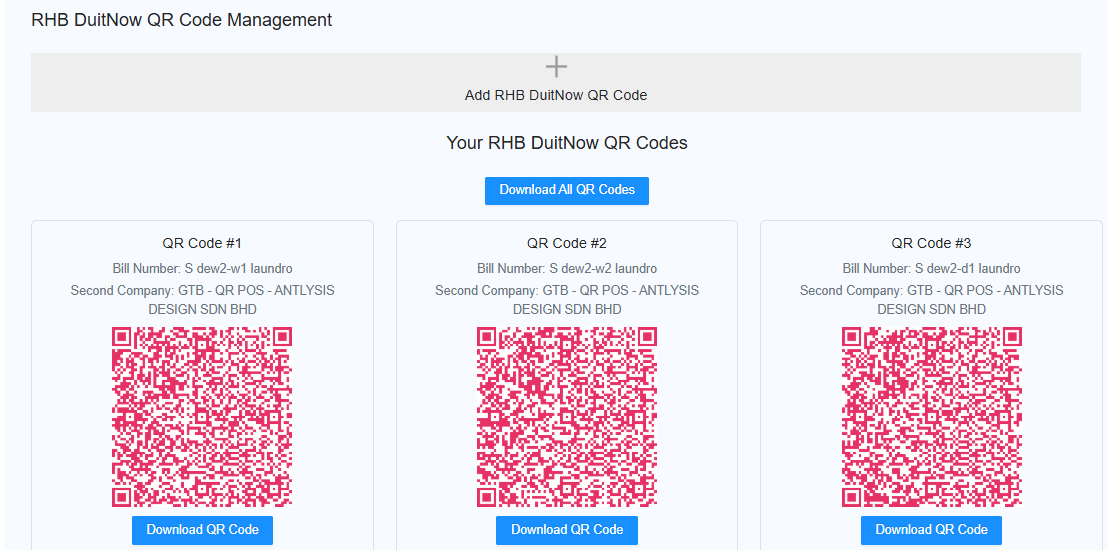](https://docs.antlysis.com/uploads/images/gallery/2026-02/6eTvCfWa45rDYB0Z-image.png)