How to Pay an Invoice
Antlysis Design Sdn Bhd bills SaaS subscriptions, IoT hardware, and add-on services to registered B2B customers via electronic invoices issued in Malaysian Ringgit (MYR). Online invoice payments are processed securely through Fiuu (Razer Merchant Services).
Step 1: Select Authorized Invoices to Pay
- Log in to your Laundro portal.
- Navigate to Billing > Payment on the top menu (refer to How to Get an Invoice).
- Under Authorized Invoices, locate the invoice(s) you wish to settle and click Add to cart.
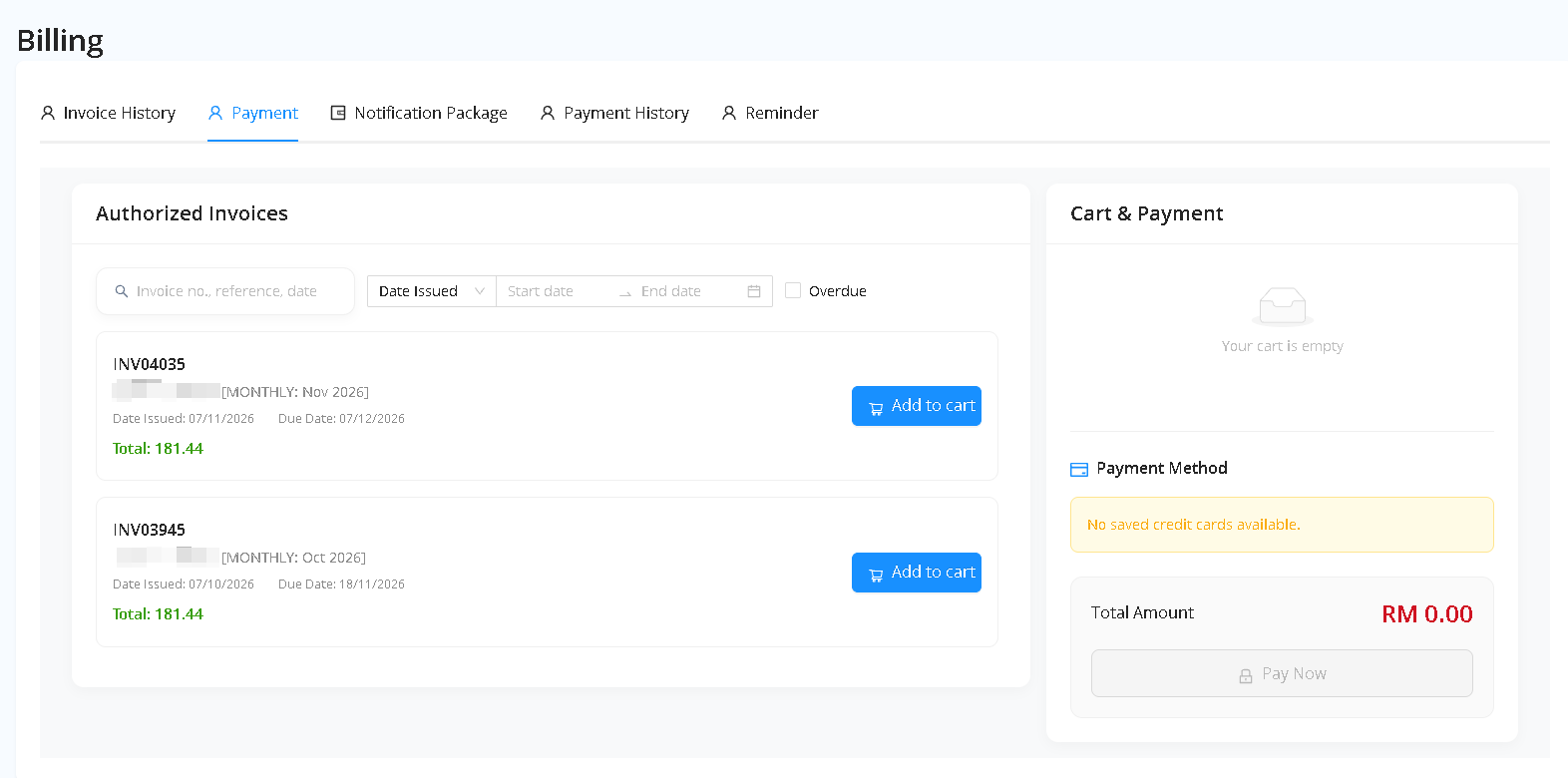
Step 2: Review Cart & Proceed to Checkout
- Selected invoices will appear under the Cart & Payment panel on the right with the Total Amount calculated in RM.
- Verify the selected invoice numbers and total payable amount, then click Pay Now.
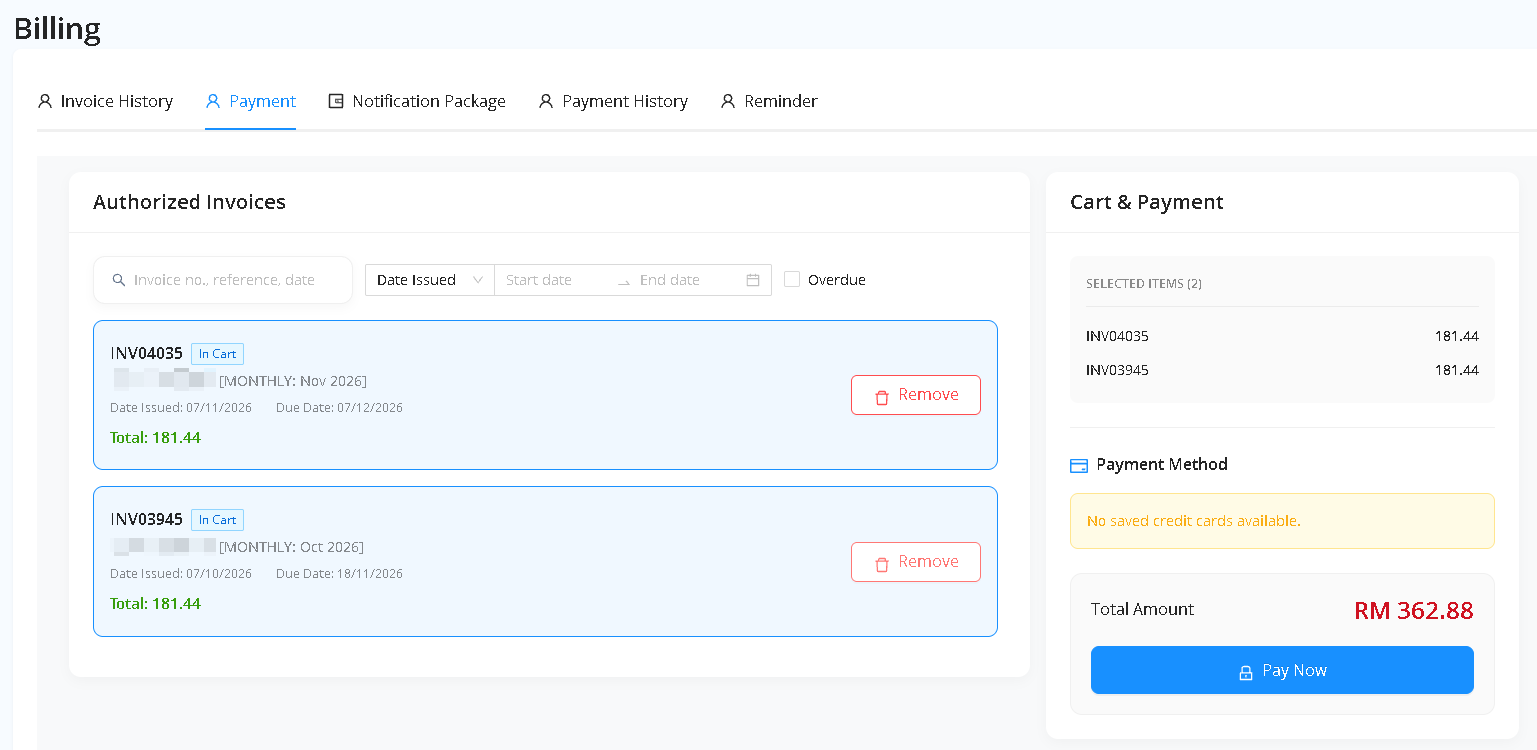
Step 3: Complete Payment via Fiuu Checkout
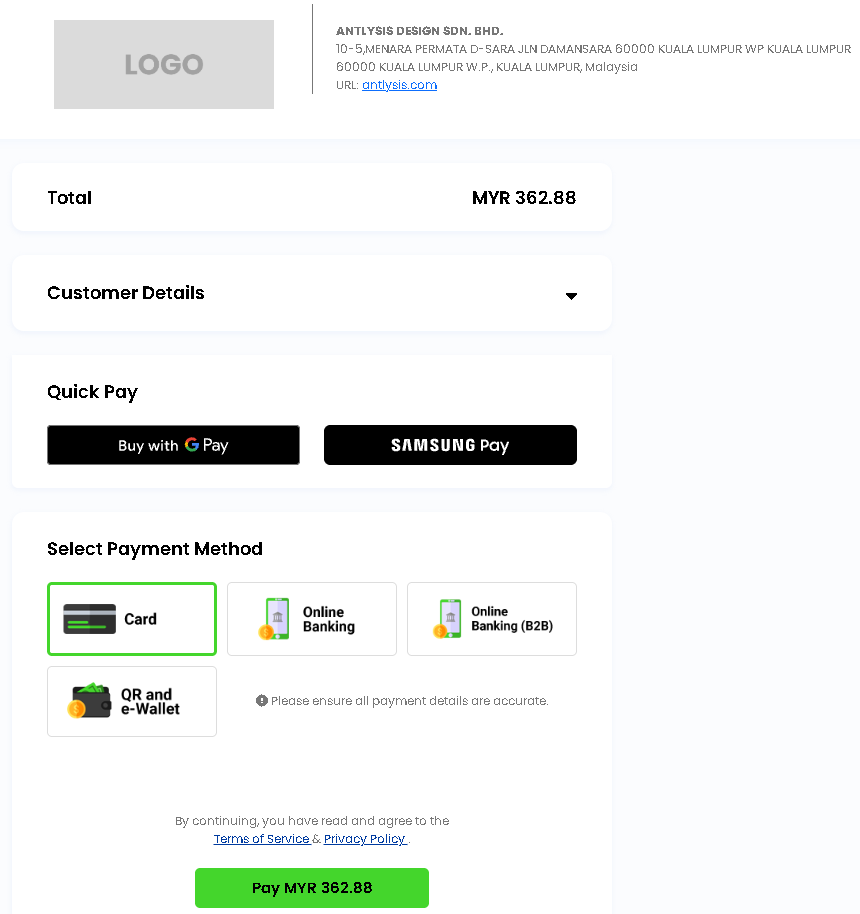
- Clicking Pay Now redirects you to the secure Fiuu Payment Gateway checkout page.
- Select your preferred payment method:
- FPX Online Banking (B2B / Corporate or Individual)
- Credit / Debit Card (Visa / Mastercard)
- E-Wallet / DuitNow QR
- Complete the authorization with your bank or payment provider.
Step 4: Payment Confirmation & Receipt
- Once payment succeeds, you will be redirected back to the Laundro CMS portal.
- Your settled invoices will move to Payment History, and an official receipt will be available for download.
Billing Terms & Policies
- Currency: All transactions are billed and settled in MYR (RM).
- Delivery / Fulfillment: SaaS license renewals and cloud credits are activated immediately upon payment confirmation; IoT hardware orders are dispatched within 3–5 business days.
- Refunds & Disputes: For billing discrepancies or refund requests, please refer to our Terms of Service or contact admin@antlysis.com within 7 days of the transaction date.